
On this page
Start here
Quick answer
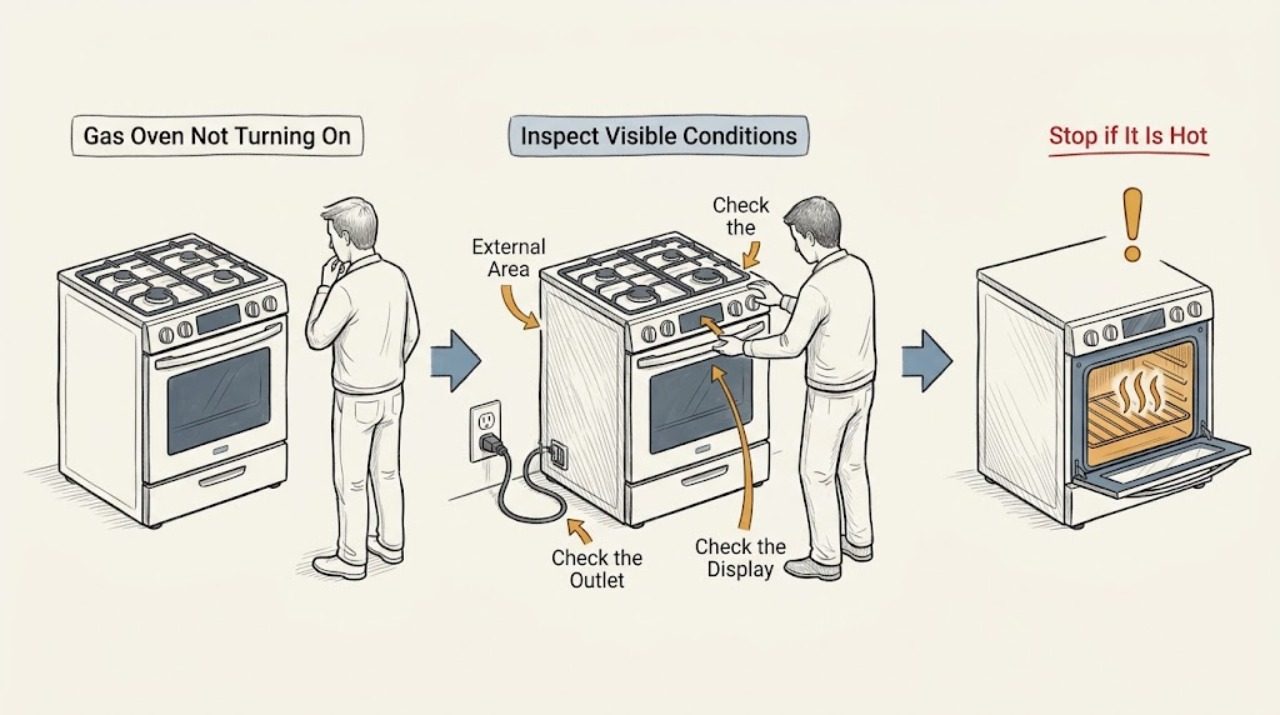
First separate a Viking gas oven with no display or no response from one that has power but will not start a bake cycle or light its burner. Record the exact model, display state, selected mode, clock or timer state, and any sound or odor. From a cool, dry position, check only the external power indication, control state, door position, and the model-specific manual. If gas is smelled, there is delayed ignition, an abnormal flame, smoke, sparks, a hot cord, or a repeated electrical trip, stop immediately, avoid switches and further testing, leave the area if needed, and contact the gas supplier, emergency service, or a qualified technician from a safe location. Do not open the oven, adjust gas parts, bypass a safety device, or test energized wiring.
Work through in order
Diagnostic checks
Use only checks that match the exact appliance or system and its official guide.
-
Check 1
Record the complete model, whether the unit is a built-in oven or a range, whether the display and oven light respond, the selected mode, the clock or timer state, and the exact point at which the oven stops. Observe from outside with the controls dry and the oven cool.
Expected result: The display may be blank, the display may be active but ignore a mode selection, the clock may be unset, a lock or timer message may appear, or the control may respond while the burner never ignites.
Next step: Follow the matching branch below and keep the exact model and message for service. Do not remove panels or attempt an internal test.
Stop if: Stop immediately for gas odor, smoke, fire, sparks, burning odor, a hot cord or outlet, or a repeated electrical trip.
Why this matters
Why: A blank display is a power or control-supply path; an active display with no start is a mode, clock, lock, door, or control path; a start followed by no flame is an ignition or gas path. Do not use a different Viking model's control sequence.
-
Check 2
If the display and lights are dead, look only at the accessible plug, cord, and nearby outlet for obvious looseness, scorching, melting, or moisture. From a dry position, check whether other nearby appliances have power and whether the home's protective device has changed; do not repeatedly reset it or open the electrical panel.
Expected result: Only the oven may be without power, the whole circuit may be off, the cord or outlet may show damage, or the display may return after an ordinary power interruption.
Next step: If there is no visible damage and the exact manual permits a single normal power restoration, observe once whether the display returns. If the device remains dead or protection trips again, leave it off and arrange qualified electrical or appliance service.
Stop if: Stop for moisture, scorching, melted insulation, an overheated connection, sparks, smoke, or any need to work inside the panel or appliance.
Why this matters
Why: A blank display does not establish an oven control failure. A damaged connection, wet area, or recurring trip is an electrical safety condition, while a stable supply with a blank display points to a model-specific service diagnosis.
-
Check 3
If the display works, confirm that the clock is set when the model requires it, no child or control lock is shown, no delayed-start or timed programme is active, and the oven function selector and temperature control are in a deliberate cooking position. Use the exact manual's normal start sequence once.
Expected result: The oven may begin its normal sequence after the clock, lock, mode, or start setting is corrected, or it may show an error, remain unresponsive, or return to an inactive state.
Next step: If one normal setting correction restores operation, monitor the first cycle without leaving the appliance unattended. If the control remains unresponsive or the error returns, stop and provide the model and message to service.
Stop if: Stop for a stuck control, a hot or damaged panel, smoke, burning odor, sparks, or an oven that cannot be turned off normally.
Why this matters
Why: Viking guides document models where the time-of-day must be set before a programme can run and where a control lock prevents operation. A correct setting with no response shifts attention to the control or safety circuit.
-
Check 4
With the oven cool, confirm the door closes normally and that no rack, foil, utensil, or food residue visibly prevents closure or covers a vent. Do not force the door, remove the door, block a vent, or reach toward the burner or igniter.
Expected result: A door may be visibly misaligned, a control may indicate a door or lock state, or the door may close normally while the oven still does not start.
Next step: Remove only a plainly visible loose item while the oven is cool and off, then use the model's normal start sequence once. A damaged hinge, seal, latch, glass, or lock requires service.
Stop if: Stop for cracked glass, a loose hinge or latch, a door that will not close without force, a blocked vent, heat, smoke, or any need to access the burner area.
Why this matters
Why: Some operating and safety sequences depend on correct door position and unobstructed air movement. A normal door with no start points back to the control, gas, ignition, or safety path rather than a door adjustment.
-
Check 5
If the display starts a gas-oven cycle but no flame appears, observe only from a safe distance whether there is a normal ignition attempt, an unusual delay, repeated clicking, or no ignition sound. Do not relight manually, keep cycling the control, adjust the gas valve, or open the burner compartment.
Expected result: The igniter may be silent, the oven may click without a flame, a flame may appear late or irregularly, or there may be a gas odor without a flame.
Next step: For no odor and one ordinary failed start, stop the appliance and arrange qualified service rather than repeating the attempt. For any gas odor or delayed ignition, follow the immediate gas-safety branch and do not test again.
Stop if: Gas odor, delayed ignition, an abnormal yellow or distorted flame, flame rollout, smoke, a bang, or any sign of combustion trouble requires immediate stop and safe-location assistance.
Why this matters
Why: A silent attempt can indicate power, control, or ignition trouble; clicking without flame can involve gas supply or ignition conditions; delayed or irregular ignition can allow gas to accumulate and is not a user test result.
-
Check 6
After the safe external checks, perform at most one model-documented cancellation or power-clear sequence only when there is no gas odor, smoke, heat damage, moisture, or active fault. Observe whether the display returns and whether one normal start completes; do not repeat a failed ignition or reset a tripping protective device.
Expected result: A single clear may restore a transient control state, while a blank display, recurring error, no flame, repeated clicking, immediate trip, or inability to turn the oven off remains.
Next step: Stop testing and give service the model, display state, selected mode, clock or lock state, ignition sound, flame behavior, and electrical or gas observations. Do not open the cabinet or burner area.
Stop if: Stop immediately for gas odor, fire, smoke, sparks, burning odor, abnormal flame, a hot cord or outlet, or repeated electrical trips.
Why this matters
Why: A temporary reset does not prove that the ignition module, valve, sensor, control, wiring, or supply is sound. Repeated faults require a model-specific diagnosis.
Use your observations
Decision map
Find the observation that best matches what you see, then follow the next safe action.
-
PATH 01Next step
What you see
Gas is smelled, ignition is delayed, the flame is irregular, or there is smoke, a bang, or flame rollout.
Do this next
Stop using the oven. Do not light anything, touch electrical switches, repeat the start, search for a leak, or adjust gas parts. Leave by a safe route if needed and contact the gas supplier, fire service, or emergency assistance from outside the hazard area.
-
PATH 02Next step
What you see
The display and lights are dead or the appliance loses power.
Do this next
Make only the dry, external power observations described above. Do not repeatedly reset protection or open an electrical panel; a damaged connection or recurring trip needs qualified service.
-
PATH 03Next step
What you see
The display responds but the oven does not begin after a correct mode, temperature, clock, lock, and door check.
Do this next
Use the exact model's normal start or cancellation sequence once. If it remains unresponsive or an error returns, stop and arrange service for the control or safety circuit.
-
PATH 04Next step
What you see
The display starts the cycle but the igniter is silent, clicks without flame, or the oven remains cold.
Do this next
Do not repeat ignition attempts or adjust the gas supply. With no odor, stop after the one safe observation and request qualified service; with odor or delayed ignition, follow the gas-safety branch immediately.
-
PATH 05Next step
What you see
Heating continues, a control is stuck, an electrical trip repeats, or smoke, sparks, or fire appears.
Do this next
Keep clear, stop using the appliance, and use the safest available shutoff or emergency route without touching a hazardous control. Leave the area for gas, smoke, or fire and contact emergency assistance; internal diagnosis belongs to qualified service.
Helpful context
Understand the symptom
What “not turning on” can mean
A Viking gas oven can appear dead because the display has no power, or it can have a live display while a mode, clock, door, or ignition condition prevents a bake cycle from beginning. Older mechanical-control and electronic-control models do not share the same sequence. Viking's documentation library lists manuals by product and model, so use the exact manual before interpreting a control message or reset instruction.
Gas and electrical boundaries
A normal brief ignition sound is not the same as a gas odor, delayed ignition, abnormal flame, smoke, or visible arcing. Never keep trying to light an oven that smells of gas, and do not touch electrical switches in a suspected gas release. If there is fire, smoke, an alarm, or symptoms that may indicate combustion gas exposure, leave from a safe route and contact emergency help from outside the hazard area. Internal gas and electrical work belongs with a qualified professional.
Safety boundary
Stop conditions
- Stop immediately for gas odor, delayed ignition, abnormal flame, flame rollout, smoke, fire, or a combustion alarm; do not retry the oven.
- Avoid electrical switches and further appliance operation when gas may be present. Leave the hazard area if needed and contact emergency assistance from a safe location.
- Stop for sparks, burning odor, a hot or damaged cord or outlet, repeated electrical trips, a stuck control, or an oven that will not turn off normally.
- Never open gas parts, adjust a gas valve, remove the burner compartment, bypass a safety device, or probe energized wiring.
Only after diagnosis
Potential parts
- ignition electrode or igniter assembly
Consider only after qualified diagnosis confirms an ignition fault and the exact model's parts list identifies this assembly.
Gas-oven ignition parts vary by model and gas system; confirm exact fit through Viking or a qualified technician. - oven gas valve or safety valve
Consider only when qualified service confirms a valve or gas-control fault after ruling out unsafe supply and ignition conditions.
Do not adjust or replace gas components as a household test; verify the exact model and approved part. - oven temperature sensor
Consider only if model-specific diagnosis links the no-start, temperature, or control behavior to the sensor circuit.
Confirm the exact model and installation requirements before any replacement. - oven control module
Consider only after service diagnosis finds a control or safety-circuit fault rather than a power, clock, door, ignition, or gas-supply issue.
Electronic control parts require exact model verification and qualified installation.
When checks do not resolve it
Need a professional?
Arrange qualified Viking appliance service when the oven remains unresponsive after the model-specific external checks, when a normal start is accepted but the burner does not light, when an ignition or control message returns, or when the door, lock, sensor, valve, wiring, or control system is suspected. Give the technician the exact model, display state, mode, clock and lock state, ignition sound, flame behavior, and any gas, heat, smoke, or electrical event.
Have this ready
- Exact model and serial information, whether the display responds, selected mode and temperature setting, clock or lock state, door condition, ignition sound and flame observation, and any odor, smoke, heat, spark, or electrical-trip history.
Common questions
FAQ
Why does my Viking gas oven have power but not turn on?
Check the exact model's clock, control lock, mode, temperature setting, door position, and any displayed message. If a normal start is accepted but the burner does not light, do not repeat ignition attempts; a qualified technician must separate ignition, gas-supply, sensor, and control faults.
What should I do if the Viking oven smells like gas?
Stop using it and do not try to light it again or touch electrical switches. Leave the hazard area by a safe route if needed and contact the gas supplier, fire service, or emergency assistance from outside the area. Do not search for a leak or adjust gas parts yourself.
Can a clock or control lock keep a Viking oven from starting?
Yes. The model guide may require the time-of-day to be set before a programme runs, and some controls can be locked. Correct a clearly displayed setting only through the exact manual; if the control remains unresponsive, arrange service.
When should I stop troubleshooting a Viking gas oven?
Stop for gas odor, delayed ignition, abnormal flame, smoke, fire, sparks, burning odor, a hot cord or outlet, repeated electrical trips, a stuck control, or an oven that cannot be turned off. Do not open gas or electrical parts; provide the model and observed symptoms to qualified service.
Read the exact guide
Official sources
- Viking Range, LLC | Support and Docs | DocumentationViking Range, LLC · Use to locate the exact model's installation and use-and-care documents; model and region determine controls and service guidance.
- Viking Use & Care ManualViking Range Corporation · Use for the documented professional built-in gas thermal-convection oven platform and as a safety reference; confirm the reader's exact model.
Community feedback
Share a repair observation
Share a plain-text repair observation. Accepted observations are published automatically; this page may take a moment to update.