
On this page
Start here
Quick answer
On the Viking DSOE305TSS, a value can flash normally while the clock, timer or an oven setting is being entered. First identify whether only a value is flashing during a documented entry, whether the clock needs to be set after a power interruption, or whether the whole display keeps flashing while idle or the controls/oven do not respond. Complete only the matching front-panel procedure in Viking's F20686 manual. If the display continues flashing at rest, shows an error, loses characters, or the oven's heating or controls are unreliable, stop using the oven and contact a Viking dealer or authorized service agency. Do not remove the control panel, probe wiring or reset internal parts based on the display symptom.
Before you begin
Safety first
- Do not remove the control panel, open the built-in oven, probe wiring, reseat a keyboard connection, replace a fuse or board, bypass the latch, or perform live electrical testing. Stop use for smoke, burning odor, exposed wiring, a damaged enclosure or unsafe heating behavior.
Work through in order
Diagnostic checks
Use only checks that match the exact appliance or system and its official guide.
-
Check 1
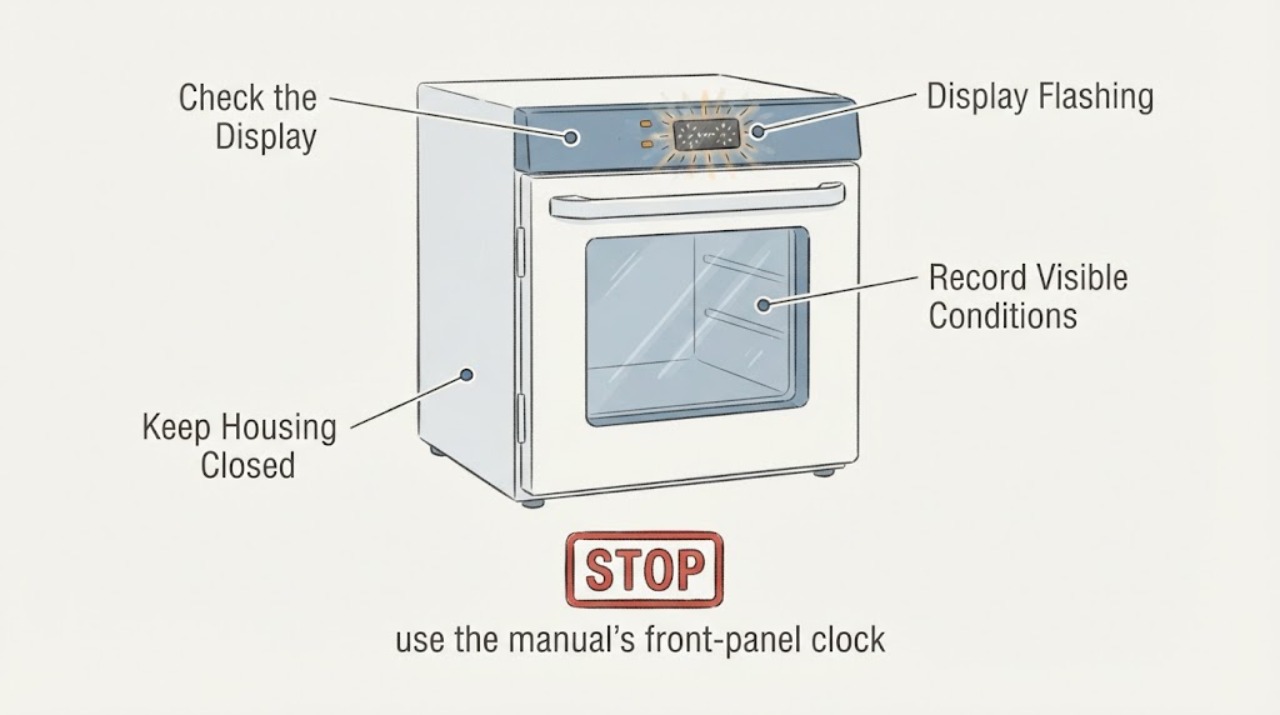
Stand at the front of the cool oven and note exactly what flashes: the clock digits, a timer value, a setting value, an error message, or most/all of the display. Record whether the flashing stops when no key is being pressed and whether it began after a power interruption.
Expected result: Only a value flashes while a clock, timer or setting is being entered, or the entire display continues flashing while idle.
Next step: If the display matches an active documented entry, complete or exit that entry using the F20686 instructions. If it flashes while idle, preserve the observation and proceed to service-oriented checks without opening the oven.
Why this matters
Why: The manual documents flashing values during normal entry of several settings. Continuous idle flashing is not given a normal user interpretation in the manual and should not be treated as a brightness or clock-setting issue without matching the documented screen.
-
Check 2
If the flashing display is the time-of-day after a known power interruption, use the manual's front-panel clock procedure only: select the affected oven, press CLOCK SET, enter the time with the keypad or arrows, and press SET or CLOCK SET to confirm. Do not remove a panel or attempt an electrical reset.
Expected result: The clock accepts the time and remains steady, or the display keeps flashing, rejects the entry, loses characters or the controls do not respond.
Next step: If the clock becomes steady and all controls operate normally, monitor it. If it remains flashing or the oven functions are affected, stop using the oven and arrange Viking authorized service.
Why this matters
Why: A clock awaiting entry is a documented state. A clock that cannot be set or a display that remains unstable after the documented entry is not explained by the clock procedure alone.
-
Check 3
Check whether the flashing appears only while changing a documented setting such as display brightness, degrees, clock format, tones or timeouts. Use the Settings menu only as described in the exact F20686 manual, and exit with the manual's Settings control rather than repeatedly pressing keys.
Expected result: The selected value flashes only until ENTER/SET confirms it and the display then returns to a steady screen, or flashing continues outside the setting menu.
Next step: Leave a normal confirmed setting unchanged. For persistent flashing, unresponsive controls or a display that changes without input, stop menu experiments and request authorized service.
Why this matters
Why: The manual uses a flashing current value to show that a setting is being edited. A flash that continues after the setting is confirmed or after exiting is not established as a user-adjustable preference.
-
Check 4
Without opening the oven or its electrical enclosure, check whether the oven otherwise responds to normal controls and whether it heats, turns off and reports a complete display. Do not start a cooking or self-clean cycle merely to force the display to change, especially if controls or error messages are unreliable.
Expected result: The display flashes but the normal controls and heating are reliable, or the oven will not operate, loses control response, displays an error or behaves unpredictably.
Next step: For unreliable operation, keep the oven off and arrange authorized service. For a stable oven with a documented setting flash, record the setting and continue normal use only if the manual's state is clear and no safety symptom is present.
Why this matters
Why: A working oven with a documented entry flash is different from a control/display problem that affects operation. Viking's manual sends electrical, control and error conditions to an authorized service agency rather than an owner component test.
-
Check 5
If the display shows an error message, write the message exactly as displayed and note whether the oven is hot, whether a door-latch or probe function was active, and whether the message clears through the manual's documented OFF/key procedure. Do not remove a probe jack, latch, keypad or control connection.
Expected result: The message is a documented programming error that clears as instructed, or it is a model/control error such as MODEL, RTD, LATCH or KEYBOARD ERROR, or it returns after clearing.
Next step: Record the exact message and stop use when it affects heating, door locking, controls or safe operation. Contact Viking authorized service with the model and serial information.
Why this matters
Why: Viking lists several error messages and directs owners to a dealer or authorized service agency for model, RTD, latch and keyboard errors. A returning error is not evidence for a specific replacement board or sensor.
-
Check 6
Read the rating label information through the upper vent trim without removing trim, and record DSOE305TSS, the serial number, date information and the exact flashing pattern. If the oven has lost power or a breaker/fuse concern is visible, do not open the electrical enclosure or perform live testing.
Expected result: The label confirms DSOE305TSS and the display pattern is repeatable, or the model/serial is unclear and the power condition is abnormal.
Next step: Give the label information, display video/photo and operating timeline to a Viking dealer or authorized service agency. Use a qualified electrician for a supply-side power concern; do not open the oven or repeatedly cycle a breaker.
Why this matters
Why: Viking says model and serial information are needed for service and that the label can be viewed through the upper vent trim. The manual directs an electrician to check a power circuit, breaker, wiring and fuses when the oven is not connected to power.
Use your observations
Decision map
Find the observation that best matches what you see, then follow the next safe action.
-
PATH 01Next step
What you see
Only the clock or a setting value flashes while the user is actively entering a documented time, brightness, degree, timer or other setting, and it becomes steady after confirmation.
Do this next
Leave the setting after completing the exact F20686 confirmation/exit step. Seek service if the same flashing returns while idle or the controls stop responding.
Why this path and its safety boundary
Why it matters: That pattern matches the manual's normal editing state rather than a demonstrated display failure.
-
PATH 02Next step
What you see
The time-of-day flashes after a power interruption but accepts the documented CLOCK SET entry and the display then remains steady.
Do this next
Monitor the clock and oven functions. If the clock loses its setting again or the display begins flashing while idle, stop troubleshooting and request service.
Why this path and its safety boundary
Why it matters: The observed state is consistent with the clock awaiting a new time after power was restored; it does not establish a failed control.
-
PATH 03Next step
What you see
Most or all of the display keeps flashing while no setting is being entered, or the display loses characters, changes without input or ignores normal controls.
Do this next
Stop using the oven and arrange Viking authorized service. Do not remove the control panel, reseat a ribbon cable, replace a board or test live wiring.
Why this path and its safety boundary
Why it matters: The F20686 manual does not provide a user diagnosis or internal repair for persistent display instability.
-
PATH 04Next step
What you see
A MODEL, RTD, LATCH or KEYBOARD ERROR appears, returns after the documented clearing step, or affects heating, the door latch or controls.
Do this next
Keep the oven off if operation or safety is affected, record the exact message and arrange authorized service with the model and serial number.
Why this path and its safety boundary
Why it matters: Viking identifies these as service conditions and directs the owner to a dealer or authorized service agency.
-
PATH 05Next step
What you see
The oven has no reliable power, a breaker/fuse or wiring concern is visible, there is burning odor/smoke, or the display fault appears with another electrical symptom.
Do this next
Stop using the oven, keep clear of exposed or hot equipment, use a qualified electrician for the supply concern and emergency services for active smoke or fire. Do not open the enclosure or restore power repeatedly.
Why this path and its safety boundary
Why it matters: This is an electrical or fire-safety boundary, not a display-settings problem.
Helpful context
Understand the symptom
Flashing during an entry is different from a fault
The F20686 manual describes flashing values while programming the clock, brightness, degree format, timer and other settings. That expected prompt should stop after the documented confirmation or exit. A display that flashes continuously when no setting is being entered is outside the manual's ordinary user instructions; the manual's service section directs owners to an authorized agency rather than an internal repair.
Keep the electric oven closed to qualified service
Viking identifies this as a built-in electric oven and says installation, repairs and servicing outside the manual's specific recommendations should be handled by a qualified servicer. A flashing display can involve the control or power system, but the public manual does not support choosing a board, keypad, fuse or wiring repair from the symptom alone.
When checks do not resolve it
Need a professional?
Contact a Viking dealer or authorized service agency when the DSOE305TSS display flashes while idle, cannot complete a documented clock or setting entry, loses characters, ignores controls, shows a recurring error, or the oven's heating, door latch or power is unreliable.
Safety scope: Do not remove the control panel, open the built-in oven, probe wiring, reseat a keyboard connection, replace a fuse or board, bypass the latch, or perform live electrical testing. Stop use for smoke, burning odor, exposed wiring, a damaged enclosure or unsafe heating behavior.
Have this ready
- Provide the model DSOE305TSS, serial number, exact display text/pattern, whether a setting was being entered, recent power interruption, whether the oven heats and turns off normally, any error message, and a photo or short video of the flashing display.
Common questions
FAQ
Is a flashing Viking DSOE305TSS display always a failed control?
No. The F20686 manual uses flashing values during clock, timer and settings entry. A display that keeps flashing when no entry is active, loses characters or affects oven operation is outside that documented normal state and needs authorized service.
What should I do if the Viking oven clock keeps flashing?
If it follows a power interruption, use the manual's CLOCK SET procedure once: select the oven, press CLOCK SET, enter the time and confirm with SET or CLOCK SET. If the clock will not hold or the whole display continues flashing, stop and contact Viking authorized service rather than opening the control panel.
Can I replace the Viking display or reset the control myself?
The public F20686 manual does not provide an owner display-board or control reset repair. It says servicing outside specifically recommended instructions should go to a qualified servicer and directs model, RTD, latch and keyboard errors to Viking service. Do not choose a board or open the oven from a flashing symptom alone.
Read the exact guide
Official sources
- Viking Use & Care Manual F20686: Designer Series Built-In Electric Touch Control Single and Double OvensViking Range Corporation · Official Viking PDF reached through the Viking documentation index's DSOE305T entry. It covers the DSOE305TSS/DSOE305T Designer Series family and supports normal flashing entry states, power/service boundaries and error handling; it does not specify an owner repair for persistent display flashing.
- Viking Range, LLC | Support and Docs | DocumentationViking Range, LLC · Opened the official Viking documentation index and verified the DSOE305T discontinued 30-inch single electric touch-control oven entry with English use-and-care and installation links. The linked F20686 manual identifies the DSOE305TSS/DSOE305T family; the index itself does not diagnose a flashing display.
Community feedback
Share a repair observation
Share a plain-text repair observation. Accepted observations are published automatically; this page may take a moment to update.