
On this page
Start here
Quick answer
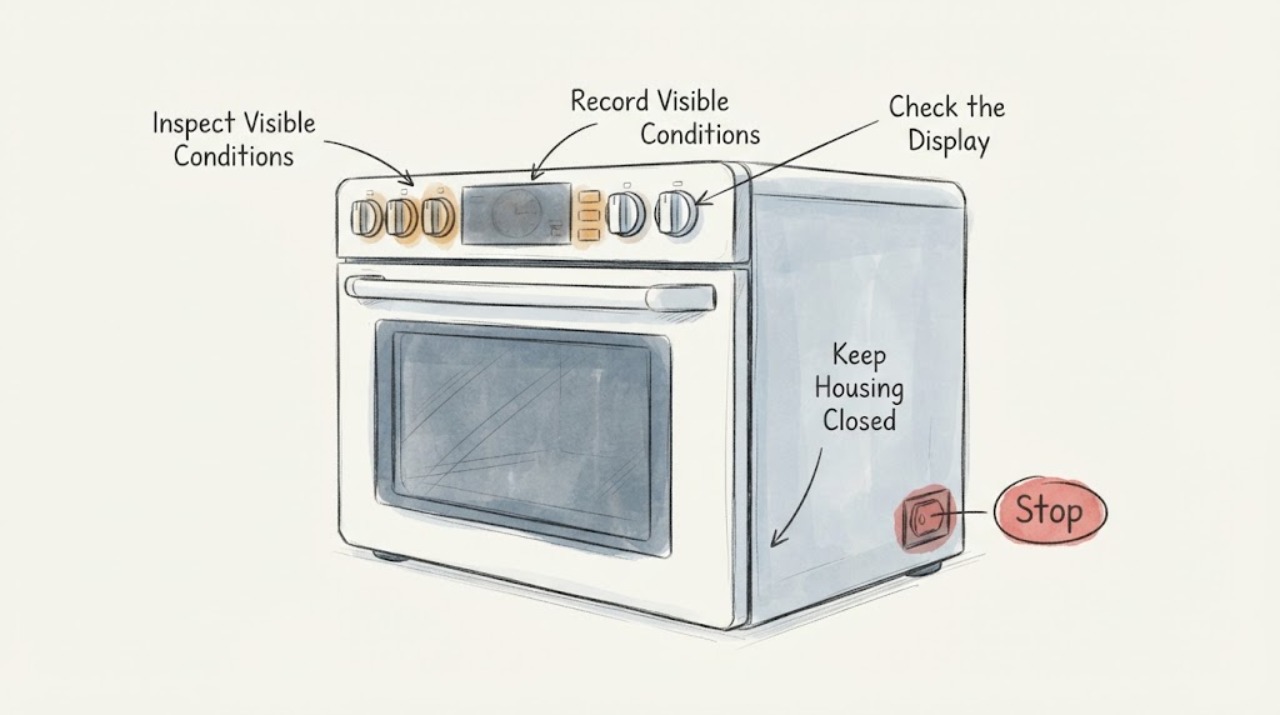
A Wolf DF304 display that goes dim after inactivity may be the Legacy Dual Fuel standby feature rather than a failed part. Wolf says eligible Legacy Dual Fuel controls can blank the clock 10 minutes after cooling-fan operation ends, or 10 minutes after the last control touch when the oven was not running, and the clock should illuminate after a control touch or oven use. First record whether the display wakes and whether the dimming happens only after that idle interval. Confirm the rating-label model and serial before applying the DF30 standby guidance; if the display stays dim while the oven is active, does not wake, loses characters, or the controls/oven operation are affected, stop trying menu combinations and arrange Wolf-qualified service. Do not transfer brightness steps from Wolf E Series ovens or remove the control panel.
Before you begin
Safety first
- Owner checks are limited to observing timing, reading the rating label, distinguishing unlit buttons from dim characters, and using the official standby sequence only when model/serial applicability is confirmed. Do not remove the control panel, open the range, reseat internal harnesses, probe live wiring, bypass an interlock, or select a replacement display/control from the symptom alone.
Work through in order
Diagnostic checks
Use only checks that match the exact appliance or system and its official guide.
-
Check 1
With the oven in a safe, normal state, record when the display dims: while the oven is actively being used, about ten minutes after the cooling fan finishes, or about ten minutes after the last control touch when the oven was not running. Touch one control once and observe the clock/ECH display without opening the panel.
Expected result: The clock returns after a touch or oven use, or it remains dim/blank and does not wake.
Next step: If the display wakes only after the documented idle interval, continue with the model/serial check. If it does not wake or is dim during active use, stop menu experiments and arrange qualified service.
Why this matters
Why: Wolf says the Legacy Dual Fuel standby option can disable the clock after the stated idle intervals and restore it after a touch or oven use. Failure to wake, dimming during active use, or missing characters does not match that simple standby observation.
-
Check 2
Read the rating label and write down the complete model and serial information, confirming that the unit says DF304 rather than a newer DF30450 or another Dual Fuel model. Keep the serial available when comparing the unit with Wolf's standby guidance.
Expected result: The label confirms DF304 and supplies a readable serial, or the label is incomplete/another model.
Next step: For a confirmed DF304, compare the serial with Wolf Customer Care or the official DF30 standby page before changing a setting. If the identity is uncertain, use the exact label and serial for service rather than borrowing instructions from a neighboring model.
Why this matters
Why: Wolf lists DF304 as a Legacy Dual Fuel model and uses serial breaks to identify which DF30-family controls include standby. A missing or different suffix prevents a confident model-specific menu conclusion.
-
Check 3
Only when the complete model/serial and the Legacy Dual Fuel standby applicability are confirmed, leave the oven off and use Wolf's published standby control sequence: touch and hold CLOCK for five seconds, touch STOP TIME to toggle the setting, and touch ENTER to keep the selected setting. Do not force a control or continue if the panel reacts unexpectedly.
Expected result: The display shows the official ON/OFF indication in STOP TIME and then behaves consistently after the setting is saved, or the controls do not match the published sequence.
Next step: If the sequence is supported and the display behavior becomes consistent, document the setting. If it is unsupported, ineffective, or the display remains dim while active, restore the oven to a safe off state and use qualified service.
Why this matters
Why: Wolf documents this sequence for Legacy Dual Fuel Ranges with the standby option. It is not a universal brightness adjustment, and a control layout that does not match it is evidence to stop rather than improvise.
-
Check 4
Check whether the complaint is only that the keys are not illuminated or whether the clock/ECH characters themselves are dim, blank, or incomplete. Compare the readable display before and after a normal control touch; do not judge key lighting by pressing through a bezel or removing trim.
Expected result: The display characters are readable and only button backlighting is absent, or the characters themselves remain dim/partial.
Next step: For normal unlit buttons with a readable display, no lighting repair is indicated. For dim/partial characters, continue only with the standby timing check and service boundary; do not diagnose a board or lamp from appearance alone.
Why this matters
Why: Wolf says Dual Fuel Range buttons are not backlit as a normal design condition. A character-level display problem is separate and is not explained by the button-lighting statement.
-
Check 5
Stop owner troubleshooting and document the model, serial, idle-versus-active timing, whether a touch wakes the display, missing characters, and any simultaneous oven-control or heating change when the display stays dim.
Expected result: The display is dim while active, never wakes, has partial characters, or the oven no longer responds normally; or the issue is limited to an expected idle state.
Next step: For the active/nonresponsive pattern, keep the range out of service as needed and request Wolf-qualified appliance service. Provide the label and the recorded timing; do not remove the control panel, reseat wiring, or test live circuits.
Why this matters
Why: An active or nonresponsive display is outside the simple standby observation supported by Wolf's FAQ. The public evidence does not identify an owner-safe internal repair or a compatible replacement part.
Use your observations
Decision map
Find the observation that best matches what you see, then follow the next safe action.
-
PATH 01Next step
What you see
The DF304 clock goes dim only after the stated idle interval and illuminates again after a control touch or oven use.
Do this next
Record the serial and standby setting, then leave the range configured according to the official guidance if the model/serial is confirmed. Seek service if the timing changes or the display stops waking.
Why this path and its safety boundary
Why it matters: That pattern is consistent with Wolf's optional Legacy Dual Fuel standby behavior, subject to the unit's serial/control applicability.
-
PATH 02Next step
What you see
The keys are dark but the clock and ECH characters are readable and the oven operates normally.
Do this next
Do not order a lighting part. Monitor the actual display characters and use service only if the display itself becomes dim, blank, or incomplete.
Why this path and its safety boundary
Why it matters: Wolf identifies Dual Fuel Range buttons as not backlit; absent key illumination alone is a normal design condition.
-
PATH 03Next step
What you see
The display is dim while the oven is active, does not wake after a touch, or shows partial characters.
Do this next
Stop internal troubleshooting and arrange Wolf-qualified service. Do not remove trim, disconnect a harness, probe wiring, or choose a board/display part from the symptom.
Why this path and its safety boundary
Why it matters: That pattern is not explained by the idle standby timing alone and could involve an internal control/display or power issue that the public owner guidance does not diagnose.
-
PATH 04Next step
What you see
The model suffix or serial is unreadable, or the control layout does not match the published Legacy Dual Fuel standby sequence.
Do this next
Photograph the label and contact Wolf or qualified service for identity confirmation; do not apply E Series brightness steps or a neighboring model's harness/part advice.
Why this path and its safety boundary
Why it matters: Wolf's standby thresholds and control sequence cannot safely be assumed for an unidentified or different control version.
Helpful context
Understand the symptom
First separate idle standby from an active display failure
The exact topic is the Wolf DF304, a Legacy 30-inch Dual Fuel Range. Wolf's Legacy Dual Fuel FAQ specifically includes a blank or dim control-panel display among its standby questions. On units with that option, the clock can go dark after the cooling fan finishes or after ten minutes without a control touch, then illuminate after a touch or oven use. That timing is a useful observation, not proof that every DF304 has the same setting; the serial range and the control version matter.
Do not confuse unlit buttons with a dim display
Wolf states that buttons on Dual Fuel Ranges are not backlit. If the clock or ECH characters remain readable and only the key outlines are dark, that can be normal button design. A display that loses characters, remains dim while the oven is being used, or fails to wake after a touch is a different symptom. The public E Series brightness instructions are for another Wolf product line and should not be copied onto this DF304 page.
Keep the repair boundary outside the control panel
A repeatable idle-only pattern can be documented and checked against the Wolf standby guidance. If the display stays dim during active cooking, does not respond to a control touch, shows only partial characters, or is accompanied by changed oven operation, the official sources do not identify a safe owner repair or a compatible display part. Preserve the model and serial information and use Wolf-qualified service; do not remove the panel, unplug an internal harness, probe live wiring, or order a control based only on the symptom.
When checks do not resolve it
Need a professional?
Request Wolf-qualified appliance service when the DF304 display stays dim during active use, does not wake after a control touch, loses characters, the published standby sequence is ineffective or does not match the controls, or the oven/control behavior changes with the display symptom.
Safety scope: Owner checks are limited to observing timing, reading the rating label, distinguishing unlit buttons from dim characters, and using the official standby sequence only when model/serial applicability is confirmed. Do not remove the control panel, open the range, reseat internal harnesses, probe live wiring, bypass an interlock, or select a replacement display/control from the symptom alone.
Have this ready
- Provide the complete DF304 model and serial, whether the display dims after cooling or inactivity, whether a touch wakes it, which characters are missing, whether buttons are merely unlit, and any concurrent loss of oven or control function.
Common questions
FAQ
Is a dim Wolf DF304 display always a failed part?
No. Wolf documents an optional Legacy Dual Fuel standby behavior in which the clock can go dark after an idle interval and wake after a control touch or oven use. That explanation is conditional on the unit's serial/control version; a display that stays dim while active or never wakes needs service.
Why are the Wolf DF304 buttons not lit?
Wolf says buttons on Dual Fuel Ranges are not backlit. If the clock and ECH characters are readable and only the key outlines are dark, that can be normal. It is different from a display whose characters are dim, blank, or incomplete.
Can I use Wolf E Series display-brightness instructions on a DF304?
No. E Series brightness settings are for a different Wolf product line. The DF304 page should use the Legacy Dual Fuel standby guidance only when the complete model/serial and control applicability are confirmed.
What should I tell service about a Wolf DF304 display that dims?
Give the complete model and serial, whether the dimming follows cooling or inactivity, whether a control touch wakes the display, whether the characters are partial, whether the buttons are simply unlit, and whether oven operation changed. Do not remove the panel or report an unverified board or display part as the diagnosis.
Read the exact guide
Official sources
- Wolf Dual Fuel Range Model TimelineSub-Zero, Wolf, and Cove · Official Wolf model timeline used to confirm that DF304 is a Legacy Dual Fuel model produced from 2002 through 2020 and that serial information is needed for unit identification. It does not define display failure causes.
- 30-inch Dual Fuel Range - 4 Burners - LegacySub-Zero, Wolf, and Cove · Official Wolf/Sub-Zero product specification page for the Legacy 30-inch four-burner Dual Fuel Range. It identifies DF304 and links the applicable Use and Care/Quick Reference material; it does not prove an internal display-part failure.
- Wolf Control Panel Button LightingSub-Zero, Wolf, and Cove · Official Wolf control-lighting FAQ. It supports the distinction between unlit Dual Fuel buttons and a dim/blank display; it is not evidence for an internal display repair or replacement part.
- Wolf Legacy Dual Fuel Range Clock Standby Power (Sleep Mode)Sub-Zero, Wolf, and Cove · Official Wolf FAQ for Legacy Dual Fuel controls. It explicitly covers a blank/dim control display and gives model-family serial breaks and the CLOCK/STOP TIME/ENTER procedure; the article applies it conditionally to a verified DF304/DF30-family control and does not transfer it to other Wolf lines.
Community feedback
Share a repair observation
Share a plain-text repair observation. Accepted observations are published automatically; this page may take a moment to update.