
On this page
Start here
Quick answer
First record exactly where the Wolf oven stops: during preheat, timed cooking, a normal cooking mode, or Self-Clean. A programmed cook or stop time, a cooling fan that continues after the oven is off, and a Self-Clean door that stays locked while hot can be normal model-dependent behavior. If the display or power disappears, the oven will not turn off, a breaker trips again, or the oven shows smoke, arcing, a burning smell, or uncontrolled heat, stop using it and leave it without power while arranging qualified Wolf service.
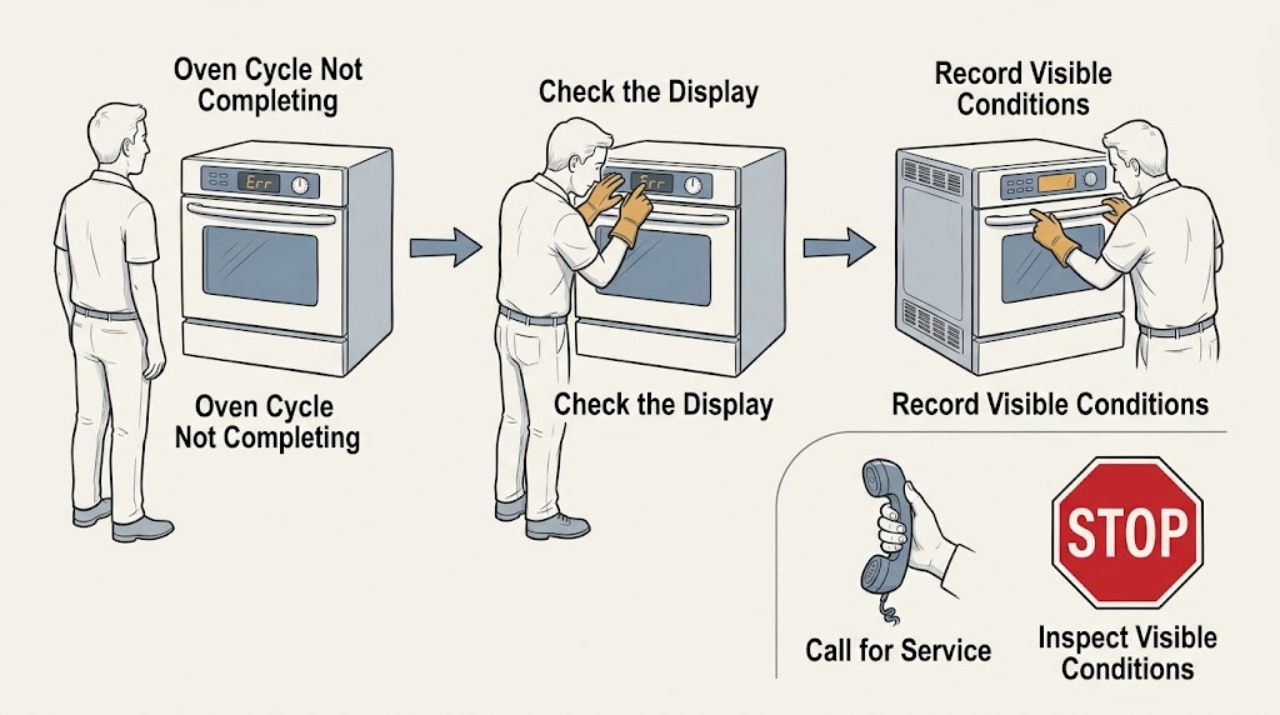
Work through in order
Diagnostic checks
Use only checks that match the exact appliance or system and its official guide.
-
Check 1
Without opening a hot oven or touching internal parts, record the exact mode, temperature, elapsed time, display message, door state, fan state, and whether the display still has power when the cycle stops.
Expected result: The oven may stop at a programmed end time, stop only after the door is opened, lose all display power, remain hot with a cooling fan running, or stop at the same stage with a message or code.
Next step: Use the matching branch below and keep the message, model, serial information, and sequence for service. Do not run another cycle if there is smoke, burning odor, arcing, uncontrolled heat, or a hot control area.
Stop if: Stop immediately for smoke, flame, arcing, burning odor, a hot control or plug, repeated breaker operation, or heat that does not respond to the Off control.
Why this matters
Why: These observations separate normal timed or cooling behavior from a control, power, door, or heating fault. A blank display or a repeatable mid-cycle stop is not explained by a normal end-of-cook chime alone.
-
Check 2
Check the screen or control panel for Timed Cook, Stop Time, Delayed Start, or a countdown, and compare it with the clock and the duration you intended to set.
Expected result: The oven turns off at the displayed stop time or when the programmed duration expires, or the clock is wrong and the oven has been scheduled to end earlier than expected.
Next step: After the oven is cool and no hazard is present, clear the timing function using the exact model guide and use an untimed mode only if the guide permits it. Do not use delayed start when preheating is critical unless the guide explains how the model handles it.
Stop if: Stop and arrange service if the oven stops with no programmed timing, the clock cannot be set, the controls create an unexplained stop time, or the timing returns after being cleared.
Why this matters
Why: Timed Cook and Delayed Start are automatic stop functions, not evidence that the heating system failed. Depending on the Wolf model, preheat may be included in the cooking window, so food can be underdone even though the timed cycle completed as programmed.
-
Check 3
If the symptom occurs when the door is opened, close the door normally and observe from a safe position whether the display remains powered and the selected mode resumes its expected indication; do not lean into the hot cavity.
Expected result: In convection or preheat, the convection fan and electric broil element may stop while the door is open and return after it is closed, but the oven should not lose power. A blank display or complete shutdown when the door moves is different.
Next step: Leave the oven off if opening the door removes power, if the door does not latch or close correctly, or if the symptom repeats. Preserve the mode and door position at which it occurred for Wolf service.
Stop if: Do not force the door, bypass a latch or switch, or repeat the test when there is heat escaping abnormally, smoke, arcing, or a burning smell.
Why this matters
Why: Fan or broil cycling at the door can be normal airflow and heat protection. Loss of display power points instead toward a power, door-switch, wiring, or control problem that should not be diagnosed by repeated door cycling.
-
Check 4
Determine whether the incomplete cycle was Self-Clean by checking the selected function, the door-lock indication, and whether the oven is still cooling; do not try to pull the door open.
Expected result: Self-Clean heats the cavity very highly and can keep the door locked until the clean cycle and cool-down are complete. A door that remains locked after a recently interrupted or completed clean may therefore still be waiting for a safe temperature.
Next step: Allow the documented cool-down to finish and use only the model guide's cancellation or reset procedure. If the door remains locked when cool or the cycle repeatedly stops during clean, leave the oven off and request Wolf service.
Stop if: Never force, pry, remove, or defeat the door lock; stop for smoke, flame, unusual heat, or a damaged latch or gasket.
Why this matters
Why: A locked, hot door during or shortly after Self-Clean is a safety state rather than proof that the latch has failed. A lock that persists after the oven is fully cool, or a lock accompanied by an error, needs model-specific service guidance.
-
Check 5
If the display is blank or the oven stopped unexpectedly, verify from a dry, safe location that the home circuit breaker serving the oven has not tripped and that no other electrical hazard is present.
Expected result: The breaker is on and the display is still blank, or the breaker has tripped once and can be identified without approaching smoke, heat, water, or damaged wiring.
Next step: Only when the area is dry and there is no odor, smoke, heat, or visible damage, follow the Wolf guidance for one controlled power reset at the home breaker and retest once. If the problem returns, leave the breaker off and arrange qualified service.
Stop if: Do not reset a breaker repeatedly, remove a cover, touch wiring, test live voltage, or use the oven with water, smoke, arcing, a burning odor, or a hot outlet present.
Why this matters
Why: A single loss of power can interrupt a cycle, but a blank display with an energized circuit or a repeated trip suggests a product or supply fault. Repeatedly restoring power can increase risk and does not identify the failed component.
-
Check 6
After the oven is turned off, observe the cooling fan from outside the appliance and note whether it gradually stops as the oven cools; do not obstruct vents or attempt to switch off a cooling fan manually.
Expected result: A cooling fan can continue after the oven is off and should stop automatically when the unit reaches a safe temperature. A convection fan may have a separate user control, depending on whether the oven is electric or part of a gas range.
Next step: Keep clear airflow around the appliance and use the exact guide to distinguish convection-fan control from the automatic cooling fan. If it remains abnormal after cooling or the oven repeatedly stops, leave it off and request service.
Stop if: Stop for smoke, burning odor, unusual heat, scraping or electrical noise, blocked vents, or any need to open the appliance to reach the fan.
Why this matters
Why: Fan operation after a completed cycle can be normal cool-down, not an unfinished cook. A fan that never stops after the appliance is cool, or a fan symptom paired with an early stop or overheating, needs service rather than a blocked vent or improvised repair.
-
Check 7
With the oven cool and safe, try only the control response permitted by the exact model guide: cancel or clear the active timed function, confirm the mode selection, and note whether the panel accepts clean fingertip input or shows a lock or Sabbath indication.
Expected result: The panel responds after the timing is cleared, or it shows a lock, Sabbath mode, an error, or no response even though the display is lit.
Next step: Use only the documented unlock or mode-exit procedure for the identified Wolf family. If the same cycle still stops, record the exact display and call qualified appliance service for diagnosis of the control, sensor, door, heating, or thermal-protection path.
Stop if: Do not disassemble the control panel, bypass a lock, defeat a safety sensor, or continue testing after a safety symptom.
Why this matters
Why: A lock, Sabbath mode, or an unconfirmed control input can prevent a mode from starting or completing. A panel that remains unresponsive after the guide's permitted reset is a control or service issue, not a reason to open the console.
Use your observations
Decision map
Find the observation that best matches what you see, then follow the next safe action.
-
PATH 01Next step
What you see
The oven stops exactly at a displayed cook duration or stop time.
Do this next
Clear or correct Timed Cook or Delayed Start using the exact model guide, then choose an untimed mode only when appropriate.
Why this path and its safety boundary
Why it matters: The automatic timing function likely completed as programmed; food may still need attention because preheat can consume part of the cooking window on applicable models.
-
PATH 02Next step
What you see
Only the fan or electric broil element stops when the door opens, and display power remains present.
Do this next
Close the door normally and stop using the oven if power is lost, the door fails to latch, or the symptom persists with the door closed.
Why this path and its safety boundary
Why it matters: That behavior can be normal in convection or preheat; the oven should resume the relevant operation after the door is closed.
-
PATH 03Next step
What you see
Self-Clean has recently run or was interrupted and the door remains locked while the cavity is hot.
Do this next
Wait for cool-down and use only the documented cancellation or unlock procedure; never force the door.
Why this path and its safety boundary
Why it matters: The oven may still be in its required cool-down state.
-
PATH 04Next step
What you see
The display goes blank, the oven loses power when the door moves, or the breaker trips again.
Do this next
Leave the oven off; arrange qualified appliance or electrical service after confirming the area is safe. Do not repeatedly reset the breaker.
Why this path and its safety boundary
Why it matters: This points to a power, control, door, or electrical fault rather than a normal cycle completion.
-
PATH 05Next step
What you see
The oven stops during the same stage without a programmed stop time, or the symptom returns after one permitted reset.
Do this next
Keep the appliance off and give service the model, mode, display message, elapsed time, and whether the fan or door changed state.
Why this path and its safety boundary
Why it matters: A recurring control, sensor, cooling, thermal, door, or heating problem is more likely than a user setting.
-
PATH 06Next step
What you see
The cook appears finished but the cooling fan continues while the appliance cools normally.
Do this next
Keep vents unobstructed and allow the fan to stop automatically; seek service if it remains on after cool-down or is accompanied by overheating.
Why this path and its safety boundary
Why it matters: Automatic cool-down can continue after the oven is off and is not by itself an incomplete cycle.
-
PATH 07Next step
What you see
Smoke, flame, arcing, burning odor, uncontrolled heating, a hot control, water near electrical parts, or a damaged door is present.
Do this next
Stop using the oven, leave it without power only if this can be done from a safe location, keep people away, and contact emergency or qualified service help as appropriate.
Why this path and its safety boundary
Why it matters: The situation is unsafe for further troubleshooting.
Helpful context
Understand the symptom
Start with the exact stopping point
Cycle not completing can describe several different events: the oven reaches a programmed stop time, a cooking mode ends early, the display loses power, the oven remains hot after the controls appear finished, or Self-Clean is still cooling. Write down the model, the selected mode, target temperature, whether Timed Cook or Delayed Start was active, the displayed message or code, and what the fans and door did. Do not restart a hot or abnormal oven merely to reproduce the symptom.
Why a Wolf oven may appear to stop
Wolf timed cooking is designed to turn the oven off at the programmed duration or stop time. Preheat may also consume part of the programmed cooking window, depending on the model and mode. In convection modes, opening the door turns off the convection fan and electric broil element while the oven should retain power. After cooking, the cooling fan can continue until the oven reaches a safe temperature. These behaviors are different from a display that goes blank, a mode that ends unexpectedly, or heating that continues after the oven should be off.
Keep the checks external and model-specific
Use the exact Wolf Use and Care Guide for the controls on your model. The public Wolf guidance covers several generations, so a button name, timer limit, lock message, and Self-Clean duration should not be transferred from one model to another without checking the guide. The checks below are limited to the controls, display, visible door behavior, and a safe power reset; they do not instruct you to remove panels or work on gas or electrical components.
When the cycle should become a service call
If the same stopping point returns after the applicable control and power checks, preserve the display message and the exact sequence for the technician. A recurring mid-cycle stop can involve control, electrical supply, thermal protection, cooling, door-latch, or heating supervision that cannot be identified safely from the front of the appliance. Keep the oven off when a safety symptom is present.
Only after diagnosis
Potential parts
- control or user-interface assembly
Consider only when the display or controls fail, the cycle stops without timing, and the exact model documentation or a technician identifies the control path.
Confirm the complete Wolf model and serial information and manufacturer fit guidance before any part decision; do not order from the symptom alone. - door latch or door switch assembly
Consider only when the door fails to latch, power changes with door movement, or a model-specific service diagnosis links the incomplete cycle to the door interlock.
Latch and switch designs vary by Wolf oven family; use the exact model service documentation and qualified installation guidance. - temperature sensor or thermal protection component
Consider only after a qualified diagnosis finds repeatable early stops, temperature control faults, or thermal protection activation rather than a timer or normal cool-down.
Do not test or replace internal electrical parts from this article; model and serial fit must be confirmed by qualified service.
Common questions
FAQ
Why did my Wolf oven stop before the food was done?
Check whether Timed Cook or Delayed Start ended the oven at a programmed time, and note whether preheat was included in the cooking window for your model. If there was no programmed stop or the same stage repeats, leave the oven off and arrange service.
Is it normal for a Wolf oven fan to run after the cycle ends?
Yes, the automatic cooling fan can continue after the oven is off and should stop as the appliance reaches a safe temperature. Do not block vents or try to disable that fan manually; a fan that remains abnormal after cool-down needs service.
Why does my Wolf oven seem to stop when I open the door?
In convection or preheat, the convection fan and electric broil element can stop while the door is open. The display and oven power should remain present; a complete power loss when the door moves is not normal.
Why is my Wolf oven door still locked after Self-Clean?
The door can remain locked until the Self-Clean cycle and cool-down are complete. Do not force it. If the oven is fully cool and the lock remains or an error is shown, request model-specific service.
Should I reset the breaker when a Wolf oven cycle stops?
Only use the documented single reset when the area is dry and free of smoke, odor, heat, water, or visible damage. Do not repeatedly reset a tripping breaker; leave the oven off and obtain qualified service if the symptom returns.
Read the exact guide
Official sources
- Wolf Legacy E Series Oven Touch Pad or Control Not WorkingSub-Zero, Wolf, and Cove · Wolf E Series control response, lock, Sabbath mode, and documented reset
- Wolf Oven Fan Will Not Turn OffSub-Zero, Wolf, and Cove · Wolf convection fan versus automatic cooling fan behavior
- Wolf Oven Door Will Not UnlockSub-Zero, Wolf, and Cove · Wolf oven Self-Clean cool-down lock and door-unlock service boundary
- M Series Oven Timed CookSub-Zero, Wolf, and Cove · Wolf M Series oven timed cooking and automatic shutoff
- Wolf Oven Not Clean After Self-CleanSub-Zero, Wolf, and Cove · Wolf Self-Clean completion follow-up and service boundary
- Wolf Oven Shuts Off When Door OpensSub-Zero, Wolf, and Cove · Wolf oven door-open fan and broil behavior and abnormal power loss
- Oven OperationWolf · Wolf SO24/M Series oven operation, Self-Clean timing, lock, cooling, and troubleshooting
- Wolf Product Turns Off by ItselfSub-Zero, Wolf, and Cove · Wolf oven unexpected shutdown, power reset, and service boundary
- Wolf Delayed Start FeatureSub-Zero, Wolf, and Cove · Wolf oven Delayed Start, Stop Time, Cook Time, and preheat behavior
Community feedback
Share a repair observation
Share a plain-text repair observation. Accepted observations are published automatically; this page may take a moment to update.