
On this page
Start here
Quick answer
A Maytag oven that does not complete a cycle is easiest to diagnose by recording exactly when it stops: before starting, during preheat, after the timer, during Self-Clean, after a door-lock event, or after a code or power loss. First rule out a delayed start, wrong cycle, Control Lock or Demo Mode, an incompletely closed door, and a one-time power interruption. Then use the model-specific Maytag instructions for your oven type: gas and dual-fuel ovens also need safe gas-supply and ignition assessment, while electric ovens need electrical and heating-system assessment. Do not keep resetting an oven that smells of gas, overheats, smokes, sparks, trips the breaker, or shows a burning smell; stop and arrange qualified service.
Before you begin
Safety first
- This article covers ordinary control and external observation only. Do not bypass the door lock, open panels, perform live electrical measurements, move a gas range, purge a gas line, or dismantle an ignitor, heating circuit, sensor, or control.
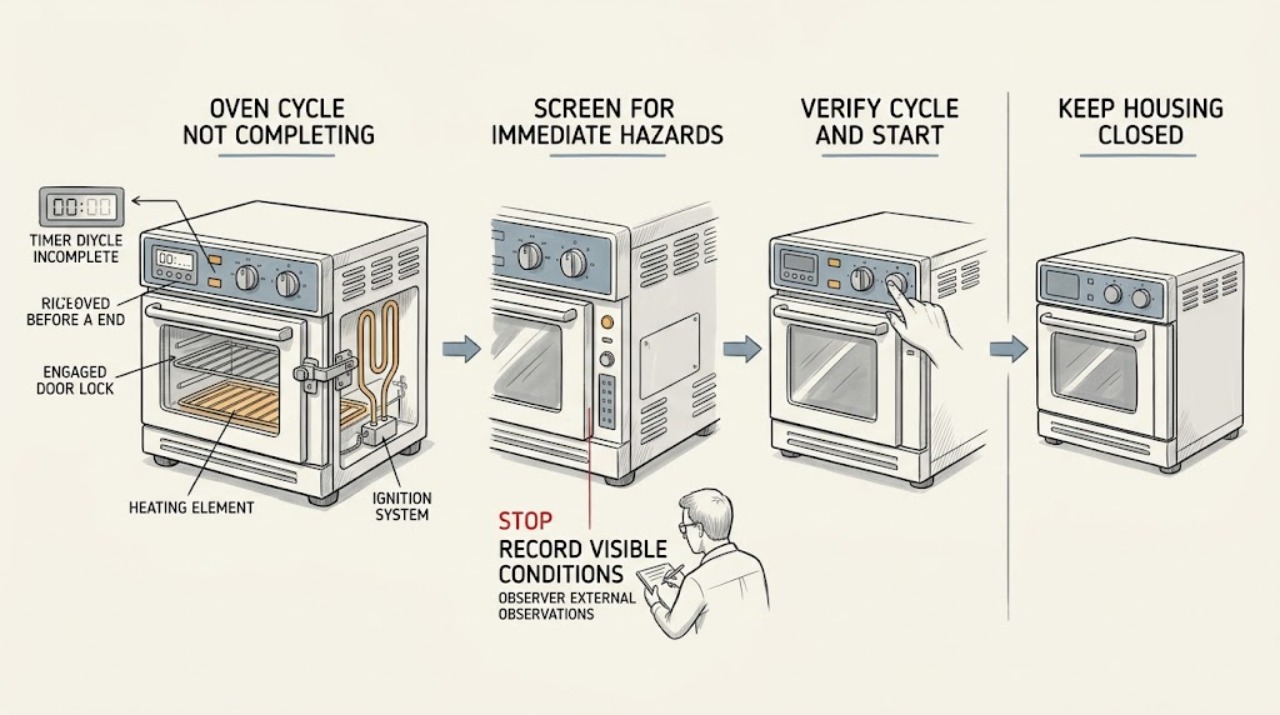
Work through in order
Diagnostic checks
Use only checks that match the exact appliance or system and its official guide.
-
Check 1
Before touching controls, check from a safe position for a gas odor, smoke, visible arc or spark, burning smell, unusual scorching, an oven that continues heating after being turned off, a very hot control area, or a breaker that trips again.
Expected result: Classify the oven as hazard-free for ordinary external checks, or note one of those warning signs.
Next step: If hazard-free, continue with the stop-stage record. If any warning sign is present, stop using the oven, keep clear of hot or energized areas, and arrange qualified emergency or appliance service; for gas odor, leave without operating switches or electronics and contact the local gas emergency service from a safe location.
Stop if: Do not relight, re-run, repeatedly reset, or open the oven when there is gas odor, smoke, burning smell, arc, persistent overheating, or a repeated breaker trip.
Why this matters
Why: A hazard sign is not a normal incomplete-cycle branch. It can indicate a gas, fire, electrical, or runaway-heating risk.
-
Check 2
Use the display and normal viewing position to record the selected cycle, target temperature, timer or remaining time, exact error code or message, door position, and the stage at which the oven stops: before starting, preheat, bake, broil, timed end, Self-Clean, or cool-down.
Expected result: Write down whether the display stays on, goes blank, shows Control Lock, shows a code such as F9 or F9 E0, counts down, freezes, or returns to idle; also note whether heat, the fan, an ignitor, or a flame was observed without opening panels.
Next step: Keep the record and model number beside the oven manual. Follow the branch below that matches the observed stage rather than substituting a code from another model.
Stop if: Do not infer an internal part from a code alone or attempt a live electrical or gas test to create another observation.
Why this matters
Why: A repeatable stage and message narrows the next check. A blank display points toward power or control; a lock or cool-down points toward door protection; a preheat failure points toward settings, power, heating, ignition, or sensing; a timed-end stop may be timer or control behavior.
-
Check 3
With no hazard present and the cavity safe, confirm the intended mode, temperature, clock, Start command, and timer settings against the model's Use and Care instructions; check whether Delayed Start or a timed end was selected.
Expected result: Determine whether the oven was waiting for a delayed start, had the wrong cycle or target, had not received Start, or had a normal timed end rather than an unexplained interruption.
Next step: Cancel the unintended delayed or timed setting and enter the desired cycle as the manual specifies. Allow a normal preheat and completion observation before changing any component.
Stop if: Do not bypass a timed or safety function, hold a control indefinitely, or repeatedly start a cycle when the oven is already too hot or shows a hazard sign.
Why this matters
Why: A delayed start or incomplete command can look like a failed cycle while the oven is following its programmed sequence. A correct mode that stops at the same point requires the next diagnostic branch.
-
Check 4
Check the console for Control Lock, Demo Mode, a door-lock indicator, or a door that is not fully closed; inspect only the visible door edge, gasket, and latch area for an obstruction without forcing the latch.
Expected result: Record whether buttons are ignored, the display mentions a showroom or product demonstration, the door is open or misaligned, or a lock indicator remains after the cycle stops.
Next step: Use the model-specific unlock or Demo Mode procedure. Close the door fully and retry only after the cavity is cool and no hazard exists; if the latch, door, or lock remains abnormal, stop and request service.
Stop if: Never pry the door, defeat the lock, insert tools into the latch, or continue operation with a loose door, damaged gasket, or exposed hot cavity.
Why this matters
Why: Control Lock can block all keypad commands, Demo Mode can display features without operating the heating functions, and an open or protected door can prevent heating or keep the door locked. A damaged or persistent latch state is a service clue.
-
Check 5
If the incomplete cycle was Self-Clean or the door is locked after a heat-clean cycle, press Cancel/Off only as the Maytag instructions describe and allow the oven to cool naturally; do not move the latch by force.
Expected result: Note whether the lock releases after the Cancel/Off sequence and cool-down, whether the cycle had been interrupted by a power loss, and whether the display remains locked after the cavity is cool.
Next step: Use the manual's Self-Clean recovery sequence; if the lock remains or the oven repeatedly stops in Self-Clean, leave the oven off and arrange service with the lock and temperature history.
Stop if: Do not force the latch, open a hot door, pour water into a hot cavity, or restart Self-Clean while there is smoke, burning odor, a damaged door, or a control fault.
Why this matters
Why: Maytag states that a door can remain locked during Self-Clean and that an interrupted clean cycle needs a documented cancel sequence. A persistent lock after the oven has cooled is not evidence that the latch should be bypassed.
-
Check 6
If the display is blank or partial, open the door once to see whether the normal display wakes, then check the dedicated breaker or fuse from the electrical panel without removing an oven cover; only if there is no hazard, perform the Maytag one-minute power reset once.
Expected result: Record whether the display returns, whether the breaker is tripped, whether it trips again, and whether a code reappears during the one-minute monitoring period after power is restored.
Next step: If power returns and no code or hazard recurs, verify a simple cycle using the model instructions. If the display stays absent, the code returns, or protection trips again, stop and provide the recorded behavior to a qualified appliance technician or electrician.
Stop if: Do not open the control area, probe live terminals, replace a fuse with a different rating, use an extension cord, or reset a breaker repeatedly.
Why this matters
Why: A blank display can be an idle display, Control Lock, or loss of power. A recurring code, a breaker that trips again, or a display that remains dead points to electrical or control service rather than more resets.
-
Check 7
For an electric Maytag oven, select the documented Bake mode and temperature, keep the door closed, and observe the normal preheat indication and heating behavior from outside the cavity; do not remove panels or make live measurements.
Expected result: Determine whether the oven reaches preheat, never heats, heats briefly and stops, remains far below target, or resumes only after a reset; note any code or breaker response.
Next step: Keep the model, mode, target, preheat result, timing, and code record. Use Maytag's model documentation or qualified service for electrical connections, sensor, calibration, element, or control diagnosis.
Stop if: Stop immediately for smoke, arcing, burning smell, exposed or damaged wiring, abnormal control heat, or a repeated breaker trip; do not attempt internal electrical repair.
Why this matters
Why: Correct mode and a completed preheat make a basic setting error less likely. Failure to heat, repeated early stopping, or a persistent temperature error can involve the power supply, heating circuit, sensor, calibration, or control and cannot be assigned to one part without model-specific testing.
-
Check 8
For a gas or dual-fuel Maytag range, first identify the fuel type and, only from a safe external position with no gas odor, confirm that the main gas valve is in its normal ON position and that the appliance power cord is connected to the specified grounded outlet; do not move the range or attempt to purge the line.
Expected result: Record whether the supply valve is visibly off, the outlet is unavailable or damaged, the oven ignitor or flame behavior is absent or abnormal from the normal viewing position, or the oven stops after an ignition attempt.
Next step: If a valve or outlet issue is obvious and safe to report, use the model instructions and qualified gas or electrical service. If ignition does not complete, record the stage and arrange service rather than testing gas flow or moving the appliance.
Stop if: For any gas odor, delayed ignition, flare, abnormal flame, smoke, spark outside the expected ignition sequence, or suspected connector damage, stop, leave the area as appropriate, and use qualified gas service; do not operate switches, flames, or the range connector.
Why this matters
Why: Gas ovens need both fuel and electrical power for their ignition and controls. An absent flame or repeated ignition failure can be supply, ignitor, sensing, or control related; a gas odor is a leak-safety event, not an ignition test.
-
Check 9
After the intended settings, lock state, door, and power path are confirmed and no stop condition exists, run one short model-appropriate Bake or other ordinary cycle with the door closed; observe only the normal display, preheat, heating, fan, and completion indicators.
Expected result: Record whether the cycle completes, stops at the same stage, returns a code, loses the display, leaves the door locked, fails to heat, or continues heating after Cancel/Off.
Next step: Stop testing after this controlled observation and hand the complete record to qualified service if the cycle fails again or the oven does not respond normally.
Stop if: Do not run another test after smoke, gas odor, burning smell, visible arc, overheating, abnormal flame, or a repeated breaker trip.
Why this matters
Why: A single successful run supports a transient setting or power interruption. A repeatable stop is evidence of an unresolved control, lock, sensor, heating, ignition, or supply issue; continued heating after cancellation is a safety fault.
-
Check 10
Prepare a service handoff with the full model number, fuel type, cycle and temperature, stop stage, exact display or code, door-lock state, power history, and the safe observations already made; do not remove covers to identify a part.
Expected result: Check that the technician will receive the original symptom and result of each branch, including whether a one-minute reset changed anything and whether the issue recurs at the same stage.
Next step: Arrange qualified appliance service, with a licensed gas professional or electrician when the evidence points to fuel supply or electrical installation, and keep the oven out of service until cleared if a safety boundary was reached.
Stop if: Do not order or install a heating element, ignitor, sensor, latch, or control solely from the symptom; do not perform gas-line, live-wiring, or control-board work as an ordinary check.
Why this matters
Why: A reproducible stop point is more useful than a guessed replacement part. Maytag identifies ignitors, temperature sensors, calibration, electrical supply, and controls as different possible causes that require model-specific assessment.
Use your observations
Decision map
Find the observation that best matches what you see, then follow the next safe action.
-
PATH 01Safety boundary
What you see
The oven never starts, waits, or ends at an expected time and the record shows Delayed Start, a timed setting, an incomplete Start command, or a wrong mode or temperature.
Do this next
Cancel the unintended setting and enter the desired cycle exactly as the model manual describes; then observe one normal preheat and completion.
Why this path and its safety boundary
Why it matters: The control may be following the selected program rather than failing during an active cycle.
Safety stop: Stop if the correct cycle still stops at the same stage or any safety symptom appears.
-
PATH 02Safety boundary
What you see
The keypad is unresponsive, the display indicates Control Lock or a showroom/demo state, or the door-lock indicator remains.
Do this next
Use the model-specific unlock or Demo Mode instructions and allow a hot cavity to cool. Do not pry or bypass the latch.
Why this path and its safety boundary
Why it matters: A lock or demo state can prevent commands or heating; a hot Self-Clean lock can be a protective state.
Safety stop: Stop for a latch that remains abnormal when cool, a damaged door or gasket, smoke, or a burning smell.
-
PATH 03Safety boundary
What you see
The stop occurred during Self-Clean or the oven remains locked while cooling after an interrupted or cancelled clean cycle.
Do this next
Use Cancel/Off and the model-specific recovery sequence, then wait for safe cool-down; arrange service if the lock persists or the cycle repeatedly fails.
Why this path and its safety boundary
Why it matters: The oven may be in its documented high-temperature lock and cool-down sequence, not an ordinary Bake failure.
Safety stop: Never force the door or restart Self-Clean with smoke, abnormal odor, a damaged door, or a control fault.
-
PATH 04Safety boundary
What you see
The display is blank or partial, a power interruption occurred, a code returns, or the breaker trips again.
Do this next
Perform at most one safe one-minute reset when no hazard exists, monitor for the code, and then use qualified appliance or electrical service if the symptom persists.
Why this path and its safety boundary
Why it matters: Power delivery, control, or an electrically detected fault is more likely than a simple timer setting.
Safety stop: Do not open panels, probe live wiring, change fuse ratings, or repeatedly reset a tripping breaker.
-
PATH 05Safety boundary
What you see
An electric oven powers on but does not preheat, stops heating early, remains below target, or fails repeatedly at the same stage.
Do this next
Keep the observation log and arrange model-specific qualified diagnosis without internal or live testing.
Why this path and its safety boundary
Why it matters: The remaining possibilities include the documented settings, power supply, heating circuit, sensor, calibration, or control; a symptom alone does not identify one part.
Safety stop: Stop immediately for smoke, arc, burning smell, damaged wiring, abnormal control heat, or repeated breaker trips.
-
PATH 06Safety boundary
What you see
A gas or dual-fuel oven has power but ignition does not complete, the flame is absent or abnormal, or the cycle stops after an ignition attempt.
Do this next
Record the exact stage and arrange qualified gas/appliance service. If gas odor is present, leave and use the emergency gas-safety response from a safe location.
Why this path and its safety boundary
Why it matters: Supply, ignition, sensing, or control may be involved, but gas behavior should not be tested by purging, moving, or repeatedly lighting the appliance.
Safety stop: Stop for gas odor, delayed ignition, flare, abnormal flame, smoke, suspected connector damage, or any need to move the range.
-
PATH 07Safety boundary
What you see
The oven continues heating after Cancel/Off, becomes abnormally hot, smokes, smells burnt, sparks, or trips electrical protection.
Do this next
Stop using the oven, keep people away from the hazard, isolate power only when it is safe to do so without touching hot or damaged equipment, and request qualified service.
Why this path and its safety boundary
Why it matters: This is a safety fault, not a normal incomplete cycle or a condition to diagnose by repeated operation.
Safety stop: Do not re-energize, relight, reset repeatedly, open panels, or run another cycle after a safety fault.
-
PATH 08Safety boundary
What you see
The oven passes settings, door, lock, and power checks but stops at the same stage or returns the same code on the single controlled retry.
Do this next
Arrange service and provide the model, fuel type, stage, code, and all safe observations.
Why this path and its safety boundary
Why it matters: The failure is persistent and needs model-specific diagnosis rather than more user resets or a guessed part.
Safety stop: Stop all further testing if the repeat includes any gas, heat, smoke, arc, burning, or breaker symptom.
Helpful context
Understand the symptom
Start with the stop point, not a guessed part
Cycle not completing can mean several different things. An oven that never begins has a different path from one that preheats and then stops, loses its display, remains locked after Self-Clean, or continues heating after the expected end. Write down the selected mode, target temperature, displayed time, exact code or message, door state, and whether the fan, element, ignitor, or gas flame was observable from the normal viewing position. That record keeps a model-specific code from being treated as a universal diagnosis.
Check the control sequence and door before service-level work
Maytag guidance points to a selected BAKE cycle and temperature, Control Lock or Demo Mode, Delayed Start, a fully closed door, and recent power interruption as early checks. Unlock only with the model's documented control sequence. A door that is hot or locked after Self-Clean may be protecting against access to a hot cavity; do not force the latch. If the display is absent, a safe breaker reset is a single diagnostic step, not permission to open the control area.
Separate gas, electric, and safety-stop paths
The same symptom can involve different hardware in a gas, dual-fuel, or electric Maytag oven. Gas models require an appropriate grounded power supply for ignition as well as an open main gas valve, but gas odor changes the situation to an emergency safety response. Electric models can stop because of power, a control or sensor fault, or a heating circuit problem; wiring and live measurements belong to a qualified professional. If the oven keeps heating, smokes, smells burnt, arcs, or trips protection, leave it out of service until it is assessed.
Use the result to decide whether to stop troubleshooting
One clean restart after a documented power interruption can clear a transient control state, but a recurring stop at the same stage is useful evidence for service, not a reason to repeat resets. Provide the technician with the model, fuel type, stage, cycle, target temperature, code, power history, door-lock behavior, and what was observed without removing panels. Maytag's own guidance sends electrical connections, ignitor, temperature-sensor, calibration, and part work to qualified service when the simple controls do not restore operation.
Safety boundary
Stop conditions
- If you smell gas, leave immediately without operating lights, switches, phones, or other electrical devices in the area; contact local gas emergency help from a safe location.
- Stop for smoke, burning smell, visible arcing or sparking outside the expected ignition sequence, melted or damaged wiring, an unusually hot control area, or a breaker that trips again.
- Do not force a hot or locked door, defeat a latch, open panels, probe live wiring, alter fuse ratings, or move a gas range to inspect its connector.
- Do not repeatedly reset, relight, or run the oven to reproduce a fault. One safe documented reset or controlled retry is the limit for ordinary troubleshooting.
- Keep the oven out of service and use qualified appliance, gas, or electrical service when the cycle repeatedly stops, the display or code returns, heating continues after cancellation, or the cause requires parts or internal access.
Only after diagnosis
Potential parts
- oven door-lock or latch assembly
Consider this category only if the oven remains locked when cool, reports a latch-related condition, or the latch is visibly damaged after the control and cool-down checks.
Confirm the exact Maytag model and the technician's diagnosis before selecting a part; do not bypass or force the lock. - oven temperature sensor
Consider this category only if model-specific testing supports a sensing or calibration fault after correct mode, preheat, power, and door checks.
Confirm model fit and the manufacturer's service procedure; a symptom of incomplete heating alone does not establish sensor failure. - electric oven heating element
Consider this category only for an electric model when qualified diagnosis confirms a failed heating circuit or element rather than a control, power, or sensor issue.
Verify the exact model, element position, electrical rating, and approved installation procedure before ordering. - gas oven ignitor
Consider this category only for a gas or dual-fuel model when a qualified technician confirms an ignition fault and no unsafe gas condition remains.
Confirm the exact model and ignitor type; never test or replace a gas ignition component as a gas-leak or flame experiment. - oven electronic control
Consider this category only after repeatable display, timer, code, or heating-control evidence and model-specific testing point to the control.
Control replacement requires exact model verification and qualified handling; do not infer it from a single reset or generic code.
When checks do not resolve it
Need a professional?
Arrange qualified Maytag appliance service when the cycle still stops after the documented setting, door, lock, and one-time power checks; when the display or code returns; when the oven will not preheat or complete; when a gas oven will not ignite; or when the latch, sensor, heating circuit, ignitor, control, wiring, or gas supply needs testing. Use a licensed gas professional for gas-line or ignition-system work and a qualified electrician for uncertain electrical installation. Treat gas odor, smoke, arcing, burning smell, runaway heating, or repeated breaker trips as an immediate stop rather than a routine retry.
Safety scope: This article covers ordinary control and external observation only. Do not bypass the door lock, open panels, perform live electrical measurements, move a gas range, purge a gas line, or dismantle an ignitor, heating circuit, sensor, or control.
Common questions
FAQ
Why does my Maytag oven stop before the cycle finishes?
The stop stage matters. A delayed or timed setting, wrong mode, Control Lock or Demo Mode, door-lock or cool-down state, power interruption, code, heating or sensing fault, and gas ignition issue follow different branches. Record the mode, time, display, code, door state, and whether preheat completed before choosing a repair path.
Could Delayed Start make a Maytag oven look like it is not completing a cycle?
Yes. If Delayed Start or another timed setting was selected, the oven may be following that schedule. Cancel the unintended setting and re-enter the desired cycle using the model's instructions, then observe one normal run if no safety condition exists.
What should I do if the oven is locked after Self-Clean?
Use Cancel/Off and the model-specific Self-Clean recovery sequence, then let the oven cool naturally. Do not force the latch or open a hot door. If the lock remains when cool or the cycle repeatedly stops, arrange service.
Can Control Lock prevent the oven cycle from completing?
Control Lock can prevent keypad commands and make the oven appear unresponsive. Confirm the indicator and use the model's documented unlock sequence. A persistent lock, abnormal latch, or damaged door needs service rather than a bypass.
What if the Maytag oven display goes blank during a cycle?
Record whether the door can wake the display and whether a breaker or fuse changed state. If there is no hazard, one Maytag-style one-minute power reset can be tried, followed by monitoring for a returning code. A dead display, returning code, or repeated trip needs qualified electrical or appliance service.
Does a gas Maytag oven need electricity if the fuel is gas?
Maytag gas and dual-fuel guidance identifies a grounded operational outlet as part of normal ignitor operation, as well as the main gas valve. Do not move the range, purge the line, or test ignition if there is gas odor or abnormal flame; use qualified gas service.
Should I keep resetting an oven that stops at the same point?
No. After the documented settings, door, lock, and one-time power checks, a repeatable stop is useful evidence for service. Repeated resets can hide a control, heating, ignition, or electrical safety problem.
When should I stop using a Maytag oven immediately?
Stop for gas odor, smoke, burning smell, visible arcing or abnormal sparking, persistent heating after Cancel/Off, an unusually hot control area, damaged wiring, or a breaker that trips again. For suspected gas, leave without operating switches or electronics and contact local emergency gas help from a safe location.
Read the exact guide
Official sources
- No or Partial Display - Wall OvenMaytag · Maytag Product Help for wall ovens; display and unlock controls vary by model.
- Oven is Locked - What to DoMaytag · Maytag Product Help covering tagged Maytag ovens and ranges; exact latch behavior and controls vary by model.
- Oven Not Working - Gas and Dual Fuel RangeMaytag · Maytag Product Help for gas and dual-fuel ranges; fuel system and ignition work require qualified service.
- Certain Older Gas Connectors May Be DangerousU.S. Consumer Product Safety Commission · CPSC consumer safety notice for gas appliances and connectors.
- Oven Too Cold - Already Calibrated - RangeMaytag · Maytag Product Help for ranges; exact calibration and cycle behavior are model-specific.
- Oven Not Heating - Powering On - ElectricMaytag · Maytag Product Help for electric ovens; use the exact model manual for control sequences and installation details.
- Bake Cycle Not Working - Wall OvenMaytag · Maytag Product Help for wall ovens; exact features and error handling vary by model.
- Why Is My Oven Not Getting Up to Temperature?Maytag · Maytag consumer guidance for oven temperature and heating symptoms; part diagnosis is model-specific.
- Appliance and Electrical Fire SafetyU.S. Fire Administration · USFA household appliance and electrical fire-prevention guidance.
Community feedback
Share a repair observation
Share a plain-text repair observation. Accepted observations are published automatically; this page may take a moment to update.