
On this page
Start here
Quick answer
An oven cycle that does not complete can be a setting or state issue, a normal cooling or door-lock delay, or a fault that stops the cycle. First note exactly where it stops: before starting, during delay, during preheat, while baking, during self-clean, or after the timer reaches its end. Confirm from the rating label or manual whether the oven is gas, electric, or dual-fuel, and record any complete error code instead of guessing what it means. Check only the model's timer, delay, lock, mode, door, and control-panel guidance. A self-clean door may remain locked while the oven cools, but a door must never be forced. A single model-authorized power reset may be appropriate for a control error; repeated resets are not a repair. Stop using the oven for continuous heating, gas odor, abnormal flame, smoke, burning odor, electrical arcing, a hot or damaged cord, or a carbon-monoxide alarm, and obtain qualified service or emergency help as appropriate.
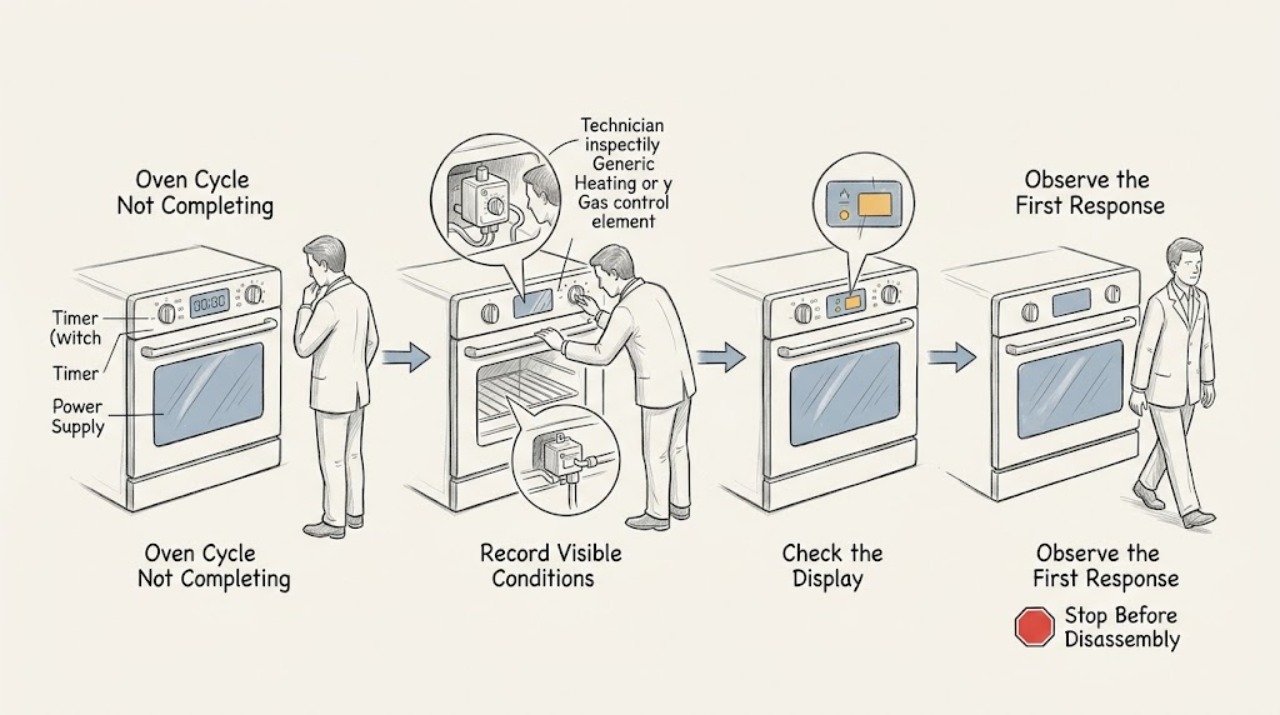
Work through in order
Diagnostic checks
Use only checks that match the exact appliance or system and its official guide.
-
Check 1
Stop changing settings and record whether the cycle fails before starting, waits in delay, stops during preheat, stops during cooking, ends but leaves the door locked, or stops during self-clean; also record the display, fan, heat, and any exact code.
Expected result: The oven is waiting, stops at a repeatable phase, remains hot after the displayed end, or shows an error code.
Next step: Use the exact model manual for the recorded state. Keep the oven unused if heat continues after the expected end, a warning appears, or the cause is unclear.
Why this matters
Why: A waiting state points to timer, delay, lock, or mode conditions. A repeatable phase points to the corresponding temperature, heating, gas, fan, door, or control path. An exact code is more useful than a guessed diagnosis.
-
Check 2
Read the rating label or owner manual and record whether the oven is gas, electric, or dual-fuel, plus the exact model and control type; do not infer fuel or error-code meaning from a similar-looking appliance.
Expected result: The fuel type and model are clear, the oven has a separate cooktop or warming drawer, or the identity remains uncertain.
Next step: Use only the matching manual. If identity or fuel configuration cannot be confirmed, stop user-level troubleshooting and provide the model information to a qualified technician.
Why this matters
Why: Fuel type changes the relevant safety and service path, while model and control type determine timer, delay, lock, reset, and code behavior. Uncertain identity makes a generic button sequence unsafe or unreliable.
-
Check 3
With the oven cool, check the displayed clock, delay-start state, kitchen-timer state, selected mode, and any control-lock indicator using the exact manual; do not copy another brand's keypad sequence or start a high-heat cycle just to compare.
Expected result: A delay or timer is active, the control is locked, the requested mode is unavailable, or no setting explains the stop.
Next step: Cancel or unlock only by the exact model instructions and only while the oven is safe and cool. If the display remains unresponsive or the cycle stops again, request service rather than repeating commands.
Why this matters
Why: An active delay, timer, lock, or unavailable mode can prevent a cycle from starting or completing normally. No matching setting keeps power, sensing, heating, gas, door, or control faults in focus.
-
Check 4
For a self-clean or locked-door cycle, observe from a safe distance whether the oven is still hot, whether the lock indicator is present, and whether the manual says cooling is still in progress; do not force, pry, or bypass the door lock.
Expected result: The oven is hot and cooling, the lock clears after the documented cool-down, the cycle stopped with smoke or unusual heat, or the lock remains after cooling guidance.
Next step: Wait only as long as the exact manual directs when the oven is cooling normally. For malfunction, excessive smoke, persistent heat, or a door that stays locked after the safe cooling state, keep the oven off and call qualified service.
Why this matters
Why: A hot locked door can be a normal protective state. Smoke, uncontrolled heat, a failed cycle, or a lock that does not clear as described indicates a service concern rather than a stuck-door shortcut.
-
Check 5
If a code is displayed, copy every character, note whether it appeared at start, preheat, cooking, or self-clean, and check the matching model support page; do not substitute a code from another brand or clear a recurring code by repeated resets.
Expected result: The code is listed with a user-level action, is not listed, returns after the permitted action, or indicates door, vent, temperature, communication, or power behavior.
Next step: Perform at most the manual-authorized single response when no safety warning exists. If the code returns, keep the oven out of service and give the technician the exact code and stop stage.
Why this matters
Why: A listed code may have a limited model-specific response. An unlisted or recurring code needs service, especially when it concerns temperature rise, the door, electronics, or power.
-
Check 6
When no gas, smoke, heat-control, or electrical warning is present, perform only the single model-authorized power or control reset described in the manual and record whether the same cycle completes; do not open panels, touch wiring, or repeatedly reset the circuit.
Expected result: The cycle completes once, the same phase fails again, the control remains blank, or the oven continues heating after cancellation.
Next step: Stop using the oven and request qualified appliance service for recurrence or any uncontrolled heat. If the oven is gas and there is odor, abnormal flame, CO concern, smoke, or symptoms, follow the emergency branch instead.
Why this matters
Why: A one-time recovery can indicate a transient control state, but recurrence, a blank control, or post-cancellation heat points to a fault requiring diagnosis.
Use your observations
Decision map
Find the observation that best matches what you see, then follow the next safe action.
-
PATH 01Next step
What you see
The oven has gas odor, abnormal flame, delayed or loud ignition, smoke, burning odor, a CO alarm, or symptoms of CO exposure.
Do this next
Stop using the oven and leave for fresh air when gas or CO may be involved. Do not operate switches, relight, search for a leak, or re-enter until emergency or qualified personnel say it is safe. A CO alarm requires emergency response even if no odor is present.
-
PATH 02Next step
What you see
The cycle has not started and the display shows a delay, timer, lock, unavailable mode, or a cool-down state.
Do this next
Follow only the exact model manual to cancel the delay, clear the timer, release a control lock, select an available mode, or wait for normal cooling. If the state persists or repeats, request service.
-
PATH 03Next step
What you see
A self-clean cycle is hot and the door remains locked within the model's documented cooling period.
Do this next
Keep the door closed and wait for the exact manual's cooling guidance. Never force the lock. If the cycle malfunctions, smoke is excessive, or the lock does not clear after cooling, stop and call qualified service.
-
PATH 04Next step
What you see
The cycle stops at the same phase, the code returns, the control is blank, or the oven heats after cancellation.
Do this next
Keep the oven out of service and give a qualified technician the model, fuel type, exact code, mode, stop phase, and reset result. Do not open the appliance, bypass a lock, adjust gas, or repeat high-heat cycles.
Helpful context
Understand the symptom
Identify the exact stop point first
Cycle not completing is not one fault. A cycle that never starts may be waiting for a clock, delay, lock, mode, or power condition. A cycle that stops during preheat or baking may involve temperature sensing, heating, gas, or control behavior. A self-clean cycle can appear to remain active because the door stays locked while the cavity cools. Write down the display, mode, elapsed behavior, and whether the fan or heat continues before trying a setting change.
Timer and delay are different from a failed cycle
A delayed-start setting can make an oven appear idle, and a kitchen timer may be separate from the cooking cycle. The exact labels and cancellation method vary with the control. Check the model manual or the control's displayed state rather than copying another brand's button sequence. If the display is counting down normally, allow the documented cycle to finish; if it is frozen, repeatedly cancels, or returns an error, save the exact information for service.
Treat self-clean and hot-door behavior as a safety state
Self-clean uses extreme heat and may lock the door until the oven has cooled. Do not pull, pry, or defeat the lock. If the cycle malfunctions, smoke becomes excessive, heating continues unexpectedly, or the door remains locked after the model's cooling guidance, keep people away and request qualified service.
Gas and electric ovens need different service boundaries
Do not assume a generic error or reset procedure applies to every oven. A gas or dual-fuel unit adds supply, ignition, burner, venting, and combustion concerns; an electric unit adds heating, wiring, and circuit concerns. A CO alarm or symptoms are an emergency even when no gas odor is present. Never use a gas oven as a room heater, cover combustion openings, or attempt internal gas or electrical repair.
Safety boundary
Stop conditions
- Stop immediately for gas odor, abnormal flame, delayed or loud ignition, smoke, burning odor, a carbon-monoxide alarm, headache, dizziness, nausea, or shortness of breath. Leave and seek emergency help from a safe location.
- Stop using the oven if it continues heating after cancellation or the displayed end, becomes uncontrollably hot, repeatedly trips power, shows arcing, or has a hot or damaged cord, plug, or receptacle.
- Do not force or bypass a locked oven door, open control or gas panels, touch wiring, adjust gas pressure, remove burner parts, or make repeated high-heat cycles or power resets.
- Do not use a gas oven for room heating, cover its bottom or combustion openings with foil, or continue troubleshooting when the model, fuel type, code, or stop state is uncertain.
Only after diagnosis
Potential parts
- temperature sensor or thermostat
Only consider this category after a qualified diagnosis links the repeated stop stage or temperature behavior to sensing or temperature control.
Confirm the exact model, control, and fuel configuration before any part decision; do not use a generic fit claim. - door-lock or control component
Only consider this category when the exact model diagnosis confirms a lock or control fault rather than a normal cooling or setting state.
Door-lock and control work can involve high heat or electrical hazards and must follow the exact service documentation.
When checks do not resolve it
Need a professional?
Call a qualified appliance technician when the cycle repeatedly stops, an error returns, the control is blank, the door lock does not release after safe cooling, the oven heats after cancellation, or the issue involves sensing, heating, gas, venting, a fan, wiring, or power. Treat gas odor, abnormal combustion, smoke, a CO alarm, or symptoms as an emergency first.
Common questions
FAQ
Why does my oven stop before the cycle is complete?
The stop stage matters. A delay, timer, lock, unavailable mode, or cooling state can look like a failure, while a repeatable stop during preheat or cooking can involve sensing, heating, gas, power, or control behavior. Record the display and exact phase before using the model manual.
Is a locked oven door after self-clean normal?
It can be normal while the oven is still very hot and cooling. Do not force the door. Follow the exact model manual; if the cycle malfunctions or the lock remains after safe cooling, keep the oven off and request service.
Should I reset the oven when a cycle stops?
Only perform a single reset if the exact manual authorizes it and no gas, smoke, uncontrolled heat, CO, or electrical warning exists. A recurring stop or code needs service; repeated resets can hide a fault and are not a repair.
What should I do if a gas oven stops and there is smoke or a strange flame?
Stop using the oven. For gas odor, abnormal combustion, smoke, a CO alarm, or symptoms, leave and contact emergency or gas-safety help from a safe location. Do not relight, search for a leak, adjust gas parts, or continue the cycle.
Read the exact guide
Official sources
- How to clean your Samsung ovenSamsung Electronics · Manufacturer guidance used for general examples of self-clean and steam-clean state behavior; exact model manual controls any unlisted oven.
- Self Clean or other buttons do not light up or respond, or panel is locked on Samsung ovenSamsung Electronics · Manufacturer support example showing that controls can be unavailable because of mode, heat, lock, or related functions; use the exact model manual for any other oven.
- Samsung range or wall oven error codesSamsung Electronics · Manufacturer error-code example used to support recording exact codes and model-specific handling; codes must not be generalized across brands.
- Carbon Monoxide Fact SheetU.S. Consumer Product Safety Commission · Government safety guidance for gas and propane appliances, combustion air, CO symptoms, alarms, evacuation, and qualified service.
Community feedback
Share a repair observation
Share a plain-text repair observation. Accepted observations are published automatically; this page may take a moment to update.