
On this page
Start here
Quick answer
First identify which cycle is affected and record the display, remaining time, door-lock state, and whether the oven is still heating. A normal bake can cycle the elements on and off; a delay-start program may turn the oven on but not turn it off unless Cook Time or Time Bake is set. For self-clean, the oven can remain locked while it cools, but a cycle that remains active after the documented cancel control and model-specific cool-down needs service. If the oven is overheating, smoking, sparking, has a burning or gas smell, shows damaged wiring, or the door will not safely stay closed, stop using it and isolate power or gas only if safe. Never force a hot or locked door.
Before you begin
Safety first
- User checks are limited to reading controls, verifying a documented timer setup, waiting for a safe self-clean cool-down, using the normal cancel control, and isolating power only when safe and explicitly supported by the model guidance. Do not force a hot or locked door, bypass sensors or locks, open energized panels, test live circuits, use flame to test gas, or continue operating an oven with smoke, gas odor, sparking, overheating, or damaged wiring.
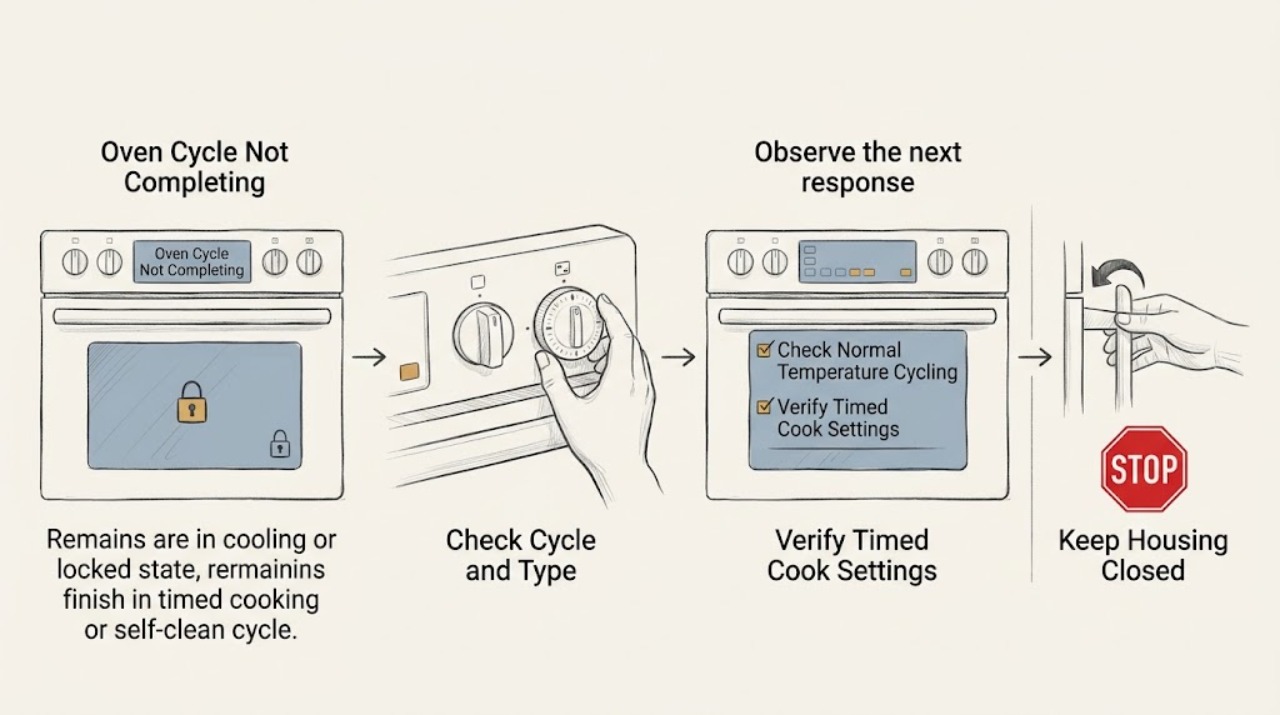
Work through in order
Diagnostic checks
Use only checks that match the exact appliance or system and its official guide.
-
Check 1
From a safe position, note whether the problem is in Bake, Broil, Cook Time or Time Bake, Delay Start, Self-Clean, or another named program; photograph the display and record the countdown, status text, temperature setting, door-lock indicator, and whether heat is present.
Expected result: The clock or countdown is advancing, the oven is only cycling heat, the program ended early, the display is frozen, or the door is locked and the oven is cooling.
Next step: Follow the matching branch below and retrieve the exact GE Owner's Manual before changing a program or isolating power.
Stop if: Stop immediately for smoke, a burning or gas smell, sparking, exposed wiring, an abnormally hot exterior, uncontrolled heating, or a door that cannot close or latch safely.
Why this matters
Why: A normal temperature cycle, a timer configuration, a self-clean cool-down, and an actual control or heating fault produce different evidence. GE's instructions are model and control-type dependent.
-
Check 2
If the oven is in an ordinary cooking cycle, observe whether the set temperature and program remain active while the bake or broil element or burner turns on and off; do not judge completion from the heating element alone.
Expected result: The countdown advances and the oven resumes heat as expected, or the countdown freezes, the cycle ends early, or the oven remains heating without responding to controls.
Next step: If timing advances, allow the documented cycle to finish. If it freezes, ends early, or cannot be controlled, cancel if safe and move to the control and service path.
Stop if: Do not touch heating elements, use a thermometer as a substitute for a control diagnosis, or continue a cycle with smoke, gas odor, sparking, or uncontrolled heat.
Why this matters
Why: GE explains that temperature regulation causes normal on/off cycling. A frozen or prematurely ended program is not explained by ordinary temperature cycling; continuous uncontrolled heat is a safety fault.
-
Check 3
If the oven stopped at an unexpected time, inspect the visible controls for Delay Start, Delay Bake, Cook Time, Time Bake, Stop, or Start settings and compare them with the exact model's Owner's Manual; do not reset a knob or clear a program while the oven is unattended or hot.
Expected result: Only Delay Start is active, a Cook Time or Time Bake end time is set, the clock is wrong, or the programmed controls do not match the model instructions.
Next step: When the oven is safe, clear and reprogram one supervised test exactly as the manual specifies. If the correct program still ends early or will not advance, stop programming experiments and request service.
Stop if: Do not leave perishable food in a delayed or stopped oven, repeatedly start unattended heating, or alter clock or timer controls while the oven is overheating.
Why this matters
Why: GE states that Delay Start controls when cooking begins but does not automatically turn the oven off by itself, while Cook Time or Time Bake can provide an automatic stop on supported models. A wrong clock or end time can look like an incomplete cycle.
-
Check 4
If Self-Clean is the affected cycle, keep the door closed and allow the programmed heating and cool-down to proceed; record how long the oven has been cooling and whether the Clean or lock light remains on.
Expected result: The oven is still within a normal cool-down and becoming cooler, or it remains hot, locked, or marked as cleaning well beyond the model's documented period.
Next step: If the oven is cooling normally, wait until the lock releases. If it remains active after the model's safe period, use the normal Cancel or Clear/Off instruction once and proceed to the stop/service branch.
Stop if: Do not open a hot door, pry or defeat the latch, pour water into the oven, or attempt to remove panels during or after self-clean.
Why this matters
Why: GE says the door can remain locked during self-clean cool-down and gives a 30-to-90-minute range as a general explanation. A continuing active cycle after adequate cool-down is not a reason to force the latch.
-
Check 5
When the oven is at a safe temperature and the manual identifies a Cancel, Clear/Off, or knob-based stop control, use that normal control once; for mechanical timer models, follow the manual's Stop and Oven Set positions rather than forcing a knob.
Expected result: The program cancels and the oven stops heating, or the display remains active, the controls do not respond, or heating continues.
Next step: If cancel works, leave the oven off and document the original settings. If it does not, use only the model-specific power-isolation instruction if it is safe, then request service.
Stop if: Do not repeatedly press controls, pull a plug from a hot or wet area, open a control panel, or work on energized wiring.
Why this matters
Why: GE provides different cancel steps for electronic and mechanical controls. A control that remains active after the correct cancel attempt can indicate a timer, control, relay, or sensor fault.
-
Check 6
If the oven remains in Self-Clean or continues heating after the correct cancel control, and only if the area is dry and the breaker or fuse can be reached without exposure to heat, smoke, gas, or water, switch off the circuit supplying the range or wall oven as the GE guidance describes.
Expected result: The oven stops and begins a safe cool-down, or it continues heating, the breaker trips again, the area is unsafe, or the circuit cannot be identified.
Next step: Leave the oven off, do not restore power for another test, and arrange qualified service with the model and display information.
Stop if: This is a hard stop for smoke, flame, gas odor, sparking, wet electrical areas, a hot panel, or an inaccessible breaker: leave the area and obtain appropriate emergency or qualified help.
Why this matters
Why: Power isolation can stop an unresponsive control state, but it does not repair the underlying fault. Continued heating or a repeated trip indicates an immediate electrical or control problem.
-
Check 7
After the oven is cool and safely off, use the exact model number to read the GE Owner's Manual for cycle-completion, timer, cooling-fan, lock, and error-display instructions; compare the manual's expected end state with what you observed.
Expected result: The manual explains the observed delay or cool-down, or the oven's behavior is absent from the manual, inconsistent with it, or repeats after a documented user remedy.
Next step: Perform only a documented safe user remedy once. If the cycle still fails to complete or the manual directs service, stop using the oven and provide the technician with the evidence.
Stop if: Do not enter service mode, bypass a door lock or temperature sensor, remove panels, or test live circuits as a homeowner check.
Why this matters
Why: GE's general articles do not establish a universal procedure for every control layout. An unlisted or repeating symptom needs the model-specific diagnosis rather than an assumed timer or board replacement.
-
Check 8
Stop troubleshooting and request qualified appliance service when a correct cycle setup still ends early, the countdown or controls freeze, self-clean does not terminate after safe cancellation and cool-down, the oven heats uncontrollably, or any electrical, gas, or high-temperature hazard is present.
Expected result: The failure is repeatable or hazardous, or one documented configuration correction restores a complete supervised cycle without recurrence.
Next step: Give the technician the exact model, cycle, programmed times, display, temperature behavior, door-lock state, time to failure, and whether power isolation changed the symptom. Keep the oven off until assessed.
Stop if: Do not continue operating an oven that smokes, sparks, smells of gas or burning, overheats, trips protection, or cannot safely close or unlock.
Why this matters
Why: A repeatable failure can involve the timer, electronic control, relay, temperature sensing, door-lock system, heating component, cooling system, or wiring; the visible symptom does not identify a safe replacement part.
Use your observations
Decision map
Find the observation that best matches what you see, then follow the next safe action.
-
PATH 01Safety boundary
What you see
The oven is in ordinary Bake or Broil, the countdown advances, and heat returns after the element or burner cycles off.
Do this next
Observe the cycle to its documented end and investigate only if timing, temperature control, or completion remains abnormal.
Why this path and its safety boundary
Why it matters: Temperature regulation is operating normally; a heater turning off briefly does not prove the cycle stopped.
Safety stop: Stop for uncontrolled heating, smoke, gas odor, sparking, or a hot electrical area.
-
PATH 02Safety boundary
What you see
The oven stopped according to a programmed end time, or only Delay Start is active.
Do this next
Verify clock, Start, Stop, Cook Time, and model-specific controls, then run one supervised test if safe.
Why this path and its safety boundary
Why it matters: Timer configuration can explain the result: Delay Start schedules beginning, while Cook Time or Time Bake supplies an automatic stop on supported models.
Safety stop: Do not leave perishable food in a delayed or stopped oven or repeatedly program unattended heating.
-
PATH 03Safety boundary
What you see
Self-Clean has finished heating but the Clean or lock light remains during cool-down.
Do this next
Keep the door closed and allow the documented cool-down; use Cancel/Clear-Off only as the model guidance permits.
Why this path and its safety boundary
Why it matters: The oven may be completing its normal cool-down before the door can unlatch.
Safety stop: Never force the hot or locked door, pour water into the oven, or remove the latch.
-
PATH 04Safety boundary
What you see
Self-Clean remains active beyond the model's safe cool-down and does not respond to the normal cancel instruction.
Do this next
If safe, isolate the range or wall-oven circuit as GE describes, leave it off, and request service.
Why this path and its safety boundary
Why it matters: The control or lock state may be faulty; continued heat or a locked door is a service boundary.
Safety stop: Stop and leave the area for smoke, flame, gas odor, sparking, or unsafe access to power.
-
PATH 05Safety boundary
What you see
A correctly programmed Bake, Broil, or timed cycle freezes, ends early, or cannot be canceled normally.
Do this next
Stop using the oven, preserve display and timing evidence, and arrange qualified diagnosis.
Why this path and its safety boundary
Why it matters: The symptom is not explained by normal temperature cycling or a simple Delay Start setting and may involve controls, sensing, heating, or wiring.
Safety stop: Do not enter service mode, open panels, bypass sensors, or repeatedly restore power.
-
PATH 06Safety boundary
What you see
The oven smokes, smells of gas or burning, sparks, overheats, trips the breaker, exposes damaged wiring, or cannot safely latch.
Do this next
Stop, isolate gas or power only if safe, keep people away, and obtain emergency or qualified assistance.
Why this path and its safety boundary
Why it matters: This is an immediate safety problem, not a cycle-completion setting issue.
Safety stop: Do not restart, open the cabinet, use flame to test gas, or continue cooking.
Helpful context
Understand the symptom
A heating element cycling off is not the same as a cycle stopping
Gas and electric ovens cycle their heat source on and off while regulating temperature. Begin by checking whether the clock or cycle countdown is advancing, whether the oven is actually heating, and whether the display says OFF, cooling, locked, or complete. A cycle that is progressing normally needs observation; a cycle that freezes, ends early, or continues heating past its controls needs a different path.
Separate timer setup from an oven fault
Delay Start tells the oven when to begin and may not provide an automatic stop. Cook Time or Time Bake is the feature that can set an automatic end on models that support it. Verify the exact model instructions before changing a programmed cycle, especially on older knob controls where Start and Stop settings are separate. Do not leave perishable food at room temperature while diagnosing a delayed or incomplete program.
Self-clean has a heat and lock safety boundary
After self-clean finishes heating, the oven may remain locked while it cools. GE describes a cool-down that can take 30 to 90 minutes, depending on conditions and model behavior. Keep the door closed and do not pry the latch. If the cycle is still active after the documented cool-down and a normal Cancel or Clear/Off command, stop and use only the model's safe power-isolation procedure before requesting service.
When checks do not resolve it
Need a professional?
Safety scope: User checks are limited to reading controls, verifying a documented timer setup, waiting for a safe self-clean cool-down, using the normal cancel control, and isolating power only when safe and explicitly supported by the model guidance. Do not force a hot or locked door, bypass sensors or locks, open energized panels, test live circuits, use flame to test gas, or continue operating an oven with smoke, gas odor, sparking, overheating, or damaged wiring.
Common questions
FAQ
Why does my GE oven turn off before the cooking cycle is complete?
First verify whether Delay Start, Cook Time, or Time Bake was programmed and whether the countdown is advancing. A delay program can schedule the start without automatically setting an end. If the correct timed program ends early or freezes, stop using the oven and arrange service.
Is it normal for a GE oven to turn the heat on and off during a cycle?
Yes. GE says gas and electric ovens cycle their heat source on and off to maintain the set temperature. The cycle should still advance and complete. Continuous uncontrolled heat, a frozen countdown, smoke, or a premature end is not normal temperature cycling.
Why is my GE self-clean cycle still running or locked?
The oven can remain locked while it cools after self-clean; GE describes a general cool-down of 30 to 90 minutes. Keep the door closed. If the cycle remains active beyond the safe period and does not respond to the model's Cancel or Clear/Off control, isolate power only if safe and arrange service.
Can I force open a GE oven door when the cycle will not finish?
No. Never force a hot or locked self-clean door. Use only the exact model's documented cancel procedure and wait for a safe cool-down. A door-lock or control fault requires qualified service.
What should I do if the GE oven is still heating after I cancel the cycle?
Stop using it. If the area is dry and safe, isolate the range or wall-oven circuit as the GE guidance describes; do not open panels or restore power for another test. Smoke, gas odor, sparking, a hot panel, or inaccessible power requires immediate qualified or emergency assistance.
Read the exact guide
Official sources
- Range & Wall Oven- Timed Bake and Delayed Bake OptionsGE Appliances · GE range and wall-oven timing guidance; the page notes that electronic-control models require their model-specific Owner's Manual.
- Range & Wall Oven - Delay Start of CookingGE Appliances · GE range and wall-oven guidance; availability and exact controls vary by model.
- Wall Oven or Range - My Self-Clean Cycle Didn't StartGE Appliances · GE self-clean guidance for supported wall ovens and ranges; not all models have the same feature or sequence.
- Range & Wall Oven - Explanation of Self-Clean Oven Cool DownGE Appliances · GE self-clean guidance for supported ranges and wall ovens; exact lock behavior varies by model.
- Range & Wall Oven - Oven Temperature Fluctuation / Cycling On and OffGE Appliances · GE range and wall-oven general guidance; exact temperature behavior depends on the model and measurement location.
- Range & Wall Oven - Self-Clean Does Not Turn OffGE Appliances · GE range and wall-oven self-clean guidance; control layout and exact cancel procedure vary by model.
Community feedback
Share a repair observation
Share a plain-text repair observation. Accepted observations are published automatically; this page may take a moment to update.