
On this page
Start here
Quick answer
A Wolf oven that is not working can mean a blank control, a mode or lock state, no heat with a working display, a gas ignition problem, or an error that is specific to the exact model. Start by recording the model, fuel type, display message, selected mode, and whether the cooktop or another oven still works. From a dry, safe position verify the intended power supply and breaker without opening the appliance, then check the clock, Sabbath or Showroom mode, door closure, and selected cooking mode as applicable to the model. Wolf's support guidance permits one normal power reset at the home breaker for a short interval, followed by a retest; it does not replace diagnosis. For a gas Wolf oven, do not continue if gas odor remains, ignition is delayed, clicking continues without flame, or an abnormal flame, smoke, or carbon-monoxide alarm occurs. If the display stays blank, a breaker trips, an error returns, heat is absent after the documented checks, or any unsafe sign appears, leave the oven out of service and contact Wolf Factory Certified Service or a qualified appliance professional.
Before you begin
Safety first
- This article supports ordinary external observation, exact model/message recording, visible mode and door checks, and one model-authorized normal power reset when no hazard exists. It does not authorize internal electrical or gas work, live measurement, repeated resetting, door/interlock bypass, burner access, or unsafe ignition testing.
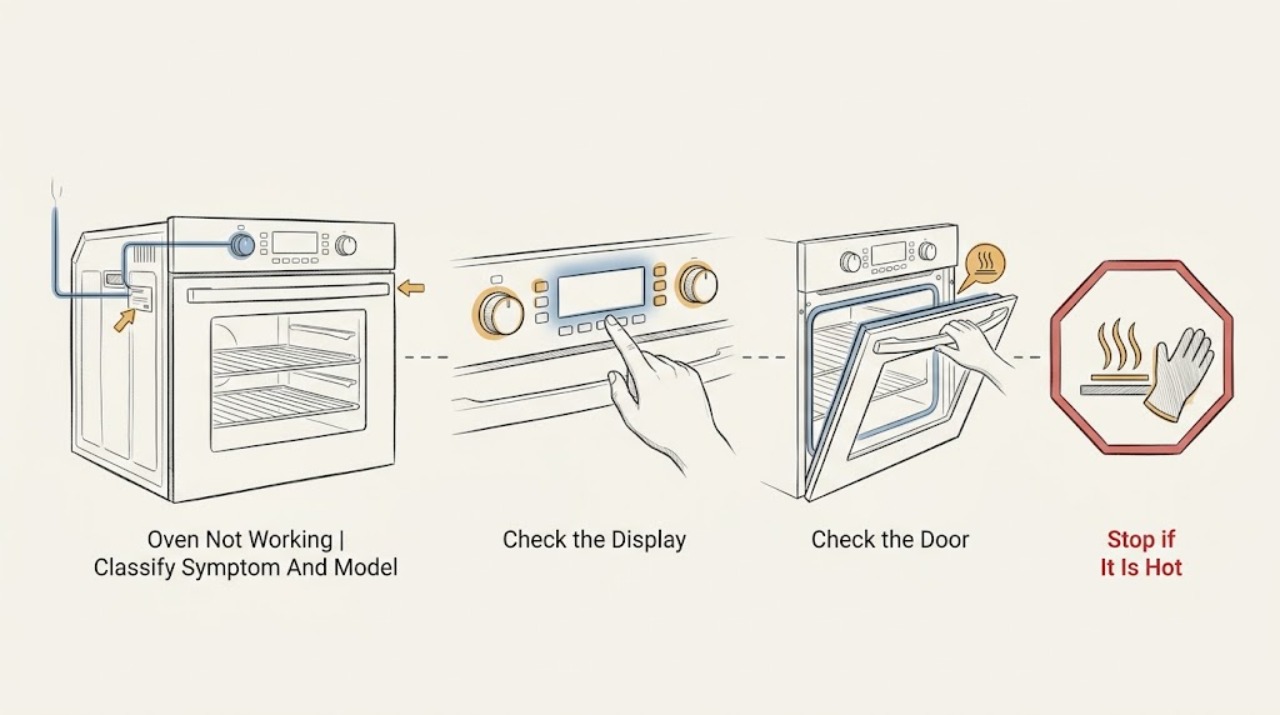
Work through in order
Diagnostic checks
Use only checks that match the exact appliance or system and its official guide.
-
Check 1
From a safe position, record the Wolf model and fuel type, whether the display is blank or responsive, the selected mode and temperature, any exact message or code, whether the door closes, and whether a surface burner or second oven works; do not guess a code from another model.
Expected result: Classify the symptom as no display, unresponsive controls, starts but no heat, one mode only, gas ignition failure, locked door, or displayed error/message.
Next step: Keep the record and model/rating-plate information for service; follow only the branch supported by the exact Wolf model and fuel type.
Stop if: Stop for smoke, flame outside the intended burner, gas odor, electrical smell, sparking, heat damage, a breaker trip, a damaged door or glass, or a carbon-monoxide alarm.
Why this matters
Why: A blank panel points toward supply or control; a responsive panel with no heat moves the check toward mode, door, thermal, heating, or gas branches. A model-specific message cannot be safely interpreted without the exact model guide.
-
Check 2
For an electric or dual-fuel model, verify from ordinary safe access that the oven's intended electrical supply is present, the home breaker is not visibly tripped, the clock is set when the model requires it, and the display is not in a documented Sabbath or Showroom state; do not remove covers or test live wiring.
Expected result: Record normal supply and responsive controls, a blank or blinking panel, a tripped breaker, an active control state, or a supply issue affecting other appliances/outlets.
Next step: If there is no hazard and the Wolf guide supports it, perform at most one normal breaker power reset, then retest; if the breaker trips again or the panel stays blank, leave the oven off and arrange service.
Stop if: Do not open the breaker panel beyond normal user operation, remove appliance panels, bypass a breaker/GFCI, probe wiring, or reset repeatedly; stop for heat, odor, smoke, arc, shock, or water.
Why this matters
Why: A supply or control-state symptom can prevent all oven functions, while a working display suggests a later mode, door, heating, or gas branch. A breaker trip or unexplained supply loss may be a home electrical issue, not a failed oven part.
-
Check 3
With the cavity cool and the door area clear, confirm the desired cooking mode is selected, the clock or Start sequence is complete, the control is not locked, and the door closes fully without obstruction; do not force a latch or operate a damaged door.
Expected result: Record a normal start, a mode that is not selected, a lock/Sabbath/Showroom state, a door that cannot close, a delay or timer state, or a display message that remains.
Next step: Use the exact Wolf Use and Care Guide to clear only a documented user state; if the door or controls remain abnormal, stop and provide the message and model to service.
Stop if: Do not defeat an interlock, pry the door, reach into a hot cavity, run self-clean to clear a fault, or continue with cracked glass, smoke, arcing, or a loose latch.
Why this matters
Why: A mode, clock, control-state, or door interlock can prevent operation without proving a heating element or igniter is bad. An obstruction, damaged seal, or persistent lock needs model-specific service.
-
Check 4
If the electric or dual-fuel oven display works but the cavity does not heat, observe whether the selected mode shows a normal preheat indication, whether the door is fully closed, whether only one mode or all modes fail, and whether a self-clean cycle recently preceded the fault; do not touch elements or remove panels.
Expected result: Record normal preheat indication, no preheat in one mode, no heat in all modes, a recent self-clean, a cooling-fan issue, an error message, or a breaker that trips when heat is requested.
Next step: After one applicable documented reset, leave the oven unused and arrange Wolf or qualified appliance service for persistent no heat, a returning error, or any breaker trip; provide mode and preheat observations.
Stop if: Do not touch an element, bypass thermal protection, run self-clean again, open the rear panel, or continue after smoke, burning odor, arcing, abnormal heat, or a trip.
Why this matters
Why: Mode selection, door, self-clean aftermath, thermal protection, fan, control/relay, or heating-element problems can produce no heat. The observation does not identify which internal part failed.
-
Check 5
For a gas or dual-fuel Wolf model only, identify whether the control calls for bake or broil heat and observe from the normal viewing position whether ignition occurs within the exact model guidance; do not remove burner parts, look for leaks, or repeatedly attempt ignition.
Expected result: Record no gas odor and normal ignition, no ignition, delayed ignition, continuing clicking, gas odor without flame, an abnormal flame, smoke, or a preheat indicator that behaves differently from the guide.
Next step: Turn the control off, discontinue use, ventilate only as safely appropriate without operating electrical switches, leave the area if odor persists, and contact qualified gas/appliance service from a safe location.
Stop if: Stop immediately for persistent gas odor, delayed ignition, boom, flame outside the burner, yellow/unstable flame, smoke, carbon-monoxide alarm, or any need to access gas components.
Why this matters
Why: No gas, no power, igniter/valve/control faults, and delayed ignition are possible, but gas odor without ignition or an abnormal flame is a stop condition. A burner timing statement is model-specific and is not a safe target for repeated testing.
-
Check 6
If an error or status message appears, photograph or transcribe it exactly with the model, fuel type, selected mode, and stage at which it appeared; use one reset only when the exact Wolf guide authorizes it and the oven is cool and free of hazards.
Expected result: Record the message clearing, returning after reset, changing to another message, or appearing with a breaker trip, door lock, heat, gas, or fan symptom.
Next step: Leave the oven out of service when the message returns or cannot be identified and provide the exact record to Wolf Factory Certified Service or a qualified technician.
Stop if: Do not clear a code by repeatedly cycling power, run a hot or self-clean cycle to test it, or continue after smoke, odor, arcing, overheating, gas symptoms, or a breaker trip.
Why this matters
Why: A repeated or model-specific message is evidence for service, not a prompt to substitute a generic code explanation. A code with an unsafe symptom takes priority over any reset instruction.
-
Check 7
Prepare the service handoff with model and serial information, fuel type, blank/responsive display status, exact error text, mode and timing, breaker/reset result, door state, gas or heat observations, and whether another oven or surface function works; do not perform another test.
Expected result: Confirm that the record distinguishes no power, control state, door/mode, electric no-heat, gas ignition, error, or unsafe symptom and identifies what was left untouched.
Next step: Keep the oven out of service until the appropriate technician advises otherwise; use emergency services for active fire, smoke, gas danger, carbon-monoxide alarm, shock, or immediate danger.
Stop if: Do not open the oven, access gas or electrical components, bypass locks, reconnect a suspect unit, or restore a breaker that trips with the oven.
Why this matters
Why: A precise external record lets a certified technician select a safe diagnostic path without guessing across Wolf families or repeating a hazardous test.
Use your observations
Decision map
Find the observation that best matches what you see, then follow the next safe action.
-
PATH 01Safety boundary
What you see
The control panel is blank, buttons do not respond, the home breaker is tripped, or other appliances/outlets on the expected supply are also affected.
Do this next
Check only ordinary user-visible supply status and perform one Wolf-authorized reset when safe; leave the oven off and arrange electrical/appliance service if the panel remains blank or the breaker trips.
Why this path and its safety boundary
Why it matters: A supply, installation, home circuit, or control issue is more likely than a simple heating-mode selection.
Safety stop: Do not probe wiring, bypass protection, open the oven, or keep resetting a tripped breaker.
-
PATH 02Safety boundary
What you see
The display works but the oven will not enter cooking mode, the clock/lock/Sabbath/Showroom state is active, or the door does not close fully.
Do this next
Follow only the exact model guide for the state and clear visible obstructions; arrange service for a persistent lock, damaged door, or unresponsive controls.
Why this path and its safety boundary
Why it matters: A user-state or door interlock can block operation without establishing an internal heating failure.
Safety stop: Do not pry the door, defeat a latch, run self-clean to clear a fault, or operate cracked glass or a damaged seal.
-
PATH 03Safety boundary
What you see
An electric or dual-fuel oven has a responsive display and closed door but does not heat in one or all applicable modes.
Do this next
After one applicable documented reset, leave the oven unused and arrange Wolf-certified or qualified appliance service with the mode and preheat record.
Why this path and its safety boundary
Why it matters: Mode, self-clean aftermath, thermal protection, fan, control/relay, supply, or heating-element faults remain possible; a user check cannot select the internal cause.
Safety stop: Do not access elements or wiring, bypass protection, or continue after smoke, burning odor, arcing, overheating, or breaker trips.
-
PATH 04Safety boundary
What you see
A gas or dual-fuel oven has persistent gas odor, delayed ignition, clicking without flame, abnormal flame, smoke, a boom, or a carbon-monoxide alarm.
Do this next
Turn the control off if it can be done without approaching danger, leave the area, avoid flames and electrical switches, and contact emergency/gas or qualified appliance service from a safe location.
Why this path and its safety boundary
Why it matters: This is a gas or combustion safety boundary, not a reset or repeated-ignition branch.
Safety stop: Do not relight, search for a leak, remove burner parts, ventilate by operating electrical controls, or re-enter while odor or danger persists.
-
PATH 05Safety boundary
What you see
An exact error or message returns after the applicable single reset, or the message cannot be identified for the model.
Do this next
Leave the oven out of service and provide the exact text, model, fuel type, mode, and timing to Wolf Factory Certified Service.
Why this path and its safety boundary
Why it matters: The fault is model-specific or persistent and should not be interpreted by borrowing another Wolf model's code.
Safety stop: Do not repeatedly reset, run self-clean, open the panel, or continue when an error accompanies unsafe heat, gas, smoke, arcing, or a breaker trip.
Helpful context
Understand the symptom
First define what “not working” means on this Wolf oven
Write down whether the panel is blank, buttons do not respond, the oven starts but does not heat, only one mode fails, the door remains locked, or a code/message appears. Record the exact model and whether the unit is electric, gas, or dual fuel; Wolf's support pages cover different families and do not make one model's mode, timing, or code universal. A working display with no heat is a different branch from a dead display, and a gas ignition symptom must not be treated as an electrical reset problem.
Use only ordinary external checks before service
The low-risk checks are power status, the selected mode, clock or control state, Showroom or Sabbath state when the model provides it, door closure, and visible error text. Wolf's official guidance describes a short breaker reset for applicable models, then a retest; keep it to one normal reset and do not open the panel, bypass a lock, or remove wiring. A fault that returns after the reset, a breaker that trips, or a control that remains blank needs service rather than more cycling.
Gas and electric ovens have different stop boundaries
For an electric or dual-fuel oven, no heat can involve supply, mode, door, thermal protection, fan, control, relay, or bake element issues, but internal electrical diagnosis is not a user check. For a gas oven, a short ignition delay described by the exact model's guidance is not permission to keep trying when odor remains; Wolf says to discontinue use when a gas oven does not ignite or gas odor is present without ignition. Do not remove burner parts, find a gas leak, or repeat ignition tests after an abnormal event.
Safety boundary
Stop conditions
- Stop immediately for gas odor, delayed ignition, a boom, flame outside the intended burner, abnormal flame, smoke, carbon-monoxide alarm, or any suspected combustion fault; leave the area and seek the appropriate emergency or gas response from a safe location.
- Stop for burning electrical odor, smoke, arcing, hot controls, damaged cord, shock, repeated breaker trip, overheating, or water near electrical equipment; do not reset or open the oven.
- Do not open the oven, remove panels, access wiring or gas components, bypass a door or thermal interlock, probe live circuits, or substitute a generic error-code explanation.
- Do not force or pry a locked/damaged door, run self-clean to test a fault, touch hot elements or burner parts, or continue with cracked glass or a damaged seal.
- Use at most one normal Wolf-authorized power reset when the model guide supports it and no hazard exists; leave the oven off if the fault returns or the breaker trips.
- Keep the oven out of service and arrange Wolf Factory Certified Service or qualified appliance/electrical/gas service for persistent no power, no heat, an unresolved message, door/control failure, or an unsafe symptom.
When checks do not resolve it
Need a professional?
Arrange Wolf Factory Certified Service or a qualified appliance professional when the oven remains blank or unresponsive after the documented external checks, a mode or door fault persists, the oven has no heat after the applicable single reset, an error returns, or a breaker trips. For gas or dual-fuel models, discontinue use for persistent odor, delayed ignition, clicking without flame, abnormal flame, smoke, boom, or carbon-monoxide alarm; use emergency or gas service from a safe location for immediate danger.
Safety scope: This article supports ordinary external observation, exact model/message recording, visible mode and door checks, and one model-authorized normal power reset when no hazard exists. It does not authorize internal electrical or gas work, live measurement, repeated resetting, door/interlock bypass, burner access, or unsafe ignition testing.
Common questions
FAQ
Why is my Wolf oven not working?
The symptom may be no power, an unresponsive control, a mode/clock/lock state, a door issue, electric no heat, a gas ignition issue, or a model-specific error. Record the exact model, fuel type, display, mode, and timing before following only the matching Wolf support branch.
Can I reset a Wolf oven at the breaker?
For applicable Wolf models, official guidance describes one short breaker power reset followed by a retest. Do it only when there is no smoke, gas, heat, arcing, water, or other hazard. If the fault returns or the breaker trips, leave the oven off and arrange service rather than resetting again.
What if a Wolf gas oven clicks or smells like gas but does not light?
Turn the control off if it is safe to do so and discontinue use. Do not keep trying to ignite it, search for a leak, or open gas components. Leave the area for persistent odor or danger and contact the appropriate gas or qualified appliance service from a safe location.
What should I give Wolf service when the oven stops working?
Provide the model and serial information, fuel type, exact error or display state, selected mode and temperature, clock/lock state, door behavior, breaker/reset result, whether one or all modes fail, and any gas, heat, smoke, or electrical warning. Do not remove panels or parts to obtain more information.
Read the exact guide
Official sources
- Wolf Electric Oven Does Not HeatSub-Zero, Wolf, and Cove · Wolf official support for applicable E, L, M, induction-range, and dual-fuel oven families; exact model guide controls.
- Wolf Dual Fuel Range Does Not Turn OnSub-Zero, Wolf, and Cove · Wolf official support for dual-fuel ranges; do not apply its controls to unrelated Wolf models.
- Gas Oven Bake Burner Not WorkingSub-Zero, Wolf, and Cove · Wolf official gas-oven support; ignition behavior and controls remain model-specific.
- Wolf Electric Oven Does Not Turn OnSub-Zero, Wolf, and Cove · Wolf official support for electric oven no-power symptoms; model-specific controls and installation conditions apply.
- Gas Oven Broil Burner Not WorkingSub-Zero, Wolf, and Cove · Wolf official gas broil support for applicable models; do not generalize features across model sizes.
- Wolf Does Not Operate in One or All ModesSub-Zero, Wolf, and Cove · Wolf official support for applicable Wolf products; exact model Use and Care and Installation Guides control.
- Wolf Oven Door Will Not UnlockSub-Zero, Wolf, and Cove · Wolf official door-lock guidance for applicable ranges and ovens; exact model instructions control.
- Gas Oven Burner OperationSub-Zero, Wolf, and Cove · Wolf official gas burner guidance; the exact model guide controls any timing or operating detail.
Community feedback
Share a repair observation
Share a plain-text repair observation. Accepted observations are published automatically; this page may take a moment to update.