
On this page
Start here
Quick answer
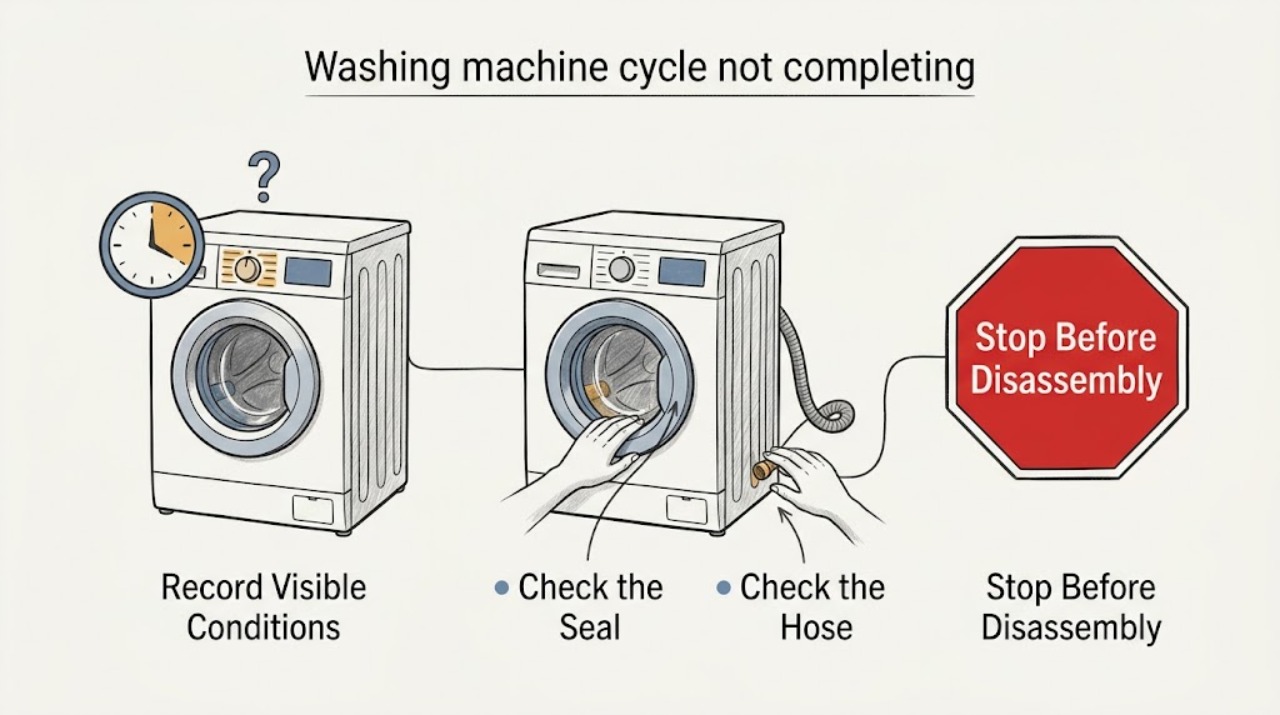
A Zanussi washer that stops before the cycle finishes usually has a water-inlet, drain, door-lock, load-balance, or excess-foam condition. Note the stage and any exact code first, then make only the safe external checks that match that symptom. A leak, standing water near electrics, burning smell, smoke, sparking, repeated breaker trips, or violent movement is a stop condition.
Work through in order
Diagnostic checks
Use only checks that match the exact appliance or system and its official guide.
-
Check 1
Record the point at which the timer, drum, pump sound, or display stops, and write down every code or flashing-light pattern before switching settings.
Expected result: A stop while taking in water points toward inlet flow; a stop with water left in the drum points toward drainage; a stop at spin points toward balance, foam, or a safety lock; a door that remains locked points toward residual water, heat, or the lock state.
Next step: Follow the matching inlet, drain, balance, door, or code check below and keep the code available if service is needed.
Why this matters
Why: The stopping stage narrows the relevant Zanussi guidance. Codes must be interpreted for the exact model rather than copied from another washer.
-
Check 2
With the drum stationary, cool, and not full of water, check that the door closes squarely without forcing it; remove only visible clothing caught in the seal and check whether a padlock or child-lock symbol is active.
Expected result: An overloaded drum, an obstructed seal, or an active lock can prevent a secure door state. If the door is secure but the machine still reports a door error, keep the door closed and do not bypass the interlock.
Next step: Use the exact model manual for the lock symbol or approved unlock sequence; if the door will not secure, remains locked after the drum is cool and empty, or the seal is damaged, arrange appliance service.
Why this matters
Why: A door-lock condition can stop the programme before or during operation, while a trapped load or damaged seal can also create a leak risk.
-
Check 3
For a stop during filling, look from a dry, safe position to confirm the household water valve is open and the visible inlet hose is not kinked, crushed, or pulled loose.
Expected result: No water entering, weak flow, or an E10, E11, or C1 indication supports an inlet or water-flow branch. A wet connection or water spreading toward the appliance or socket is an immediate stop condition.
Next step: Correct only an obvious valve or hose-position issue that can be reached without moving the appliance or touching wet electrics, then retry once. Persistent codes or no water require an appliance technician.
Why this matters
Why: Zanussi associates these symptoms with water supply, hose or inlet-filter restrictions, and some drainage situations; the exact code and model still control the next check.
-
Check 4
For a stop with water left inside, stop the programme, allow hot water to cool, and isolate power only when the plug and floor are dry and safely reachable; inspect the visible drain hose for a kink and use the model-specific safe drain/filter instructions.
Expected result: An E20, E21, or C2 indication, no pump-out, a blocked-looking hose, or a dirty filter points toward the drain path. Do not open a filter or hose while hot water, pressure, or an unsafe wet electrical area remains.
Next step: After safe draining and an external hose check, retry the appropriate drain or spin programme once. If it will not drain, leaks, or the pump only hums, stop and request service rather than reaching into the pump or wiring.
Why this matters
Why: The pump, filter, drain hose, household waste connection, or an electrical fault can all leave a cycle incomplete; a filter procedure is model-specific and can release water suddenly.
-
Check 5
If the stop occurs at rinse or spin, pause and redistribute the load evenly; check for a very small single item, a tightly packed heavy item, or visible excess suds, and use the detergent amount and product type specified for the model.
Expected result: The machine may add time, reduce spin, or stop when it cannot balance the load. Heavy foam, an EF0 indication, or repeated imbalance after redistribution points away from a simple door or inlet issue.
Next step: Run one suitable rinse or spin check with a balanced, correctly sized load. If the cabinet walks, bangs, leaks, or repeatedly stops with a normal load, stop using it and arrange service.
Why this matters
Why: Zanussi identifies imbalance, overloading, excessive detergent, and some drainage problems as causes of a mid-cycle stop or incomplete spin.
-
Check 6
After the relevant safe external check, perform one normal power reset: cancel the programme, switch the washer off, unplug only from a dry safe position, wait briefly, reconnect, and select a suitable programme.
Expected result: A single reset that restores a normal cycle suggests a temporary control state; the same code, an immediate stop, or no response after reset is a persistent fault.
Next step: Do not repeatedly reset or continue testing a machine with a persistent code, leak, abnormal heat, smoke, burning smell, sparking, repeated trip, or violent movement; preserve the code and request appliance service.
Why this matters
Why: A reset cannot clear a blocked drain, failed inlet valve, defective pump, door-lock fault, leakage, or unsafe electrical condition.
Use your observations
Decision map
Find the observation that best matches what you see, then follow the next safe action.
-
PATH 01Next step
What you see
The washer stops while filling or shows an inlet-related code.
Do this next
Arrange qualified service and follow the exact model guidance.
Why this path and its safety boundary
Why it matters: Check the valve and visible inlet hose from a dry safe position; persistent no-flow or a wet connection needs appliance service.
-
PATH 02Next step
What you see
The washer stops with water left in the drum or shows E20, E21, or C2.
Do this next
Arrange qualified service and follow the exact model guidance.
Why this path and its safety boundary
Why it matters: Use the exact model's cool-water drain and filter instructions only after safe isolation; if it still will not drain, stop and call an appliance technician.
-
PATH 03Next step
What you see
The washer stops before or during spin, adds time, or shows imbalance or excess-foam symptoms.
Do this next
Arrange qualified service and follow the exact model guidance.
Why this path and its safety boundary
Why it matters: Redistribute the load and correct detergent use once; repeated imbalance, walking, banging, or leakage requires service.
-
PATH 04Next step
What you see
The door stays locked, will not secure, or shows a door-lock code.
Do this next
Arrange qualified service and follow the exact model guidance.
Why this path and its safety boundary
Why it matters: Wait for the drum to cool and drain, follow the model-specific lock guidance, and never force or bypass the door interlock.
-
PATH 05Next step
What you see
The same error returns after one safe reset or the stage cannot be identified.
Do this next
Arrange qualified service and follow the exact model guidance.
Why this path and its safety boundary
Why it matters: Stop further testing, retain the exact code, model, and stopping stage, and request appliance repair.
Helpful context
Understand the symptom
Start by identifying when the cycle stops: while filling, washing, draining, spinning, or waiting for the door to unlock. Zanussi uses different error families for water inlet, drainage, door locking, motor, heating, leakage or over-foaming, and power issues, so an exact code and model are more useful than a generic reset.
Keep the machine out of service if water is reaching a socket or plug, the floor is unsafe, the cabinet is moving violently, or there is smoke, a burning smell, sparking, or a repeated electrical trip. Do not force the door or continue a cycle that is overheating or leaking.
Safety boundary
Stop conditions
- Stop immediately for a leak that is spreading, standing water near a plug or socket, a hot or damaged cord, smoke, a burning or electrical smell, sparking, repeated breaker trips, or a cabinet that moves violently.
- Do not force the door, bypass a lock, reach into a pump, touch wet electrical parts, or continue a cycle that repeatedly stops with a safety-related code.
Common questions
FAQ
Why does my Zanussi washing machine stop before the cycle ends?
The stopping stage usually points to water inlet, drainage, load balance or foam, door locking, or a model-specific error. Record the stage and code before making a safe check.
What should I do if water is left in the Zanussi washer?
Stop the programme, let hot water cool, isolate power only from a dry safe position, and follow the exact model's drain guidance. Do not open a filter with hot water or an unsafe wet electrical area.
Can I keep resetting a washer that stops mid-cycle?
Try one safe power reset after recording the code. A recurring stop, leak, abnormal smell, sparking, repeated trip, or violent movement needs appliance service rather than repeated testing.
Read the exact guide
Official sources
- How to Fix Washing Machine Error E10, E11 or C1 – Water Inlet & Drainage IssuesZanussi Support · Zanussi washer water-inlet and drainage error guidance
- washing machine displays an error code, how to fix it?Zanussi Support · Zanussi washing-machine error-code identification
- Washing machine stops in the middle of a cycleZanussi Support · Zanussi washing machines and washer-dryers
- How to Drain a Washing Machine or Washer Dryer (Step-by-Step Guide)Zanussi Support · Zanussi washing machines and washer-dryers
- Washing Machine Not Working or Not Turning On – Fix Power & Start IssuesZanussi Support · Zanussi washer start, door, and child-lock guidance
- Washing machine does not drain, displays error code E20, E21 or C2, emits 2 beeps / 2 flashesZanussi Support · Zanussi washer drainage error guidance
Community feedback
Share a repair observation
Share a plain-text repair observation. Accepted observations are published automatically; this page may take a moment to update.