
On this page
Start here
Quick answer
A Zanussi washing machine that will not start should be split into two cases: a blank or unresponsive appliance, and a lit appliance that will not begin its programme. From a dry, safe position, check the socket with another appliance, look for a one-time breaker or supply issue, and use only the model's documented power reset. If the display works, remove an overloaded or trapped load from the door area, make sure the door or lid closes and locks normally, release Child Lock if its padlock symbol is shown, and record any exact error code. An E10, E11, or C1-type indication can point to water flow or drainage, while E40 or E41 points to a door or lid detection issue; codes vary by model, so use the exact manual. Stop for water near electrical equipment, a leak, smoke, burning smell, sparks, violent movement, or a repeated trip. If one safe external check and one model-appropriate reset do not restore operation, arrange authorised service.
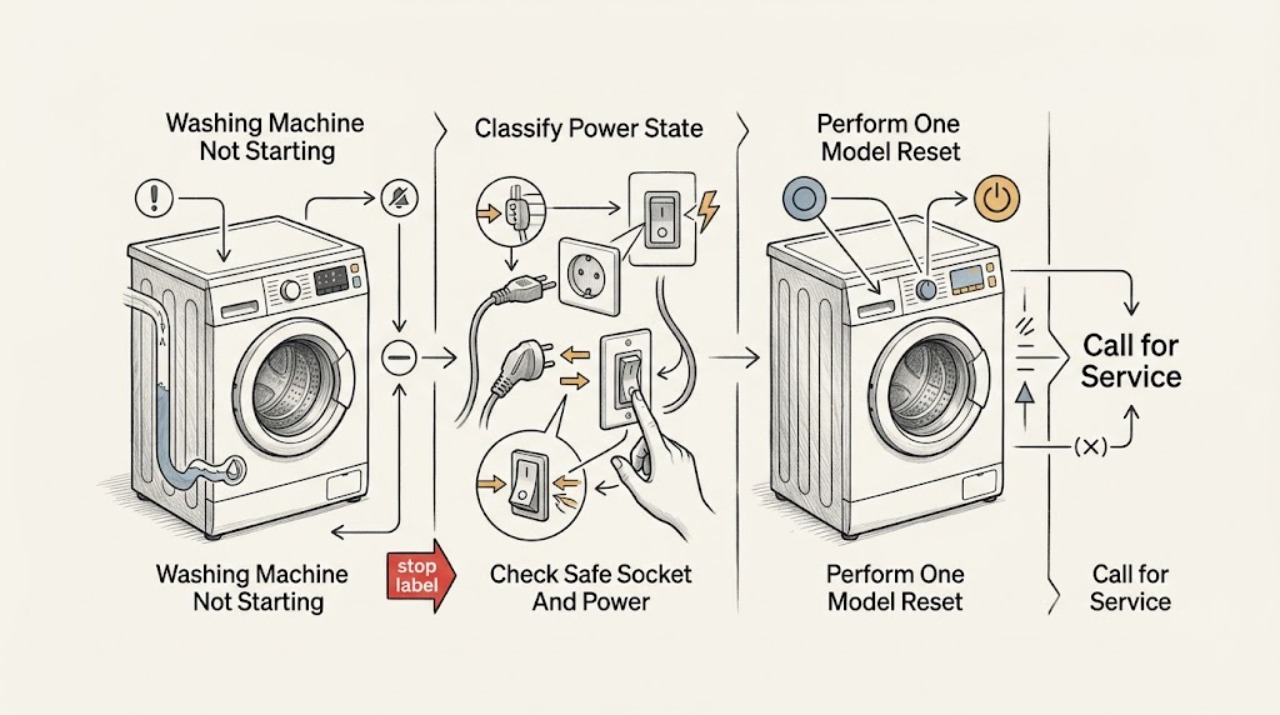
Work through in order
Diagnostic checks
Use only checks that match the exact appliance or system and its official guide.
-
Check 1
From a dry, stable position, press the normal power control once and note whether the display remains completely blank, shows lights or a code, or responds but does not start a programme. Do not touch a wet appliance, outlet, or cord.
Expected result: The display is blank and the controls do not respond, or the display is on and accepts selections but the programme does not begin.
Next step: Follow the power branch for a blank display. If the display is on, record the exact symbols, code, selected programme, and point at which Start is ignored before checking the door and controls.
Stop if: Stop for smoke, burning smell, sparks, a hot or scorched receptacle, a wet cord or outlet, exposed wiring, or a repeated breaker or safety-switch trip.
Why this matters
Why: A blank display points first to the electrical supply or appliance power path; a lit display narrows the check to controls, lock state, water or drain interlocks, programme settings, or an internal fault.
-
Check 2
If the machine is blank, disconnect it only from a dry, safe position and test the same socket with an ordinary known-working appliance. Look for a one-time breaker or safety-switch state without opening the panel; never use an extension cable.
Expected result: The test appliance also fails, the breaker or safety switch is off, the socket works but the Zanussi display remains blank, or the plug and receptacle show heat, looseness, water, or damage.
Next step: Correct only an obvious one-time supply state from a dry, safe position. If the circuit trips again, the socket is damaged, or the machine remains blank on a working supply, leave it disconnected and arrange qualified electrical or appliance service.
Stop if: Do not touch a wet, hot, loose, scorched, or damaged socket, plug, or cord; do not reset a breaker repeatedly, use an extension cable, or perform a live-voltage test.
Why this matters
Why: When the test appliance also fails, the supply or socket is the likely boundary. When the socket works but the washer is blank, the appliance power path or controls need service. Damage or recurring trips are electrical hazards.
-
Check 3
After the external power check is safe, use the exact Zanussi manual for one power reset. Zanussi's general guidance describes leaving an unresponsive machine unplugged for 15 minutes; its power-supply guidance also describes a shorter restart, so do not mix procedures between models. Reconnect once and select a programme.
Expected result: The display returns and the machine starts normally, the same no-start condition returns, or a code or safety-switch trip appears again.
Next step: If the symptom returns, stop applying reset sequences and give the technician the model, display state, code, programme, and timing. Continue only with safe door and control observations when there is no hazard.
Stop if: Do not reset repeatedly, reconnect a wet or damaged appliance, bypass a safety switch, or continue after smoke, burning smell, sparks, overheating, or a trip.
Why this matters
Why: A reset can clear a temporary control state but does not prove that the lock, pump, inlet valve, motor, wiring, or control is healthy. A returning code or trip is evidence for service, not for repeated resets.
-
Check 4
If the display is on, stop the selection and inspect only the user-accessible door or lid area. Remove a small amount of laundry if the drum is overfilled, make sure no fabric is caught between a front-loader seal and glass, and close the door or lid normally without forcing it.
Expected result: The door or lid closes and its lock indicator appears, laundry was obstructing the seal, the machine rocks or is difficult to align, or the door or lid still will not be detected as closed.
Next step: Run a programme only if the door or lid closes and locks normally with no leak or damage. If the lock remains open, the glass or hinge is damaged, or the appliance is unstable, stop and arrange service.
Stop if: Never force or slam the door, bypass or tape the lock, reach into a moving drum, or continue with broken glass, a torn seal, an active leak, or a door that cannot latch normally.
Why this matters
Why: Zanussi identifies overload, trapped laundry, an unlevel appliance, and a faulty lock as reasons a programme cannot start. A trapped item can also cause leakage, while a lock that remains undetected is an internal service issue.
-
Check 5
Look for a padlock or key symbol and confirm that a real wash programme, not a delay, pause, or end state, is selected. If the panel marks Child Lock buttons, use the exact manual to hold those buttons once; do not guess from another Zanussi model or force Start.
Expected result: The padlock disappears and Start works, a delay or pause remains active, the control does not respond, or no lock symbol is shown but the programme still will not start.
Next step: Select the model-approved programme and press Start once after the lock or delay is cleared. If the panel remains locked or unresponsive, record the symbols and arrange authorised service.
Stop if: Do not bypass Child Lock, hold a door or lid switch closed, repeatedly press conflicting button combinations, or continue if the panel is hot, wet, sparking, or damaged.
Why this matters
Why: Child Lock and a retained programme state can block the Start command even when the appliance has power. If the lock will not release using the model procedure, the control or lock system needs diagnosis rather than repeated button combinations.
-
Check 6
If the machine shows a water or drain indication, inspect from a safe position that the water tap is open, inlet and drain hoses are not visibly kinked, and the household drain is not backing up. If the model manual permits filter access, switch off and unplug first and follow that exact procedure; do not tilt the machine or remove a sealed panel.
Expected result: A tap is closed, an inlet hose is kinked, a drain hose or sink trap backs up, water remains in the drum, a filter is accessible and blocked, or all visible water paths appear normal.
Next step: Correct only a clearly visible tap or hose position and perform no more than one model-approved test. If water will not enter or drain, a leak appears, or the code returns, close the water supply as appropriate and arrange appliance or plumbing service.
Stop if: Stop for active or uncontrolled filling, a burst hose, water near electrical equipment, sewage-contaminated water, a hot pump, or any need to tilt the machine, dismantle the pump, or work while connected to power.
Why this matters
Why: Zanussi associates E10, E11, and C1 with filling or drainage trouble and E20-series indications with draining trouble. A water-path fault can prevent the programme from advancing, but a clear external path with a persistent code needs service.
-
Check 7
Before requesting service, record the full model and serial information if safely visible, front- or top-loader layout, exact code or symbol, selected programme, whether the tub contains water, door or lid-lock behavior, socket result, recent installation or filter work, and any safe external photos.
Expected result: The machine starts normally after one safe correction, or the same symptom, code, lock failure, water fault, noise, or electrical problem remains.
Next step: Keep the washer out of service when the symptom persists and provide the recorded information to an authorised technician. Use an electrician for a supply fault and a plumber for a confirmed household water or drain fault.
Stop if: Stop documenting and move away for smoke, burning smell, sparks, a hot outlet, flooding, violent movement, or another immediate hazard.
Why this matters
Why: The stage and exact display help separate supply, lock, water, drain, motor, and control faults. The code list is not universal across Zanussi models, so the model information prevents an incorrect repair path.
Use your observations
Decision map
Find the observation that best matches what you see, then follow the next safe action.
-
PATH 01Next step
What you see
The display is blank, the machine does not respond, the test appliance also fails, or the supply trips again.
Do this next
Leave the washer disconnected and arrange qualified electrical or appliance service. Do not keep resetting the circuit or open the machine.
-
PATH 02Next step
What you see
The door or lid cannot close or lock, laundry is caught in the seal, an E40 or E41-type indication appears, or the lock is not detected.
Do this next
Remove only an obvious load or seal obstruction without force and follow the exact model instructions once. A persistent lock, hinge, glass, or seal issue needs authorised appliance service.
-
PATH 03Next step
What you see
A padlock symbol, delay, pause, or unresponsive control prevents Start while the display is otherwise powered.
Do this next
Use the model manual's marked Child Lock or programme-cancel procedure once. If the control remains locked or unresponsive, stop and request service.
-
PATH 04Next step
What you see
The machine waits for water or shows an E10, E11, C1, or similar water-flow indication.
Do this next
Check the accessible tap, inlet hose, and permitted filter condition from a safe dry position. Stop for leaks or uncontrolled filling; persistent faults need appliance or plumbing service.
-
PATH 05Next step
What you see
Water remains in the drum, the machine will not advance, or an E20, E21, C2, or similar drain indication appears.
Do this next
Check the visible drain hose, household drain, and model-specific filter procedure only after isolating power and water as instructed. A clear path with retained water requires service.
-
PATH 06Next step
What you see
The socket, door, control state, and visible water path are normal but the same no-start symptom or code returns after one model-appropriate reset.
Do this next
Do not repeat the reset or run more test cycles. Provide the model, code, stage, and observations to an authorised technician for lock, pump, inlet, motor, wiring, or control diagnosis.
Helpful context
Understand the symptom
First identify whether the machine has power
A blank display and a lit display that will not begin a programme are different faults. Zanussi advises checking the socket with another appliance when the machine is unresponsive, then leaving the machine unplugged for a model-appropriate reset before requesting service. Use a dry position and do not use an extension cable. A warm, loose, scorched, wet, or repeatedly tripping outlet is an electrical problem, not a reason to keep trying the washer.
A locked door or child lock can look like a start failure
A door or lid that is not detected as closed prevents a cycle from starting. Excess laundry or fabric caught between the seal and glass can prevent a front-loader from closing and can also cause a leak. Zanussi also documents a padlock symbol for Child Lock; the buttons and hold time differ by model, so follow the highlighted symbol and manual rather than guessing. Never force, tape, or bypass an interlock.
Water and drain checks are conditional, not universal resets
Some machines do not advance when they cannot fill or drain. Zanussi associates E10, E11, and C1 with water-flow or drainage problems and E20-series indications with draining problems, but the exact meaning belongs to the appliance manual. Inspect only the visible inlet and drain path, with water isolated before any permitted hose or filter work. Do not assume that every Zanussi model has the same filter access, code set, or reset sequence.
Safety boundary
Stop conditions
- Stop and isolate the washer from a safe dry position for an active leak, uncontrolled filling, flooding, water near electrical equipment, or sewage-contaminated water.
- Stop for smoke, a burning or electrical smell, sparks, a hot or scorched plug or outlet, exposed wiring, or a repeated breaker or safety-switch trip; do not keep resetting the circuit.
- Stop for violent shaking, walking, metal impact, broken glass, a torn seal, a door or lid that cannot latch, or a drum that is still moving; never bypass the interlock.
- Do not use an extension cable, tilt the appliance, perform a live electrical test, open a sealed panel, force the door, or apply another model's error-code or Child Lock sequence.
When checks do not resolve it
Need a professional?
Request authorised appliance service for persistent no-start, failed door or lid detection, unresponsive controls, recurring water or drain indications, or any internal lock, pump, valve, motor, wiring, or control diagnosis. Use the appropriate qualified electrician or plumber when the fault is outside the appliance.
Have this ready
- Provide the Zanussi model and serial information, front- or top-loader layout, exact display code or symbol, selected programme and stage, door or lid behavior, tub water level, socket result, hose or filter observations, recent installation or maintenance, and safe external photos.
Common questions
FAQ
Why is my Zanussi washing machine completely blank?
Test the socket with another appliance from a dry, safe position and look for a one-time breaker or supply state. Use one model-appropriate reset only. If the socket works but the Zanussi remains blank, or the circuit trips again, leave it disconnected and arrange qualified service.
Why does my Zanussi washing machine have power but not start?
Check the door or lid, an overloaded drum, the padlock symbol, a retained delay or pause, and the exact displayed code. The door must be detected as securely closed. Do not force or bypass the lock; a persistent no-start needs authorised service.
What do E10, E11, or C1 mean on a Zanussi washer?
Zanussi associates these indications with water-flow or drainage problems, such as a closed tap, restricted hose, filter, or drain path. Check only the accessible external conditions and the model-approved procedure. If water will not enter or drain, or the code returns, request service.
Can Child Lock stop a Zanussi washing machine from starting?
Yes. A padlock symbol means Child Lock may be active, and Zanussi notes that its marked buttons and release method vary by control panel. Use the exact manual once; do not use another model's button combination or bypass the lock.
When should I stop using my Zanussi washing machine?
Stop for a leak, water near electricity, smoke, a burning smell, sparks, a hot plug or outlet, a repeated electrical trip, violent movement, broken glass, or a door or lid that will not latch. Isolate water or power only from a safe position and arrange the appropriate qualified service.
Read the exact guide
Official sources
- Problem with power supplyZanussi Support · Official Zanussi support guidance for appliance power-supply checks; household electrical work belongs to a qualified person.
- The washing machine door does not close properlyZanussi Support · Official Zanussi guidance for front-loading washing machines; top-loader lid behavior varies by model.
- How to Fix Washing Machine Error E10, E11 or C1 – Water Inlet & Drainage IssuesZanussi Support · Official Zanussi support guidance for washing machines and washer dryers showing the specified water-flow indications; access and limits vary by model.
- Washing machine displays padlock - ZanussiZanussi Support · Official Zanussi Child Lock guidance; button combinations vary by control panel and must be confirmed in the model manual.
- Washing machine does not drain, displays error code E20, E21 or C2, emits 2 beeps / 2 flashesZanussi Support · Official Zanussi drain troubleshooting for washing machines, top loaders, and washer dryers; the manual controls filter access and installation details.
- Washing Machine Not Working or Not Turning On – Troubleshooting GuideZanussi Support · Official Zanussi support guidance for washing machines and washer dryers; exact model instructions control where controls differ.
- Washing Machine common error codes and troubleshooting tipsZanussi Support · Official Zanussi error-code overview for washing machines and washer dryers; exact code meanings depend on model and manual.
Community feedback
Share a repair observation
Share a plain-text repair observation. Accepted observations are published automatically; this page may take a moment to update.