
On this page
Start here
Quick answer
First separate a completely dead Zanussi washing machine from a machine whose display works but whose programme will not start. If there is water near the plug, a hot outlet, a burning smell, smoke, sparks, a damaged cord, or repeated breaker trips, stop and isolate the danger safely; do not test or reset it again. With no danger sign, check the accessible plug and household supply, then look for the padlock or child-lock symbol, Delay Start, a selected programme, a securely closed door or lid, and an exact error code. Follow the model manual for one authorised reset only, and arrange service if the machine remains dead or will not start.
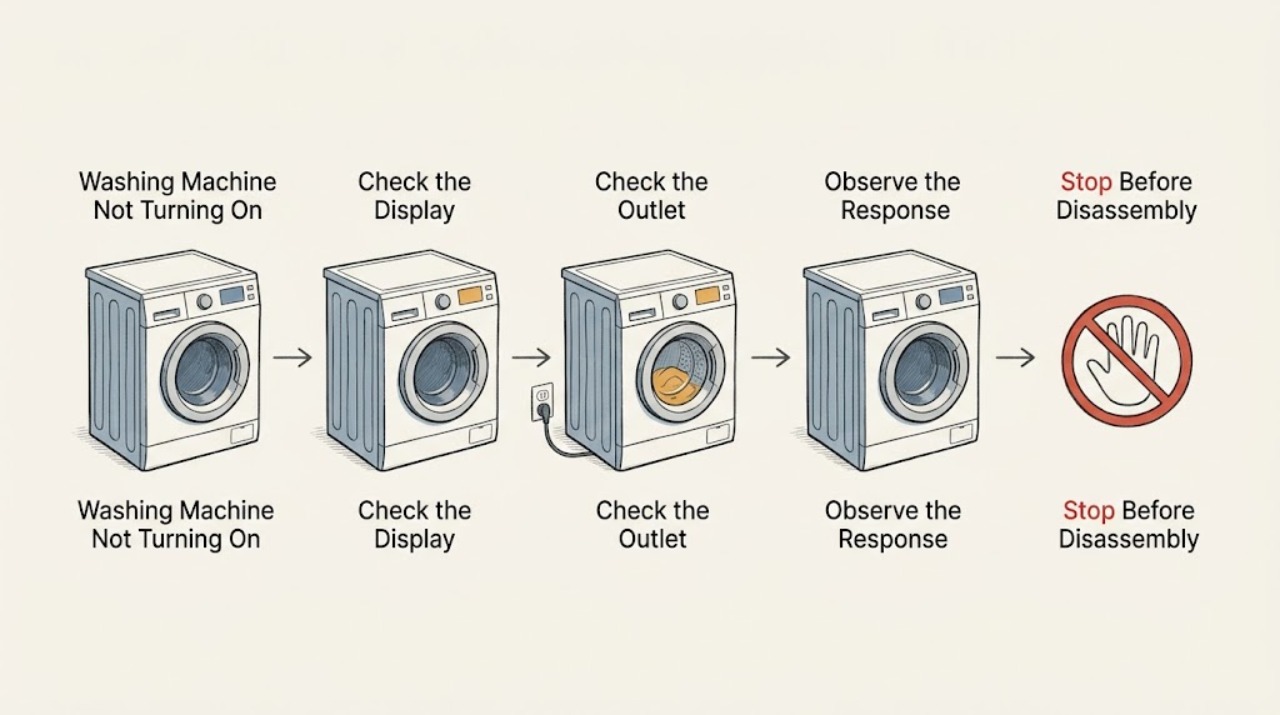
Work through in order
Diagnostic checks
Use only checks that match the exact appliance or system and its official guide.
-
Check 1
Press the normal On/Off control once and classify the response without repeatedly cycling the machine: no display, display but no response, display with a lock symbol, or display with an error.
Expected result: The display may stay dark, light normally, show a padlock or key, flash lights, beep, or show a code.
Next step: Write down the exact display and sound, then follow the matching power or start checks. Stop for smoke, sparks, heat damage, a burning smell, or water near electrical parts.
Why this matters
Why: A dark display points first to the power path, while a lit display shifts attention to controls, programme state, door detection, water, or an error. A symbol or code is evidence to record, not a universal diagnosis.
-
Check 2
From a dry position, inspect the accessible plug, cord, outlet face, and nearby floor for water, scorching, melting, a hot surface, or a loose connection. Do not touch damaged parts or remove a cover.
Expected result: The connection may look dry and intact, the outlet may show heat damage, the cord may be damaged, or water may be present near the supply.
Next step: Keep the washer unused and have a qualified electrician or appliance technician assess damage. If there is smoke, active sparking, or immediate danger, leave and use emergency help.
Why this matters
Why: A damaged, hot, or wet electrical path can cause a no-power symptom and creates a shock or fire risk. It is not safe to verify that path by repeated plugging or live testing.
-
Check 3
Only when the connection is dry and undamaged, check whether the household breaker or residual-current protection has tripped and whether the washer plug is seated in the specified wall outlet. Do not use an adapter, extension lead, or improvised supply.
Expected result: The breaker may be normal, tripped once, or trip again; the display may return after normal supply is restored, or remain dark.
Next step: If the breaker trips again, leave it off and arrange electrical or appliance service. If the outlet or supply is uncertain, do not measure it yourself; have it checked professionally.
Why this matters
Why: A tripped protective device can explain a blank machine, but a repeat trip indicates a fault or supply problem rather than permission to keep resetting it.
-
Check 4
On a lit display, inspect the selected programme, Start/Pause state, Delay Start indicator, and padlock or child-lock symbol. Use only the exact model manual to cancel a delay or change the child-lock state.
Expected result: A delayed start, paused programme, padlock, or disabled controls may be shown; the controls may also appear normal.
Next step: Follow the model manual's documented control sequence once. If the lock or no-start condition remains, record the result and move to the door and error checks rather than holding random buttons.
Why this matters
Why: The washer can have power while intentionally refusing a start because a lock or delayed programme is active. Button combinations are model-specific and should not be guessed.
-
Check 5
With the programme stopped and the machine cool, inspect the visible door or lid edge, seal, latch area, and drum opening for trapped clothing or a loose obstruction. Close the door or lid normally without slamming or force.
Expected result: Fabric may be caught in the seal, the latch may not align, the door or lid may not close, or the area may look clear; a lock or door code may appear when Start is pressed.
Next step: Remove only a loose visible obstruction. If the door or lid cannot close normally, the latch is damaged, or the door code returns, leave the machine unused and request service.
Why this matters
Why: A washer will not start when its safety interlock cannot detect secure closure. A damaged seal, glass, handle, hinge, or latch points to a mechanical fault rather than a power reset.
-
Check 6
Look through the door or lid to see whether water remains in the drum, and record the programme stage at which the washer stopped. Do not open a locked door, loosen a filter, or begin a drain operation if water may be hot or the machine is not safely isolated.
Expected result: The drum may be empty, contain visible water, or be hard to judge; the display may show a drain or cycle error.
Next step: Use the exact manual's drain guidance only when its safety conditions are met. Stop for hot water, leaking water, a high water level, or water near electrical parts and arrange service.
Why this matters
Why: Residual water can keep the door locked and can prevent a new programme from starting. The safe drain route depends on the model, water temperature, and machine design.
-
Check 7
Record the full error code, flashing pattern, padlock symbol, and programme name exactly as shown. Use the Zanussi manual or official support page for that model instead of applying a code from another washer.
Expected result: The code may identify a door-detection condition such as E40/E41, a water or drain condition, or a different model-specific fault; sometimes there is no code.
Next step: Perform only the documented user check for that exact code. If it returns, leave the machine off or unused as appropriate and give the technician the code and programme-stage record.
Why this matters
Why: An error state narrows the next check, but a code without the model identity cannot safely establish which component failed.
-
Check 8
If there is no water, no heat, no leak, no electrical damage, and no repeated breaker trip, perform one power reset exactly as the model manual permits, then select a normal programme and press Start once.
Expected result: The display may recover and the programme may start, or the same blank display, lock, error, or no-start condition may return.
Next step: If the fault returns, stop testing and request authorised service. Do not repeat resets, bypass a lock, or open the appliance to search for the cause.
Why this matters
Why: A single reset can clear a transient control state, but it cannot repair a failed interlock, drain path, supply, control, or wiring fault.
Use your observations
Decision map
Find the observation that best matches what you see, then follow the next safe action.
-
PATH 01Next step
What you see
The display is blank and there is water, scorching, a hot outlet, smoke, sparks, a burning smell, or a damaged cord.
Do this next
Arrange qualified service and follow the exact model guidance.
Why this path and its safety boundary
Why it matters: Stop using the washer and keep clear of the hazard. Do not plug it back in or reset protection; arrange emergency help for smoke or fire and qualified service for electrical damage.
-
PATH 02Next step
What you see
The display is blank but the accessible connection is dry and intact and the breaker has not tripped.
Do this next
Arrange qualified service and follow the exact model guidance.
Why this path and its safety boundary
Why it matters: Treat the supply or appliance power path as unresolved. Do not measure live voltage or use an extension; have the outlet and washer assessed by a qualified professional.
-
PATH 03Next step
What you see
The display works and shows a padlock, child-lock indication, Delay Start, or a paused programme.
Do this next
Arrange qualified service and follow the exact model guidance.
Why this path and its safety boundary
Why it matters: Use the exact model manual to clear or cancel that state once, then try Start normally. If controls remain disabled, request service.
-
PATH 04Next step
What you see
The door or lid does not close normally, clothing is caught, or E40/E41 returns.
Do this next
Arrange qualified service and follow the exact model guidance.
Why this path and its safety boundary
Why it matters: Remove only a loose visible obstruction without force. Leave the washer unused and arrange service for a damaged seal, latch, hinge, handle, or recurring door-detection error.
-
PATH 05Next step
What you see
Water remains in the drum or the washer stopped during a drain or cycle stage.
Do this next
Arrange qualified service and follow the exact model guidance.
Why this path and its safety boundary
Why it matters: Keep the door closed and follow only the exact model manual's safe drain procedure. Stop for hot water, leaking water, or water near electrical parts.
-
PATH 06Next step
What you see
The same no-start condition or code returns after one model-authorized reset.
Do this next
Arrange qualified service and follow the exact model guidance.
Why this path and its safety boundary
Why it matters: Leave the machine unused and give an authorised technician the model, code, display state, breaker result, door state, water state, and programme stage.
Helpful context
Understand the symptom
Not turning on can mean no display at all, or it can mean the display is lit but the washer does not begin the selected programme. Those are different paths. Zanussi also uses door and lid interlocks, child safety controls, and error states that can prevent a start even when the appliance has power.
Use only external, low-risk checks. Do not use an extension lead or adapter, measure live voltage, open the cabinet, bypass the door lock, or keep pressing Start after a fault. The exact button sequence, error meaning, and reset method can vary by model, so the manual for the product identity takes priority.
If the machine stopped with water inside, treat the door and drain state as part of the start problem. Do not force the door or tip the appliance. A persistent no-start condition after the safe checks is a service problem, not a reason to replace a part based on a guess.
Safety boundary
Stop conditions
- Stop immediately for water near the plug or controls, a hot or damaged outlet, a damaged cord, burning or electrical odor, smoke, sparks, or a repeated breaker trip.
- Do not use an extension lead or adapter, measure live voltage, open the cabinet, bypass the door or lid interlock, or touch internal wiring.
- Do not force the door or lid, tilt the machine, loosen a filter, or drain hot or uncertain water without the exact model manual's safe procedure.
- Stop for a damaged seal, glass, handle, hinge, latch, an unexpected door opening, a leak, or a drum that may still be moving.
- Do not keep resetting or running programmes after a persistent blank display, no-start condition, code, or protective-device trip; request qualified service.
When checks do not resolve it
Need a professional?
Request authorised appliance service when the Zanussi washer remains blank after safe supply checks, the display works but it will not start after the documented control and door checks, an error returns, the latch or seal is damaged, water remains and cannot be safely drained, or one reset does not resolve the fault. Use a qualified electrician for an uncertain outlet, supply damage, or repeated breaker trip. Use emergency help for smoke or fire and do not approach wet or energized equipment.
Have this ready
- Give the technician the model, display state, exact code or symbol, breaker result, outlet and cord observations, selected programme, door or lid condition, drum water state, stopping stage, and result of the one documented reset.
Common questions
FAQ
Why is my Zanussi washing machine completely blank?
Check the accessible dry plug, cord, outlet, and household protective device without live measurement or repeated resets. If the supply is uncertain or the display remains blank, qualified electrical or appliance service is needed.
Why does my Zanussi washer have power but not start?
Check the selected programme, Delay Start, padlock or child-lock symbol, door or lid closure, and exact error code. The machine may intentionally block a start when closure or water conditions are not safe.
What do E40 and E41 mean on a Zanussi washer?
On supported Zanussi models, E40/E41 indicate that the door or lid is not properly closed or detected. Check for a loose obstruction and use the exact model guidance; if the code returns, request service.
Should I keep resetting the breaker if the washer will not turn on?
No. A protective device that trips again indicates an unresolved electrical or appliance fault. Leave it off and arrange qualified service, especially if there is heat, odor, smoke, sparking, or water nearby.
Can I open the door if the Zanussi washer stopped with water inside?
Do not force it. Water, heat, or a moving drum can keep the door locked. Follow only the exact model manual's safe drain or emergency procedure, and stop for hot water, leaks, or water near electrical parts.
Read the exact guide
Official sources
- The door of the washing machine cannot be openedZanussi · Zanussi front-loader locked-door timing, water state, emergency opening limits, reset, and service guidance
- Washing Machine Error Code E40, E41 (4 Beeps / 4 Flashes): Causes & FixesZanussi · Zanussi washer door or lid detection, trapped laundry, child lock, closure, and professional service response
- Washing Machine Not Working or Not Turning On – Troubleshooting GuideZanussi · Zanussi washing-machine and washer-dryer power, start, door, child-lock, error-code, reset, and service checks
- Opening washing machine's door at the beginning of wash cycleZanussi · Zanussi washing-machine and washer-dryer door, water, drum movement, cycle cancellation, and service safety
Community feedback
Share a repair observation
Share a plain-text repair observation. Accepted observations are published automatically; this page may take a moment to update.