
On this page
Start here
Quick answer
When an air conditioner is not cooling, first separate a thermostat or power command problem from weak airflow caused by the filter and from a running system that is not removing heat. Confirm that the thermostat is calling for cooling, the fan is not set to run continuously, and the filter is installed in the correct direction and not heavily loaded. Then observe the supply airflow, indoor and outdoor unit behavior, ice, water, and unusual noise from a safe distance. Replace or clean a filter only as the exact equipment manual allows; do not use a filter change as a reason to run a frozen system. A clean filter and correct thermostat do not rule out a frozen coil, blocked drain, refrigerant, blower, condenser, or electrical fault. Stop for ice, water near electrical equipment, burning odor, smoke, arcing, a hot panel, exposed wiring, or a breaker that trips again, and arrange qualified HVAC service.
Before you begin
Safety first
- This article supports visible thermostat and filter observations and only the filter access or control changes authorized by the exact equipment manual. It does not authorize cabinet opening, live electrical work, refrigerant handling, coil or fan access, ice removal, drain chemicals, or repeated resets.
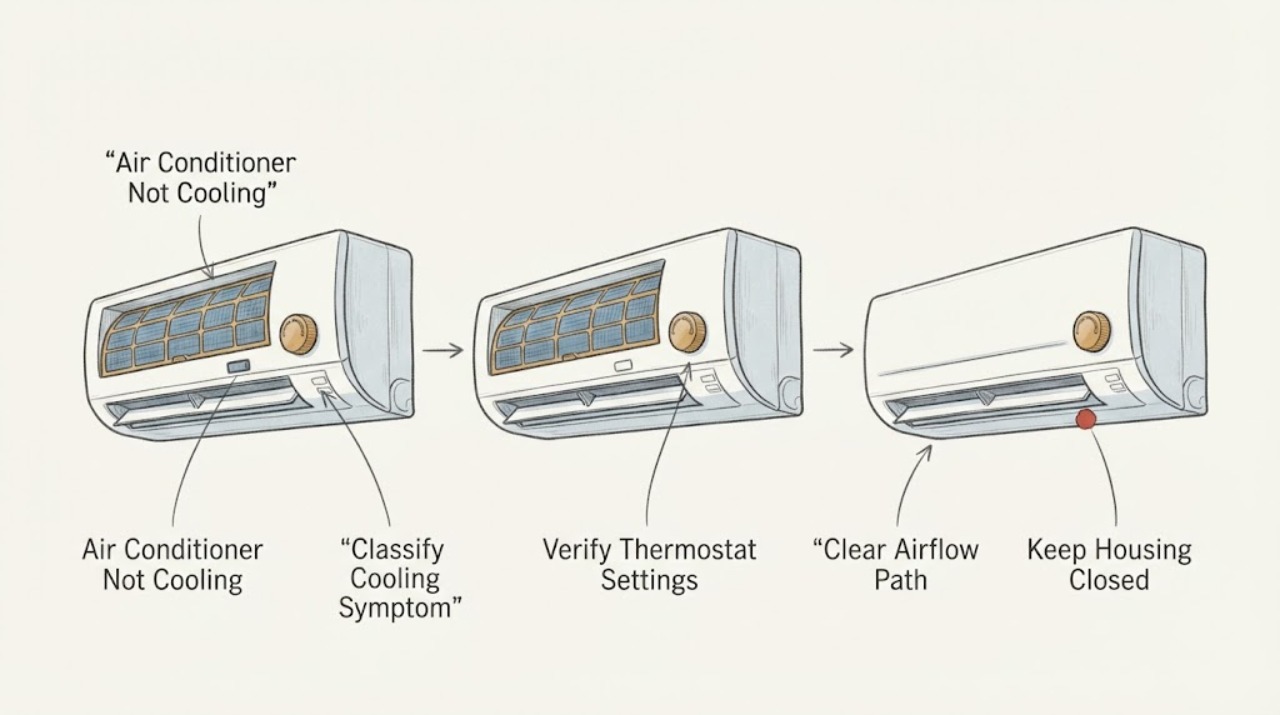
Work through in order
Diagnostic checks
Use only checks that match the exact appliance or system and its official guide.
-
Check 1
From a safe location, record the thermostat display and whether the system has a cooling call, indoor airflow, outdoor-unit operation, no operation at all, or a temperature that is falling too slowly. Note whether the fan is set to Auto, On, or another mode and whether a schedule or delay is active.
Expected result: The thermostat is off or in heat, the fan runs with no cooling call, the set point is not below the room reading, the screen is blank, or the system has a normal cooling call but still delivers warm or weak air.
Next step: Follow the exact thermostat instructions for a visible setting correction and allow its normal start delay. If the system remains unresponsive or the screen is blank after safe battery or power checks, arrange HVAC service rather than changing wiring.
Stop if: Stop for burning odor, smoke, sparking, a hot thermostat or panel, exposed wiring, water near electrical equipment, or a breaker that trips again.
Why this matters
Why: An incorrect mode, fan setting, schedule, or lost thermostat power can mimic a cooling failure. A valid cooling call with poor output moves the investigation toward airflow, filter, coil, drain, outdoor, or sealed-system branches.
-
Check 2
At the thermostat, confirm that the mode is Cool, the fan is Auto when the model uses that setting, the target is below the current room reading, and any comfort schedule or hold is intentional. For a battery-powered thermostat, inspect or replace batteries only as the manual specifies.
Expected result: Changing the mode, fan, target, schedule, or batteries restores a cooling call, or the thermostat changes normally but the equipment does not respond.
Next step: Allow the equipment's documented delay to pass once, then observe whether indoor and outdoor operation begins. If it does not, leave the controls in the safe intended state and arrange HVAC service; do not bypass or rewire the thermostat.
Stop if: Do not remove wiring, bridge terminals, repeatedly cycle the equipment, or continue near smoke, odor, sparking, a hot panel, exposed conductors, or water.
Why this matters
Why: A setting or battery correction can explain no cooling without a failed HVAC component. If commands change but the system does not respond, the thermostat may be communicating with a safety switch, control, power, or equipment fault rather than simply needing a new faceplate.
-
Check 3
After the system is placed in its safe off state and the exact manual identifies the filter location, inspect the user-accessible filter and the visible return and supply openings. Record whether the filter is heavily loaded, wet, damaged, reversed, missing, or the correct type, and note whether airflow is weak compared with normal.
Expected result: The filter is visibly clogged or wet, airflow is weak, the filter appears clean and correctly installed, or the openings are blocked by furniture or debris.
Next step: Clean a reusable filter or install the exact replacement specified by the manual, with the airflow direction correct. If the filter is wet, damaged, or the system still has weak airflow, leave cooling off and arrange HVAC service.
Stop if: Stop for water near electrical equipment, a frozen coil, a damaged cabinet, exposed wiring, burning odor, smoke, sparking, or any need to open the air handler.
Why this matters
Why: A loaded filter or blocked return can restrict airflow and contribute to poor cooling, short cycling, or ice. A clean filter and open visible grilles make the filter less likely to be the sole cause; they do not rule out a blower, coil, duct, or refrigerant fault.
-
Check 4
With panels closed and from ordinary safe access, observe the indoor unit area, accessible refrigerant tubing, outdoor unit, and floor for visible ice, excess water, unusual condensate, outdoor-unit inactivity, or a system that runs continuously. Do not touch coils, tubing, moving fans, or ice.
Expected result: Ice is visible, water is backing up or reaching electrical equipment, the outdoor unit is silent during a cooling call, or the system runs for unusually long periods without cooling.
Next step: Turn cooling off when ice or water is present, protect the area only without touching wet electrical equipment, and arrange HVAC service. Do not chip ice, handle refrigerant, or open the outdoor unit.
Stop if: Stop immediately for ice, active leakage, water near wiring, smoke, burning odor, arcing, a hot electrical enclosure, or a repeated breaker event.
Why this matters
Why: Ice can follow restricted airflow, low refrigerant, or another fault; water can indicate condensate trouble; a silent outdoor unit can reflect power, control, or equipment failure. Continuous operation can be a sign of insufficient cooling capacity or a fault, not a reason to keep lowering the set point.
-
Check 5
Compare the result after one allowed filter correction and the documented thermostat setting check: record supply-air strength, indoor temperature trend, outdoor-unit operation, and any short cycling without repeatedly changing the set point or restarting the system.
Expected result: Cooling and airflow return, airflow improves but cooling remains weak, the system short-cycles, or there is no meaningful change.
Next step: Keep the filter installed correctly and provide the before-and-after observations to a qualified HVAC technician. Do not infer a thermostat or filter replacement is the complete repair when the system remains abnormal.
Stop if: Do not continue testing a frozen, leaking, smoking, sparking, overheating, or breaker-tripping system.
Why this matters
Why: Improvement after a correct filter or setting supports an airflow or control contribution, but a continuing warm-home result means the system still needs evaluation. Short cycling or no change can involve a frozen coil, drain or safety control, blower, condenser, electrical issue, duct issue, or refrigerant problem.
-
Check 6
If there is no water, ice, smoke, odor, or electrical warning, inspect only the visible thermostat display and labeled accessible power-control state described by the equipment manual. Record whether a breaker or local switch is visibly off, but do not keep resetting it or remove covers.
Expected result: A safe visible control is off, the thermostat is blank, the breaker is tripped, the unit starts after one manual-authorized correction, or the same power event returns.
Next step: Follow the exact manual once if it authorizes the visible correction; otherwise leave the system off and call HVAC or electrical service. Share the circuit and symptom history rather than attempting an electrical diagnosis.
Stop if: Do not repeatedly reset, remove an electrical cover, touch wiring, use test instruments, or operate after smoke, burning odor, arcing, shock, heat, or water exposure.
Why this matters
Why: A single safe visible power-state correction may restore operation, but a returning trip or blank display can indicate an electrical or equipment fault. A working display with no equipment response can indicate controls, safety shutdown, or HVAC hardware.
-
Check 7
Prepare the service handoff with equipment brand and model, thermostat mode and schedule, filter type and condition, airflow, outdoor-unit behavior, ice or water evidence, runtime pattern, error messages, and any safe reset result. Stop testing once a service trigger is present.
Expected result: The record distinguishes a setting or filter correction, persistent low airflow, visible ice or water, an unresponsive thermostat, a power event, or a system that runs but does not cool.
Next step: Keep the system off when a stop condition occurred and contact a qualified HVAC technician; request a complete operating and safety check before returning it to service.
Stop if: Do not open cabinets, handle refrigerant, chip ice, touch moving equipment, bypass controls, or keep operating with abnormal heat, smell, water, smoke, sparking, or breaker behavior.
Why this matters
Why: This record helps the technician choose between airflow, thermostat/control, condensate, outdoor, electrical, and refrigerant diagnostics without asking the homeowner to reproduce a hazardous condition.
Use your observations
Decision map
Find the observation that best matches what you see, then follow the next safe action.
-
PATH 01Safety boundary
What you see
The thermostat is off, set to heat, calling the fan without cooling, holding an incorrect schedule, or has a blank battery-powered screen.
Do this next
Follow the exact thermostat manual for a setting or battery correction, allow its normal delay once, and call HVAC service if the system does not respond.
Why this path and its safety boundary
Why it matters: A visible control or battery state can mimic an air-conditioner failure, but a normal display with no equipment response may still be a control or HVAC fault.
Safety stop: Do not rewire, bypass, repeatedly cycle, or continue near smoke, odor, sparking, exposed wiring, water, or a hot panel.
-
PATH 02Safety boundary
What you see
The filter is heavily loaded or wet, visible return or supply airflow is restricted, or airflow is much weaker than normal.
Do this next
With the system safely off, clean or replace the filter exactly as the manual specifies. If airflow remains weak or the filter is wet, arrange HVAC service.
Why this path and its safety boundary
Why it matters: Filter and airflow restriction can reduce cooling and contribute to short cycling or coil ice, but the filter is not proof of the only fault.
Safety stop: Stop for ice, water near electrical equipment, a damaged cabinet, smoke, odor, sparking, or any need to access internal blower or coil parts.
-
PATH 03Safety boundary
What you see
The filter is clean and correctly installed and the thermostat is correctly calling for cooling, but the air conditioner still runs warm or does not cool.
Do this next
Record airflow and outdoor-unit behavior and arrange qualified HVAC diagnosis. Do not handle refrigerant, electrical parts, coils, or compressors.
Why this path and its safety boundary
Why it matters: The assigned filter and thermostat causes are less likely to be the sole explanation. Coil, blower, condenser, drain, duct, control, electrical, or refrigerant faults remain possible.
Safety stop: Stop for ice, water, smoke, burning odor, arcing, a hot enclosure, or a breaker that trips again.
-
PATH 04Safety boundary
What you see
Ice is visible on the indoor coil or tubing, water is backing up, or condensate is reaching the equipment or building.
Do this next
Turn cooling off and keep away from wet electrical areas. Arrange HVAC service to inspect the cause and the drain, coil, airflow, and safety controls.
Why this path and its safety boundary
Why it matters: A frozen coil can be caused by airflow restriction or a refrigerant or equipment fault, and condensate can indicate a drain or pan problem. Continuing to run can worsen damage.
Safety stop: Do not chip ice, pour chemicals into a drain, open the cabinet, touch wet equipment, or restart to see whether the ice returns.
-
PATH 05Safety boundary
What you see
The outdoor unit does not run, the system short-cycles, a breaker trips, wiring is exposed, or refrigerant or sealed-system trouble is suspected.
Do this next
Leave the system off and contact a qualified HVAC technician; use electrical emergency response for smoke, fire, shock, arcing, or immediate danger.
Why this path and its safety boundary
Why it matters: These observations require trained HVAC or electrical diagnosis and cannot be resolved by replacing a filter or changing a thermostat setting.
Safety stop: Do not reset a repeatedly tripping breaker, open cabinets, touch wiring, handle refrigerant, or test live components.
Helpful context
Understand the symptom
Start with the two assigned causes: thermostat and filter
A thermostat can call for heat, hold an old schedule, run the fan without cooling, or show a temperature that does not represent the room. A loaded filter can reduce airflow enough to make supply air feel weak, cause short cycling, or contribute to a frozen indoor coil. Neither observation identifies a failed thermostat or filter part by itself, so record the setting and airflow before buying a replacement.
Use visible evidence to choose the next branch
With the system viewed from a safe location, note whether the indoor blower and outdoor unit run, whether air is weak or normal, whether the air is warm or merely not as cold as expected, and whether ice or water is present. The same thermostat setting can coexist with a dirty filter, a frozen coil, a drain problem, or a sealed-system fault. A clean filter and a correct call for cooling move the problem beyond the two user-accessible checks and toward HVAC diagnosis.
Keep the homeowner and technician boundaries clear
Only handle a filter or thermostat battery when the exact manual permits it and the surrounding area is dry and safe. Do not open an air-handler or outdoor-unit cabinet, handle refrigerant, chip ice, alter wiring, or repeatedly reset a breaker. A technician can evaluate airflow, coils, condensate, electrical controls, refrigerant, and equipment operation after the filter and thermostat observations are documented.
Safety boundary
Stop conditions
- Stop immediately for water near wiring or electrical equipment, active leakage, visible ice, smoke, fire, burning odor, arcing, shock, a hot plug or panel, exposed wiring, or a breaker that trips again.
- Do not open the air-handler or outdoor-unit cabinet, touch wiring or moving fans, handle refrigerant, chip ice, use test instruments, or bypass thermostat or safety controls.
- Do not repeatedly reset a breaker, keep running a system with a frozen coil or water backup, or repeatedly restart it to reproduce an abnormal symptom.
- Arrange qualified HVAC service when correct thermostat settings and a permitted filter correction do not restore cooling, when airflow is weak, or when the outdoor unit, coil, drain, or sealed system needs diagnosis.
When checks do not resolve it
Need a professional?
Arrange qualified HVAC service when the air conditioner remains warm after the exact thermostat and filter checks, airflow is weak, the system short-cycles or runs continuously, ice or water appears, the outdoor unit does not run, or a blank or unresponsive thermostat persists. Stop immediately for smoke, fire, burning odor, arcing, shock, water near electrical equipment, a hot panel, exposed wiring, or a repeatedly tripping breaker; use emergency electrical response when appropriate.
Safety scope: This article supports visible thermostat and filter observations and only the filter access or control changes authorized by the exact equipment manual. It does not authorize cabinet opening, live electrical work, refrigerant handling, coil or fan access, ice removal, drain chemicals, or repeated resets.
Common questions
FAQ
Can a dirty air filter make an air conditioner stop cooling?
It can reduce airflow, contribute to short cycling, and contribute to coil ice, but it does not prove that the filter is the only cause. Replace or clean it only as the exact equipment manual allows, then arrange HVAC service if cooling or airflow remains abnormal.
What thermostat settings should I check when the AC is not cooling?
Confirm Cool mode, an intentional target below the room reading, a normal schedule or hold, and the correct fan mode for the equipment. A blank screen, unresponsive controls, or no equipment response after the visible check needs service rather than rewiring or bypassing the thermostat.
What if the filter is clean but the air conditioner is still warm?
A clean filter makes a filter restriction less likely, but the system may still have a frozen coil, airflow, drain, outdoor-unit, control, electrical, duct, or refrigerant problem. Record the airflow and run state and call a qualified HVAC technician; do not open the cabinet or handle refrigerant.
Should I keep running the AC if I see ice or water?
No. Turn cooling off and stay clear of water near electrical equipment. Do not chip ice or open the system; arrange HVAC service to identify the airflow, coil, drain, or sealed-system cause.
Read the exact guide
Official sources
- Common Thermostat Issues and How to TroubleshootCarrier · Carrier thermostat guidance; exact thermostat and HVAC model manuals control the actual controls and reset behavior.
- Maintenance ChecklistENERGY STAR · ENERGY STAR maintenance guidance for central air conditioners, furnaces, and heat pumps; exact equipment instructions govern access and intervals.
- Troubleshooting an AC Not WorkingCarrier · Carrier guidance for basic residential AC observations; exact equipment manual and qualified service control model-specific details.
- AC Not Blowing Cold Air? Learn What to DoTrane · Trane homeowner troubleshooting guidance; exact unit manual and HVAC technician control system-specific details.
Community feedback
Share a repair observation
Share a plain-text repair observation. Accepted observations are published automatically; this page may take a moment to update.