
On this page
Start here
Quick answer
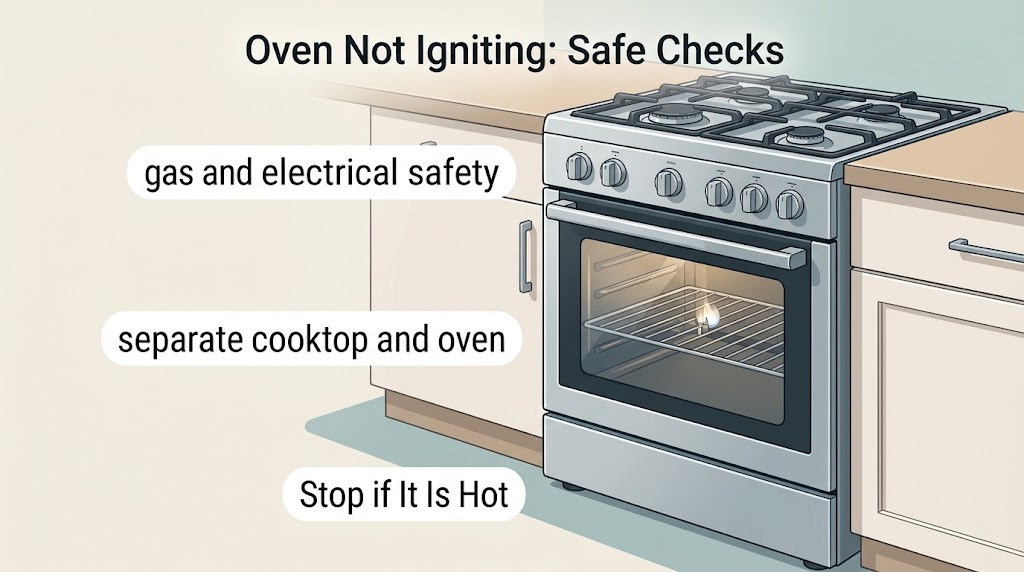
If an Admiral gas oven will not ignite, first rule out a gas or electrical hazard, then note whether the cooktop burners work, whether the display and controls respond, and whether the oven clicks or sparks. Check only visible controls, a fully closed door, control-lock or delayed-start settings, a safe visible gas shutoff, and a normal grounded outlet. If the cooktop works but the oven remains silent, if clicking produces no flame, or if the problem returns, stop repeated attempts and arrange qualified appliance service; do not move the range, open the burner area, or adjust a regulator. These checks are general gas-range guidance and do not replace the exact Admiral model manual.
Work through in order
Diagnostic checks
Use only checks that match the exact appliance or system and its official guide.
-
Check 1
Before starting the oven, stand clear of the appliance and check for gas odor, hissing, smoke, sparks, a burning electrical smell, a hot or damaged cord, or visible flame outside the normal burner area. Do not operate electrical switches if a gas leak is suspected.
Expected result: There is gas odor, suspected leakage, smoke, fire, sparking, or damaged electrical equipment; or none of these hazards is present.
Next step: If any hazard is present, leave the area, avoid flames and switches, and contact the gas utility or emergency service from a safe location. If no hazard is present, continue without disassembly.
Stop if: Stop immediately for gas odor, fire, smoke, exposed wiring, sparking, or an electrical burning smell.
Why this matters
Why: A hazard changes this from a troubleshooting task to an immediate safety response. No visible hazard only permits the low-risk external checks below; it does not prove that the gas path is safe internally.
-
Check 2
With the appliance cool and no odor or leak concern, note whether the cooktop burners operate normally and whether the oven display, lights, or control panel respond. Do not keep trying to light an unresponsive oven.
Expected result: The cooktop works while the oven does not; both cooktop and oven are inactive; or the display works but the oven gives no ignition result.
Next step: Record the pattern and use it to choose the matching branch. Do not infer a replacement part from this observation alone.
Why this matters
Why: Cooktop operation does not prove that the oven gas path or igniter is working. If both areas are inactive, a shared power or gas-supply issue becomes more plausible. A responsive display with no ignition points to an oven-specific control or ignition path, but does not identify a part.
-
Check 3
Select Bake using the normal controls and verify from the display that Control Lock, Delayed Start, Demo or Showroom mode, and any timer-only state are not preventing heating. Close the oven door fully; do not force a latch or remove the door.
Expected result: The display shows a lock, delay, demo/showroom indication, or an incomplete door closure; or the normal bake command is accepted with no such indication.
Next step: If the exact Admiral manual describes a safe way to cancel the setting, do that once and retry only after the oven is ready. If the door will not close or the oven still will not ignite, stop and arrange service.
Why this matters
Why: A locked, delayed, demonstration, or incompletely closed state can prevent heating on some models. If the command is accepted but ignition still fails, the symptom is not explained by this visible setting and needs further assessment.
-
Check 4
If there is no electrical hazard, check whether the display and interior light have power and whether the appliance is connected to a normal grounded, working outlet without an extension cord or two-prong adapter. Check the household breaker or fuse only from a safe position and do not remove panels.
Expected result: The display is dead or the breaker has tripped; the display works and the outlet appears normal; or the cord, outlet, or grounding arrangement looks damaged or unsuitable.
Next step: For a resettable breaker, follow household safety practice and reset it only once if there is no sign of damage; if it trips again, stop. Have a qualified electrician or appliance technician assess damaged wiring, grounding, or a recurring trip.
Why this matters
Why: A dead display or tripped circuit can block ignition, while a live display does not prove that the oven ignition circuit is healthy. A damaged or unsuitable connection is an electrical safety issue, not a reason to improvise an adapter.
-
Check 5
Check only the plainly visible main gas shutoff, if it is accessible without moving the range, and note whether the range was recently installed, transported, or reconnected. Do not slide a hard-piped appliance or reach behind it to operate an oven regulator.
Expected result: The visible main shutoff appears closed; the appliance was recently reconnected; or the visible shutoff is open and there is no recent connection change.
Next step: If the visible main valve is clearly closed and can be turned safely without moving the appliance, use the manual or a qualified professional for the correct position. For a recent connection, or any need to access the rear regulator or gas fittings, stop and request qualified service.
Stop if: Do not move a hard-piped range, loosen a gas fitting, purge a line, or adjust a regulator.
Why this matters
Why: A closed main valve or air introduced during reconnection can prevent normal gas delivery. A cooktop that works can still coexist with an oven-only supply or regulator problem, so an open main valve does not clear the oven path.
-
Check 6
After the oven is cool, look from the front for foil or a liner covering the oven bottom, an object in the storage drawer interfering with the lower area, or a door that cannot close fully. Do not remove burner covers or probe the igniter.
Expected result: Foil, a liner, stored items, or an incomplete door closure is visible; or the bottom and drawer area are clear and the door closes normally.
Next step: Remove only a loose, clearly identified obstruction while the oven is cool and the manual permits it, then make one normal bake attempt. If the area is clear or ignition still fails, stop repeated attempts and use the service branch.
Why this matters
Why: On some gas ranges, a covered bottom or interference near the lower area can restrict intended air or gas movement, while a clear area does not rule out an internal ignition fault.
-
Check 7
Only after all prior checks show no hazard and an obvious control, door, or obstruction issue has been corrected, start Bake once while remaining nearby and observing through the normal window. Do not leave the appliance unattended during this test.
Expected result: A stable normal burner flame appears and the oven heats; the igniter clicks or sparks but no flame appears; the oven stays silent; or a flame appears outside the expected burner area.
Next step: For a stable normal flame, follow the model manual and monitor for recurrence. For no ignition or abnormal flame, turn the control off, stop testing, and arrange qualified appliance service; if gas remains or a fire develops, use the emergency branch.
Stop if: Do not make repeated start attempts to accumulate a result or perform internal adjustment.
Why this matters
Why: A stable flame after an obvious correction suggests the immediate condition may have been removed but does not prove the appliance is fully healthy. Clicking without ignition, silence, or abnormal flame means the ignition or gas path still needs diagnosis; an abnormal flame is unsafe.
Use your observations
Decision map
Find the observation that best matches what you see, then follow the next safe action.
-
PATH 01Next step
What you see
Gas odor, suspected leakage, smoke, fire, sparking, or damaged electrical equipment is present.
Do this next
Stop using the oven, leave the area, avoid flames and electrical switches, and contact the gas utility or emergency service from a safe location.
-
PATH 02Next step
What you see
The display and cooktop are both inactive, or the breaker will not stay reset.
Do this next
Stop appliance testing and arrange qualified electrical or appliance assessment for the visible power and gas-supply scope.
-
PATH 03Next step
What you see
Cooktop burners work but the oven is silent or gives no ignition response after Bake is selected.
Do this next
Treat this as an oven-specific control or ignition-path fault for service; do not access the rear regulator, burner, or wiring.
-
PATH 04Next step
What you see
The oven clicks or sparks but no normal burner flame appears.
Do this next
Turn the control off after the single supervised attempt, ventilate only if safe, and arrange qualified appliance service rather than repeating ignition attempts.
-
PATH 05Next step
What you see
A lock, delay, demo state, incomplete door closure, foil or liner, or clear drawer obstruction explains the failed start.
Do this next
Correct only the obvious external condition the exact manual allows, then make one normal test. If ignition does not return, use the service branch.
-
PATH 06Next step
What you see
The range was recently installed, transported, or reconnected, or checking the gas path would require moving it.
Do this next
Do not purge the line or move a hard-piped unit; provide the timing to a qualified technician for a connection and regulator assessment.
-
PATH 07Next step
What you see
One supervised test produces a stable, normal flame and no hazard is present.
Do this next
Use the oven only within the exact model manual's instructions and stop for recurrence, odor, abnormal flame, or failed ignition.
Helpful context
Understand the symptom
What the symptom can tell you
Ignition is relevant to a gas oven; an electric Admiral oven has a different heating path and should be handled through its exact manual. On a gas model, the cooktop may still work while the oven does not because the oven has its own ignition and gas path. A useful diagnosis starts by separating a whole-appliance power or gas-supply problem from an oven-only problem, without removing panels or trying to prove a failed part.
Keep the checks external
Do not repeatedly start the oven when there is no ignition, and do not open the burner compartment, test live wiring, move a hard-piped range, or adjust a regulator. Do not use a two-prong adapter or extension cord for the oven. Let the oven cool before checking its door, bottom, or storage drawer, and use the exact Admiral manual for model-specific controls.
What to record for service
Record the model label, whether the cooktop works, what the display shows, whether you hear clicking, whether any flame appears, when the symptom began, and whether the range was recently installed or reconnected. Photos of the control display and the closed-door position can help. A qualified technician should determine whether the ignition, safety, gas-supply, regulator, or control circuit needs testing.
Safety boundary
Stop conditions
- Do not repeat ignition attempts, purge a gas line, loosen gas fittings, adjust a regulator, test live wiring, remove burner or igniter panels, or move a hard-piped range.
- If a fire does not go out promptly after the control is turned off, leave and contact emergency service; do not open the oven door to inspect it.
When checks do not resolve it
Need a professional?
Use qualified appliance service when the oven remains unlit after safe external checks, the cooktop works but the oven does not, the igniter clicks without a flame, or diagnosis requires gas, regulator, burner, or live electrical access.
Have this ready
- Provide the Admiral model label, gas or electric fuel type, cooktop-versus-oven behavior, display and control state, clicking or sparking observation, flame behavior, recent installation or reconnection details, and photos taken without opening the appliance.
Common questions
FAQ
Why can the cooktop work while the gas oven will not ignite?
The cooktop and oven can have different gas, ignition, and control paths. Cooktop operation therefore does not clear an oven igniter, oven gas path, regulator, or control fault. Record the split symptom and arrange service if the oven remains silent or unlit.
Should I keep trying to start the oven if it clicks but no flame appears?
No. Turn the control off after the safe single observation, stop repeated ignition attempts, and arrange qualified service. If there is gas odor, leave the area and contact the gas utility or emergency service from a safe location.
Can I check the oven regulator myself?
Do not slide a hard-piped range or reach behind it to adjust a regulator. A regulator or connection assessment should be performed by a qualified professional, especially after installation, transport, or reconnection.
What if the oven display is dead as well as the ignition?
Check only the visible, safe power scope: the household breaker or fuse, the display, and a normal grounded outlet without an extension or two-prong adapter. If power is absent, damage is visible, or the breaker trips again, stop and arrange qualified electrical or appliance assessment.
Read the exact guide
Official sources
- Oven Not Working - GasWhirlpool Product Help · Whirlpool gas ranges and ovens; used here for comparable manufacturer guidance, not as Admiral model-specific instructions
- CPSC, White Consolidated Industries Announce Recall of Gas RangesU.S. Consumer Product Safety Commission · General gas-range hazard response; this recall notice is not an Admiral product-specific claim
- Nothing is Working - GasWhirlpool Product Help · Whirlpool gas ranges; used for visible control-lock, delayed-start, demo-mode, breaker, outlet, and gas-valve checks
- Oven Not Working - Cooktop Working - Not ClickingWhirlpool Product Help · Whirlpool gas ranges and ovens; used for the cooktop-working/oven-not-clicking comparison and external obstruction guidance
Community feedback
Share a repair observation
Share a plain-text repair observation. Accepted observations are published automatically; this page may take a moment to update.