
On this page
Start here
Quick answer
First separate a completely dead Admiral refrigerator from one that has lights or a display but is not cooling. For an Admiral model whose label or manual identifies the Whirlpool Corporation family, check the cord and outlet, a tripped breaker or GFCI, and whether the controls or cooling function are off. If the display works, check for a model-specific cooling-off or showroom/demo state, blocked air vents, a recent installation, or an overloaded cabinet. Use the exact model manual for control sequences and wait times; do not open electrical panels, use an extension cord, repeatedly reset a tripping circuit, or assume a generic Admiral control procedure applies to every market or architecture.
Before you begin
Safety first
- This article supports ordinary observation, a safe outlet check with a small appliance, a single normal protective-device reset, model-documented control checks, and visible airflow checks. It does not authorize live electrical testing, control disassembly, sealed-system work, refrigerant work, or guessed part replacement.
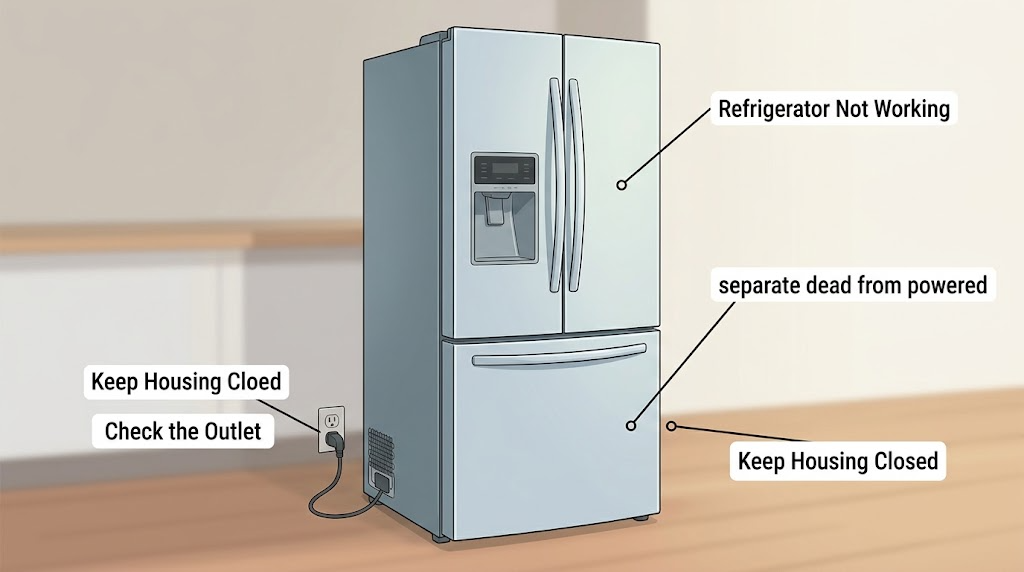
Work through in order
Diagnostic checks
Use only checks that match the exact appliance or system and its official guide.
-
Check 1
With the refrigerator in its normal position, check for an interior light, display, alarm, dispenser response, or other normal sign of power. Inspect that the power cord is fully seated in the intended wall outlet; do not use an extension cord or a switched outlet.
Expected result: There is no light, display, sound, or control response; or at least one of those signs works.
Next step: For a completely dark unit, test the outlet with a small household lamp or other suitable appliance without touching refrigerator wiring. For a powered unit, continue to the control and cooling-state check.
Stop if: Stop if the cord, outlet, plug, or cabinet is hot, damaged, wet, arcing, or smells burned; do not open the appliance or touch live wiring.
Why this matters
Why: No signs of life make the supply path the first check. A working light or display means the refrigerator is not completely without power, so move to controls, cooling state, airflow, and temperature checks rather than replacing a power part by guesswork.
-
Check 2
If the refrigerator appears completely dead, check the household breaker and any GFCI receptacle serving the outlet. Reset a tripped device once only if it can be operated normally and no electrical hazard is visible; if the outlet remains dead, use a qualified electrician.
Expected result: The breaker or GFCI was tripped and the refrigerator powers up, the outlet stays dead, or the protective device trips again.
Next step: If power returns, verify that the refrigerator controls and cooling function are on. If it does not, leave the refrigerator disconnected as appropriate and arrange electrical or appliance service with the outlet and trip history.
Stop if: Do not replace a fuse with a different rating, bypass a GFCI or breaker, use an extension cord, or keep resetting a device that trips.
Why this matters
Why: Power returning after a single reset supports an interrupted household supply rather than proving an internal refrigerator failure. A dead outlet or repeated trip indicates a household circuit or appliance fault that should not be bypassed with a larger fuse, extension cord, or repeated resets.
-
Check 3
On a refrigerator with a working light or display, read the controls and indicators and compare them with the exact Admiral model manual. Check whether the refrigerator or cooling function was turned off, and look for a model-specific showroom/demo or power-outage state; do not copy a button sequence from another model.
Expected result: The manual or display shows cooling off, showroom/demo mode, a power-outage notice, or normal cooling enabled; the control panel is unresponsive or the state is unknown.
Next step: Use only the model-documented way to restore cooling or acknowledge an outage. If the panel remains unresponsive, perform a power reset only when the model guidance allows it, then retest once.
Stop if: Do not access service menus, jumper controls, open the control housing, or repeatedly power-cycle a unit that shows a fault or abnormal behavior.
Why this matters
Why: A cooling-off or showroom/demo state can leave lights or a display active while cooling is disabled on models that provide that feature. A power-outage notice can explain a recent interruption. An unresponsive or unknown control state requires model-specific instructions rather than a guessed reset.
-
Check 4
If cooling is enabled but the cabinet is warm, inspect only visible food packages and vents for blocked airflow, confirm that the refrigerator is not pressed against a heat source or enclosed in a way the model forbids, and note whether it was recently installed or loaded with many warm items.
Expected result: A vent is covered, the unit is newly installed, a large load was recently added, the room or installation is unusually hot, or no visible condition explains the warmth.
Next step: Move only loose packages that block vents, allow the model's documented stabilization period after installation or loading, and recheck temperature according to the manual. Escalate if the refrigerator stays warm or food temperature is unsafe.
Stop if: Do not remove covers, probe vents with tools, dismantle the evaporator or condenser area, or scrape ice from hidden components as a generic fix.
Why this matters
Why: Blocked vents or a recent installation/load can delay or restrict temperature recovery without proving a failed compressor or control. If the vents and installation are normal but the unit remains warm, the cause may be an internal cooling, sensor, or sealed-system fault that cannot be identified safely from the outside.
-
Check 5
After the allowed checks, record whether the light/display, controls, cooling function, freezer and fresh-food temperatures, airflow, and circuit status are normal; keep the model and serial information with the timeline of any outage, move, installation, or repair.
Expected result: The refrigerator recovers and cools normally, remains warm with power and cooling enabled, goes dark again, or the circuit trips or a fault indication returns.
Next step: Arrange qualified appliance service and provide the recorded pattern, model information, and safe photos of the display or outlet condition. Protect or relocate perishable food when temperature cannot be confirmed.
Stop if: Stop using the refrigerator for burning smell, smoke, arcing, damaged wiring, water near electrical parts, repeated breaker trips, or any sign of overheating.
Why this matters
Why: Recovery after a supply or control correction makes an external interruption or setting more likely, but does not prove an internal part is healthy. Continued warmth with power and cooling enabled, recurring loss of power, or a returning fault needs model-specific diagnosis.
Use your observations
Decision map
Find the observation that best matches what you see, then follow the next safe action.
-
PATH 01Safety boundary
What you see
There is no light, display, sound, or control response, and the outlet or protective device is also not supplying power.
Do this next
Stop after the normal single reset/check and arrange electrical assistance if the outlet remains dead or the protective device trips again. Give appliance service the result rather than repeatedly reconnecting the unit.
Why this path and its safety boundary
Why it matters: The immediate evidence points to the household supply, outlet, breaker, or GFCI path rather than a refrigerator cooling diagnosis.
Safety stop: Do not bypass protection, change fuse ratings, use an extension cord, or touch damaged or wet electrical parts.
-
PATH 02Safety boundary
What you see
The light or display works, but the manual or indicator shows cooling off, showroom/demo mode, or a recent power-outage state.
Do this next
Use the exact model manual to restore cooling or acknowledge the outage, then observe whether cooling returns. If the state cannot be identified or the panel remains unresponsive, arrange service.
Why this path and its safety boundary
Why it matters: The controls can be active while cooling is intentionally or temporarily disabled on models with those features; this does not establish a failed compressor.
Safety stop: Do not use an undocumented button combination, service menu, jumper, or repeated power reset.
-
PATH 03Safety boundary
What you see
Power and cooling are enabled, but vents are blocked, the refrigerator was recently installed, or a large amount of warm food was added.
Do this next
Restore visible clearance without dismantling the unit and allow the model-documented stabilization period. If temperature remains unsafe or the unit stays warm, request appliance diagnosis.
Why this path and its safety boundary
Why it matters: Airflow restriction or normal temperature recovery is more plausible than an immediate internal component diagnosis.
Safety stop: Do not remove internal covers, alter refrigerant or wiring, or scrape hidden ice as a generic response.
-
PATH 04Safety boundary
What you see
The refrigerator has stable power, cooling is enabled, visible vents are clear, and the normal stabilization period has passed, but temperatures remain warm or a fault returns.
Do this next
Arrange qualified Admiral/Whirlpool-family or appliance service with the model, temperature history, display state, and checks already completed.
Why this path and its safety boundary
Why it matters: An internal cooling, sensor, control, airflow, or sealed-system issue is possible, but the symptom does not identify which part and is not a safe basis for ordering one.
Safety stop: Do not open sealed-system tubing, test live circuits, bypass a control, or keep perishable food in an unverified-temperature compartment.
Helpful context
Understand the symptom
Start with the symptom you can observe
“Not working” can mean no interior light or display, or it can mean the refrigerator has power but the food compartment is warm. Those paths are different. Record whether the light, display, fan sound, or any control response is present before changing a setting. Do not use an absence of compressor noise alone to name a failed part; the safe first decision is whether power and cooling are available at all.
Verify the Admiral model family before using a control sequence
Admiral is used across markets and product families. Whirlpool's U.S./Canada owner documentation lists Admiral with its Whirlpool Corporation brands, while the current Admiral Appliances site describes a broader international organization. Record the complete model and serial information and use the manual named on the appliance. A control-panel combination, cooling-off indicator, demo mode, or reset sequence shown for one refrigerator architecture may not exist on another.
Safety boundary
Stop conditions
- Stop for smoke, burning smell, arcing, hot or damaged wiring, water near electrical parts, a damaged plug, or a breaker/GFCI that trips again; use qualified electrical or appliance help.
- Do not bypass a breaker or GFCI, change a fuse rating, use an extension cord, access live wiring, jumper controls, or enter service menus.
- Do not remove sealed-system or electrical covers, alter refrigerant or compressor components, or scrape hidden ice as a generic response to a warm refrigerator.
- Protect or relocate perishable food when the refrigerator or freezer temperature cannot be confirmed; a returned light or display does not prove safe cooling.
Only after diagnosis
Potential parts
- refrigerator control or user interface
Consider this category only if qualified diagnosis confirms that the exact model's control or interface is not responding or is disabling cooling after supply and model-documented settings checks.
Confirm the complete model, control family, revision, and manufacturer's fit information; a working display or a cooling symptom alone does not prove this part is faulty. - refrigerator temperature sensor
Consider this category only when qualified testing identifies an inaccurate or failed sensor as the cause of incorrect cooling or control behavior.
Confirm the exact model, sensor location, wiring, and manufacturer's specification; do not access live wiring or substitute by appearance. - refrigerator evaporator or condenser fan
Consider this category only after service diagnosis confirms a fan fault and rules out power, control, airflow obstruction, and other model-specific causes.
Confirm the exact model, fan location, voltage, connector, and manufacturer's fit information; do not remove covers or reach into moving or energized parts.
When checks do not resolve it
Need a professional?
Arrange qualified appliance service when the outlet and controls are normal but the refrigerator remains warm, a cooling-off or demo state cannot be cleared from the exact model manual, the control panel stays unresponsive, a fault returns, the circuit trips again, or diagnosis would require electrical, sealed-system, refrigerant, compressor, fan, sensor, or control access.
Safety scope: This article supports ordinary observation, a safe outlet check with a small appliance, a single normal protective-device reset, model-documented control checks, and visible airflow checks. It does not authorize live electrical testing, control disassembly, sealed-system work, refrigerant work, or guessed part replacement.
Common questions
FAQ
Why is my Admiral refrigerator completely dead?
Check whether the interior light or display works, then inspect the cord, outlet, breaker, and GFCI in the normal user-accessible way. If the outlet remains dead or the protective device trips again, stop resetting it and arrange electrical or appliance help. Do not use an extension cord or bypass protection.
Why does my Admiral refrigerator have lights but not cool?
A working light does not prove that cooling is enabled. Check the exact model manual for a cooling-off or showroom/demo state, then inspect visible vents, recent installation, and recent loading. If power and cooling are enabled and the refrigerator remains warm after the documented recovery period, arrange service.
Should I reset my Admiral refrigerator?
Only use a reset described for the exact model. Whirlpool's control-panel guidance describes a one-minute power reset for a named refrigerator architecture, but control sequences vary. A reset that does not restore normal operation is a reason to document the result and arrange service, not to keep power-cycling the appliance.
Do I need the Admiral model number before getting help?
Yes. Admiral products span markets and architectures, and Whirlpool-family support documentation directs owners to provide the complete model and serial information. Have that information, the power and display behavior, any outage or trip history, temperature observations, and recent installation or loading details ready.
Read the exact guide
Official sources
- Control Panel Not Working - Refrigerator - Product Help | WhirlpoolWhirlpool · Official Whirlpool guidance for a named French-door refrigerator architecture, used here only for the distinction between a powered display and disabled functions. It is not a universal Admiral control sequence; model documentation controls.
- No Operation - Will Not Turn On - Product Help | WhirlpoolWhirlpool · Official Whirlpool Product Help fault tree tagged for multiple refrigerator brands. Use it for an Admiral appliance only when the exact model documentation identifies the same Whirlpool-family construction; local electrical requirements and the model manual control.
- Owner's ManualWhirlpool Corporation · Official Whirlpool-hosted owner manual for an Amana appliance; its assistance section explicitly lists Admiral with Whirlpool Corporation brands and directs owners to provide complete model and serial information. It is used only for family identity and documentation boundaries, not as an Admiral refrigerator manual.
- Not Cooling - Product Help | WhirlpoolWhirlpool · Official Whirlpool Product Help fault tree tagged for multiple refrigerator brands. It supplies family-level observations only; the exact Admiral model manual controls stabilization periods, accessible components, and settings.
- Contact Us | Admiral Appliances | Home Appliances for the Middle East & AfricaAdmiral Appliances · Official Admiral Appliances site that identifies its regional site and product organization. It is used to show why model and market must be confirmed, not to supply a universal refrigerator repair procedure.
Community feedback
Share a repair observation
Share a plain-text repair observation. Accepted observations are published automatically; this page may take a moment to update.