
On this page
Start here
Quick answer
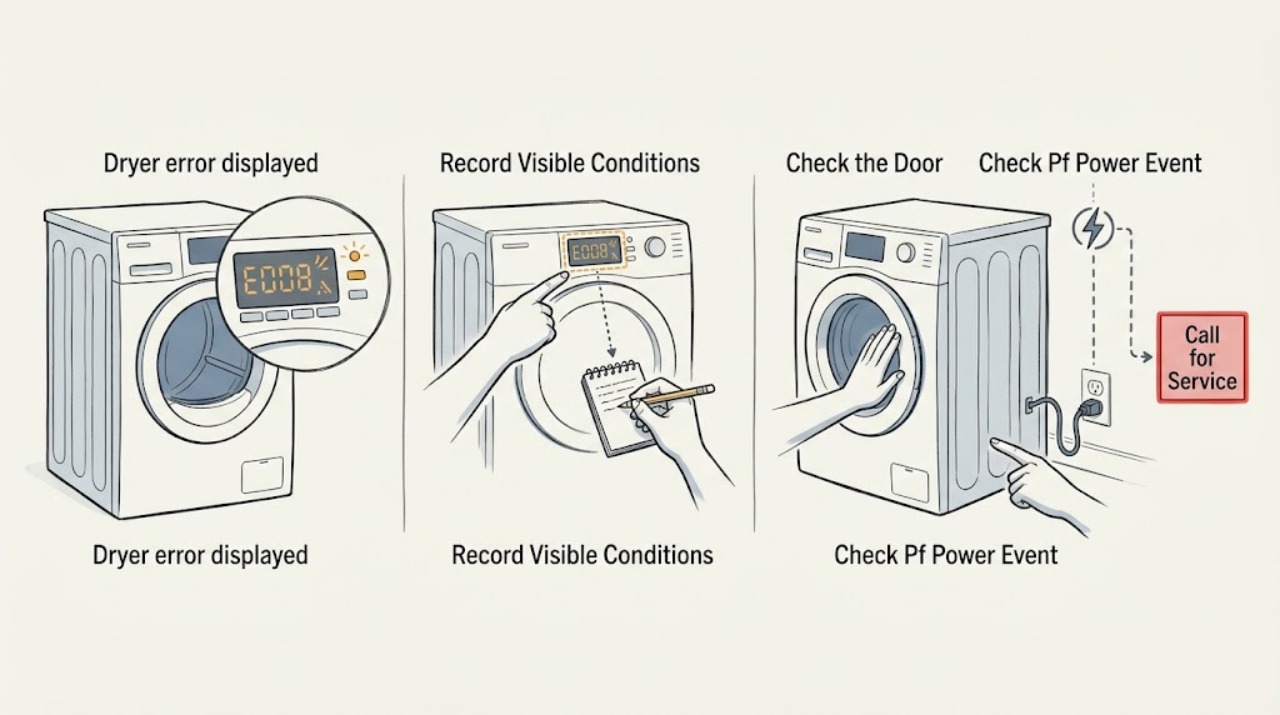
Read the exact code and keep it with the model number before clearing anything. On Amana dryers, ERR usually means the door is not fully latched, PF points to an interrupted power event, AF or F4 E3 points to restricted airflow, and an F# E# code generally requires service; L2 or F4 E4 can indicate a power-supply problem. If the code returns after the model-appropriate reset, stop repeating resets and arrange qualified service rather than opening the dryer.
Work through in order
Diagnostic checks
Use only checks that match the exact appliance or system and its official guide.
-
Check 1
Pause the cycle and copy the display exactly, including letters, numbers, spaces, dashes, or a Check Vent message. Photograph it if it clears quickly, and note the model number from the rating label.
Expected result: A clear code such as ERR, PF, L2, AF, F4 E3, F4 E4, F3 E2, or a code alternating between F and E is available; an unfamiliar code or only dashes remains.
Next step: Follow the matching code branch below. If the display is unreadable or the same code is not listed, keep the photo and model number and use the model manual or qualified service.
Stop if: Stop if the display is accompanied by smoke, a burning smell, sparking, a hot or damaged cord, or a gas smell.
Why this matters
Why: The code determines the safe branch. A generic or partial description is not enough to assign a component, and the model manual may contain additional codes.
-
Check 2
For ERR, open and close the door deliberately, checking that clothing or debris is not holding it away from the latch. Press gently near the latch until it is fully engaged; do not defeat or bypass the switch.
Expected result: The door now latches and the ERR display clears or the dryer starts; alternatively, the door appears closed but ERR returns or the dryer still will not run.
Next step: If the code clears, run a short supervised test. If it returns, stop using the dryer and arrange service with the exact code and model number.
Stop if: Stop if the latch, door, or switch area is cracked, loose, scorched, or requires a panel to access.
Why this matters
Why: Amana says ERR is shown when the door is not completely closed and latched; some models have upper and lower latches that both must secure. A returning code can indicate a latch, switch, alignment, or control issue that is not resolved by more pushing.
-
Check 3
For PF, ask whether the cycle was interrupted by an outage or power disturbance. With the door closed and no damage visible, use POWER to clear the message or hold START as the control allows, then observe the next start.
Expected result: The dryer starts normally and PF does not return, or PF returns during startup or the cycle remains abnormal.
Next step: If PF recurs, switch the dryer off at its household breaker for five minutes, restore power, and monitor a timed-dry start as Amana describes. If the message returns, stop and have the power supply and dryer diagnosed by a qualified professional.
Stop if: Do not inspect the power cord, terminal block, or live wiring yourself; stop immediately for heat damage, arcing, a burning odor, or a breaker that will not stay set.
Why this matters
Why: Amana identifies PF as a power-failure interruption; it can also appear after unexpected supply-line noise or input during the power-up delay. Clearing a one-time event does not prove the supply or dryer is healthy if it recurs.
-
Check 4
For AF or F4 E3, turn the dryer off, clean the lint screen, and look only at the visible vent section, wall connection, and outside exhaust hood for lint, crushing, kinks, or blockage. Do not dismantle a concealed vent run.
Expected result: Airflow obstruction is visible and can be removed without tools, or the visible path is clear but the code remains or the exhaust is weak.
Next step: Correct only the accessible obstruction and run a short supervised timed cycle. If the indicator persists or airflow is still weak, stop and have the complete vent run cleaned or inspected; do not keep operating against a restricted vent.
Stop if: Stop if the vent requires roof or wall access, the exhaust is hot with little flow, or lint has accumulated inside an inaccessible section.
Why this matters
Why: Amana associates AF/F4 E3 with restricted airflow from a lint screen or vent, a crushed or kinked run, or excessive turns. A clear lint screen alone does not establish that the concealed vent is clear.
-
Check 5
For L2 or F4 E4, note whether the dryer is electric and whether the code appeared at initial installation or after a power event. From a safe standing position, check that the dryer’s household breaker is not visibly tripped; do not remove the cord or terminal cover.
Expected result: A breaker is tripped, the dryer tumbles but does not heat, the code appears during initial installation, or the breaker is normal while the code persists.
Next step: Reset a visibly tripped breaker only once if there is no odor, heat, or damage, then use a timed heated cycle as a supervised observation. If the code returns, heating is absent, installation is new, or the breaker trips again, stop and call a qualified electrician or appliance technician.
Stop if: Never open the terminal area or test voltage unless qualified and equipped for the task; stop for a hot cord, scorch marks, exposed conductors, repeated breaker trips, or any uncertainty about the supply.
Why this matters
Why: Amana describes L2 and F4 E4 as low or absent line voltage conditions that can prevent the heater from turning on. A normal-looking breaker does not verify voltage, cord installation, or terminal safety.
-
Check 6
For F3 E2, press POWER to clear the code, then consider whether five consecutive loads lacked moisture-sensor data, the dryer is visibly unlevel, or the load was a single item or very small load. Do not remove the drum or sensor assembly.
Expected result: The code clears and a normal-sized load on an automatic cycle completes, or F3 E2 returns despite a reasonable load and stable, level appliance.
Next step: If the code returns, perform the documented five-minute breaker power cycle once and monitor a timed-dry start. If it persists, arrange service and provide the code, load pattern, and model number.
Stop if: Stop if leveling would require moving a stacked or hard-connected appliance, or if access would expose wiring or require removing panels.
Why this matters
Why: Amana describes F3E2 as a moisture-sensor issue; very small loads may not contact the sensors, and an unlevel dryer can reduce contact. A recurring code after those observations needs service rather than a guessed sensor part.
-
Check 7
For an F# E# code that alternates on the display, or for any code that returns after its matching safe check, record the complete sequence and stop attempting resets or part swaps.
Expected result: The service-style code remains, returns after a power cycle, or the dryer has additional symptoms such as no start, no heat, unusual noise, or an inoperative display.
Next step: Arrange qualified appliance service with the model, full code, when it appears, and what the dryer still does. Use the dryer only if the model manual explicitly permits operation with that indicator and there is no unsafe symptom.
Stop if: Stop immediately for smoke, gas smell, sparking, exposed wiring, water, a damaged cord, overheating, or a breaker that trips.
Why this matters
Why: Amana’s overview says a code beginning with F and alternating with E indicates a dryer control-detected problem requiring service. The code alone does not justify naming a failed board, sensor, or harness.
Use your observations
Decision map
Find the observation that best matches what you see, then follow the next safe action.
-
PATH 01Next step
What you see
Smoke, gas smell, sparking, burning odor, water, exposed wiring, cord damage, overheating, or repeated breaker trips
Do this next
After the area is safe, provide the exact code and model number to appliance service.
Why this path and its safety boundary
Why it matters: Do not run or reset the dryer. Leave electrical or gas isolation to a qualified professional and seek urgent help appropriate to the hazard.
-
PATH 02Next step
What you see
ERR is displayed
Do this next
If relatching does not clear the code, stop and arrange service.
Why this path and its safety boundary
Why it matters: Treat the door-latch check as the first branch; both latches must secure on models that use upper and lower latches.
-
PATH 03Next step
What you see
PF is displayed after a recent outage or power disturbance
Do this next
Clear it using the control, and if it returns perform one documented breaker power cycle before escalating.
Why this path and its safety boundary
Why it matters: It is consistent with an interrupted cycle, but recurrence needs a power and appliance diagnosis.
-
PATH 04Next step
What you see
AF or F4 E3, weak exhaust, or lint/vent restriction is observed
Do this next
Clean accessible lint and correct visible kinks, then stop for persistent or concealed restriction.
Why this path and its safety boundary
Why it matters: Treat airflow as the immediate issue; continued operation against a restricted vent is not a repair.
-
PATH 05Next step
What you see
L2 or F4 E4 is displayed, especially when the dryer tumbles but does not heat
Do this next
Check only the visible breaker state; use a qualified electrician or technician for voltage, cord, and terminal checks.
Why this path and its safety boundary
Why it matters: Treat it as a possible line-voltage or installation issue rather than a heater-part diagnosis.
-
PATH 06Next step
What you see
F3 E2 returns, or any F# E# service-style code returns
Do this next
Stop, preserve the code and model details, and arrange qualified appliance service.
Why this path and its safety boundary
Why it matters: The safe homeowner checks have not established a failed component, and repeated resets are unlikely to resolve the cause.
Helpful context
Understand the symptom
Why the exact display matters
“Error displayed” is a symptom, not one diagnosis. Amana’s published dryer guidance separates a door-latch message, a power interruption, restricted vent airflow, low or absent line voltage, moisture-sensor behavior, and variable service codes. Record the display exactly, including spaces or dashes, because the next check changes with the code. An owner’s manual for the model remains the authority for codes not covered here.
Safe checks before service
The checks below are limited to the closed door, visible lint screen and vent path, accessible controls, and the household breaker. Do not remove panels, probe terminals, bypass a door switch, or work inside the dryer to chase a code. A gas smell, smoke, burning odor, sparking, a hot or damaged cord, or water around the appliance is a stop condition.
What to give a technician
Have the full code, whether the drum turns or the dryer heats, whether the display returns immediately or after a cycle, the model number, and any recent power or vent changes. That record is more useful than installing a guessed part.
Safety boundary
Stop conditions
- Stop immediately for smoke, gas smell, sparking, a burning odor, water around the dryer, exposed wiring, a hot or damaged cord, overheating, or a breaker that trips again.
- Do not remove panels, open a terminal block, probe live voltage, bypass a door switch, or dismantle a concealed vent as an ordinary user check.
- Stop repeating resets when the same code returns, the dryer will not run or heat, or the code is not identified in the model-specific documentation.
Only after diagnosis
Potential parts
- door latch or door switch assembly
Only consider this category if ERR returns with a correctly aligned door and service diagnosis confirms a latch or switch fault.
Confirm the complete dryer model and manufacturer fit information before ordering; the error display alone does not identify a part. - moisture sensor components
Only consider this category if F3 E2 persists with a suitable load and level appliance and testing confirms a sensor circuit problem.
Verify the exact model and service diagnosis; do not infer sensor compatibility from the code alone. - control or user-interface component
Only consider this category after a returning F# E# or interface-related code has been diagnosed by a qualified technician.
A code is not proof of a failed board or harness; model-specific fit and testing are required.
When checks do not resolve it
Need a professional?
Use qualified appliance service for a recurring or unidentified code, any F# E# service-style code, a persistent F3 E2, an ERR that remains with a properly latched door, or abnormal operation after a PF/L2/F4 E4 check.
Common questions
FAQ
Can I clear an Amana dryer error by turning the breaker off?
Amana documents a five-minute breaker power cycle for several dryer codes, followed by a timed-dry start and monitoring. Use it as one diagnostic step only; if the same code returns, stop repeating it and arrange service.
What does ERR mean on an Amana dryer?
Amana says ERR appears when the door has not completely closed and latched. Some models have upper and lower latches, and both must secure; a returning ERR needs service rather than a bypass.
What should I do when an Amana dryer shows PF?
PF indicates that a power failure interrupted the cycle. Clear it with POWER or the START control as applicable, then monitor operation; a recurring PF warrants a qualified check of the supply and dryer.
Does F4 E4 mean the heating element is bad?
Not by itself. Amana describes F4 E4 as low or absent line voltage that can prevent heating, so the breaker, supply, cord, and installation must be distinguished from an appliance component fault by qualified testing.
Why does F3 E2 keep coming back?
Amana associates F3E2 with missing moisture-sensor data over consecutive loads. A very small load or an unlevel dryer can contribute, but a recurring code after those observations needs service and does not identify a part by itself.
Read the exact guide
Official sources
- F4 E4 - Error Code - DryerAmana Product Help · Amana dryer F4 E4 low/no line voltage guidance
- ERR - Error Code - DryerAmana Product Help · Amana dryer ERR display and door-latch checks
- Error CodesAmana Product Help · Amana dryer error-code catalog and model-specific code navigation
- Error Codes in DryersAmana Product Help · Amana dryer error-code meanings and first-line actions
- PF - Error Code - DryerAmana Product Help · Amana dryer PF power-failure display
- F3 E2 - Error Code - DryerAmana Product Help · Amana dryer F3 E2 moisture-sensor guidance
Community feedback
Share a repair observation
Share a plain-text repair observation. Accepted observations are published automatically; this page may take a moment to update.