
On this page
Start here
Quick answer
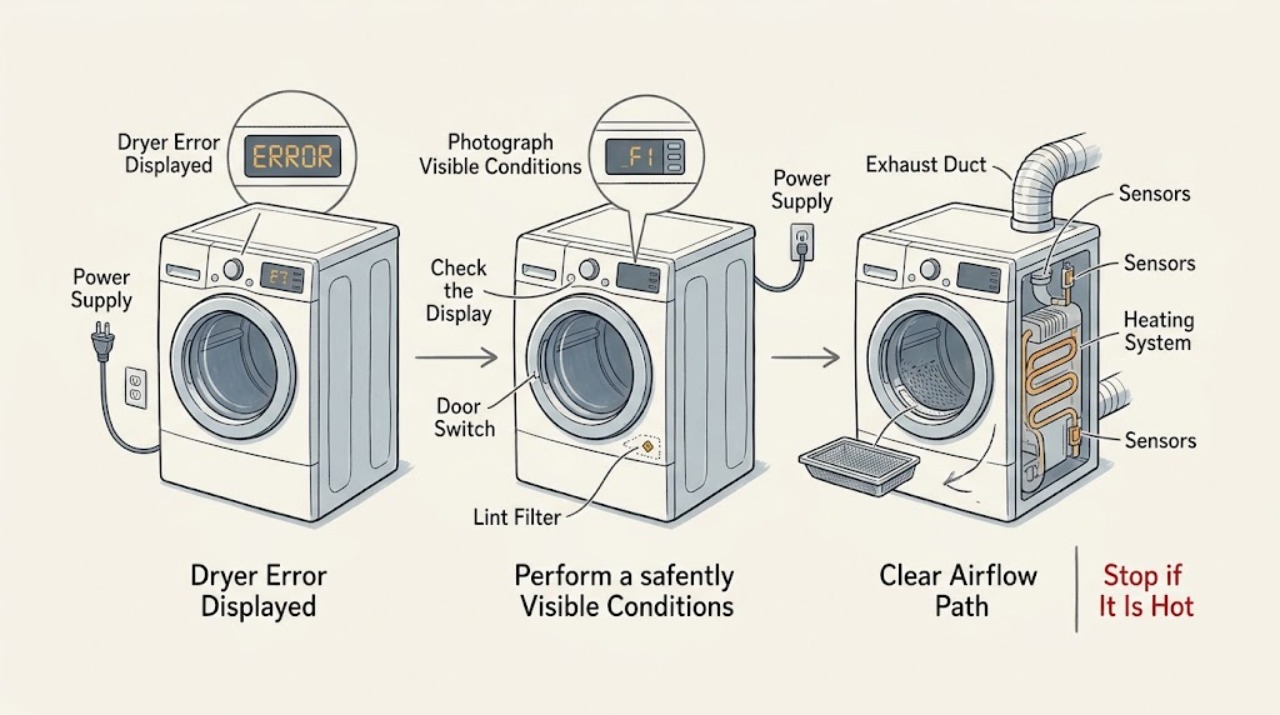
A GE dryer display code is a symptom label, not a universal diagnosis. Write down the exact characters, whether the dryer tumbles or heats, and whether the code returns after the cycle is stopped. Use the model and serial information to open the correct GE manual, then check only the external causes that match the code: a closed door, clean lint filter, unobstructed exhaust, normal power, or gas supply on a gas model. A restricted exhaust can create a fire hazard, while electrical or heating faults need service. Stop using the dryer for smoke, burning odor, abnormal heat, sparks, a hot or damaged cord, a repeated breaker trip, or a code that returns after the model-approved reset.
Work through in order
Diagnostic checks
Use only checks that match the exact appliance or system and its official guide.
-
Check 1
Write down the exact displayed code or message, the cycle and setting, when it appears, and whether the dryer runs, tumbles, heats, or stops. Photograph the display if it disappears after power is removed; do not repeatedly clear it before recording it.
Expected result: The code is an airflow-style warning, a power or voltage message, a door or control message, a heating or sensor message, or an unfamiliar code.
Next step: Find the exact model manual through GE owner support and follow only that code's procedure. Keep the dryer off if the code returns or any heat, electrical, gas, or lint hazard is present.
Why this matters
Why: The code family changes the safe next check. Airflow warnings follow the lint and exhaust path; power messages follow supply and wiring; door messages follow the switch and closure path; heating or sensor messages may require service. An unfamiliar code cannot be safely decoded without the exact model.
-
Check 2
Check the dryer door and controls externally: close the door firmly, remove any visible clothing from the opening, confirm the cycle and Start control are set normally, and verify that a control lock or pause state is not active according to the model guide.
Expected result: The door was not fully closed, the display returns to normal and the cycle starts, the door switch does not respond, or the same code remains.
Next step: Retry once only after a normal closure and correct cycle selection. Do not tape down or bypass the door switch; arrange service if the code returns or the latch is damaged.
Why this matters
Why: GE dryer guidance identifies improper controls and an open door as causes of a dryer that does not start or stops. A door code that persists with a clean, closed opening can indicate a switch, latch, wiring, or control fault.
-
Check 3
For an airflow, long-dry, or overheating-related display, clean the accessible lint filter and inspect the external duct path for crushed, kinked, disconnected, or blocked sections. With the dryer off and cool, check that the outside hood is clear and its damper can move; do not enter the duct or open the cabinet.
Expected result: The lint filter is full, the duct is restricted or damaged, outside airflow is weak, or the external path is clear.
Next step: Stop using the dryer until a severe restriction is cleared or professionally cleaned. Correct only an obvious external lint or duct issue, then run one supervised test; escalate persistent airflow warnings to qualified vent service or appliance service.
Why this matters
Why: GE documentation identifies a full lint filter and improper or obstructed ducting as causes of long drying and reduced airflow. Lint and restricted exhaust can create a fire hazard, so a code that indicates severe restriction is not just a performance warning.
-
Check 4
Check the external electrical supply without opening the dryer: confirm the plug is fully seated, the dedicated circuit has not tripped, and the outlet and cord show no heat or damage. On a gas model, confirm the normal external gas shutoff is open without disconnecting a fitting.
Expected result: A breaker or fuse is open, the cord or outlet is hot or damaged, the dryer has power but displays a voltage or heater message, gas supply is unavailable, or all external supplies are normal.
Next step: Restore only an obvious external supply condition and retry once if there are no warning signs. If the breaker trips again, the cord or outlet is hot, gas odor is present, or a voltage/heating code remains, leave the dryer off and arrange qualified service.
Why this matters
Why: GE manuals link no-start and no-heat symptoms to a disconnected plug, a tripped breaker or fuse, or closed gas service. A repeated trip, damaged cord, or voltage message requires electrical diagnosis rather than repeated resets.
-
Check 5
If the code concerns drying performance, reduce a large or heavy load and use the fabric-appropriate setting. Confirm the load was not combined from multiple washer loads and that the lint filter is clean before the test.
Expected result: The drum is overloaded, contains heavy fabric, the filter is dirty, or a normal small load still produces the code.
Next step: Run one supervised cycle with a smaller suitable load after correcting the filter or setting. If the display returns, stop testing and use the exact model's service path.
Why this matters
Why: GE troubleshooting states that large heavy fabrics, overloading, incorrect controls, and a full lint filter can lengthen drying or produce poor results. A persistent code with a suitable load points away from a simple loading correction.
-
Check 6
After the code-specific external checks, perform only the model-approved reset or test cycle. Stay nearby and stop immediately if the code returns, the dryer stops heating or tumbles abnormally, the cabinet overheats, smoke or burning odor appears, gas is smelled, sparks occur, or the breaker trips.
Expected result: The code clears and does not return, the code returns immediately, or the dryer operates with an unsafe symptom.
Next step: Use the dryer only when it completes normally without warning signs. Otherwise unplug when safe, preserve the recorded code, and arrange GE or qualified appliance service; do not replace a part based only on a generic code list.
Why this matters
Why: A single successful cycle after correcting an external door, lint, duct, load, power, or gas condition supports that condition as the immediate trigger. A recurring code can involve a thermistor, heater, motor, control, wiring, door switch, or other protected system that cannot be diagnosed safely from the outside.
Use your observations
Decision map
Find the observation that best matches what you see, then follow the next safe action.
-
PATH 01Next step
What you see
The displayed code indicates airflow restriction, long drying, or overheating.
Do this next
Clean the accessible lint filter and inspect the external duct and hood. Do not use the dryer while a severe restriction remains; arrange professional vent or appliance service if the warning returns.
-
PATH 02Next step
What you see
The display points to the door or controls and the door is not fully closed or a cycle is paused.
Do this next
Close the door, remove a visible obstruction, select the correct cycle, and press Start once. Do not bypass the door switch; call service for a recurring code or damaged latch.
-
PATH 03Next step
What you see
The code or symptom points to power, voltage, or a no-heat condition.
Do this next
Check the external plug and breaker or fuse once; for gas models check only the normal external gas shutoff. Stop for a repeat trip, hot cord, gas odor, or persistent code and arrange qualified service.
-
PATH 04Next step
What you see
The code appears with an overloaded or heavy load but clears with a smaller suitable load.
Do this next
Keep loads within the model's drying guidance and clean the lint filter before use. Escalate a returning code with a normal load.
-
PATH 05Next step
What you see
The exact code is unfamiliar, returns after the model-approved reset, or appears with normal external conditions.
Do this next
Stop guessing and contact GE or qualified appliance service with the exact model, code, and behavior. Do not open the cabinet or substitute a code list from another dryer.
-
PATH 06Next step
What you see
Smoke, burning odor, abnormal heat, sparks, gas odor, a hot or damaged cord, water near electrical parts, or repeated breaker trips occurs.
Do this next
Stop immediately, disconnect power only if safe, leave a gas-smell situation and seek help from a safe location, and arrange qualified electrical, gas, vent, or appliance service. Do not run another test.
Helpful context
Understand the symptom
Read the code with the dryer behavior
Record the code exactly, including capitalization, spaces, dashes, or letters that resemble numbers. Note whether the drum turns, whether heat is present, whether the cycle stops immediately, and whether the code appears only near the end. GE models use different code sets, so do not use a code list from another model or assume a display message identifies one replaceable part.
Use the heat, lint, gas, and electrical stop boundary
If the cabinet is unusually hot, airflow is weak, lint is accumulating, or the display indicates a severe exhaust restriction, stop the dryer until the exhaust system has been cleaned or repaired. Stop immediately for smoke, burning odor, sparks, a hot or damaged cord, gas odor, water near electrical parts, or repeated breaker trips. Unplug before permitted lint or duct checks, keep hands out of the cabinet, and never bypass a door switch or safety sensor.
When checks do not resolve it
Need a professional?
Book service for a recurring display code, persistent no-heat or no-start condition, severe airflow warning, abnormal heating, repeated power trip, or any repair beyond the exact GE user manual.
Common questions
FAQ
What should I do when my GE dryer displays an error code?
Record the code exactly, note how the dryer behaves, and use the exact model manual. Check only the external causes named for that code, such as door, lint, exhaust, power, or gas supply; do not guess at a part.
Can a blocked vent cause a GE dryer display code?
Yes. GE troubleshooting identifies a full lint filter and obstructed or kinked ducting as causes of long drying and poor airflow. Stop using the dryer when a severe restriction or overheating warning is present until the exhaust is cleaned or repaired.
Why does my GE dryer show a code but still run?
A display message may identify a restricted exhaust, supply, door, load, sensor, or control condition while the motor still operates. Record when the code appears and follow the exact model path; continued operation is unsafe if heat or airflow is abnormal.
When should I stop using a GE dryer with a displayed code?
Stop for smoke, burning odor, abnormal heat, sparks, gas odor, a hot or damaged cord, water near electrical parts, repeated breaker trips, a severe exhaust warning, or a code that returns after the model-approved checks. Arrange qualified service.
Read the exact guide
Official sources
- Frequently Asked Questions About GE DryersGE Appliances · Official GE dryer FAQ index; individual models and display codes vary.
- GE Dryer Owner's Manual and Troubleshooting TipsGE Appliances · Official GE dryer manual for a specific model family; use the exact model manual for display codes and procedures.
- GE Appliances Service and Support by Product LineGE Appliances · Use to identify the exact appliance model and retrieve the matching GE support and manual before interpreting a display code.
Community feedback
Share a repair observation
Share a plain-text repair observation. Accepted observations are published automatically; this page may take a moment to update.