
On this page
Start here
Quick answer
First identify the selected cycle on the Amana NED4655EW1 and whether the drum is still in its normal end-of-cycle behavior. A Timed Dry cycle is intended to run for the time selected, while an automatic cycle uses the load's moisture and temperature to end at the selected dryness. Wrinkle Prevent can also tumble the load intermittently after the drying cycle has ended. If the drum keeps turning continuously after the selected cycle should end, if it does not stop when the door is opened normally, or if there is abnormal heat, a burning smell, smoke, or a hot electrical connection, stop using the dryer and arrange qualified service; do not bypass the door safety or diagnose a timer, thermostat, motor, or control board from the symptom alone.
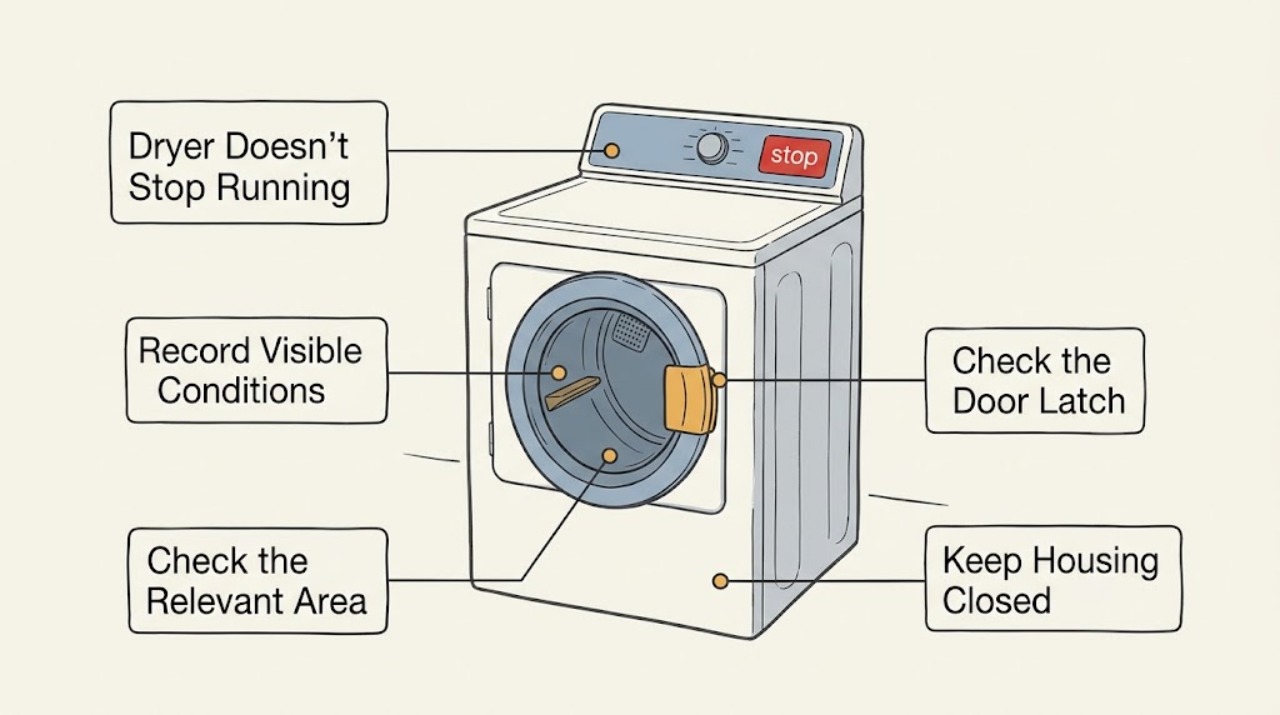
Work through in order
Diagnostic checks
Use only checks that match the exact appliance or system and its official guide.
-
Check 1
With the dryer stopped, read and record the cycle name or timer position, temperature setting, any Wrinkle Prevent selection, and the start and end times of the next normal load. Do not move the knob while the drum is turning just to reproduce the symptom.
Expected result: The label shows Timed Dry, an automatic dryness cycle, or a Wrinkle Prevent option; the drum either stops at the selected time, stops after the load reaches dryness, or restarts only in short intermittent periods after the main cycle.
Next step: If the main cycle ends and only intermittent Wrinkle Prevent tumbling remains, turn that option off for the next load or leave the door closed until it finishes. If the drum runs continuously beyond the selected cycle, continue with the stopped, external checks and plan service.
Stop if: Do not keep running the dryer to force a repeat when there is smoke, abnormal heat, a burning smell, a hot plug or outlet, sparks, or a damaged cord.
Why this matters
Why: Timed Dry is expected to follow its selected duration, automatic cycles can adjust time while sensing the load, and Wrinkle Prevent can periodically tumble after the drying cycle. A long-looking display or occasional post-cycle tumble is not by itself proof of a failed timer.
-
Check 2
Compare the load result with the running behavior: after the drum has stopped and the load is safe to handle, note whether clothing is dry, still damp, or unusually hot. Record the load size, fabric mix, and whether damp items were added after the cycle began.
Expected result: The load is dry but the drum keeps running, the load is damp and the automatic cycle time keeps extending, or the load is hot with weak drying performance.
Next step: For damp or hot loads, use the model guide to choose an appropriate cycle and check the lint screen and accessible vent path before arranging a vent or appliance service visit. For a dry load with continuous running, stop using the dryer and give the technician the cycle, elapsed time, and load result.
Stop if: Stop immediately for scorching, smoke, a burning odor, or heat that is unsafe to touch; do not run another load to compare results.
Why this matters
Why: A dry load that never reaches an end state points to a control or cycle-state problem that needs service, but it does not identify a particular part. A damp load with changing automatic time can result from load size, material mix, added wet items, or restricted airflow; drying performance alone does not prove the dryer is failing to stop.
-
Check 3
Without defeating the latch, pressing a door switch, or reaching into the drum, observe the dryer from outside if the door is already open or opens normally. Keep hands and clothing away from the opening and do not attempt to operate the dryer with the door open.
Expected result: The drum is stationary when the door is open, or it continues turning or resumes without a securely latched door.
Next step: If the door does not stay latched, clothing blocks the latch, or the drum does not stop, leave the dryer off and arrange qualified service. Record exactly what happened and do not bypass or hold the safety mechanism closed.
Stop if: Do not insert hands, tools, or a temporary object into the latch, and do not run the dryer with the door open.
Why this matters
Why: Amana states that the door must be closed and latched for the dryer to run. A drum that continues with an open or unlatched door is a safety-control symptom, not a reason to adjust the latch or identify a replacement switch at home.
-
Check 4
When the dryer is off and cool, clean the lint screen as directed and inspect only the accessible exhaust connection, outside hood, and visible duct section for a crushed hose, kink, lint blockage, or weak discharge. Do not pull a heavy appliance or disconnect its electrical connection to reach hidden ductwork.
Expected result: The lint screen is coated or blocked, the visible duct is crushed or kinked, the outside hood has weak airflow, or the accessible path is clear.
Next step: Correct only a plainly visible, safe obstruction according to the installation guidance and have the house vent professionally inspected when airflow remains weak. If airflow is normal but the dryer still runs past the selected end, leave it off for appliance service.
Stop if: Do not run a heated cycle to test a suspected fire-risk restriction, use a temporary unsafe vent material, or probe hidden ductwork.
Why this matters
Why: Amana links restricted airflow with a clogged screen or vent, a crushed or kinked duct, too many turns, or an obstructed hood. Restricted airflow can lengthen drying and make an automatic cycle appear to run indefinitely, but a clear visible section does not rule out a hidden vent restriction or an internal dryer fault.
-
Check 5
After the appliance is off, record whether the problem occurs only on one cycle or on every cycle, whether the stop or power control responds, and whether the behavior is continuous or only periodic after the main cycle. Save any displayed code and the exact full model suffix for the service call.
Expected result: Only one cycle behaves differently, all cycles continue, the dryer stops when the control is used, or it ignores the stop state and continues turning.
Next step: Stop using the dryer when it ignores the selected stop state or has any hazard sign. Give the technician the model suffix, cycle, load result, elapsed time, door behavior, airflow observation, and any code rather than purchasing a part from the symptom alone.
Stop if: Do not open the console, remove panels, perform live voltage or resistance tests, or bypass a safety device.
Why this matters
Why: A cycle-specific or intermittent post-cycle pattern can be a setting or Wrinkle Prevent behavior; an all-cycle failure or ignored stop state is a service decision. These observations narrow the handoff but do not establish that the timer, thermostat, motor, or control board is at fault.
Use your observations
Decision map
Find the observation that best matches what you see, then follow the next safe action.
-
PATH 01Next step
What you see
The dryer stops at the selected Timed Dry end, or the main automatic cycle ends when the load reaches the selected dryness and any later motion is short, periodic Wrinkle Prevent tumbling.
Do this next
Use the cycle intended for the load and disable Wrinkle Prevent when you need no post-cycle tumbling. If the pattern changes to continuous running, re-check the cycle and stop using the dryer for service.
Why this path and its safety boundary
Why it matters: This pattern is consistent with the documented cycle behavior rather than continuous failure to stop.
-
PATH 02Next step
What you see
The automatic cycle extends while clothes remain damp, especially after a large or mixed load, added wet items, or weak visible exhaust airflow, but the dryer ultimately stops and the door safety behaves normally.
Do this next
Reduce the load to the model guidance, do not add wet items after starting, clean the lint screen, and arrange vent inspection if airflow stays weak. Escalate to appliance service if a normal load still never ends.
Why this path and its safety boundary
Why it matters: The evidence points first to drying conditions or restricted airflow rather than proving that the stop control has failed.
-
PATH 03Next step
What you see
The drum runs continuously after the selected cycle should end, ignores the stop state, or continues turning with the door open or unlatched.
Do this next
Stop using the dryer, isolate power only from a safe location, and arrange qualified Amana or appliance service. Do not bypass the latch, keep the drum running for a test, or buy a timer or control part based only on this observation.
Why this path and its safety boundary
Why it matters: This is outside the user-level cycle explanation and raises a safety-control or control-system concern; the symptom does not identify a specific component.
-
PATH 04Next step
What you see
The dryer is unusually hot, smells of burning, produces smoke or sparks, has a hot plug or outlet, or the cord or cabinet shows damage.
Do this next
Stop operation immediately. From a safe, dry location isolate power if that can be done without touching a hot or damaged connection; leave the area for smoke or fire and use local emergency guidance, then arrange qualified service before any reuse.
Why this path and its safety boundary
Why it matters: Treat this as a fire or electrical safety event, not as an ordinary long-cycle complaint.
Helpful context
Understand the symptom
The NED4655EW1 is the electric variant in Amana's NED4655EW dryer family. Amana's product page describes Automatic Dryness Control and a Wrinkle Prevent option, but the exact suffix on the rating label still controls which manual and controls apply. Record the full model number before requesting service or relying on a cycle description.
Do not treat every long run as a failed shutoff. A timed cycle follows the selected duration; an automatic cycle may change its remaining time as the load dries; and Wrinkle Prevent may briefly tumble after the main cycle. The useful distinction is whether the dryer eventually ends as expected, whether the load is dry or still wet, and whether the drum responds to the door and stop controls without any safety sign.
When checks do not resolve it
Need a professional?
Give the technician the complete NED4655EW1 model and serial information, selected cycle and temperature, whether the load was wet or dry, elapsed time, whether motion was continuous or periodic, door-open behavior, airflow observations, and any display code. Internal timer, motor, thermostat, wiring, and control diagnosis requires qualified service; the owner should not open panels, bypass the latch, or perform live tests.
Common questions
FAQ
Why does my Amana dryer seem to turn back on after it finishes?
If Wrinkle Prevent is selected, Amana says the dryer can turn off and then tumble for short periods at intervals after the normal drying cycle. That is different from continuous running through the selected cycle; record whether the motion is brief and periodic or continuous.
Can a long automatic cycle mean the dryer is not stopping?
Not necessarily. Amana says automatic cycles sense moisture and temperature and may adjust remaining time for load size, material, drying rate, or added damp items. If the load remains damp and airflow is weak, check the lint screen and accessible vent path; if the dryer never reaches an end state, stop using it and arrange service.
Should I replace the timer or thermostat first?
No. Continuous running, a long dry time, or a door symptom does not identify a particular part. Record the cycle, load result, timing, door response, airflow, and safety signs, then let a qualified technician diagnose the internal control or safety circuit.
Read the exact guide
Official sources
- Not Drying - Product Help | AmanaAmana Product Help · Amana dryer drying performance, cycle selection, leveling, and airflow guidance
- Door Pops Open During Use - DryerAmana Product Help · Amana dryer door latch and closed-door run conditions
- Using Auto Dry, Timed Dry and EcoBoostAmana Product Help · Amana dryer automatic and timed cycle behavior
- 6.5 cu. ft. Electric Dryer with Wrinkle Prevent Option White NED4655EWAmana · Amana NED4655EW/NED4655EW1 electric dryer family and its listed Automatic Dryness Control and Wrinkle Prevent features
- Dryer Turns On after Cycle is Complete - DryerAmana Product Help · Amana dryer Wrinkle Prevent post-cycle tumbling
Community feedback
Share a repair observation
Share a plain-text repair observation. Accepted observations are published automatically; this page may take a moment to update.