
On this page
Start here
Quick answer
Stop using the Kenmore 90 Series dryer until you know whether it is still heating. “90 Series” is a family label, not a complete model number, and Kenmore's official manual service requires the full model number before its manual or part guidance can be matched. From a dry, safe location, record whether the selector is actually on Timed Dry, an automatic cycle, Air Fluff, or a post-cycle wrinkle option, then turn the selector to OFF only if there is no gas odor, smoke, sparking, damaged cord, or other immediate hazard. If the drum continues to turn, the selector will not reach OFF, the door does not stop it as the matching manual specifies, or heat continues after the intended end, isolate power at the plug or breaker without touching unsafe equipment and arrange qualified service. Do not keep testing, open the cabinet, measure live voltage, or identify a timer or relay from the symptom alone.
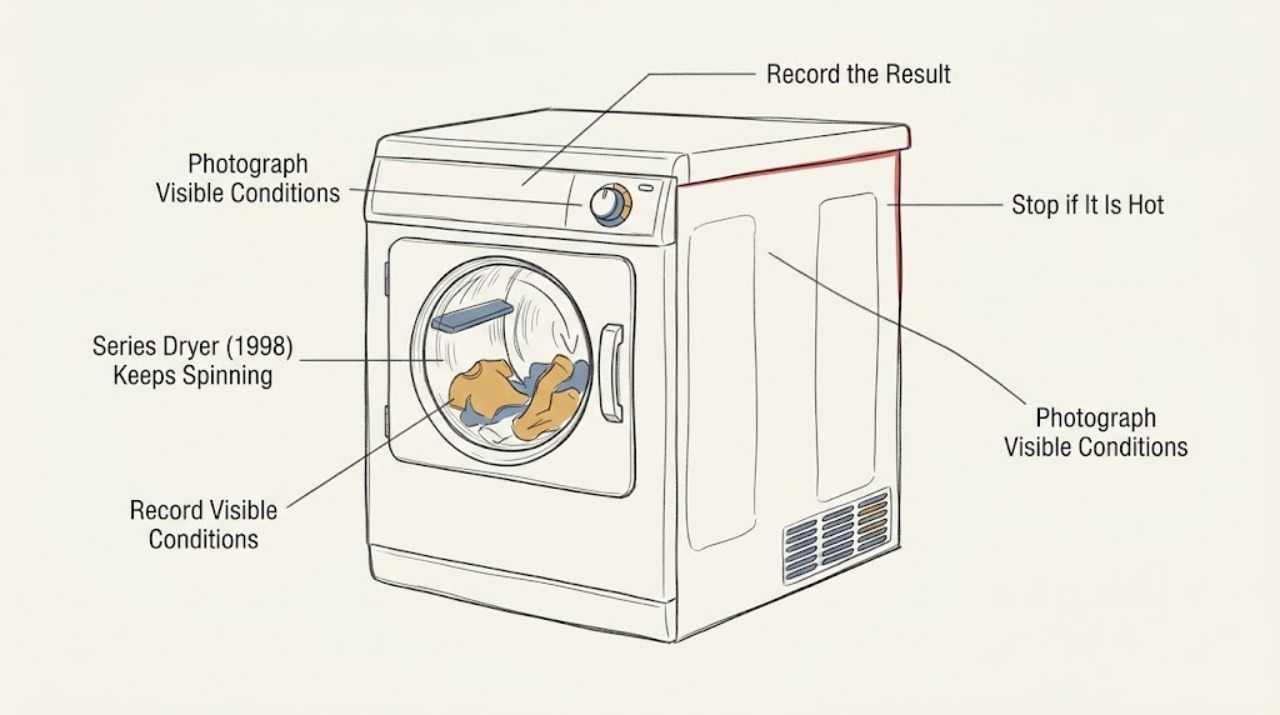
Work through in order
Diagnostic checks
Use only checks that match the exact appliance or system and its official guide.
-
Check 1
From a dry, safe position, stop using the dryer and record whether there was smoke, a burning or gas odor, sparking, abnormal heat, a damaged cord, or a breaker trip. If any is present, do not operate the controls; leave the area as appropriate and isolate power or gas only when that can be done without touching unsafe equipment.
Expected result: There is no immediate hazard, or there is heat, odor, smoke, sparking, exposed wiring, a damaged cord, or gas odor.
Next step: For any hazard, keep the dryer out of service and arrange prompt qualified help; follow local emergency guidance for gas or fire. With no hazard, isolate power before inspecting the selector and model label.
Stop if: Do not operate switches during a gas odor, touch wet or damaged electrical equipment, relight a gas appliance, or restart after smoke, sparks, burning odor, or a breaker trip.
Why this matters
Why: A hazard changes the task from cycle diagnosis to fire, gas, or electrical safety. A no-hazard observation permits only documentation and de-energized external checks; it does not make continued running safe.
-
Check 2
With the dryer de-energized, photograph or transcribe the full model and serial plate, including every prefix and suffix, and record whether the data plate identifies a gas or electric dryer. Do not use only “Kenmore 90 Series,” “1998,” or a partial number to select a manual or part.
Expected result: The plate yields a complete model number, only the 90 Series label is available, or the gas/electric type remains unclear.
Next step: Use the exact full number in Kenmore's manual lookup or give it to the technician. If the number is incomplete or unreadable, keep the dryer off and do not borrow a manual or component diagnosis from another 90 Series or 110 platform.
Stop if: Do not remove panels or move the dryer to find a hidden label, and do not order a timer, relay, door switch, heater, or gas component from “90 Series” alone.
Why this matters
Why: Kenmore's manual service says model numbers are at least 11 characters. A complete identity can determine the intended cycle controls and safety procedure; a series label alone cannot establish the timer, relay, heater, door-switch, or wiring arrangement.
-
Check 3
With power still isolated, record the exact selector position and any separate options: Timed Dry minutes, automatic/moisture cycle, Air Fluff/no heat, Cool Down, or a wrinkle-prevention setting. Note whether the knob was physically at OFF when the dryer was expected to stop and whether the selector turns through its normal detents without force.
Expected result: The knob was not at OFF, a post-cycle wrinkle option is selected, the knob reaches OFF normally, the knob is stuck or loose, or the control markings do not match the available manual.
Next step: Correct only an obvious selection mistake after confirming the full-model instructions and with no hazard; make no repeated run. For a selector that is stuck, loose, mismatched, or ineffective at OFF, leave the dryer off and request model-specific service.
Stop if: Do not force the knob, remove the console, bridge contacts, or run a heated cycle to see whether the selector eventually stops the motor.
Why this matters
Why: A wrong or post-cycle selection can look like a failure to stop, while a selector that reaches OFF but leaves the dryer running is a different stop-path observation. An unverified 90 Series diagram cannot identify which control contacts or timer design is present.
-
Check 4
Do not perform a new live test just to check heat. Instead, record safe observations from the event: whether exhaust air or the cabinet was unusually hot, whether clothes were hot or only tumbling with no heat, whether the drum continued after the intended timed period, and whether opening the door was already attempted before power was isolated. Do not bypass or defeat the door switch.
Expected result: The dryer appeared to keep heating, the drum continued with no heat, the stop behavior changed when the door was opened, the door did not stop the motion, or heat state is unknown.
Next step: Keep power off for any suspected continued heat or abnormal door response and arrange qualified service. Give the technician the heat/no-heat observation and whether the door was already closed or open; do not repeat the test.
Stop if: Never hold, tape, bypass, or defeat the door switch; do not touch hot exhaust or internal parts; do not operate with the door open or with a suspected failed safety interlock.
Why this matters
Why: Continued heat raises an overheat and fire-risk concern; continued no-heat tumbling narrows the observation to the motor/stop path but still does not identify a relay or timer. A door that does not stop motion as required by the matching manual is a safety-boundary failure, not a reason to test with the door open.
-
Check 5
After energy is isolated and the dryer is cool, inspect only the lint screen, the visible exhaust connection, and the outside vent termination for lint buildup, crushing, or an obstructed flap. Do not disconnect a concealed duct or open the cabinet on this unidentified 1998 dryer.
Expected result: The lint screen is blocked or damaged, the visible duct is crushed or disconnected, the outside flap does not open during normal operation history, or the visible path is clear.
Next step: Clean or correct only an obvious accessible external obstruction when the dryer is off and cool. For concealed blockage, recurring overheating, or a clear path with continued running, arrange qualified service and vent inspection.
Stop if: Do not run the dryer to check airflow, use a damaged or missing lint screen, reach into the exhaust, move a gas dryer without qualified procedure, or work near a hot or energized appliance.
Why this matters
Why: Restricted airflow can create abnormal heat and fire risk, and a clear lint screen alone does not prove the internal chassis and exhaust path are clear. Vent condition is a safety maintenance observation, not an explanation that authorizes continued running.
-
Check 6
Prepare a service record containing the complete model/serial information if available, 90 Series and 1998 details, gas/electric type, selector position, intended timed minutes, whether OFF was effective, heat/no-heat observation, door response, lint/vent observations, and any odor, smoke, noise, or breaker event. Do not identify an internal part from the record.
Expected result: A full model is available and the symptom is repeatable, the model remains incomplete, the dryer stops only after power isolation, or the stop behavior cannot be safely reproduced.
Next step: Keep the dryer disconnected and provide the record to a qualified Kenmore/Sears appliance technician. Ask the technician to verify selector, motor stop path, heater control, door interlock, and vent condition for the exact model before any part recommendation.
Stop if: End owner troubleshooting when diagnosis requires cabinet access, gas work, live electrical testing, relay/timer testing, or replacement of a safety or control component.
Why this matters
Why: A repeatable Timed-mode symptom with an exact model supports model-specific service documentation; an incomplete identity leaves the control and safety design uncertain. Power isolation stopping the event confirms a safety stop was needed, not which component failed.
Use your observations
Decision map
Find the observation that best matches what you see, then follow the next safe action.
-
PATH 01Next step
What you see
The selector was not actually at OFF, or a wrinkle-prevention/post-cycle option was selected, and there was no heat, odor, smoke, or electrical abnormality.
Do this next
Confirm the full model and matching manual, correct only the obvious selection if documented, and do not run repeated heated tests. If the drum continues with the exact model's OFF position, arrange service.
Why this path and its safety boundary
Why it matters: The observed tumbling may be a selection or option behavior rather than proof that a timer or relay has failed, but the incomplete 90 Series identity prevents importing another model's exact end-of-cycle behavior.
-
PATH 02Next step
What you see
The selector reaches OFF or the intended timed period has ended, but the drum keeps turning; the door response is unknown, ineffective, or the selector is stuck/loose.
Do this next
Keep the dryer safely de-energized and request exact-model diagnosis. Do not bypass the door switch, open the console, test live contacts, or order a timer/relay.
Why this path and its safety boundary
Why it matters: This is a genuine stop-path or safety-interlock concern until a qualified technician proves otherwise. It does not distinguish a timer, relay, motor circuit, wiring, or door-switch fault on a partial series label.
-
PATH 03Next step
What you see
The dryer appeared to continue heating, the exhaust/cabinet was abnormally hot, airflow was restricted, or lint was accumulating beyond the accessible screen.
Do this next
Leave the dryer off, correct only an obvious cool external lint/vent obstruction, and arrange qualified service for concealed venting, internal lint, heater control, or safety-device diagnosis.
Why this path and its safety boundary
Why it matters: The priority is fire prevention and qualified inspection, not reproducing the stop symptom. A vent or lint problem can contribute to overheating, while the heater-control fault remains unproven.
-
PATH 04Next step
What you see
The drum only tumbled with no heat, no hazard was present, the visible vent path was reasonable, and the full model is still unavailable.
Do this next
Do not keep testing. Recover the complete model number from the plate or arrange a technician visit; provide the selector position, OFF response, door observation, and power-isolation result.
Why this path and its safety boundary
Why it matters: The symptom is narrower than an overheating event but still cannot safely identify a component because 90 Series covers multiple designs and the gas/electric type may be unknown.
Helpful context
Understand the symptom
Treat continuous running as a safety stop first
A dryer that keeps tumbling after the selected time may be in a different selector position, a wrinkle-prevention option, or a fault in the stop/control path. The 90 Series name and a 1998 date do not identify one control layout, and the missing full model also leaves the gas-versus-electric hazards unresolved. If heat, smoke, burning odor, gas odor, sparking, or a damaged cord is present, do not continue a diagnostic run. Isolate energy only from a dry, safe location and obtain qualified service.
Separate selector behavior from a real stop failure
Before any future service call, write down the exact selector marking and whether the load was on Timed Dry, an automatic cycle, Air Fluff/no heat, or a wrinkle-prevention feature. A knob that was never at OFF is not the same observation as a knob that reaches OFF but leaves the drum running. A cycle that ends with no heat is a different branch from a dryer that continues heating. Because this Kenmore identity is incomplete, use the matching full-model manual for the intended end behavior and do not transplant a timer or relay diagnosis from another Kenmore platform.
Keep the owner checks outside the cabinet
After power is safely isolated, the owner can record the model and serial plate, gas or electric marking, selector position, and visible lint-screen or exhaust condition. U.S. fire-safety authorities identify blocked lint screens and exhaust ducts as dryer-fire contributors and recommend qualified installation and service. Do not remove the console or rear panel, bypass the door switch, disconnect gas, or perform live voltage/continuity tests on a 1998 dryer.
When checks do not resolve it
Need a professional?
Keep the Kenmore dryer out of use and arrange qualified service when it continues tumbling at OFF, the timed period ends without stopping, the selector is stuck or ineffective, the door does not stop motion, heat appears to continue, the model cannot be matched, or diagnosis would require a panel, gas, heater, timer, relay, motor, wiring, or live electrical test. Stop immediately for gas odor, smoke, sparks, burning rubber, abnormal heat, a damaged cord, water near electrical equipment, or a repeated breaker trip; follow local emergency guidance for an active gas or fire hazard.
Common questions
FAQ
Is Kenmore 90 Series a complete dryer model number?
No. Kenmore's official manual page says model numbers are at least 11 characters. “90 Series” and a 1998 date describe a family or age, not one exact dryer design. Read the entire model and serial label before using a manual or selecting a part.
Could the dryer still spinning be normal?
It may be a selector or wrinkle-prevention setting if the drum is not heating, but a dryer that keeps running at OFF or continues heating must be treated as abnormal until the exact model's manual and a qualified technician establish otherwise. Do not use another Kenmore or 110-platform diagram to decide.
Should I run it again to see whether the door stops the dryer or whether heat continues?
No. Do not repeat a live test, hold or bypass the door switch, open the cabinet, or measure energized parts. If the event involved heat, odor, smoke, sparking, a damaged cord, or an ineffective stop response, keep the dryer de-energized and arrange qualified service.
Read the exact guide
Official sources
- Find Your Manual | Kenmore Appliance Manuals & GuidesKenmore / Transform SR Brands LLC · Opened the official Kenmore manuals page. It says model numbers are at least 11 characters and are required to retrieve the matching appliance manual; the supplied identity is only Kenmore 90 Series/1998, so the full label must be recovered before model-specific control or part conclusions.
- Appliance and Electrical Fire SafetyU.S. Fire Administration, FEMA · Opened U.S. Fire Administration guidance; it identifies failure to clean as a leading factor in home clothes-dryer fires, recommends direct wall connection and qualified appliance safety practices, and supports stopping when fire or electrical hazards are suspected.
- Overheated Clothes Dryers Safety AlertU.S. Consumer Product Safety Commission · Opened the CPSC safety alert; it warns that lint buildup and blocked exhaust can cause excessive heat and fire and recommends cleaning the lint screen/vent and qualified cleaning of the dryer chassis.
Community feedback
Share a repair observation
Share a plain-text repair observation. Accepted observations are published automatically; this page may take a moment to update.