
On this page
Start here
Quick answer
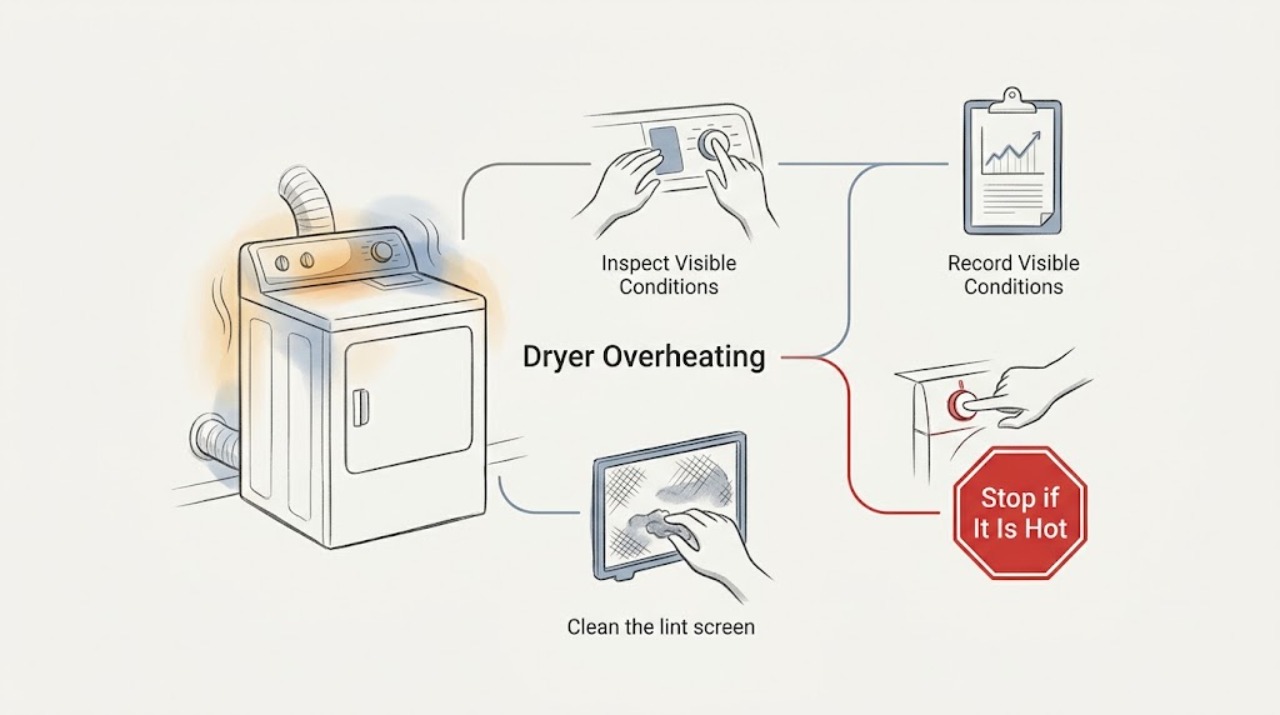
If an Amana dryer is overheating, stop the cycle and let the appliance cool before checking anything. The first user-safe checks are the selected cycle and temperature, a clean lint screen, a visible exhaust duct that is not crushed or kinked, and an outside vent hood that is not blocked. Amana identifies restricted airflow as a common cause of a dryer becoming too hot and notes that AF or F4E3 indicates restricted airflow on models that use that display. Do not keep running the dryer to see whether it cools down, bypass a thermal safety device, open the cabinet, or test live wiring. If there is a burning smell, smoke, scorching, sparking, damaged cord, repeated shutdown, or heat remains excessive after the accessible airflow path is clear, stop using the dryer and arrange qualified appliance service and, when needed, professional vent cleaning or electrical service.
Work through in order
Diagnostic checks
Use only checks that match the exact appliance or system and its official guide.
-
Check 1
Stop the dryer and inspect the load, drum opening, lint area, and surrounding floor only after the appliance has cooled. Look for a burning odor, smoke, scorching, melted material, sparking, or a damaged power cord.
Expected result: A safety warning is present, or the dryer is simply warmer than expected without odor, smoke, scorching, or electrical damage.
Next step: If any warning is present, keep the dryer off and arrange qualified appliance or electrical service. If no warning is present, continue with the external cycle and airflow checks after the unit is cool.
Why this matters
Why: A safety warning may indicate an internal electrical, heating, motor, or airflow fault and is not a routine lint-cleaning situation. Warm air alone must still be evaluated against the selected cycle and exhaust airflow.
-
Check 2
Record the selected cycle, dryness level, temperature option, load size, and fabric type. Compare a normal automatic cycle with the setting shown in the owner's manual; do not use a high or timed setting as an overheating test.
Expected result: The dryer was on Timed Dry or a high temperature, the load was small or delicate, or the same excessive heat occurs on the model's normal automatic setting.
Next step: For a setting-related result, use the garment-appropriate temperature and a normal automatic cycle. If the dryer remains excessively hot on that setting, stop repeated testing and inspect the accessible airflow path.
Why this matters
Why: Amana notes that Timed Dry runs for the set duration and can over-dry, while automatic cycles use sensing and selected temperature options. Persistent excessive heat on a normal setting makes airflow or a control fault more likely.
-
Check 3
Clean the lint screen and inspect its surface for a film or residue. From outside the cabinet, check the visible exhaust duct for crushing, sharp kinks, loose collapse, or an obstruction, and verify the exterior vent hood is not blocked by lint, debris, nests, vegetation, or snow.
Expected result: The lint screen is coated or packed, the duct is crushed or kinked, the hood is blocked, or the accessible airflow path appears clear.
Next step: Clean the screen and remove only loose exterior debris that is safely reachable. Do not dismantle the dryer or climb to a vent outlet; arrange professional vent inspection or cleaning for a concealed, long, or obstructed run.
Why this matters
Why: Amana identifies the lint screen, exhaust vent, and outside hood as airflow checkpoints. A restriction can trap heat and also produce a Check Vent or AF-type display; a clear visible section does not prove the concealed run is clean.
-
Check 4
If the display shows AF, F4E3, Check Vent, or another code, copy it exactly before clearing it and match it to the Amana table for the model. Note whether the code appears immediately, only after heating, or with long dry times.
Expected result: AF or F4E3 or Check Vent is shown, an alternating F and E code is shown, or the display is a different or unlisted message.
Next step: Follow only the code's documented user step after the dryer is cool and the lint screen and accessible vent are addressed. If an F-code persists, is unlisted, or returns, stop using the dryer and arrange qualified service.
Why this matters
Why: Amana associates AF or F4E3 with restricted airflow. Its table states that an alternating F and E code represents a control-detected problem requiring service; other displays require the owner's manual because codes vary by model.
-
Check 5
With no safety warning and only if the owner's manual permits a brief check, use an empty, model-appropriate heated cycle and observe from outside whether warm air exits at the hood and whether the dryer stops normally. Do not stand by a suspected blocked vent or leave the dryer unattended.
Expected result: Airflow at the hood is weak or absent, the dryer continues heating without normal cycling, or airflow and cycling appear normal but the cabinet or load becomes excessively hot.
Next step: Stop the test at the first sign of excessive heat, odor, or abnormal cycling. Have a vent professional address restricted ductwork and have a qualified appliance technician diagnose internal heating, blower, or control components.
Why this matters
Why: Weak exhaust supports a vent restriction. Normal exhaust with excessive heat points toward a temperature-sensing, heating, blower, or control fault that cannot be separated safely by more running.
-
Check 6
After the accessible lint and airflow check, record whether the dryer completed one normal automatic cycle without excessive heat, warning display, long dry time, scorching, or abnormal noise. Do not repeat cycles to force a result.
Expected result: Heat and drying return to normal, the issue returns quickly, or overheating remains despite a clean screen and apparently clear hood.
Next step: Use the dryer only if it remains stable and safe. For any recurrence or unresolved excessive heat, stop use and provide the code, cycle, airflow observations, and load details to qualified service.
Why this matters
Why: A lasting improvement supports a cycle or accessible airflow issue. A recurrence or persistent heat suggests concealed vent restriction, a blower or sensor issue, a thermal control fault, or another internal problem.
Use your observations
Decision map
Find the observation that best matches what you see, then follow the next safe action.
-
PATH 01Safety boundary
What you see
Is there smoke, a burning odor, scorching, sparking, a damaged cord, or melted material?
Do this next
Keep the dryer off and clear of use; arrange qualified appliance or electrical service and do not restart it to test the fault.
Why this path and its safety boundary
Safety stop: Continue with the selected-cycle and external airflow checks after the dryer has cooled.
-
PATH 02Safety boundary
What you see
Is the dryer set to Timed Dry or a high temperature, especially with a small or delicate load?
Do this next
Use the garment-appropriate temperature and a normal automatic cycle; stop if the dryer is still excessively hot or the load is scorched.
Why this path and its safety boundary
Safety stop: Treat excessive heat on a normal setting as a possible airflow or internal-control issue and continue only with external checks.
-
PATH 03Safety boundary
What you see
Is the lint screen, visible duct, or outside hood restricted?
Do this next
Clean the lint screen and remove safely reachable exterior debris; use professional vent cleaning for concealed or difficult-to-reach restrictions.
Why this path and its safety boundary
Safety stop: Do not assume the vent is clear. If heat remains excessive or airflow is weak at the hood, stop use and arrange vent and appliance diagnosis.
-
PATH 04Safety boundary
What you see
Does AF, F4E3, Check Vent, an alternating F and E code, or another code return after the documented user step?
Do this next
Stop running the dryer and arrange qualified service; an unresolved F-code or recurring airflow code needs model-specific diagnosis.
Why this path and its safety boundary
Safety stop: Run at most one normal, attended test cycle only when the dryer is cool, dry, and free of safety warnings; stop if overheating returns.
Helpful context
Understand the symptom
Overheating is usually an airflow or control symptom
A dryer needs air to move through the lint screen, cabinet, exhaust duct, and outside hood. Lint or a crushed duct can trap heat, while a timed cycle or high temperature can overdry a small load. A failed thermal control or heating component is also possible, but it cannot be identified safely by opening the cabinet or bypassing a safety device.
Stop before opening the dryer
Stop the cycle, disconnect the dryer only through its normal control or the model's safe procedure, and allow it to cool. Do not operate a dryer that smells burnt, smokes, sparks, scorches clothing, or has a damaged cord. Do not remove the rear panel, heater cover, drum, blower housing, or thermal fuse, and do not perform live voltage tests or bridge a thermal cutoff.
Only after diagnosis
Potential parts
- thermal cutoff or temperature control
Consider this category only after a qualified technician confirms an airflow path is adequate and identifies a failed thermal control or cutoff.
Match the exact dryer model and electrical or heating specification; do not bypass or substitute a thermal safety part. - dryer blower or heating component
Consider this category only after service diagnosis finds a failed blower or heating component rather than a clogged or crushed exhaust path.
Confirm the exact model, gas or electric design, and manufacturer fit information before any replacement.
Common questions
FAQ
Why is my Amana dryer getting too hot?
Start with the selected cycle and temperature, then inspect the lint screen, visible exhaust duct, and outside hood for restricted airflow. A concealed vent restriction or internal heating or control fault can remain even when the visible screen is clean.
What does AF or F4E3 mean on an Amana dryer?
Amana associates AF or F4E3 with restricted airflow, such as a clogged lint screen or vent, crushed or kinked venting, or a blocked outside hood. Clear only safely reachable lint or debris and arrange professional vent inspection if the code returns.
Can a Timed Dry cycle make an Amana dryer seem overheated?
Timed Dry runs for the selected duration and can overdry a small or delicate load. Use the garment-appropriate temperature and a normal automatic cycle, but stop if the dryer is excessively hot, smells burnt, scorches clothing, or repeats the symptom.
When should I stop using an overheating Amana dryer?
Stop for smoke, burning odor, scorching, sparking, a damaged cord, melted material, repeated shutdown, weak exhaust after the accessible check, or an error that returns. Do not open the cabinet or bypass a thermal safety device; arrange qualified appliance, vent, or electrical service.
Read the exact guide
Official sources
- Long Dry Times - DryerAmana Product Help · Check Vent or AF displays, lint-screen residue, crushed or kinked ducting, outside hood obstructions, duct routing, and professional vent cleaning.
- Dryer Too HotAmana Product Help · Cycle and temperature selection, lint screen, exhaust vent, outside hood, and service guidance for a dryer that is too hot.
- Dryer is Not HeatingAmana Product Help · Model-directed heat testing, vent restriction, electric supply, gas supply, and qualified service boundaries that distinguish heating from airflow problems.
- Error Codes in DryersAmana Product Help · AF or F4E3 restricted-airflow display, alternating F and E service codes, low-voltage and power-failure displays, and model-manual boundaries.
Community feedback
Share a repair observation
Share a plain-text repair observation. Accepted observations are published automatically; this page may take a moment to update.