
On this page
Start here
Quick answer
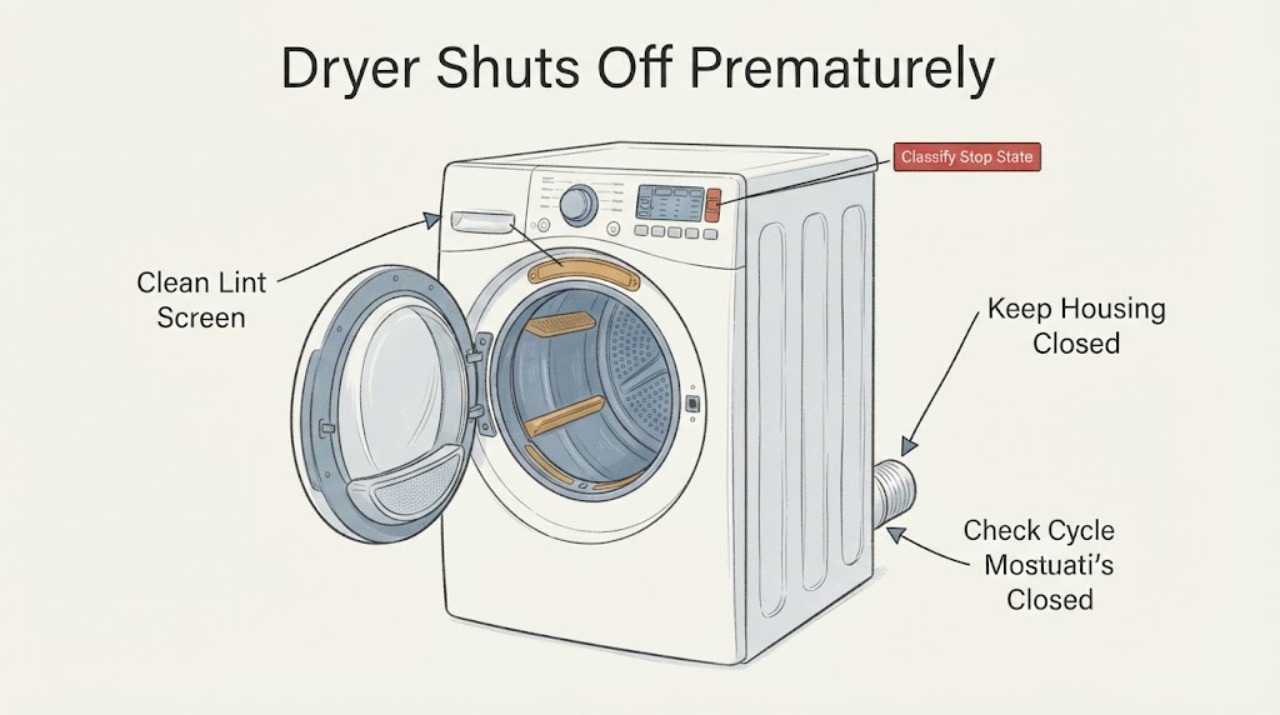
First determine whether the dryer is completing an automatic cycle by design or stopping while clothes are still damp. Amana says Automatic Cycles sense load moisture and shut off when the selected dryness is reached; its manuals and help pages also identify early sensor-cycle ending, a load not contacting the moisture strips, a clogged lint screen or restricted vent, an unsuitable cycle, and some power or service codes as separate possibilities. Clean and fully dry the lint screen, confirm the selected cycle and load can tumble, check accessible airflow without opening the cabinet, and use the exact model manual for the dryness setting. If the dryer stops with smoke, burning smell, unusual noise, repeated power loss, a returning F# E# code, or persistent damp loads after the external checks, stop using it and arrange Amana or qualified service.
Work through in order
Diagnostic checks
Use only checks that match the exact appliance or system and its official guide.
-
Check 1
Record the selected cycle, approximate time until the stop, whether the drum was still turning or the display went blank, and whether clothes were dry, warm and damp, or cool and wet. Note any AF, F4E3, PF, L2 or F# E# display.
Expected result: The dryer completed an Automatic Cycle with a dry load, ended early with damp clothes, stopped mid-cycle, lost its display, or showed a code.
Next step: Follow the matching branch below and keep the exact model number for manual lookup. Do not repeatedly restart a dryer that has a hazard or recurring service code.
Why this matters
Why: An Automatic Cycle can stop normally when its selected dryness is reached; damp clothes, a blank display or a code indicate a different branch. The symptom alone does not identify a sensor or control part.
-
Check 2
Confirm that the cycle is appropriate for the load and that the load can tumble freely. On the exact model, compare the selected dryness level with the manual; for a very small or occasional damp load, use only a documented Timed Dry option rather than repeatedly increasing a sensor cycle.
Expected result: The cycle was Air Dry/Fluff, a small or mixed load was used, items are balled up or overloaded, or the cycle and load are appropriate.
Next step: Separate or resize the load and select a documented cycle once. If the same load still ends damp, continue with the lint, sensor-contact and airflow checks.
Why this matters
Why: Amana documents Air Dry/Fluff as a no-heat setting, says large loads limit tumbling and airflow, and says sensor-cycle dryness settings change run time. These conditions can make the stop look premature without proving a failed component.
-
Check 3
With the dryer off, remove the lint screen and check for lint or a smooth residue that causes lint to fall away. Clean it using the Amana instructions for the exact screen, dry it completely, reinstall it firmly, and vacuum only the accessible lint-screen housing if the manual allows.
Expected result: The screen is visibly blocked, coated with residue, damaged or clean and correctly seated.
Next step: Run the appropriate test load only after the screen is dry and seated. If the early stop persists, check the visible exhaust path and model-specific sensor guidance.
Why this matters
Why: Amana says residue buildup can affect airflow and cause the dryer to stop before the load is completely dry. A clean screen removes one external restriction but does not diagnose the exhaust or an internal fault.
-
Check 4
For a sensor cycle that ends with damp clothes, verify the dryer is stable with all feet firmly contacting the floor and that the load is making normal contact with the sensor strips as the exact manual describes. Do not remove panels or probe the strips with power connected.
Expected result: The dryer is unlevel, the load is too small/balled up to contact the strips, or level and load contact appear normal.
Next step: Correct only the accessible leveling/load condition and use the exact model’s documented dryness setting. If repeatable early stops remain, arrange service rather than replacing a sensor based on the symptom.
Why this matters
Why: Amana’s opened manuals associate a short sensor cycle with poor load contact and an unlevel dryer, and separately direct a dryness-level adjustment. This does not prove a failed moisture sensor.
-
Check 5
Unplug the dryer before inspecting the visible hose and wall connection. Look for a crushed, kinked, excessively long or visibly lint-blocked exhaust path; during a permitted brief operation, observe the outside hood airflow from a safe position without placing hands near moving or hot parts.
Expected result: Outside airflow is weak, the hose is crushed/kinked or lint-blocked, a Check Vent/AF/F4E3 indicator appears, or airflow and the visible path are normal.
Next step: Have the vent path cleaned or corrected using the installation/manual requirements; do not disconnect the vent and continue normal operation as a workaround. If airflow is normal but early stops persist, request service.
Why this matters
Why: Amana links restricted exhaust to longer or poor drying and its AF/F4E3 guidance identifies lint, crushed/kinked venting or too many turns. Normal visible airflow does not clear internal heating or control faults.
-
Check 6
Stop using the dryer for smoke, burning smell, an unusual noise, repeated power loss, a hot electrical odor, a returning F# E# service code, or a condition that cannot be isolated safely. Unplug or isolate gas/electric supply only from a dry, safe location and do not open the cabinet.
Expected result: The hazard clears only after isolation, the dryer loses power again, or the early-stop symptom persists after documented external checks.
Next step: Keep the dryer off and arrange Amana or qualified appliance service. If there is smoke or fire, leave the area and use emergency help. Provide the model, cycle, load state, code and observations.
Why this matters
Why: Amana routes recurring service codes, no-heat/abnormal performance and unusual noises to service; continued cycling can worsen a fire, gas or electrical hazard.
Use your observations
Decision map
Find the observation that best matches what you see, then follow the next safe action.
-
PATH 01Next step
What you see
The dryer completes an Automatic Cycle and the load reaches the selected dryness without a hazard.
Do this next
Use the exact model’s normal dryness setting and remove the load after the documented cooldown; change settings only when the load result calls for it.
Why this path and its safety boundary
Why it matters: This is consistent with Amana’s moisture-sensing operation, not proof of a premature-shutoff fault.
-
PATH 02Next step
What you see
The dryer stops early on a sensor cycle and clothes remain damp, especially with a small/balled load or a dryer that is not level.
Do this next
Correct the accessible load/level condition and follow the exact model’s dryness-setting instruction once; arrange service if the pattern repeats.
Why this path and its safety boundary
Why it matters: Amana manuals associate this observation with sensor contact, leveling and dryness-level conditions before an internal sensor diagnosis.
-
PATH 03Next step
What you see
The lint screen is coated, the vent is kinked/crushed/blocked, airflow is weak, or AF/F4E3/Check Vent appears.
Do this next
Clean the screen and have the accessible exhaust path corrected according to Amana’s installation guidance. Do not keep operating with a known blocked vent.
Why this path and its safety boundary
Why it matters: This is an airflow restriction branch. It can leave clothes damp and affect cycle performance; it does not establish a failed heater or control board.
-
PATH 04Next step
What you see
The display goes blank, the cycle is interrupted by power loss, or a PF, L2 or F# E# code appears.
Do this next
Record the exact code and model. Perform only the model-documented external supply check; if the code returns or power is unstable, use a qualified electrician or appliance service as appropriate.
Why this path and its safety boundary
Why it matters: Amana distinguishes power failure/low line voltage from F# E# service codes; a generic reset cannot identify an internal part.
-
PATH 05Next step
What you see
There is smoke, a burning or gas odor, unusual noise, repeated breaker/fuse interruption, or any unsafe condition.
Do this next
Isolate power/gas only when safe, leave the dryer off, and contact qualified service or emergency help for fire/smoke.
Why this path and its safety boundary
Why it matters: This is a stop-and-service condition, not a reason to repeat cycles or open the dryer.
Helpful context
Understand the symptom
A normal sensor stop can look premature
On an Automatic Cycle, Amana’s moisture sensing controls the stop point, so the displayed time can change and the dryer can turn off before a fixed time would have elapsed. The useful distinction is whether the clothes are dry enough for the selected setting and whether the same load repeatedly ends damp. Timed Dry is a different test because it runs for the selected time; do not treat a sensor-cycle stop and a mid-cycle power loss as the same fault.
Use the exact model for sensor settings
Amana’s manuals differ by control family, but the opened manuals connect a too-short cycle with clothes not contacting the moisture sensors, an unlevel dryer, or the sensor-cycle dryness setting. Record the model number and use its manual before changing a control sequence. A missing model does not justify naming a failed sensor, control board or motor.
Keep lint and exhaust restrictions within the safety boundary
A lint screen coated with detergent or softener residue can affect airflow and make a dryer stop before the load is dry. Amana also flags restricted or crushed exhaust venting and a Check Vent/AF condition. Clean the accessible screen and inspect visible venting only with the dryer unplugged when the manual permits; do not bypass a vent or open the cabinet to test heaters or controls.
When checks do not resolve it
Need a professional?
Arrange service if the dryer repeatedly ends with damp clothes after the exact cycle, lint-screen, level/load and accessible airflow checks, or if it does not heat normally., Leave it off for smoke, burning or gas odor, unusual noise, repeated breaker/fuse interruption, a returning F# E# code, or any hot electrical smell; use emergency help for fire., Do not open the cabinet, bypass a thermal or door safety device, perform live electrical tests, disconnect the exhaust as a workaround, or order a sensor/heater/control part from this symptom alone.
Have this ready
- complete Amana model and serial number
- selected cycle and dryness setting
- load size/fabric mix and whether clothes were dry, damp or cool
- time until the stop and whether the display went blank
- lint-screen and visible vent observations
- any AF, F4E3, PF, L2 or F# E# code, odor or unusual noise
Common questions
FAQ
Is it normal for an Amana dryer to shut off before the timer reaches zero?
On an Automatic Cycle, Amana says moisture sensing shuts the dryer off when the selected dryness is reached. If clothes are still damp or the dryer loses power mid-cycle, use the separate diagnostic branches rather than assuming normal operation.
Why does the sensor cycle end early with damp clothes?
Amana manuals list poor contact with the moisture strips, an unlevel dryer and the dryness-level setting as model-dependent causes. A small or balled load can also fail to contact the sensors normally.
Can a lint screen make the dryer stop before the load is dry?
Yes. Amana says lint or residue on the screen can restrict airflow and cause the dryer to stop before the load is completely dry. Clean and fully dry the screen according to the manual, and check the exhaust path.
What does AF or F4E3 mean on an Amana dryer?
Amana’s error-code page associates AF or F4E3 with restricted airflow, including a clogged screen or vent, crushed or kinked venting, or too many turns. Correct the airflow problem and use service if it persists.
Read the exact guide
Official sources
- Amana Owners Manual W11691187 RevAAmana · Official Amana-hosted use-and-care PDF used as a scoped family example. Supports sensor contact, leveling, vent, load and code boundaries; exact model manual controls the applicable cycle and installation dimensions.
- Dryer Stops Mid-Cycle - Product Help | AmanaAmana · Official Amana product-help page. Supports cycle-specific behavior, Automatic Cycle humidity sensing, Air Dry/Fluff, Quick/Rapid Dry and Normal/Heavy Duty/Colors examples; exact model controls the available cycles.
- Error Codes in Dryers - Product Help | AmanaAmana · Official Amana dryer error-code page. Supports only the published AF/F4E3, F# E#, L2 and PF meanings and their model/manual/service boundaries.
- Not Drying - Product Help | AmanaAmana · Official Amana product-help page for dryer drying performance. Supports external lint/vent/airflow checks, level/cycle observations and service escalation for persistent damp loads; exact model controls any special indicator.
- Amana Use and Care Manual W10773360 RevBAmana · Official Amana-hosted use-and-care PDF used as a scoped family example because the task has no exact model. Supports early sensor-cycle ending, dryness-level adjustment, lint and service information; exact model manual remains controlling.
- Using Auto Dry, Timed Dry and EcoBoost - Product Help | AmanaAmana · Official Amana product-help page for Amana dryers. Supports the distinction between Automatic and Timed Dry cycles and model-dependent EcoBoost behavior; exact control features remain model-specific.
- Cleaning the Lint Screen on a Dryer - Product Help | AmanaAmana · Official Amana dryer-care page. Supports external lint-screen cleaning and the warning that residue buildup can contribute to early stopping/poor drying; it does not diagnose an internal part.
Community feedback
Share a repair observation
Share a plain-text repair observation. Accepted observations are published automatically; this page may take a moment to update.