
On this page
Start here
Quick answer
When an Amana dryer takes too long to dry, start with airflow and load conditions rather than replacing a part. Clean the lint filter, check the outside exhaust hood for a blocked flap or weak airflow, and inspect the accessible hose for kinks or crushing. Confirm that a heated automatic cycle is selected, the load can tumble freely, and an energy-saving or low-heat option is not adding time. If your model uses moisture sensors, clean residue only as the exact manual allows; a level dryer helps clothes contact sensors during automatic cycles. If the dryer does not heat, the vent remains restricted, clothes stay warm but damp, an airflow warning appears, or long times persist after these checks, stop repeated testing and arrange qualified Amana appliance or vent service.
Before you begin
Safety first
- This article supports only ordinary-access filter and sensor care, load and cycle checks, safe external vent observation, and external power or heat observations permitted by the exact manual. Internal vent, heater, burner, fan, motor, wiring, control, or gas-system work should be performed by a qualified professional with power and fuel isolated.
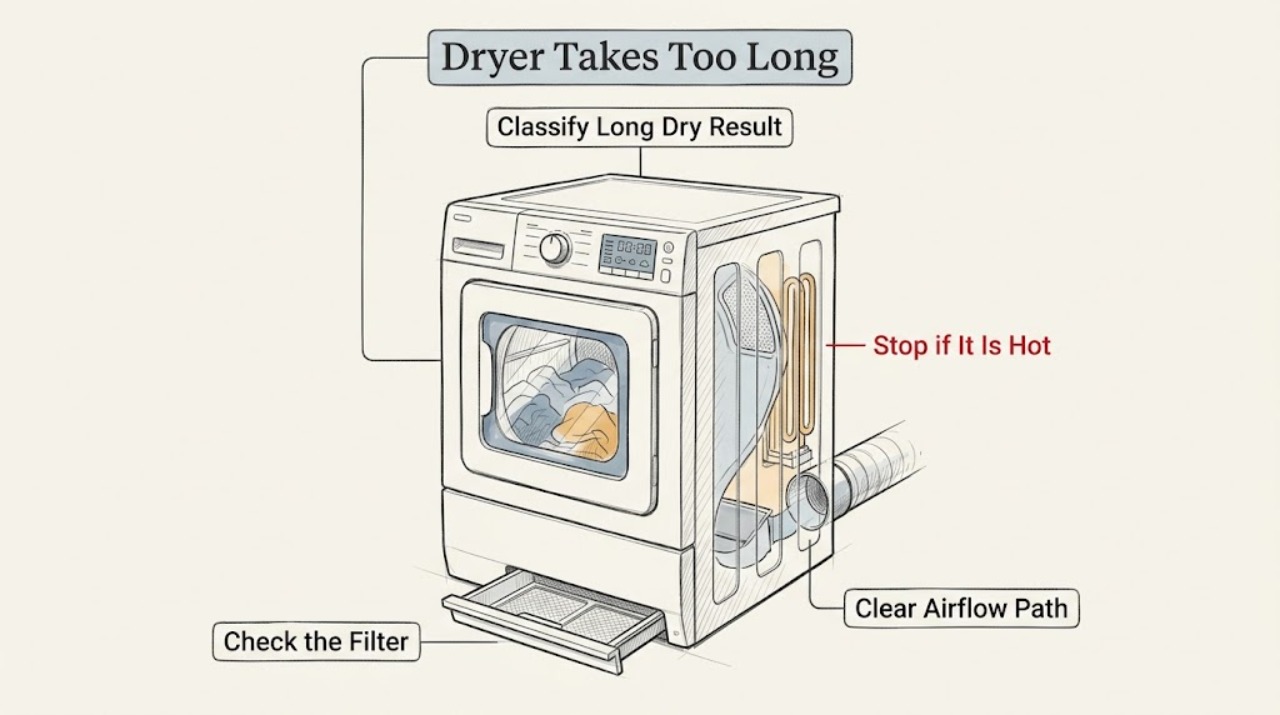
Work through in order
Diagnostic checks
Use only checks that match the exact appliance or system and its official guide.
-
Check 1
After the dryer has safely stopped, record whether the load is warm and damp, cool and damp, partly dry with wet spots, or fully dry only after multiple cycles. Note the selected cycle and options, load size and fabric mix, whether time increased, and whether an airflow warning, error, unusual heat, odor, or noise appeared.
Expected result: Clothes are warm but damp, the dryer is not heating, only bulky or mixed loads take longer, all automatic cycles run long, or the display shows an airflow or other error.
Next step: Use the pattern to select the filter, vent, cycle, load, heat, or sensor check below. Do not keep running cycles when there is smoke, a burning smell, severe heat, a damaged cord, or a recurring protective trip.
Stop if: Stop immediately for smoke, sparking, burning odor, severe heat, water near electrical parts, a damaged cord or plug, or a drum that is stuck or making a worsening mechanical noise; isolate power only when safe and arrange qualified help.
Why this matters
Why: Warm but damp clothes make airflow, filter, vent, load, or moisture-sensing issues more likely; cool clothes keep heating or power issues in consideration. A load-specific problem points toward loading or cycle selection, while all-load problems or codes need broader diagnosis.
-
Check 2
With the dryer off, remove the lint screen from its model-specific location, clear lint, and inspect the surrounding user-accessible housing for residue or a fabric-softener film. If the exact Amana manual permits washing the screen, use warm water and a soft brush, then dry it fully before refitting it.
Expected result: The screen is packed with lint, has invisible-feeling residue, is damaged or not seated, or is clean and correctly fitted.
Next step: Refit a dry, intact screen and run one suitable representative load. If the screen cannot seat, the housing contains inaccessible lint, or long times persist, arrange qualified service.
Stop if: Do not operate without the lint screen, force it into place, push lint into the air duct, or open the cabinet to clean internal lint as an ordinary user check.
Why this matters
Why: A blocked or coated screen can reduce airflow and extend drying time even when loose lint is not obvious. A clean, undamaged screen makes the external vent, load, cycle, sensor, heat, or internal airflow path more likely.
-
Check 3
Unplug the dryer before inspecting the accessible vent hose behind it. Look for a kink, crush point, excessive length, or visible lint at the wall connection. Outside, check that the exhaust hood flap opens and that lint, debris, or a nest is not blocking it; do not pull a built-in dryer out or dismantle the vent connection.
Expected result: The hose is crushed or kinked, the outside hood is blocked, airflow feels weak during a normal safe test, the vent run has many bends or unusual length, or the accessible path appears clear.
Next step: Clear only an obvious external hood obstruction. Have the full vent path inspected or cleaned by a qualified person when it is inaccessible, long, crushed, or suspected to contain lint; arrange appliance service if long times remain.
Stop if: Do not use plastic or foil accordion ducting as a substitute, crawl into unsafe spaces, move the dryer or disconnect gas fittings, or keep operating with restricted airflow or abnormal heat.
Why this matters
Why: Restricted venting slows moist air leaving the dryer and is a leading explanation for warm damp loads and long drying times. A clear accessible path does not rule out an obstruction deeper in the home vent or an internal dryer fault.
-
Check 4
Compare the cycle and temperature with the fabric using the exact Amana manual. Confirm that Air Dry or Fluff, a low-heat setting, or an energy-saving option was not selected when heat and faster drying are expected. If there is no hazard and the manual permits it, use one short empty heated-cycle check to determine whether the dryer produces warmth.
Expected result: The cycle supplies no heat by design, an energy-saving option adds time, the dryer is warm but damp, or it remains cool during a heated cycle.
Next step: Choose a model-appropriate automatic heated cycle and test once. If a heated cycle remains cool, shows an error, or long times persist despite correct heat and airflow, stop and arrange qualified service.
Stop if: Do not run an empty heat test with smoke, burning odor, severe heat, a gas smell, damaged wiring, or an active fault; do not open the heater or burner compartment.
Why this matters
Why: Air-only, low-heat, and energy-saving choices can lengthen or prevent heated drying; Amana notes that its EcoBoost option can add substantial time. A cool heated cycle suggests a power, heating, gas-supply, or internal fault rather than only vent restriction.
-
Check 5
Separate heavy towels, bulky items, and lightweight garments rather than packing them together. Fill the drum only as the exact model manual recommends so items tumble freely, and do not add wet clothes after an automatic cycle has started. Confirm the dryer is stable and level if the manual uses sensor cycles.
Expected result: Only bulky or mixed loads take too long, the drum is overfilled or barely loaded, clothes were added mid-cycle, or all representative loads remain slow.
Next step: Run one correctly sized, similar-fabric load on the appropriate automatic cycle. If it still takes too long, continue to the sensor and service boundary rather than repeatedly increasing heat or time.
Stop if: Do not overload the drum, dry items excluded by the care label, bypass the level or door condition, or keep operating if the dryer is unstable or unusually hot.
Why this matters
Why: Overloading restricts tumbling and airflow, while fabric weight and adding wet items change the moisture estimate. A level dryer helps clothes contact moisture sensors on applicable automatic cycles. Persistent long times with a suitable load make airflow, heat, sensor, or service issues more likely.
-
Check 6
If the exact model has accessible moisture sensors, inspect them for visible residue and clean only as the manual directs. Record any AF or Check Vent indication, error code, lack of heat, unusual noise, odor, and the approximate vent path. Capture the model and serial information from an ordinary-access label without moving or opening the appliance.
Expected result: Sensor residue is present, the sensor is clean but all loads remain slow, an airflow warning or error appears, no heat is present, or the dryer makes an unusual noise.
Next step: Arrange qualified Amana appliance or vent service when a safe correction does not restore normal drying. Give the technician the model, load and cycle, warmth result, airflow and filter checks, sensor condition, code, and noise or odor history.
Stop if: Do not open the cabinet, test live circuits, remove a heater or motor, or continue using the dryer with a recurring error, overheating, smoke, burning smell, or damaged cord.
Why this matters
Why: Residue can impair automatic sensing, while clean sensors with persistent long times keep restricted venting, heating, power, motor, fan, or control faults in consideration. Amana treats persistent long times, no heat, codes, and unusual noises as reasons to schedule service.
Use your observations
Decision map
Find the observation that best matches what you see, then follow the next safe action.
-
PATH 01Safety boundary
What you see
Do this next
Clean and refit the user-accessible screen, clear only visible outside obstruction, and have the full vent path inspected or cleaned when needed. Arrange service if the symptom returns.
Why this path and its safety boundary
Why it matters: Restricted airflow or lint is more likely than a simple cycle-time preference and can substantially extend drying.
Safety stop: Do not operate with restricted airflow, overheating, a missing filter, or a recurring warning.
-
PATH 02Safety boundary
What you see
Do this next
Separate similar fabrics, load the drum for free tumbling, and use the model-appropriate heated automatic cycle. Test once with a representative load; escalate if it remains slow.
Why this path and its safety boundary
Why it matters: Load composition, tumbling space, moisture estimate, or cycle choice is more likely than an immediate component failure.
Safety stop: Do not overload the drum, repeatedly change settings while the dryer is hot, or dry excluded fabrics.
-
PATH 03Safety boundary
What you see
Do this next
Clean the sensor only by the exact manual method and correct a visible leveling condition according to the manual. Arrange service if the sensor is clean or inaccessible and the issue persists.
Why this path and its safety boundary
Why it matters: Moisture sensing or sensor contact is more likely, although heat and airflow must still be adequate.
Safety stop: Do not use abrasives, steel wool, tools, or cabinet disassembly on the sensor or leveling structure.
-
PATH 04Safety boundary
What you see
Do this next
Stop repeated tests and arrange qualified appliance, electrical, or gas service as indicated. Do not open the heater, burner, or electrical compartment.
Why this path and its safety boundary
Why it matters: A heating, gas, electrical, control, or model-specific fault is more likely than a vent-only problem.
Safety stop: Stop for smoke, sparking, burning odor, gas smell, damaged cord, or severe heat and obtain appropriate urgent help.
-
PATH 05Safety boundary
What you see
Do this next
Keep operation to a minimum and arrange qualified Amana appliance or vent service. Provide the model, load, cycle, drying time, warmth, airflow, sensor, and error observations.
Why this path and its safety boundary
Why it matters: An internal airflow, heating, fan, motor, control, sensor, or other model-specific fault is more likely than a user-maintenance issue.
Safety stop: Do not open panels, run with a panel removed, replace a component from drying time alone, or continue use with abnormal heat, noise, odor, or codes.
Helpful context
Understand the symptom
Warm but damp usually points to airflow or load conditions
If clothes are warm at the end but still damp, Amana's guidance makes restricted airflow a leading check: a clogged filter, crushed hose, blocked outside hood, excessive vent length, or too many bends can slow moist air leaving the dryer. An overloaded or mixed load can also restrict tumbling and airflow. A dryer that never gets warm is a different branch and needs heating or power diagnosis rather than only vent cleaning.
Automatic time is an estimate based on the load
Automatic cycles continuously sense moisture and can adjust their remaining time up or down as the load changes. A very small load, adding wet items after the cycle starts, a low-heat or air-only cycle, or a static-reduction option can change the expected duration. Use the exact model manual for cycle names and dryness settings instead of treating a displayed time as a fixed promise.
Keep vent and internal work within the service boundary
Clean the user-accessible lint filter and inspect external vent areas without opening the cabinet. Amana recommends professional inspection or cleaning when the home venting line is obstructed or performance has decreased. Do not pull a built-in dryer out, open panels, reach toward a heater or motor, or run repeated tests when the dryer is hot, damaged, or showing an error.
Safety boundary
Stop conditions
- Stop immediately for smoke, sparking, burning odor, severe heat, a damaged cord or plug, a gas odor, water near electrical parts, or a repeated protective-device trip; isolate power only when safe and arrange qualified help.
- Do not operate without a correctly fitted lint filter, with blocked or crushed venting, or with clothing contaminated by flammable liquids, solvents, oils, or other combustible substances.
- Do not open the cabinet, reach toward the heater, burner, fan, motor, or wiring, test live circuits, or perform internal vent cleaning as an ordinary user task.
- Do not use abrasives or steel wool on moisture sensors, force a filter or door, overload the drum, or keep changing cycles to mask a persistent long-dry symptom.
- Do not disconnect a gas dryer's vent or gas fittings for testing, and do not continue a heated test when the dryer is abnormal or overheating.
- Arrange qualified Amana appliance or vent service when filter, airflow, cycle, load, heat, sensor, level, and external power checks do not restore normal drying, or when codes or unusual noises recur.
Only after diagnosis
Potential parts
- dryer lint filter or vent component
Consider this category only if inspection confirms a damaged filter or model-specific airflow component after accessible cleaning and full vent evaluation.
Filter and vent components vary by exact Amana model and installation; confirm the model and manufacturer's fit information before ordering. - dryer moisture sensor or sensor assembly
Consider this category only when sensor cleaning and correct load and leveling do not restore automatic drying and a technician confirms sensor or wiring failure.
Sensor location, construction, and wiring vary by model; long drying alone does not establish a sensor failure or fit. - dryer heating, fan, motor, or control assembly
Consider this category only after qualified diagnosis confirms a heating, airflow, drive, motor, or control fault when representative loads remain slow after safe checks.
Electrical and mechanical assemblies are model-specific and require professional testing and exact model matching; do not select one from drying time alone.
When checks do not resolve it
Need a professional?
Arrange qualified Amana appliance or vent service when representative loads remain slow after cleaning the filter, checking accessible venting, selecting a suitable cycle, correcting the load, confirming heat, and checking model-approved sensor care; when the dryer does not heat, displays a recurring airflow or other code, or makes unusual noise. Use a qualified electrician or gas professional for a damaged cord, outlet, breaker, repeated trip, gas-supply concern, or gas odor. Provide the exact model and serial information if safely visible, load and cycle, warmth result, filter and sensor condition, vent type and approximate path, drying time, and any code, heat, odor, or noise.
Safety scope: This article supports only ordinary-access filter and sensor care, load and cycle checks, safe external vent observation, and external power or heat observations permitted by the exact manual. Internal vent, heater, burner, fan, motor, wiring, control, or gas-system work should be performed by a qualified professional with power and fuel isolated.
Common questions
FAQ
Why is my Amana dryer taking so long to dry clothes?
The most useful first checks are a blocked lint screen or vent, an overloaded or mixed load, an unsuitable or low-heat cycle, sensor residue, leveling, or no heat. Warm damp clothes with weak airflow point toward vent restriction; a cool heated cycle needs heating or power diagnosis. Persistent long times need service.
Can a clogged vent make an Amana dryer take longer to dry?
Yes. Amana says a clogged exhaust slows moist air leaving the dryer and extends drying time. Clean the user-accessible lint screen and inspect the outside hood and visible hose for blockage or crushing. Have inaccessible or internal venting cleaned or inspected by a qualified person, and stop if the dryer overheats.
Does an Amana dryer cycle get longer with a large or mixed load?
Yes. Heavy fabrics, bulky items, an overloaded drum, or mixing towels with lightweight items can restrict tumbling and change the moisture load. Separate similar fabrics and load the drum so items tumble freely according to the model manual. If a correctly sized representative load remains slow, investigate airflow, heat, and service causes.
Can an Amana dryer sensor or setting make the drying time seem too long?
Automatic cycles adjust their time from moisture, load, and selected dryness. Sensor residue, a level problem that prevents clothes contacting the sensors, low heat, Air Dry, or an energy-saving option can change the result. Follow the exact manual and clean the sensor only as directed; persistent issues need service.
When should I call for Amana dryer service for long dry times?
Arrange service when filter, accessible vent, load, cycle, heat, sensor, level, and external power checks do not restore normal drying; when the dryer does not heat, an airflow or other code recurs, or unusual noise appears. Stop immediately for smoke, burning odor, sparking, severe heat, a gas odor, or a damaged cord or plug.
Read the exact guide
Official sources
- Dry Time Keeps Going Up - DryerAmana Product Help · Manufacturer support page for Amana dryers whose displayed dry time changes or increases; used for automatic-cycle sensing and the effect of adding damp clothes after a cycle starts.
- Not DryingAmana Product Help · Manufacturer support page for Amana dryers that do not dry or have long dry times; used for filter, airflow, cycle, level, dryness, and service branches.
- Long Dry Times - DryerAmana Product Help · Manufacturer support page for Amana dryers with long drying times; used for heat, cycle, airflow, filter, vent, hood, vent-run, and service checks.
- Dryer is not Drying or Experiencing Long Dry TimesAmana Product Help · Manufacturer support article for Amana dryers taking too long or leaving items damp; used to cross-check load, heat, filter, vent, cycle, new-installation, and technician handoff guidance.
Community feedback
Share a repair observation
Share a plain-text repair observation. Accepted observations are published automatically; this page may take a moment to update.