
On this page
Start here
Quick answer
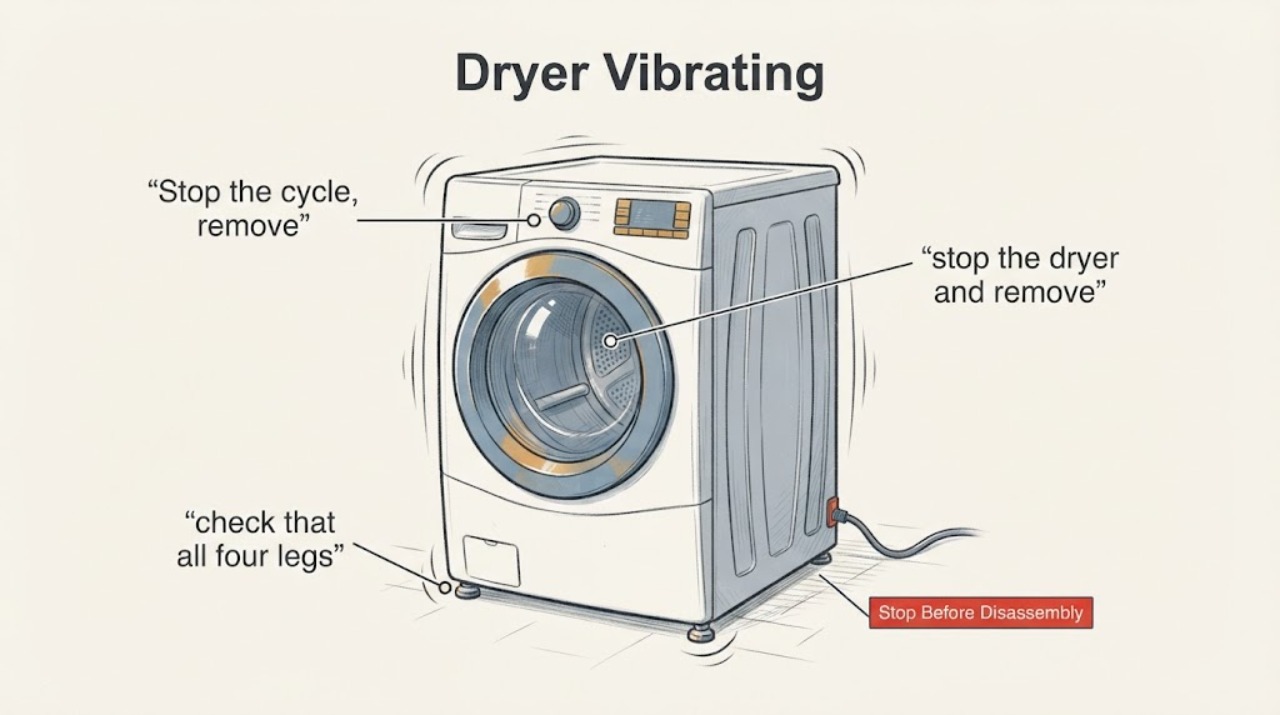
An Amana dryer that vibrates can have a balled-up load, shoes being tumbled, missing or unlevel legs, an object at the drum seam or lint chute, or something touching the cabinet, pedestal or vent. Stop the dryer before checking for loose objects, then test the genuinely different external conditions one at a time: redistribute the load, keep shoes on a drying rack, confirm all four legs contact a firm level floor, clear items around the cabinet and inspect only visible drum edges or the lint chute. If the vibration remains, becomes scraping or grinding, or the dryer is damaged, leave it off and arrange Amana or qualified service rather than opening the cabinet or guessing a roller, belt, motor or blower part.
Work through in order
Diagnostic checks
Use only checks that match the exact appliance or system and its official guide.
-
Check 1
Stop the cycle, remove the load, and inspect whether bulky sheets, curtains or other large items have bunched into a ball. Do not use the dryer to test a suspected mechanical problem with a heavy or knotted load.
Expected result: The load is balled or uneven, or it is loose and suitable for the selected cycle.
Next step: Loosen and redistribute the load, then use a suitable cycle. If vibration remains with a balanced load, continue with the installation and visible-object checks.
Why this matters
Why: Amana says a twisted or balled load can thump and make the dryer vibrate. This is a load condition, not proof of an internal failure.
-
Check 2
If shoes or another hard item are being tumbled, stop the dryer and remove the item. Follow the model manual’s approved drying method rather than continuing a shaking load.
Expected result: Shoes or another unsuitable hard item caused the shaking, or the vibration occurs with an appropriate load.
Next step: Use a drying rack for shoes. If the dryer still vibrates with an appropriate load, do not infer a part failure yet; check the floor and cabinet surroundings.
Why this matters
Why: Amana identifies tumbling tennis shoes as a cause of shaking or vibration; it recommends a dry rack for shoes.
-
Check 3
With the dryer stopped, check that all four legs are installed and that each leg contacts a firm floor. Confirm the cabinet is level front-to-back and side-to-side without rocking.
Expected result: A leg is missing, the cabinet rocks, or the floor is uneven; or all four legs are firmly planted and the cabinet is stable.
Next step: Adjust the leveling legs only as allowed by the installation instructions and ensure all four contact the floor. If the cabinet is stable, inspect nearby objects and the vent instead.
Why this matters
Why: Amana says missing legs or an unlevel floor can let the dryer rock or teeter and cause noise.
-
Check 4
Move or remove items leaning on the dryer, on top of it, in a pedestal drawer, or touching the rear vent. Leave clearance between a washer and dryer where cabinet vibration can transfer.
Expected result: The vibration changes when a nearby item, pedestal object or vent contact is removed, or the surroundings are clear.
Next step: Keep the identified object clear and confirm the vent is not pressing against the dryer. If the sound continues with no external contact, stop chasing external noise sources and seek service.
Why this matters
Why: Amana lists external contact and cabinet-to-cabinet transfer as causes of rattling or vibrating sounds.
-
Check 5
After the dryer is off, cool and disconnected as appropriate, look along the visible front and rear drum seams and through the lint-screen opening for a loose coin, pin, sock or similar object. Use only a dryer-specific lint brush for an accessible object; do not remove panels or reach into the blower housing.
Expected result: A loose object is visible at the drum edge or lint chute, or no accessible object is seen.
Next step: Remove only an accessible object with the dryer stopped and the lint screen installed before any future use. If the object is lodged, the sound is scraping/grinding, or no safe external cause is found, keep the dryer off and call service.
Why this matters
Why: Amana says small objects can lodge at the drum seam or lint chute and cause scraping, rattling or a blower-wheel noise; an empty visible check does not prove the motor, blower or rollers are good.
Use your observations
Decision map
Find the observation that best matches what you see, then follow the next safe action.
-
PATH 01Next step
What you see
The vibration occurs only with a balled load or while tumbling shoes.
Do this next
Redistribute the load or use a drying rack for shoes; do not diagnose an internal dryer part from that observation.
Why this path and its safety boundary
Why it matters: Amana identifies load shape and shoes as user-visible causes of thumping or shaking.
-
PATH 02Next step
What you see
The cabinet rocks, a leg is missing, or the floor is uneven.
Do this next
Level the dryer with all four legs firmly contacting the floor according to the installation instructions; arrange service if it cannot be stabilized.
Why this path and its safety boundary
Why it matters: The installation can transmit movement and noise through the cabinet.
-
PATH 03Next step
What you see
The vent, washer, pedestal, or an object on/against the dryer touches or transfers vibration to the cabinet.
Do this next
Clear the contact and leave the recommended space. If the vibration continues with clear surroundings, stop and request service.
Why this path and its safety boundary
Why it matters: The sound may be external contact rather than an internal dryer fault.
-
PATH 04Next step
What you see
A visible object is at the drum seam or in the lint chute, or the sound is scraping/grinding.
Do this next
Stop the dryer. Remove only an accessible object with the lint screen installed; for a lodged object or persistent scraping, leave the dryer off and call qualified service.
Why this path and its safety boundary
Why it matters: Amana identifies loose objects as possible noise sources, while scraping can indicate an object that should not be chased by opening the cabinet.
-
PATH 05Next step
What you see
The dryer vibrates with a balanced load, stable level installation and no accessible external object.
Do this next
Use the complete model number to arrange Amana or qualified service; do not open the cabinet or order a guessed part.
Why this path and its safety boundary
Why it matters: The opened Amana guidance does not identify a specific roller, belt, motor or blower failure from this symptom alone.
Helpful context
Understand the symptom
Start with the condition that can make the whole cabinet move
Amana says a balled-up load can thump and make the dryer vibrate, and shoes can shake the dryer. A dryer that is missing legs or is not level can also rock on the floor. These are separate checks: change the load first, then check the installation rather than diagnosing a roller or motor from the sound alone.
Separate cabinet contact from a drum or lint-chute object
Amana lists objects leaning against the dryer, items on top, a pedestal drawer, and a vent touching the rear as sources of rattling or vibration. It also says coins, socks and similar items can fall into the lint-chute housing and hit the blower wheel. With the dryer stopped, remove only accessible external objects and look through the lint-screen opening; do not reach into the cabinet.
Use the exact model before considering a repair part
Amana’s support pages direct owners to use the model number for manuals and literature and to schedule service if the external checks do not resolve the noise. No model or opened official parts diagram in this research establishes a roller, belt, motor or blower replacement. Persistent vibration should therefore go to qualified service.
When checks do not resolve it
Need a professional?
Use the complete Amana model number when contacting Amana or a qualified dryer technician. Persistent vibration after load, leveling and visible external checks needs a model-specific diagnosis; do not guess a roller, belt, motor or blower replacement.
Common questions
FAQ
Does vibration prove the Amana dryer roller or blower is bad?
No. Amana lists load shape, shoes, missing or unlevel legs, external contact, drum-seam objects and lint-chute objects before a specific internal diagnosis. Persistent vibration needs model-specific service.
What should I check first?
Stop the dryer, remove a balled-up load or shoes, then check all four legs and nearby contact points. Inspect only the visible drum seam or lint chute for an accessible object.
Can I keep running it to see whether the vibration stops?
Do not keep running it when the cabinet is unstable, the sound is scraping or grinding, an object is lodged, or the vibration persists after the safe external checks. Arrange service instead.
Read the exact guide
Official sources
- Thumping Sound - DryerAmana Product Help · Amana dryers; exact installation instructions remain model-specific
- Buzzing Sound - DryerAmana Product Help · Amana dryers; page covers external objects, vent contact and accessible lint-chute inspection
- Use & Care GuideAmana · Opened Amana use-and-care guide; model/edition applicability is not asserted beyond the manual’s own generic troubleshooting table
- Sounds or Noises in a DryerAmana Product Help · Amana dryers generally; exact model manual controls model-specific scope
Community feedback
Share a repair observation
Share a plain-text repair observation. Accepted observations are published automatically; this page may take a moment to update.