
On this page
Start here
Quick answer
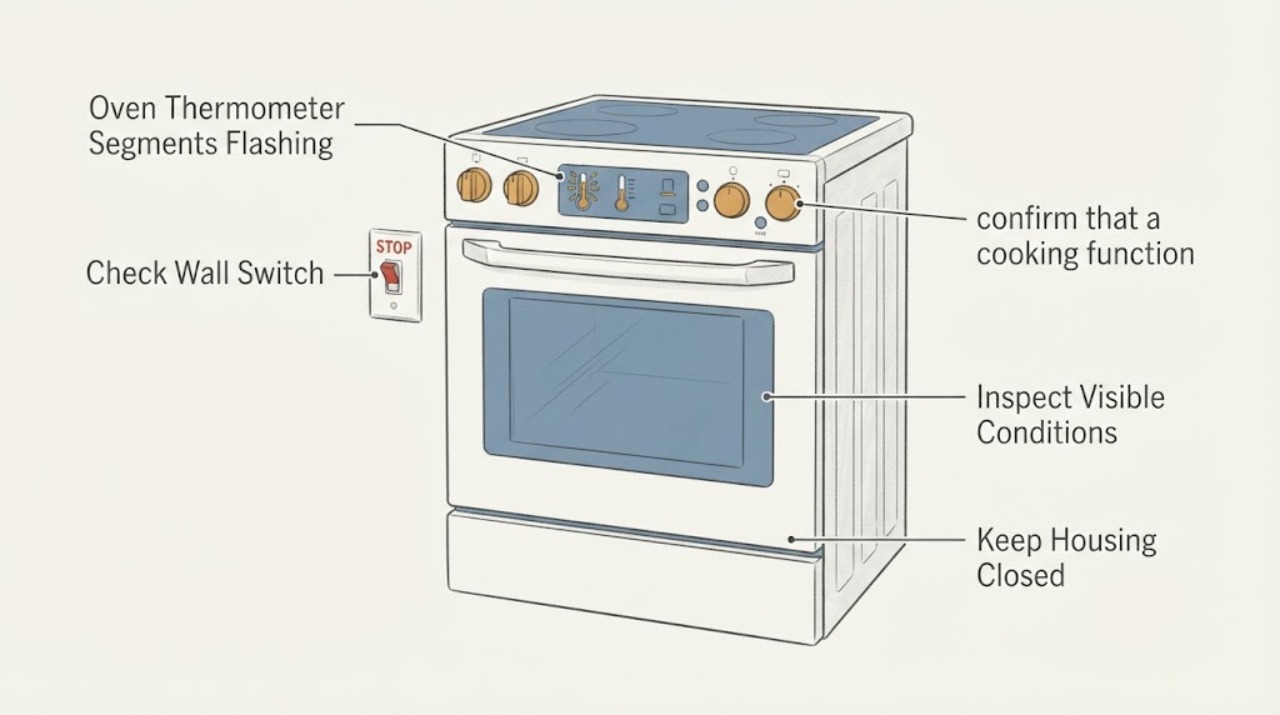
A flashing thermometer or temperature animation can be normal while a Beko oven is heating. Beko's official control-panel documentation says the three-line heating animation flashes while the oven rises to the set temperature and stops when the set temperature is reached, with a constant “C” symbol on that documented display. Because Beko controls vary by model and this task has no model number, do not treat the flashing segments as a universal error code. Check whether the oven reaches the selected temperature and whether the display changes as documented; if it never heats, cooks abnormally, shows smoke or a burning smell, or the segments remain abnormal after the oven is cool, stop using it and use the exact manual or an authorised service agent.
Before you begin
Safety first
- Do not open the control panel, remove covers, probe live wiring, bypass a thermal or door safety, or replace a thermostat, sensor, heating element or control board from the display symptom alone.
Work through in order
Diagnostic checks
Use only checks that match the exact appliance or system and its official guide.
-
Check 1
Note when the thermometer segments flash: immediately after selecting a function and temperature, throughout preheating, after the oven should be hot, or while the oven is switched off.
Expected result: The animation flashes only during heat-up and then stops; it remains flashing while the oven is cold; or it flashes when no heating program is selected.
Next step: Continue to the external heat and settings checks only if there is no smoke, burning smell or other hazard; otherwise switch the oven off and arrange service.
Why this matters
Why: A heat-up-only animation matches the opened Beko control-panel documentation. Persistent flashing without heat or flashing in standby is outside the documented normal sequence and needs model-specific interpretation.
-
Check 2
With the oven cool and controls accessible, confirm that a cooking function and temperature are selected and that any timer requirement for the model has been set.
Expected result: The function, temperature and timer are set; a setting is missing; or the oven still does not heat after the external settings are correct.
Next step: Correct only the visible setting described by the exact manual. If the oven still does not heat, stop troubleshooting at the controls and contact an authorised service agent.
Why this matters
Why: Beko identifies an unselected function, temperature or required timer as a possible no-heat cause, but a persistent problem is treated as a possible technical issue rather than a display-code diagnosis.
-
Check 3
From outside the oven, observe whether it produces the expected heat during a normal cycle; do not remove panels, probe wiring or deliberately run repeated cycles to reproduce the display.
Expected result: The oven heats and the segments change at temperature; it heats unevenly or stays cold; or smoke, burning smell, sparking or a damaged cord is present.
Next step: For abnormal heat or any safety sign, switch the oven off, keep it out of service and contact an authorised service agent. Do not perform live measurements or open the appliance.
Why this matters
Why: A normal heat-up transition supports a status indicator interpretation. No heat or abnormal heating requires service evaluation; smoke, burning smell or sparking is a stop-use safety condition, not a calibration exercise.
-
Check 4
Read the complete Beko model number from the accessible rating label and retrieve the matching user manual before trying to interpret a display that does not match the documented animation.
Expected result: The model manual describes the same thermometer animation; it describes a different display; or the model number cannot be obtained safely.
Next step: Follow only the matching manual for a confirmed model. If the model or display meaning remains unresolved, provide the model and a photo/description to authorised service rather than guessing a sensor, thermostat or board fault.
Why this matters
Why: The opened Beko documentation is tied to a particular control-panel document and explicitly notes that some display symbols vary by product model. A different or unknown display cannot be assigned the same meaning.
-
Check 5
If the oven heats but food is consistently too hot or too cold, compare the oven temperature using a standalone oven thermometer only as an external observation, following the model manual and keeping hands out of the cavity while hot.
Expected result: The measured temperature is reasonably consistent with the setting; it is consistently high/low; or the oven cannot safely complete the observation.
Next step: Do not adjust internal controls. Contact an authorised service agent for calibration or diagnosis when the result is consistently wrong or the observation cannot be done safely.
Why this matters
Why: Beko support treats a consistent hot/cold result as a possible calibration or service issue, not as proof that flashing segments identify a particular component.
Use your observations
Decision map
Find the observation that best matches what you see, then follow the next safe action.
-
PATH 01Next step
What you see
The thermometer animation flashes only while the oven is heating, then stops when the set temperature is reached and the documented C indicator appears.
Do this next
Use the oven normally while it heats, but use the exact model manual if your display symbols differ.
Why this path and its safety boundary
Why it matters: That sequence matches the opened Beko control-panel documentation and is a normal status indication for that documented design.
-
PATH 02Next step
What you see
The segments continue flashing while the oven stays cold, or the oven never reaches the selected temperature after the visible function, temperature and timer settings are correct.
Do this next
Switch the oven off and contact an authorised service agent; do not open panels or run live tests.
Why this path and its safety boundary
Why it matters: This is a no-heat or unresolved display behavior, not a confirmed thermostat, sensor or element code.
-
PATH 03Next step
What you see
The oven heats but repeatedly cooks too hot or too cold, and no smoke, burning smell or electrical hazard is present.
Do this next
Use an external oven thermometer only if the model manual supports that observation, then arrange authorised calibration/service if the result is consistently wrong.
Why this path and its safety boundary
Why it matters: Beko support treats a consistent hot/cold result as a possible calibration issue; flashing segments alone do not identify the cause.
-
PATH 04Next step
What you see
The display, control symbols or segment behavior do not match the opened Beko example, or the model number is unknown.
Do this next
Stop at external observation, retrieve the exact manual if safe, or give the model and display description to authorised service. Do not guess an internal part or code.
Why this path and its safety boundary
Why it matters: Beko display behavior varies by product model, so the exact meaning is not established at this scope.
Helpful context
Understand the symptom
When flashing segments are normal
On the Beko control-panel documentation that was opened, the three-line temperature animation flashes while the oven is heating toward the selected temperature. It stops when the target is reached and a constant C symbol appears. That is a heating-status indication on the documented control panel, not a general Beko error-code definition.
Use the result, not the symbol alone
Watch whether the oven actually warms and whether the indicator changes at the expected point in the cycle. If the segments keep flashing while the oven remains cold, the temperature is clearly wrong, or the display is accompanied by smoke, burning smell or repeated power problems, keep the oven off and arrange service. Do not infer a thermostat or heating-element failure from the symbol alone.
Model matching matters
The task does not include a Beko model number. Beko's support guidance says the manual should be consulted for the product model, while its no-heat page only supports external checks of the outlet, selected function, temperature and timer before authorised service. Do not copy a button sequence from an unrelated Beko display.
When checks do not resolve it
Need a professional?
Use an authorised Beko service agent if the oven remains cold, the segments stay abnormal outside the documented preheat sequence, temperature is consistently wrong, or the model-specific meaning cannot be confirmed. Switch the oven off and stop use immediately for smoke, burning smell, sparking or visible electrical damage.
Safety scope: Do not open the control panel, remove covers, probe live wiring, bypass a thermal or door safety, or replace a thermostat, sensor, heating element or control board from the display symptom alone.
Have this ready
- Provide the full model number, country/region, whether the oven heats, when the segments flash, the selected function and temperature, whether a timer is set, and any smoke, smell, sparking or power symptoms.
Common questions
FAQ
Are flashing thermometer segments always an error on a Beko oven?
No. In the opened Beko control-panel documentation, a three-line temperature animation flashes while the oven is heating and stops at the set temperature. Because models differ, use the exact manual before treating a different flashing pattern as a fault.
What if the segments flash but the oven does not get hot?
Check only the visible cooking function, temperature and any required timer setting. If the oven still does not heat, switch it off and contact an authorised service agent; do not infer a failed thermostat or element or open the appliance.
Can I reset the oven to clear the flashing indicator?
A generic reset is not a documented meaning for this topic. Use the exact model manual for display controls. If the oven is cold or shows safety symptoms, keep it off and arrange service rather than repeatedly cycling power.
Could flashing segments mean the temperature is inaccurate?
The segments alone do not prove that. If cooking is consistently hot or cold, Beko support recommends checking with an oven thermometer and contacting an authorised service agent for calibration when needed.
Read the exact guide
Official sources
- How to I fix a range or an oven that does not heat?Beko Support · Opened Beko US support guidance. It supports checking the visible outlet, cooking function, temperature and timer, then directs persistent no-heat problems to an authorised service agent; it does not define the thermometer-segment display as a component code.
- Help Center ResultBeko Support · Opened Beko official oven help center. It directs owners to the model manual for display controls, says a consistent hot/cold oven can be checked with an oven thermometer and directs calibration to an authorised service agent.
- Introduction of the oven control panelBeko official product documentation · Opened Beko official documentation for an oven control panel. It describes a three-line heating animation flashing while the oven approaches the set temperature, stopping at the set temperature and showing a constant C symbol. It also notes that some symbols vary by product model.
Community feedback
Share a repair observation
Share a plain-text repair observation. Accepted observations are published automatically; this page may take a moment to update.