
On this page
Start here
Quick answer
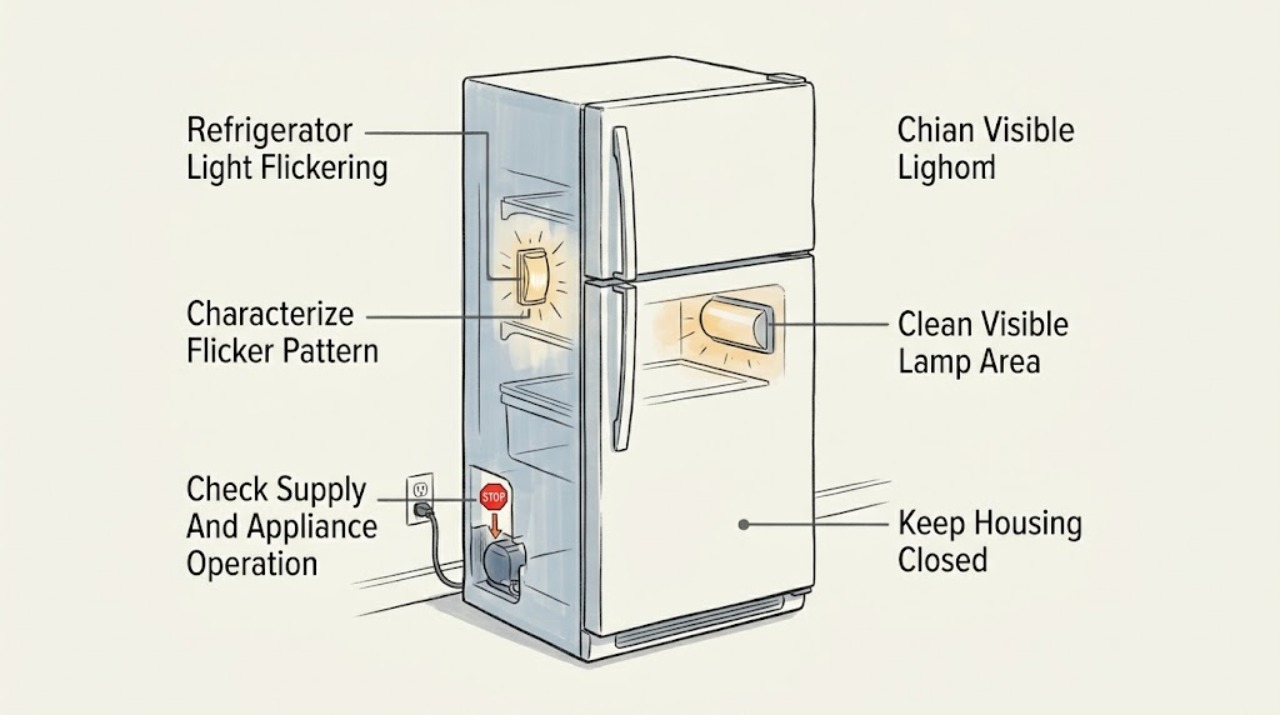
If a Blomberg refrigerator light flickers, first note whether the flicker occurs only as the door opens or closes, whether the display or cooling also cuts out, and whether the problem affects one lamp or all illumination. Check that the door is closing normally and that the visible lamp area is clean and dry, but disconnect power before any external cleaning. Use the exact model manual to identify the lamp arrangement: Blomberg manuals state that illumination details vary by model, and some explicitly direct owners to authorised service for bulb or LED replacement. Do not remove an LED module, lamp cover, or electrical panel yourself. If flickering is continuous, accompanied by buzzing, heat, a burning smell, sparking, a damaged cord, water near electrics, or interruptions to cooling, stop using the appliance and arrange qualified Blomberg service.
Before you begin
Safety first
- This article covers symptom recording, stable-operation observation, model-manual lookup, and power-isolated cleaning of accessible surfaces only. A qualified technician must handle LED or bulb replacement where directed, door switches, drivers, internal wiring, control boards, energized testing, and panel removal.
Work through in order
Diagnostic checks
Use only checks that match the exact appliance or system and its official guide.
-
Check 1
Observe the light with the door opening, closing, and held in its normal open position. Note whether one lamp or all illumination flickers, whether the display changes, and whether cooling continues normally. Do not hold a loose or damaged door in an unsafe position.
Expected result: Flicker occurs only during door movement, continues while the door is still, affects multiple lights or the display, or is limited to one lamp with otherwise normal operation.
Next step: Record the pattern and model number. Continue only with visible, power-isolated checks; arrange service for continuous flicker, multi-function interruption, or any unsafe symptom.
Stop if: Do not remove the lamp cover, operate a loose door switch manually, or probe a connection.
Why this matters
Why: A movement-linked symptom may involve the door switch or lamp connection; a continuous or multi-function flicker makes a supply, control, or internal wiring issue more likely. A single-lamp symptom still does not prove that a user-replaceable bulb is fitted.
-
Check 2
Check whether the refrigerator display, controls, and cooling remain stable while the light flickers. Without moving the appliance or opening an electrical panel, look for a loose plug, damaged cord, or other appliance symptoms and confirm the household outlet is not visibly damaged.
Expected result: The display or cooling also cuts out, the cord or outlet is damaged, the light flickers but the appliance otherwise runs normally, or the symptom follows a recent power interruption.
Next step: Stop using a damaged cord or outlet and arrange electrician or appliance service as appropriate. If the supply is stable, document the lamp-only pattern for a Blomberg service request.
Stop if: Do not use extension or multi-socket arrangements to bypass a problem, reset repeatedly after sparking, or test live wiring.
Why this matters
Why: A whole-appliance interruption points beyond the lamp to the supply, cord, control, or internal power path. A lamp-only flicker narrows the visible symptom but still requires model-specific lamp and switch diagnosis.
-
Check 3
Unplug the refrigerator or isolate it at the supply, then inspect only the accessible lamp lens and surrounding area for condensation, spilled liquid, residue, or a door seal that is not closing. Wipe only accessible surfaces with a soft dry cloth if the model manual permits.
Expected result: Moisture or residue is visible, the door is not sealing, the lens appears cracked or loose, or the visible area is clean and dry.
Next step: Remove only surface moisture or residue with power isolated. Leave a cracked, loose, or wet lamp area unused and arrange service; do not remove the lens or module.
Stop if: Keep water away from the lamp cover and electrics; do not clean an energised appliance or use solvents, sharp tools, or abrasive materials.
Why this matters
Why: Moisture or a door that remains ajar can affect the lamp area, but a loose or cracked lens may expose electrical parts. A clean, dry area with persistent flicker makes an internal lamp, switch, driver, or control fault more likely.
-
Check 4
Use Blomberg's model-and-serial guide to obtain the manual for the complete refrigerator model. Look for the illumination section and confirm whether the model uses a bulb, LED, or an integrated lamp assembly; do not infer compatibility from appearance.
Expected result: The manual directs lamp or LED replacement to authorised service, identifies an integrated or model-specific lamp, or provides a user-accessible procedure that does not match the appliance.
Next step: Follow the model manual's service direction and give the technician the model, serial, flicker pattern, and any supply or cooling symptoms. If the manual is unavailable or the part is integrated, use authorised service.
Stop if: Do not remove an LED module, lamp cover, door switch, or electrical panel, even if the lamp appears easy to reach.
Why this matters
Why: Blomberg documentation shows that lamp design and replacement boundaries vary by model. A procedure for another model is not permission to open this refrigerator.
Use your observations
Decision map
Find the observation that best matches what you see, then follow the next safe action.
-
PATH 01Safety boundary
What you see
The light flickers together with the display, controls, compressor, or cooling, or the cord/outlet shows damage.
Do this next
Stop using the appliance and arrange safe electrical or qualified appliance service. Preserve the flicker pattern and do not repeatedly reconnect it.
Why this path and its safety boundary
Why it matters: A household supply, cord, control, or internal power fault is more likely than an isolated lamp issue.
Safety stop: Stop immediately for smoke, burning odor, sparking, heat, exposed wiring, or water near electrical parts.
-
PATH 02Safety boundary
What you see
The lamp area is wet or dirty, the lens is visibly damaged, or the door does not close and seal normally.
Do this next
Isolate power and remove only accessible surface moisture or residue. Leave damaged or wet components unused and arrange service.
Why this path and its safety boundary
Why it matters: Moisture or a physical door/lens condition may be affecting the lamp area, but exposed electrical parts remain a service issue.
Safety stop: Do not remove the lens, dry inside a module, bend the door, or energise a wet lamp area.
-
PATH 03Safety boundary
What you see
Cooling and controls remain stable, but one lamp flickers continuously or the exact model manual directs bulb or LED work to authorised service.
Do this next
Arrange authorised Blomberg service and provide the exact model, serial, lamp behavior, and whether flicker changes with door movement.
Why this path and its safety boundary
Why it matters: An isolated lamp, driver, door switch, or connection fault is more likely, but the part and safe access are model-dependent.
Safety stop: Do not install a universal bulb, remove an integrated LED, or open the lamp or control housing.
-
PATH 04Safety boundary
What you see
Flicker persists after visible cleaning and stable-supply observations, or is accompanied by buzzing, heat, odor, sparking, cord damage, or loss of cooling.
Do this next
Stop using the refrigerator and arrange qualified Blomberg service; move perishable food to a known-safe cold appliance if cooling is unreliable.
Why this path and its safety boundary
Why it matters: An internal electrical, lamp-driver, control, or broader appliance fault is more likely than removable surface residue.
Safety stop: Do not continue operating to test the symptom, remove panels, or test live components.
Helpful context
Understand the symptom
First separate a door-triggered change from electrical flicker
A light that changes as the door moves may relate to the door switch, lamp connection, or control behavior, but the symptom alone cannot identify the cause. Note whether the display, compressor, or cooling also stops, and whether the flicker is limited to opening and closing or continues with the door held still. Blomberg panels and optional features differ between models, so use the complete model number before interpreting a lamp or indicator.
Only inspect what is visible and safe
With the appliance disconnected from power, you may wipe accessible moisture or residue from the visible lamp area with a soft, dry cloth if the model instructions allow it. Do not remove a lens, LED module, door switch, control panel, or cabinet cover to reach a connection. Blomberg manuals warn to keep water away from the lamp cover and other electrical parts.
Lamp replacement is model-dependent professional work
The repair boundary is deliberate: a Blomberg fully integrated larder-fridge manual says to call authorised service to change the bulb or LED, and the KFD4952XD manual likewise directs owners to authorised service for interior-light problems. Do not assume that a universal bulb, LED strip, or plug-in module fits your refrigerator. The exact model manual and rating information are needed before a technician selects a replacement.
Flicker plus other symptoms needs prompt service
Flickering that is continuous or accompanied by buzzing, heat, burning odor, sparking, a damaged cord, a dark display, or a loss of cooling should be treated as an electrical or appliance fault rather than a lamp-maintenance task. Stop using the refrigerator and keep water away from electrical parts. Blomberg's support route can match the repair request to the model and serial information.
Safety boundary
Stop conditions
- Stop using the refrigerator for smoke, a burning smell, sparking, abnormal heat, a damaged cord, exposed wiring, water near electrical parts, or simultaneous loss of cooling and power symptoms.
- Disconnect power before any permitted external cleaning, and keep water away from the lamp cover and electrical parts.
- Do not remove an LED module, bulb cover, door switch, control panel, or cabinet panel; internal electrical and lamp-module work belongs to qualified service.
- Do not install a universal lamp or part based on appearance, and move perishable food to a known-safe cold appliance if cooling is unreliable.
When checks do not resolve it
Need a professional?
Safety scope: This article covers symptom recording, stable-operation observation, model-manual lookup, and power-isolated cleaning of accessible surfaces only. A qualified technician must handle LED or bulb replacement where directed, door switches, drivers, internal wiring, control boards, energized testing, and panel removal.
Common questions
FAQ
Why is my Blomberg refrigerator light flickering?
Record whether the flicker occurs only as the door moves or continues while it is open, and whether the display or cooling also cuts out. Check only the visible, dry lamp area with power isolated. A persistent or multi-function flicker needs qualified service, and the cause cannot be identified from the symptom alone.
Can I replace a flickering LED in my Blomberg refrigerator?
Do not assume it is user-replaceable. Blomberg manuals for the cited models direct owners to authorised service for bulb or LED changes or lamp problems. Use the exact model manual and arrange professional service rather than removing an LED module or cover.
What can I safely clean when the refrigerator light flickers?
After disconnecting power, you may clean only accessible surface residue or moisture if the model instructions allow it. Keep water away from the lamp cover and electrical parts. Do not remove the lens, switch, module, or panel to clean inside.
Is a flickering refrigerator light an electrical hazard?
It can be, especially when the flicker is continuous or accompanied by buzzing, heat, burning odor, sparking, a damaged cord, water near electrics, or loss of cooling. Stop using the appliance and arrange qualified service for those symptoms.
What information should I give Blomberg service?
Provide the complete model and serial information, a photo or video of the flicker, whether it changes with door movement, whether the display and cooling remain stable, and any moisture, door-seal, cord, buzzing, heat, odor, or sparking observation.
Read the exact guide
Official sources
- Domestic Appliance Repairs | BlombergBlomberg · Official Blomberg repair-support page for unresolved appliance faults.
- Fully Integrated Larder FridgeBlomberg · Official manual for the TSM1750u family; its authorised-service lamp instruction is model-specific and not a universal replacement rule.
- Refrigerator / User Manual KFD4952XDBlomberg · Official manual for KFD4952XD; LED and indicator details are examples for that model and must not be generalized to other Blomberg refrigerators.
- Find Your Model & Serial NumberBlomberg · Official Blomberg support page; model and serial information identifies the applicable manual and repair path.
- Product ManualsBlomberg · Official Blomberg support page for obtaining the manual applicable to the complete refrigerator model.
Community feedback
Share a repair observation
Share a plain-text repair observation. Accepted observations are published automatically; this page may take a moment to update.