
On this page
Start here
Quick answer
If a Bosch refrigerator light flickers, first note whether only the interior light changes or the display and other appliance functions also flicker. Then check the plug and breaker from outside, and with power disconnected inspect the accessible door light switch and light lens for sticking, food residue, moisture, heat marks, or visible damage. Bosch refrigerator manuals identify a sticking light switch, a defective LED or illuminant, an opened door, and a power or plug problem as different paths; they also direct damaged appliances and electrical repairs to trained service personnel. If the flicker involves the display or compressor, the switch does not move normally, the lens or wiring area is damaged or wet, the light stays on with the door closed, or the cause remains unexplained, keep the refrigerator safely powered down if food safety allows and arrange Bosch or qualified appliance service.
Before you begin
Safety first
- The user may observe the symptom, check the external plug and breaker without touching damaged parts, and with power disconnected inspect and gently clean an intact accessible switch or lens. Internal light modules, sockets, wiring, door-switch replacement, control boards, and live electrical testing belong to trained or qualified service.
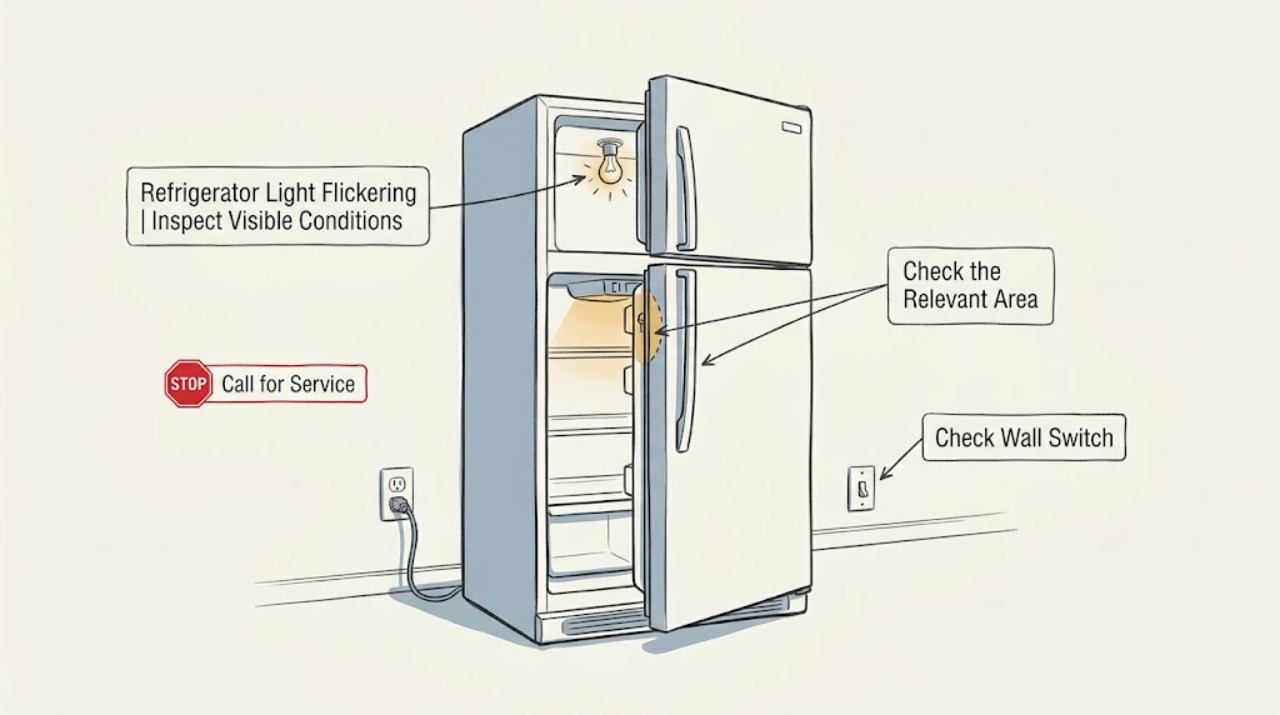
Work through in order
Diagnostic checks
Use only checks that match the exact appliance or system and its official guide.
-
Check 1
Observe the existing symptom without deliberately cycling the door or controls: note whether the interior light alone flickers, whether the display or other lights change at the same time, and whether the event occurs as the door reaches a particular position or while it is still open.
Expected result: Only the interior light flickers with door movement; the light flickers while the door is stationary; or the display, controls, compressor, or other appliance functions flicker as well.
Next step: Use the matching branch below. Stop observing if there is heat, smell, moisture, arcing, or visible damage, and keep the refrigerator disconnected or obtain qualified help as appropriate.
Stop if: Do not create a test by repeatedly opening the door, pressing the switch, cycling the plug, or changing wiring.
Why this matters
Why: A door-position pattern makes the door switch or its alignment more plausible. A light-only flicker independent of the door makes the light assembly or its wiring more plausible. Wider appliance symptoms make an external supply or internal control issue more important; the pattern does not identify a replaceable part by itself.
-
Check 2
Check the refrigerator's external power path without opening the appliance: confirm the plug is seated if it is safe to touch, look for a tripped breaker, and note whether the refrigerator display and cooling operation are stable. Do not touch a hot, wet, loose, scorched, or damaged plug, receptacle, or cord.
Expected result: The breaker is tripped, the plug is loose, the display or cooling also cuts out, the outlet or cord shows damage, or the external power path appears normal while only the light flickers.
Next step: Have a qualified electrician address a damaged or unstable household connection. If the outlet is sound but the refrigerator loses power or the breaker trips again, leave the appliance off and arrange service; if external power is stable, continue only with the disconnected visible switch and light-area check.
Stop if: Do not use a meter, extension cord, adapter, bypass, or live electrical test, and do not repeatedly reset a tripping breaker.
Why this matters
Why: A tripped breaker or wider loss of display/cooling points away from a light-only fault and toward household supply or refrigerator power circuitry. Heat, moisture, or damage at the electrical connection is a safety issue. Stable power with an isolated light symptom makes the switch or light assembly more plausible, but does not rule out internal wiring.
-
Check 3
With the refrigerator switched off and disconnected from a safe power source, inspect the accessible door light switch and the surrounding door edge for food residue, a switch that is visibly stuck or misaligned, an obstruction, or a damaged mounting area. Wipe only an accessible, intact surface gently; do not remove the switch or its housing.
Expected result: The switch does not move freely, remains depressed when the door is open, is obstructed by residue, or looks normal and the flicker does not correlate with door movement.
Next step: Remove only loose surface residue from an intact, accessible switch area. If the switch remains sticky, loose, damaged, or the flicker continues, leave internal switch and wiring work to Bosch or qualified service rather than forcing or bypassing the switch.
Stop if: Do not press the switch repeatedly to reproduce the flicker, bridge its contacts, pull it from the cabinet, or work on it while energized.
Why this matters
Why: A sticking or obstructed switch can interrupt the light circuit as the door moves. A normal-looking switch does not exclude a failed switch contact, door alignment issue, or internal wiring fault, and a switch that is loose or damaged is not a cleaning problem.
-
Check 4
While power remains disconnected and the refrigerator is cold, inspect the visible light lens and nearby cabinet surface for condensation, water entry, heat discoloration, cracking, a loose cover, dark spots, or exposed wiring. Do not remove the lens or cover to reach the LED or bulb.
Expected result: The lens or surrounding surface is wet, hot, cracked, discolored, loose, or shows exposed wiring; the light is dark or visibly failing; or the visible light area is intact.
Next step: Keep the refrigerator disconnected if safe food storage is secured and arrange qualified service for any damage, moisture, heat, exposed wiring, or persistent flicker. Do not order or replace a lamp or LED module until the exact model and the authorized repair procedure are confirmed.
Stop if: Do not remove a light cover, handle a lamp socket or LED board, dry energized parts, or continue using a light area that is hot, wet, cracked, or scorched.
Why this matters
Why: Moisture, heat, discoloration, exposed wiring, or a cracked or loose light area requires service and should not be treated as a bulb-only issue. A dark or failing LED/illuminant is a light-assembly possibility, but the exact lamp or module and its fit depend on the model. An intact visible area does not rule out internal electrical failure.
-
Check 5
Record the exact Bosch model and serial information, the flicker pattern, whether the display or cooling changed, the door position, the switch and light-area observations, and any smell, heat, moisture, or breaker event. Give those details to Bosch support or a qualified appliance technician.
Expected result: The flicker persists after safe external and visible checks, occurs with a stable door and known-stable supply, involves the display or cooling, or is accompanied by any damage, heat, moisture, or smell.
Next step: Arrange Bosch or qualified service and keep the appliance out of service when electrical or physical damage is present. Ask the provider to assess the supply, door-switch operation, light assembly, wiring, and control path before selecting a part.
Stop if: Do not keep the refrigerator operating to monitor a worsening electrical symptom, and do not attempt internal electrical repair.
Why this matters
Why: The accessible evidence has not isolated a user-serviceable cause. A light module, door switch, wiring, control, or supply fault may be involved, but the symptom alone cannot establish which part is compatible or safe to replace.
Use your observations
Decision map
Find the observation that best matches what you see, then follow the next safe action.
-
PATH 01Next step
What you see
Only the interior light flickers as the door moves, the display and cooling remain stable, and the visible switch is sticky, obstructed, or not returning normally.
Do this next
Clean only loose residue from an intact accessible area with power disconnected. If the switch still sticks, is loose, or the flicker remains, arrange qualified service and do not bypass the switch.
Why this path and its safety boundary
Why it matters: The door-switch or door-alignment path is more likely than a household supply problem, but a switch contact or wiring fault cannot be confirmed from movement alone.
-
PATH 02Next step
What you see
The interior light flickers while the door is stationary, the display and cooling are otherwise stable, and the visible switch and lens appear intact.
Do this next
Keep internal electrical work out of the user check, record the model and symptom, and arrange Bosch or qualified service. Do not remove the light cover or replace a module based on the symptom alone.
Why this path and its safety boundary
Why it matters: A light assembly, LED/illuminant connection, or internal light-circuit fault is more plausible than a door-position problem, but the exact component is model-dependent.
-
PATH 03Next step
What you see
The light flickers together with the display or cooling, the breaker trips, the plug or outlet is hot or damaged, or the refrigerator loses power.
Do this next
Do not repeatedly reset the breaker or cycle the plug. Keep clear of damaged electrical parts, use an electrician or qualified appliance service as appropriate, and protect perishable food while the refrigerator is out of service.
Why this path and its safety boundary
Why it matters: This is not an isolated light symptom. Household supply, the power connection, or the refrigerator's internal power/control path needs qualified assessment.
-
PATH 04Next step
What you see
The light area is wet, hot, scorched, cracked, loose, or shows exposed wiring, or the flicker has no clear visible cause.
Do this next
Leave the appliance disconnected when safe and arrange Bosch or qualified service. Do not remove covers or attempt to dry, re-seat, or replace internal light or electrical parts.
Why this path and its safety boundary
Why it matters: The refrigerator has crossed the safe visible-check boundary. Moisture, heat, physical damage, or an unexplained electrical symptom may make continued operation unsafe.
Helpful context
Understand the symptom
Use the flicker pattern to separate the likely path
A light that flickers only while the door is moving points toward the door-switch or door-alignment path. A light and display that change together point toward the refrigerator's supply or control path. A light that flickers independently of door movement, or a lens that is hot, wet, discolored, or damaged, points toward the light assembly or an internal electrical fault. These are diagnostic patterns, not proof that a particular part has failed.
Keep internal electrical work out of a home check
Do not remove the light cover, pull wires, probe terminals, bypass the door switch, or open a control compartment. Before wiping an accessible switch or lens, switch the refrigerator off and disconnect it if the plug and outlet are safe to touch; otherwise keep clear and use the appropriate breaker or qualified help. If shutting down the refrigerator could put food at risk, arrange service promptly and follow safe food-storage guidance.
A long door-open period can mimic a fault
Bosch manuals note that refrigerator lighting can switch off after a door has remained open for too long and can come back after the door is closed and opened. That behavior is different from repeated flicker during ordinary door use. Do not repeatedly open and close the door as a test; record what you already observed and use the model manual or service route if the pattern persists.
Only after diagnosis
Potential parts
- refrigerator door light switch
Consider this only if a qualified diagnosis confirms that the switch is sticking, damaged, misaligned after door inspection, or electrically faulty; a flicker alone does not prove the switch is the failed part.
Confirm the exact Bosch model number and authorized parts information before ordering or installing a switch. - refrigerator LED light module or illuminant
Consider this only if Bosch or a qualified technician confirms a defective light assembly and the model's service procedure identifies an approved replacement; a stable supply and light-only symptom can still involve wiring or controls.
Use the refrigerator model number and Bosch parts information to confirm the correct assembly; do not substitute a generic lamp or open the light housing as a user check.
When checks do not resolve it
Need a professional?
A qualified technician should assess recurring or unexplained flicker, a defective LED or illuminant, a sticking or damaged door switch, wider power symptoms, or any heat, moisture, scorch, exposed wiring, cord, plug, or outlet damage.
Safety scope: The user may observe the symptom, check the external plug and breaker without touching damaged parts, and with power disconnected inspect and gently clean an intact accessible switch or lens. Internal light modules, sockets, wiring, door-switch replacement, control boards, and live electrical testing belong to trained or qualified service.
Common questions
FAQ
Why does my Bosch refrigerator light flicker when I open the door?
If the flicker follows the door position while the display and cooling remain stable, a sticking, obstructed, or misaligned door light switch is more plausible. Disconnect power before cleaning an accessible intact switch area, and arrange service if it remains abnormal.
Could a power problem make a Bosch refrigerator light flicker?
Yes. If the display, controls, cooling, or other lights change with the interior light, check the external plug and breaker without touching damaged parts. A hot, wet, loose, or damaged connection, a tripping breaker, or repeated power loss needs qualified electrical or appliance service.
Can I replace the flickering LED in my Bosch refrigerator?
Do not choose or install a light module from the symptom alone. Bosch manuals and parts guidance are model-specific, and internal light, socket, wiring, and control work should be handled through Bosch or qualified service unless the exact manual provides a safe user procedure for that model.
What if the Bosch refrigerator light flickers but the switch looks normal?
A normal-looking switch does not rule out a failed switch contact, light assembly, wiring, or control. Keep the light housing closed, record whether the flicker occurs with the door stationary, and arrange service if the symptom persists.
When should I stop using a Bosch refrigerator with a flickering light?
Stop and arrange service for heat, moisture, scorch marks, cracks, exposed wiring, a damaged cord or outlet, a tripping breaker, flicker in the display or cooling, or an unexplained recurring symptom. Keep clear of unsafe electrical parts and protect perishable food while service is arranged.
Read the exact guide
Official sources
- Refrigerator Not Cooling Properly | Troubleshooting | Bosch Home AppliancesBosch Home Appliances · Bosch refrigerator troubleshooting when power, display, and wider appliance behavior need to be distinguished from an interior-light-only symptom
- Instructions for use and installation DU KAN90..Bosch · Bosch DU KAN90.. refrigerator manual used for general manufacturer distinctions among power, light switch, LED lighting, and prolonged door opening; the exact model manual may differ.
- Get Support - Refrigeration | Bosch Home AppliancesBosch Home Appliances · Bosch refrigerator light-flicker cases needing model-specific documentation or qualified service
- Fridge and Fridge Freezer Spare Parts | BoschBosch Home Appliances · Bosch refrigerator light switch or LED module parts only after model-specific diagnosis and compatibility confirmation
- Fridge-freezer KUL.. | User manualBosch · Bosch KUL.. fridge-freezer manual used for model-dependent light and switch troubleshooting; procedures and components may differ by refrigerator model.
Community feedback
Share a repair observation
Share a plain-text repair observation. Accepted observations are published automatically; this page may take a moment to update.