
On this page
Start here
Quick answer
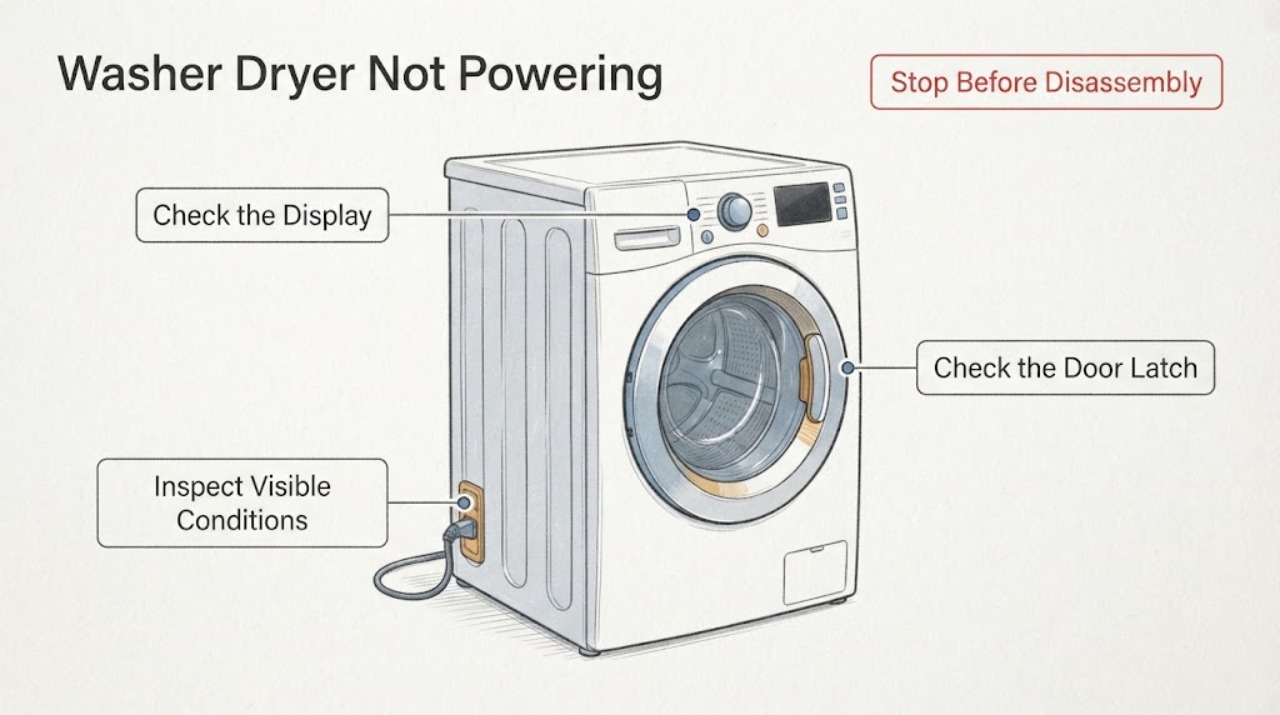
If the washer side of a Blomberg washer dryer will not power up, first separate a completely dark appliance from a lit display that will not start a wash. For a dark appliance, check the plug, socket, visible cord, and breaker or fuse without opening the machine. If the display is on, check that the door is fully latched, a valid programme is selected, and child lock is not preventing the controls from responding. If the manual permits it and there is no sign of damage, try one brief unplug-and-reconnect reset. If the washer remains dead, the breaker trips again, the cord is hot or damaged, or there is smoke, burning smell, water, or a recurring fault, stop and arrange qualified service.
Work through in order
Diagnostic checks
Use only checks that match the exact appliance or system and its official guide.
-
Check 1
Classify the symptom before touching anything: check whether the entire washer dryer is dark, whether the display lights but a wash will not start, or whether only the washer side is unresponsive.
Expected result: The panel may be completely dark, may light normally while refusing to start, or may show a partial response or indicator.
Next step: For a dark unit continue to the plug, socket, cord, and breaker check. For a lit panel continue to the door, programme, and child-lock check. Do not open the cabinet.
Why this matters
Why: A completely dark unit keeps the external supply and appliance power path open. A lit panel shifts the next checks toward the door, programme, and control state; a partial response should be recorded rather than treated as a confirmed board failure.
-
Check 2
Check the plug and wall socket, then inspect only the accessible power cord and the relevant breaker or fuse. Test the socket with another suitable device and look for loose seating, visible cuts, crushing, or heat damage without moving the appliance beyond what is safe.
Expected result: The socket may work or fail, the plug may be loose, the cord may show damage, or the breaker may be tripped or trip again.
Next step: Reseat a loose plug only if it and the socket are dry and undamaged. Do not repeatedly reset a breaker, use a damaged cord, or open the appliance. If the supply remains normal, continue to the door and control checks or one permitted reset.
Why this matters
Why: A failed socket or tripped protection points to the supply path and needs appropriate electrical attention. A damaged or hot cord creates a stop condition. A normal socket and stable breaker leave an appliance-side fault possible but do not identify a component.
-
Check 3
When the control panel is lit, close the loading door firmly, confirm the latch engages, select a valid programme, and check whether child lock is preventing the controls from responding.
Expected result: The door may not latch, the programme may be absent or invalid, a child-lock indicator may be present, or all visible start conditions may look normal.
Next step: Correct one visible door or setting issue according to the model instructions. Do not force the latch. If the panel stays on but the washer still will not start, record any indicator and arrange service after the optional reset.
Why this matters
Why: A door or control state can prevent a powered washer from starting without proving that the power supply or main control is defective. If all visible conditions are normal, the remaining fault is not safely identifiable from the outside.
-
Check 4
If the appliance is dry, shows no damage or electrical warning, and the model instructions allow it, disconnect it from mains electricity for a few minutes and reconnect it once.
Expected result: The display may return and controls may respond, or the appliance may remain dark or still refuse to start.
Next step: If it recovers, run only a supervised normal programme and stop for recurrence. If it does not recover, do not repeat resets or remove panels; prepare the service handoff.
Why this matters
Why: Recovery after one reset is consistent with a temporary control state, but it does not establish that an internal component is sound. No recovery keeps an appliance-side power or control fault open.
-
Check 5
Prepare the service handoff with the exact model and serial details if available, whether the whole appliance is dark or the panel is lit, socket and breaker results, door and child-lock observations, any displayed indicator, and the result of the single reset.
Expected result: The recorded pattern may show a stable supply with a dead unit, a lit panel that will not start, a repeated breaker trip, visible cord damage, or a temporary recovery.
Next step: Contact Blomberg support or a qualified appliance technician. Keep the washer dryer out of use if the unit remains dead, the protection trips, or any electrical, heat, smoke, sparking, or water hazard is present.
Why this matters
Why: These observations help support distinguish a supply issue, start-condition issue, and appliance-side electrical or control fault. They do not prove a particular failed part or safe DIY repair.
Use your observations
Decision map
Find the observation that best matches what you see, then follow the next safe action.
-
PATH 01Next step
What you see
The socket works, the breaker stays on, the cord and plug look dry and undamaged, but the whole washer dryer remains dark after one permitted reset.
Do this next
Keep the appliance disconnected if safe and arrange qualified appliance service. Do not remove panels or test live wiring.
Why this path and its safety boundary
Why it matters: The external supply checks did not explain the failure, so an appliance-side power, control, or display fault remains possible. The checks do not identify which internal component failed.
-
PATH 02Next step
What you see
The display is lit, but the washer will not start until the door is latched, a valid programme is selected, or child lock is cleared according to the model instructions.
Do this next
Correct the visible condition once and supervise the next start. If the washer still will not run or the condition returns, stop and arrange service.
Why this path and its safety boundary
Why it matters: The appliance has power and a start-condition or control-state issue is more likely than a completely dead supply. A corrected visible condition does not rule out a recurring latch or control fault.
-
PATH 03Next step
What you see
A breaker or fuse trips again, the cord or plug is hot or damaged, or there is smoke, sparking, burning smell, or water near the electrical supply.
Do this next
Stop using the appliance, isolate power only if that can be done safely, keep clear of damaged parts, and contact a qualified technician or appropriate electrical help.
Why this path and its safety boundary
Why it matters: This is an electrical or water safety boundary. Repeatedly restoring power could increase the hazard and cannot diagnose the fault safely.
-
PATH 04Next step
What you see
The appliance returns after one unplug-and-reconnect reset and completes a supervised programme without an abnormal indicator or hazard.
Do this next
Monitor the next normal programme and record any recurrence. If it becomes unresponsive again, stop repeating resets and arrange service.
Why this path and its safety boundary
Why it matters: A temporary control state is possible, but the reset is not proof of a durable repair. A repeat failure needs a proper diagnosis.
Helpful context
Understand the symptom
Start by identifying which part is not powering
A washer dryer can look unresponsive for different reasons. Note whether the entire appliance is dark, whether the display and controls light up but the washer will not start, or whether only the washer side fails while another function still responds. This first split determines whether to follow the external supply path or the door and control path. Do not remove panels or probe electrical parts to make the distinction.
Check the external power path safely
With the appliance left closed, confirm that the plug is fully seated and that the wall socket works with another suitable device. Look only at the accessible cord for cuts, crushing, heat damage, or a loose connection. Check the relevant breaker or fuse at the consumer unit. If a breaker trips again, the cord is damaged or hot, or there is a burning smell, smoke, sparking, or water near the electrical supply, stop and use the service boundary below. Do not repeatedly reset a protective device.
If the display is on, check the start conditions
A lit control panel means the supply path is not the only possibility. Close the loading door firmly and check that its latch is engaged. Confirm that a normal programme is selected and that the controls are not in a child-lock state. Correct only the visible setting or door condition; do not force the latch or dismantle it. If the panel remains lit but the washer still will not start after these checks, record any indicator or code and move to service rather than guessing at a control-board fault.
Try one controlled reset
If there is no visible damage, no water or burning smell, and the model instructions do not prohibit it, disconnect the appliance from the mains for a few minutes and reconnect it once. Observe whether the display returns and whether the door and controls respond normally. A reset can clear a temporary control state; it does not prove that an electrical component is healthy. Do not keep repeating resets when the appliance stays dead or a breaker trips.
Prepare a useful service handoff
If the washer side still will not power, give Blomberg support or a qualified appliance technician the exact model, the serial details if available, whether the whole appliance is dark or the panel is lit, the socket and breaker result, door-latch and child-lock observations, any code or indicator, and what happened after the single reset. The Blomberg manual and support pages can help locate model-specific instructions and repair support.
When checks do not resolve it
Need a professional?
Arrange qualified appliance service if the washer dryer remains dark after the external checks and one permitted reset, if a lit panel still will not start, or if the breaker trips again. Stop immediately for a hot or damaged cord, smoke, sparking, burning smell, water near the electrical supply, or any need to remove panels, test internal wiring, or bypass a door lock.
Common questions
FAQ
Why is my Blomberg washer dryer completely dead?
Start with the plug, socket, visible cord, and breaker or fuse. If the socket and protection are normal but the complete appliance stays dark after one permitted reset, an appliance-side fault remains possible and needs qualified service.
What if the display works but the washer will not start?
Check that the door is fully latched, a valid programme is selected, and child lock is not preventing control input. If those visible conditions are normal and it still will not start, record any indicator and arrange service.
What information should I give Blomberg support?
Provide the model and serial details if available, whether the whole unit is dark or the panel is lit, socket and breaker results, cord and door observations, any indicator, and what happened after the single reset.
Read the exact guide
Official sources
- My Blomberg washer dryer is not powering on, what should I do?Blomberg · Exact manufacturer FAQ for a Blomberg washer dryer that does not power on.
- Product Manuals | BlombergBlomberg · Official manual lookup for model-specific installation, maintenance, and troubleshooting instructions.
- Product Support | BlombergBlomberg · Official support hub for model lookup, manuals, repairs, and safety information.
Community feedback
Share a repair observation
Share a plain-text repair observation. Accepted observations are published automatically; this page may take a moment to update.