
On this page
Start here
Quick answer
If a Blomberg washer-dryer is completely unresponsive, start with the wall outlet and the appliance's visible power connection from a dry, safe position. Then check the closed door, selected programme, child-lock indicator, and the model manual before trying a brief unplug-and-reconnect reset. If there is water near the electrics, a damaged lead, burning smell, sparking, repeated breaker trips, or no recovery after these checks, leave the appliance off and arrange qualified service.
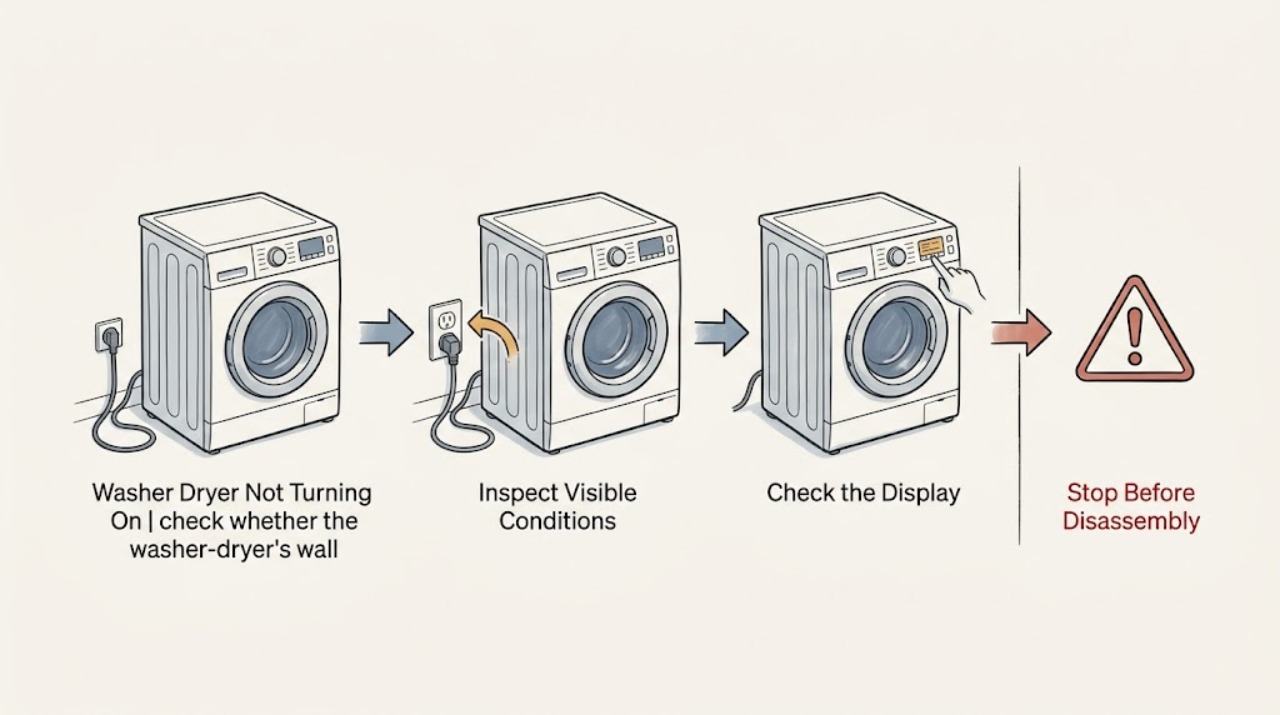
Work through in order
Diagnostic checks
Use only checks that match the exact appliance or system and its official guide.
-
Check 1
From a dry position, check whether the washer-dryer's wall socket is supplying power by trying a known-working lamp or other simple device in that same socket; do not use an extension lead for the appliance.
Expected result: The test device works, or the socket is also dead; note whether the washer-dryer display or any indicator is lit.
Next step: If the socket is dead, stop appliance testing and have the circuit checked safely. If it works, continue with the disconnected visual inspection.
Why this matters
Why: A dead test device points to the household supply or circuit rather than proving a washer-dryer fault. A working socket with a dark appliance points the next check toward the plug, cord, or appliance itself.
-
Check 2
With the washer-dryer disconnected from the mains and the area dry, look at the plug and the accessible length of the power cord without opening the cabinet or pulling on the cable.
Expected result: Look for cuts, crushed insulation, looseness, scorching, or another visible sign of damage; also confirm the plug was seated securely before the appliance stopped responding.
Next step: If any damage, heat mark, wetness, or loose connection is present, leave the washer-dryer unplugged and arrange qualified appliance or electrical service. If the connection looks intact, continue without moving the appliance farther than is safe.
Why this matters
Why: A damaged lead or plug can make the appliance unsafe and can explain a dark display, but it is not a user-repairable internal fault.
-
Check 3
Check that the loading door closes fully without forcing it, then select a valid programme and press the normal start control; do not bypass or defeat the door lock.
Expected result: The display responds and the cycle starts, or the door will not latch and the machine remains idle; note any displayed indicator or code.
Next step: If the door will not latch, the latch looks damaged, or the control shows a fault, stop short of forcing or bypassing it and use the model manual or arrange service. If it starts, monitor it for normal operation.
Why this matters
Why: A washer-dryer may refuse to run when its door is not securely latched. If the display is still dark, this control check cannot replace the supply checks; if the display is lit but start is refused, the latch or selected controls become the relevant branch.
-
Check 4
Inspect the control panel for a child-lock symbol, an error indication, or a programme selection that was left incomplete; compare the symbol or code with the exact Blomberg model manual.
Expected result: The child-lock indicator clears using the model-specific control sequence, a code is shown, or no control response is present at all.
Next step: Follow only the manual's model-specific control instructions. Do not dismantle controls; if the code persists or the panel remains unresponsive, stop and request qualified diagnosis.
Why this matters
Why: An enabled child lock or invalid selection can make a working appliance appear unable to start. A code needs model-specific interpretation, while no response after a working socket and intact cord keeps an internal electrical fault in consideration.
-
Check 5
Only when the area, plug, and cord are dry and show no damage or overheating, unplug the washer-dryer for a few minutes, reconnect it directly to the wall socket, and try powering it on once.
Expected result: The display returns and the appliance starts, the display returns but it will not start, or it remains completely dark.
Next step: If it remains dark or fails again, keep it off and arrange service. If water is still in the drum or the door is locked, do not force the door or remove a filter; follow the model manual or use a technician.
Why this matters
Why: A brief power removal can clear a temporary control state, but it does not repair a damaged supply, persistent fault, or failed internal component.
Use your observations
Decision map
Find the observation that best matches what you see, then follow the next safe action.
-
PATH 01Next step
What you see
The test device also fails in the wall socket.
Do this next
Treat this as a household supply or circuit issue first; leave the washer-dryer off and arrange safe electrical help if the supply does not return normally.
-
PATH 02Next step
What you see
The socket works, but the washer-dryer has no display or indicator after the cord check and one safe reset.
Do this next
Do not open the cabinet or attempt live testing. Keep the appliance unplugged and request qualified appliance service to diagnose the internal power path.
-
PATH 03Next step
What you see
The display is lit, but the cycle will not begin.
Do this next
Recheck the fully closed door, child-lock indication, valid programme, and any displayed code. If the door or controls remain faulty, stop and arrange service rather than bypassing the lock.
-
PATH 04Next step
What you see
There is water at the electrics, a burning smell, smoke, sparking, a hot or damaged cable, or repeated circuit trips.
Do this next
Stop immediately, do not touch the appliance or reset the circuit repeatedly, keep people away from the area, and obtain qualified electrical or appliance help.
-
PATH 05Next step
What you see
The appliance stopped with water in the drum or the loading door still locked.
Do this next
Do not force the door or remove a filter while water remains. Use the exact model manual or a technician to avoid flooding, hot water, or injury.
Helpful context
Understand the symptom
Separate a dead appliance from a start-control problem
A dark display and no response point first to the supply path, while a lit display that refuses to run points more toward the door interlock, control selection, child lock, or a programme condition. The checks below keep those paths separate and stop before electrical or sealed-appliance work.
Keep the check dry and external
Do not touch a wet plug, socket, cable, or control panel. Do not open the cabinet, defeat the door lock, force a locked door, or continue testing after smoke, sparking, a burning smell, or repeated loss of circuit power.
Safety boundary
Stop conditions
- Stop the user-level checks for any wet electrical area, damaged or overheated cord or plug, smoke, sparking, burning smell, repeated breaker trips, exposed wiring, or suspected internal failure. Do not open the washer-dryer cabinet, alter wiring, bypass the door lock, force a locked door, or remove a filter while water remains in the drum.
Only after diagnosis
Potential parts
- power cord or plug assembly
Consider this only if a qualified inspection confirms visible cord or plug damage and identifies the correct replacement for the exact model.
Confirm the full model identification and manufacturer fit information before any part is selected; do not repair or splice the cord yourself. - door interlock or latch assembly
Consider this only if the socket and power connection are sound, the display responds, and the door cannot securely latch or the manual points to the interlock.
Fitment is model-specific and should be confirmed by the manufacturer or service professional; never bypass the interlock.
When checks do not resolve it
Need a professional?
Arrange qualified appliance service when the socket is live but the washer-dryer remains dark, when the display shows a persistent fault, when the door will not latch, or when the safe reset does not restore operation. Use qualified electrical help for a household supply problem or any electrical safety symptom.
Common questions
FAQ
Why is my Blomberg washer-dryer completely dead?
First separate a dead wall socket from a dead appliance by testing the socket with a known-working device from a dry position. If the socket works and the washer-dryer remains dark after the cord inspection and one safe reset, keep it off and arrange qualified service.
What if the display is on but the washer-dryer will not start?
Check that the loading door latches fully, a valid programme is selected, and the child-lock or a fault indicator is not active. Use the exact model manual for control sequences and do not bypass the door interlock.
Should I force open the door after the washer-dryer stops?
No. If water remains in the drum or the door is locked, do not force the door or remove a filter; follow the model manual or use a technician because flooding, hot water, and injury are possible.
When should I stop troubleshooting?
Stop for wet electrics, a damaged or hot cord, smoke, sparking, burning smell, repeated breaker trips, exposed wiring, a persistent fault, or any need to open the cabinet. Keep the appliance off and arrange qualified appliance or electrical help.
Read the exact guide
Official sources
- My Blomberg washer dryer is not powering on, what should I do?Blomberg · The exact Blomberg washer-dryer not-powering-on FAQ
- How to check an electrical power fault on your washing machineBeko UK · General mains-socket and extension-lead checks for a washing machine; used here only for the supply-path distinction, not as Blomberg model-specific instructions.
- My Blomberg washing machine has stopped working, what should I do?Blomberg · Blomberg washing-machine FAQ used for closely related start-control checks that also apply to a washer-dryer, with model manual priority.
- User's ManualBlomberg · Blomberg washer-dryer user manual safety sections; model-specific controls should be checked against the reader's own manual.
Community feedback
Share a repair observation
Share a plain-text repair observation. Accepted observations are published automatically; this page may take a moment to update.