
On this page
Start here
Quick answer
First check whether the LG washer dryer is completely dead or has a lit display that will not start a cycle. Confirm the cord is directly and securely connected to the correct grounded wall outlet, check a GFCI or breaker once if safe, and test the outlet with a small known-working device. Do not use an extension cord or overloaded power strip. If the panel is lit but buttons do not respond, check Control Lock and any displayed code; if the door is not firmly closed, the cycle may also refuse to start. Perform only the model's documented reset with the appliance unpowered. If the outlet works but the washer dryer remains dead, power cuts out again, the cord or outlet is damaged, or a code returns, leave it off and request LG service or qualified electrical help.
Before you begin
Safety first
- Do not open the cabinet, test live wiring, alter breakers, bypass the door lock, remove grounding, or continue operating with heat, smoke, water, odor, or cord damage.
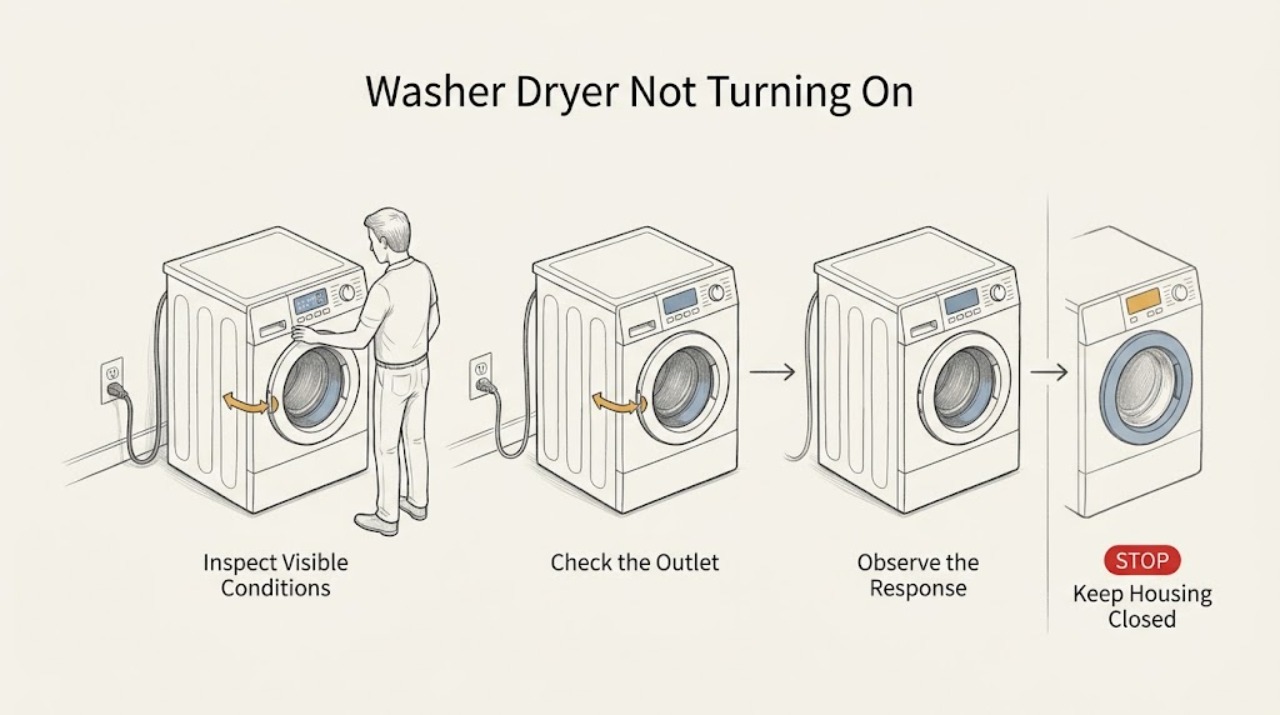
Work through in order
Diagnostic checks
Use only checks that match the exact appliance or system and its official guide.
-
Check 1
Press Power once and observe the washer dryer without moving it or opening panels. Check whether the display or indicator lights come on, whether a chime sounds, whether the drum or interior light responds, and whether an exact code or lock symbol appears.
Expected result: No display, light, or sound suggests a supply, outlet, cord, or appliance-power problem. A lit display with no cycle response points instead to Control Lock, a door-start condition, a selected delay, an error state, or a control fault. A light or chime alone does not prove that the high-power part of the appliance is safe to run.
Next step: If everything is blank, proceed to the external supply check. If the panel responds, record the display state and continue with Control Lock, door, and code checks.
Why this matters
Why: LG's support flow distinguishes no power from a washer that powers on but will not run, and it directs different checks for the outlet, lock, error code, and start conditions.
-
Check 2
Check the accessible supply path: make sure the cord is fully seated directly in a grounded wall outlet, not an extension lead or overloaded strip. If a GFCI outlet is fitted, check its reset position. Test the same outlet with a small known-working device, and inspect the plug and outlet only for visible damage without touching exposed wiring.
Expected result: If the test device also fails, the problem is at the outlet, GFCI, breaker, or household supply. If the test device works but the LG washer dryer stays blank, the appliance needs inspection. A loose, hot, scorched, wet, or damaged connection is a stop condition rather than a plug-in experiment.
Next step: If the household supply is absent, arrange an electrician or building-supply check. If the outlet is good but the appliance has no response, leave it disconnected and request LG service; do not test the machine by moving it to an improvised outlet.
Why this matters
Why: LG identifies a faulty outlet, tripped GFCI or breaker, power outage, loose connection, and use of an extension or power strip as common no-power paths. LG also recommends a direct wall outlet and warns that outlet requirements vary by model.
-
Check 3
If the panel is lit but buttons or the cycle selector do not respond, look for CL or another Control Lock indication and any error code. Use the exact model manual to identify the lock buttons and hold time; do not repeatedly press random combinations or bypass a lock.
Expected result: When Control Lock is active, LG says most buttons are disabled and the lock can remain active after power is cycled. A code indicates a separate fault path. If the lock clears and normal selections work, the appliance may only have been in a protected control state; if it returns, the control or input system needs diagnosis.
Next step: Clear Control Lock only with the model-documented buttons, then select a normal cycle. If controls remain unresponsive or the code returns, record the code and arrange service.
Why this matters
Why: A working display does not prove that the washer dryer is ready to start. LG's unresponsive-buttons guidance makes Control Lock and error-code checks precede a reset or service request.
-
Check 4
Close the washer dryer door firmly and check the accessible seal and latch area for a garment, packaging, or debris preventing closure. Select a normal cycle and press Start/Pause once; do not hold the door switch or attempt to run the drum with the door open.
Expected result: A door that does not close or latch can prevent a wash or dry cycle even when the display is on. If the door closes normally but no lock sound or start response occurs, the latch, control, or an error state may be involved. If water is present and the door remains locked, do not force it open.
Next step: Remove only a safely accessible obstruction and retry once. If the latch will not engage, the door is damaged, or the cycle remains unavailable, leave the appliance off and request service.
Why this matters
Why: LG's washer and dryer support instructions use a firmly closed door and the Start command as basic start conditions. The interlock is a safety device, not a component to defeat during troubleshooting.
-
Check 5
If the outlet works and no hazard is present, perform one model-supported reset. Power the unit off, unplug it or switch off its breaker, hold Start/Pause for the period specified by LG for the model, restore power, and press Power once. Do not repeatedly cycle a breaker that trips.
Expected result: If the panel returns and a normal cycle starts, a temporary electronic state may have cleared. If the display remains blank, the washer dryer shuts down again, or the same code appears, the reset did not remove the cause.
Next step: Stop after one unsuccessful documented reset and arrange LG service. Provide the model, outlet result, code, and whether the panel or interior light worked before the reset.
Why this matters
Why: LG's current washer guidance describes a factory reset with the unit unpowered and a Start/Pause hold, while noting that the control-lock buttons and procedures vary by model. Resetting is a limited diagnostic step, not an internal repair.
-
Check 6
If the washer dryer lost power during a cycle or displays a power-failure indication after an outage, note the code and the point at which the cycle stopped. Once household power is stable, use the model's recovery instructions rather than repeatedly starting and stopping the appliance; check for a delay or lock state before starting again.
Expected result: A power-failure indication can explain why the previous cycle did not resume normally. If the unit loses power again under load, the outlet, circuit capacity, cord, or appliance power section needs diagnosis rather than a longer reset.
Next step: Leave the appliance off if power drops again, the breaker trips, or the cord or outlet heats. Arrange qualified electrical or LG service and do not alter the breaker rating yourself.
Why this matters
Why: LG documents power interruptions, circuit capacity, and delay settings as conditions that can make laundry equipment appear not to start or to stop unexpectedly. The exact code and recovery behavior are model-specific.
Use your observations
Decision map
Find the observation that best matches what you see, then follow the next safe action.
-
PATH 01Next step
What you see
The outlet test device also fails or a GFCI or breaker will not remain reset.
Do this next
Leave the washer dryer unplugged and arrange an electrician or household-supply check. Do not keep resetting the protection or use an extension lead.
-
PATH 02Next step
What you see
The outlet works, but the LG washer dryer has no display, light, or sound.
Do this next
Do one documented external reset only if there is no hazard. If it remains dead, request LG service for the power cord, line filter, control, or internal supply diagnosis.
-
PATH 03Next step
What you see
The display is lit but CL, a lock icon, or unresponsive buttons prevent selection.
Do this next
Clear Control Lock using the exact model manual. If the lock or error state returns, leave the unit off and arrange service.
-
PATH 04Next step
What you see
The door will not close or latch, or a door code remains.
Do this next
Remove only an accessible obstruction and close the door normally. Do not force or bypass the latch; request service if the interlock will not engage.
-
PATH 05Next step
What you see
A cycle starts after reset but power cuts out again, the breaker trips, or the outlet or cord heats.
Do this next
Stop using the washer dryer and arrange qualified electrical or LG service. Do not increase the breaker rating or continue testing under load.
-
PATH 06Next step
What you see
There is water near electrical parts, a burning smell, smoke, a damaged cord or plug, or a cabinet fault.
Do this next
Stop immediately, isolate power only if safe, shut off water if a leak is active, and arrange emergency or qualified service as appropriate.
Helpful context
Understand the symptom
Separate no power from no cycle start
On an LG washer dryer combo, ‘not turning on’ can mean a blank panel, a panel that lights but ignores input, or a cycle that will not run after Power is pressed. Note whether the display, interior light, chime, and Wi-Fi or status indicators respond; record any CL, PF, or other code and whether the door closes and locks. The exact buttons and reset sequence vary by model, so use the model's owner's manual for control-specific steps.
Keep the power checks external
Do not remove the rear panel, open a terminal block, defeat the door lock, or test live wiring. If the cord, plug, outlet, or cabinet is hot, scorched, wet, loose, or damaged, or if there is smoke, a burning smell, repeated breaker tripping, or water near electrical parts, stop immediately. Disconnect power only if safe, shut off the water supply if a leak is present, and arrange qualified service or electrical help.
Safety boundary
Stop conditions
- Stop immediately for smoke, burning odor, arcing, a hot or scorched plug or outlet, a damaged cord, water near electrical parts, repeated breaker or GFCI trips, or a cabinet or door that is damaged.
- Do not remove panels, open a terminal block, cut the ground prong, bypass the door lock, change breaker size, or operate the washer dryer from an improvised or overloaded power connection.
- Stop after one unsuccessful model-documented reset or when the outlet is good but the appliance remains dead. Preserve the code and symptom history for LG service.
Only after diagnosis
Potential parts
- washer dryer main control board or user interface
Consider this class only after a confirmed working outlet, secure direct connection, cleared lock state, and documented reset, when a technician confirms an appliance-side control or power fault.
Confirm the complete model and control revision; washer dryer combo boards are not interchangeable by appearance. - washer dryer door latch or lock assembly
Consider this class only when the door closes normally but the interlock will not engage or a technician confirms a latch fault.
Do not bypass the lock. Verify exact model fitment and have the safety function tested after service. - washer dryer power cord or line filter
Consider this class only when the household outlet is verified and a qualified technician identifies an appliance-side connection or interference-filter fault.
Power wiring and ratings are model-specific; do not replace or reterminate it as a live user repair.
When checks do not resolve it
Need a professional?
Request LG service when the outlet and household supply are good but the washer dryer remains blank, the panel or interior light works but the unit will not start, Control Lock or a code returns, the door cannot latch, power cuts out during a cycle, or any electrical, water, heat, or cord hazard is present. Use a qualified electrician for an outlet, GFCI, breaker, or household wiring fault.
Safety scope: Do not open the cabinet, test live wiring, alter breakers, bypass the door lock, remove grounding, or continue operating with heat, smoke, water, odor, or cord damage.
Common questions
FAQ
Why is my LG washer dryer completely dead?
Check the direct wall connection, GFCI or breaker, and outlet with a small known-working device. If the outlet works but the washer dryer remains blank after one model-documented reset, it needs LG service rather than an internal DIY power test.
Why does my LG washer dryer have power but not start?
Check Control Lock, the exact error code, a firmly closed door, delay or paused state, and the model's Start command. If the door will not latch or the state returns after reset, arrange service.
Can I use an extension cord to power an LG washer dryer?
LG recommends a direct grounded wall outlet and warns that extension cords or power strips can cause power interruption or overload. Use the model's electrical requirements and a qualified electrician for outlet changes.
Read the exact guide
Official sources
- LG Washer – Why Won’t My LG Washing Machine Power On?LG USA Support · LG washing machines and washer dryer combos; exact controls and electrical requirements vary by model
- LG Washers - How to Install the Power Supply on an LG Washing MachineLG USA Support · LG washing machines and washer dryer combos; verify the exact model specification before electrical work
- LG Washer - Troubleshooting Unresponsive Washer ButtonsLG USA Support · LG laundry products identified as washer dryer combos or washers; lock buttons vary by model
- [LG Dryer power] The power turns off during use, or there is no power supplyLG USA Support · LG dryers and related laundry power symptoms; apply dryer-specific details only when the combo model supports them
- [LG Front Load Washer] Power issueLG USA Support · LG front-load washers and washer dryer combos; the guide notes content may differ by model
Community feedback
Share a repair observation
Share a plain-text repair observation. Accepted observations are published automatically; this page may take a moment to update.