
On this page
Start here
Quick answer
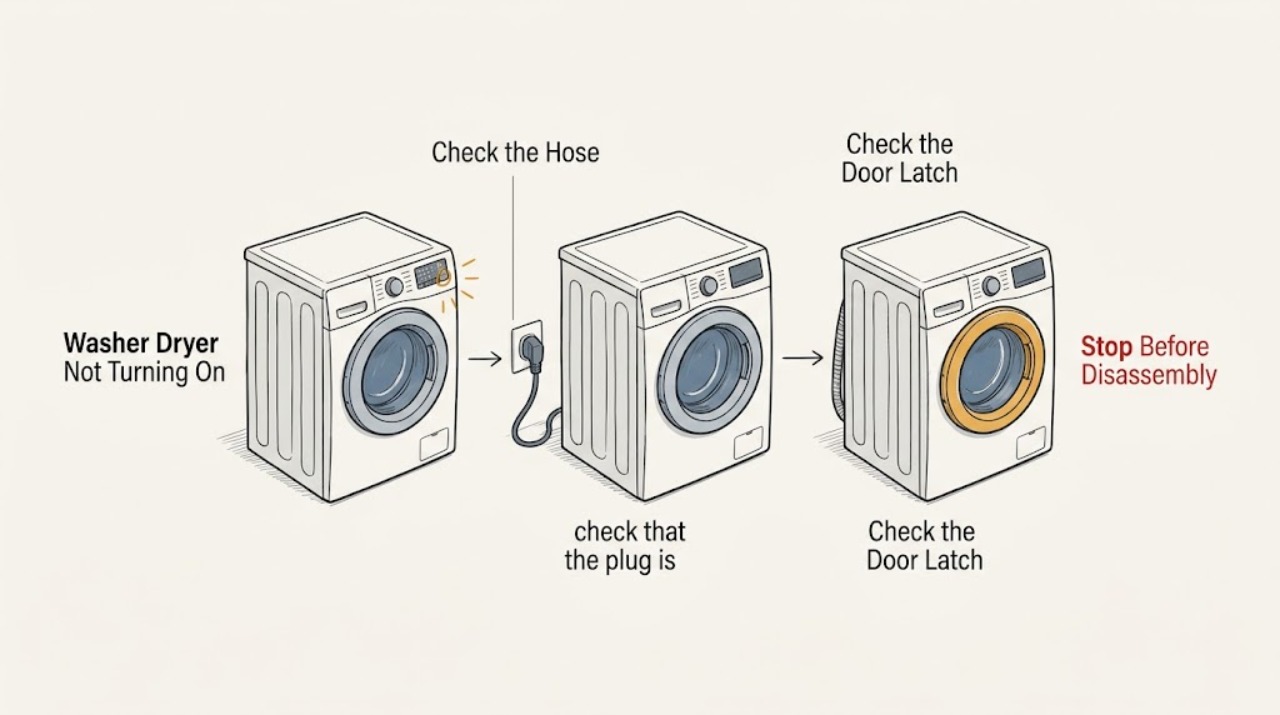
First determine whether a Bosch washer-dryer has no power or has power but will not start. If the display is dark, check the plug, socket, and breaker only from a dry, normal user-access point. If the panel lights, check that the door is closed, a programme is selected, Start/Reload is pressed as the model requires, and childproof lock or delayed start is not active. A water-supply or drain state can also prevent a programme from proceeding. Try only one model-directed reset after recording any display. If the outlet is good but the appliance stays dark, the door will not latch, a breaker trips again, the cord is damaged, or the same fault returns, stop and arrange qualified service.
Work through in order
Diagnostic checks
Use only checks that match the exact appliance or system and its official guide.
-
Check 1
With the appliance switched off and the area dry, check that the plug is seated and test the same socket with a small known-working appliance; inspect the normal household breaker or fuse access point without opening the washer-dryer.
Expected result: The socket is dead, the breaker has tripped, the washer-dryer display remains dark at a working socket, or the display comes on.
Next step: If the socket is dead, address the household supply. If the breaker trips again, stop resetting it. If the cord is damaged or the appliance remains dark at a working socket, leave it disconnected and arrange qualified service. Otherwise continue to the door and control check.
Why this matters
Why: A dead socket or tripped breaker is a household supply issue. A working socket with a dark appliance points beyond a simple programme setting; a lit display means the next branch is no-start rather than no power.
-
Check 2
If the panel lights, close the loading door firmly without forcing it, check for a visible item caught in the seal or latch area, select a valid programme, and press Start/Reload exactly as the model manual describes.
Expected result: The door-lock indication appears and the programme starts, or the door does not latch, Start does not respond, or a lock or code remains.
Next step: Use the exact manual for childproof lock, delayed start, and code handling. Do not force the door or bypass its safety lock. If the latch or display remains abnormal, stop and request service.
Why this matters
Why: A successful start points to door position, programme selection, or Start control behavior. A latch that will not engage or a persistent lock/code can indicate an interlock or control fault; a childproof lock can also prevent changes.
-
Check 3
If the programme is selected but does not begin filling, check that the visible water tap is open as intended and the inlet hose is not kinked, crushed, or trapped; do not disconnect the hose unless the exact manual gives a safe procedure.
Expected result: The tap is closed, the hose is restricted, a no-water indication appears, or the visible supply is normal but the machine still does not fill.
Next step: Correct only a visible tap or hose condition and retry once. If the supply is normal but filling does not begin, record the display and programme stage and arrange service rather than opening the inlet system.
Why this matters
Why: A restricted supply can make the washer-dryer wait or refuse to proceed. Normal visible supply with no fill leaves an inlet filter, valve, sensor, or control issue possible and cannot be identified from the general symptom alone.
-
Check 4
If water remains in the drum or the machine stopped before spin, check the display for a drain or rinse-hold state; switch off and unplug before following any model-directed drain or pump-filter procedure, and keep the door closed if water is visible.
Expected result: A rinse-hold setting explains the pause, the drain hose or pump procedure is listed by the model manual, or water still cannot be removed safely.
Next step: End rinse hold or select the documented drain programme only as the manual directs. Let hot water cool and use a container for any permitted user procedure. Stop for a leak, hot water, unusual pump noise, or no drainage.
Why this matters
Why: The machine may intentionally omit final drain or spin in rinse hold, while a blocked drain path can prevent the programme from continuing and keep the door locked. Unsafe or unresolved retained water needs service.
-
Check 5
After recording any display and completing the relevant external check, perform no more than one power reset or Off-and-on restart described by the exact Bosch manual, then try one simple programme with the door closed.
Expected result: The panel and programme operate normally, or the same no-start symptom, code, unusual sound, odor, or breaker response returns.
Next step: If the fault returns, switch off and leave the appliance disconnected when safe. Give service the model identification, display, programme stage, water state, and supply result; do not open panels or replace an internal part from the symptom alone.
Why this matters
Why: A successful restart can indicate a temporary supply or control state, but it does not prove an internal repair. A repeated failure is useful service evidence and should not be chased with repeated resets.
Use your observations
Decision map
Find the observation that best matches what you see, then follow the next safe action.
-
PATH 01Safety boundary
What you see
The display and indicators are completely dark.
Do this next
Check the plug, working socket, and breaker from dry normal access. If the outlet works but the appliance stays dark, leave it disconnected and arrange qualified service.
Why this path and its safety boundary
Safety stop: Continue with the lit-panel no-start branch.
-
PATH 02Safety boundary
What you see
The panel lights but pressing Start does not begin a programme.
Do this next
Check the closed door, selected programme, Start/Reload control, childproof lock, delayed start, and displayed code using the exact manual. Do not force or bypass the lock.
Why this path and its safety boundary
Safety stop: Continue with water-entry or drain-state checks based on the point where the cycle stops.
-
PATH 03Safety boundary
What you see
The programme waits for water or shows a water-inlet indication.
Do this next
Check the visible tap and hose routing. Correct only those external conditions and retry once; request service if normal supply does not restore filling.
Why this path and its safety boundary
Safety stop: Use the drain-state branch if water remains, or the reset branch if the machine stops elsewhere.
-
PATH 04Safety boundary
What you see
Water remains in the drum or the door stays locked after the programme stops.
Do this next
Keep the door closed if water is visible, unplug before the model-directed drain check, and stop for heat, leak, unusual noise, or continued no-drain.
Why this path and its safety boundary
Safety stop: Continue to one model-directed restart and simple programme test.
-
PATH 05Safety boundary
What you see
The same no-start condition, code, noise, odor, or breaker response returns after one safe retry.
Do this next
Stop using the appliance, preserve the display and observations, and arrange qualified appliance or electrical service.
Why this path and its safety boundary
Safety stop: A completed test supports a temporary interruption; stop and reassess if the symptom returns during normal use.
Helpful context
Understand the symptom
No power and no start are different faults
A completely dark panel directs attention to the electrical supply. A lit panel with no drum movement directs attention to the door interlock, programme selection, Start control, childproof lock, delayed start, water entry, or drainage. Make this split before trying a reset, because a reset cannot correct a dead socket or a door that cannot latch.
Use the model's controls, not a guessed button sequence
Bosch washer-dryer controls and lock indicators vary by model. The exact manual is the authority for how long to press Start, how to clear a lock, and what a display message means. A visible panel state can be documented safely without opening the appliance.
A programme can wait for water or drainage
A machine that appears not to turn on may actually be waiting for water, unable to drain, or holding the door locked because the water level or temperature is unsuitable. Note the point at which it stops and whether water remains; that observation changes the next check.
Safety boundary
Stop conditions
- Stop and leave the washer-dryer disconnected if the cord or plug is damaged, a breaker trips again, smoke or a burning odor appears, or the outlet or floor is wet.
- Do not force or bypass the loading-door lock, open the door with visible water, or reach into a moving drum.
- Do not disconnect pressurized hoses, remove cabinet panels, or test live wiring to diagnose a no-start condition.
- Stop for an active leak, hot water, unusual pump or motor noise, a persistent code, or a machine that cannot fill or drain after the model-directed user check.
- After one safe restart, stop if the same no-power or no-start symptom returns and arrange qualified service.
When checks do not resolve it
Need a professional?
Arrange qualified appliance or electrical service when the outlet is good but the appliance remains dark, the door or controls will not respond, water will not enter or drain after the exact model checks, a code persists, a breaker trips, the cord is damaged, or any leak, smoke, burning odor, hot water, or unusual noise appears.
Common questions
FAQ
Why is my Bosch washer dryer completely dark?
Check the plug, test the socket with a known-working appliance, and check the household breaker from normal dry access. If the socket works but the washer-dryer remains dark, leave it disconnected and arrange qualified service.
Why does the panel light up but the Bosch washer dryer not start?
Check the closed door, selected programme, Start/Reload control, childproof lock, delayed start, and any display code using the exact model manual. Do not force or bypass the door lock.
Can low water supply make a Bosch washer dryer seem off?
Yes. A closed tap or restricted inlet hose can leave the machine waiting for water. Correct only visible tap or hose conditions and request service if normal supply does not restore filling.
What should I do if the door stays locked and water is inside?
Keep the door closed if water is visible, switch off and unplug, and follow only the exact model manual's cooled-water drain procedure. Stop for hot water, a leak, or continued no-drain.
Should I keep resetting a Bosch washer dryer that will not turn on?
No. Record the display and perform at most one model-directed restart after the external checks. If the same symptom, code, odor, noise, or breaker response returns, stop using the appliance and arrange qualified service.
Read the exact guide
Official sources
- Washing machine programme is not startingBosch UK · Bosch laundry-appliance programme-start guidance
- Washing machine is not turning onBosch UK · Bosch laundry-appliance power troubleshooting
- Washer dryerBosch · Bosch washer-dryer instruction and fault guidance
Community feedback
Share a repair observation
Share a plain-text repair observation. Accepted observations are published automatically; this page may take a moment to update.