
On this page
Start here
Quick answer
First identify whether the missing heat is in the wash-water stage, the drying stage, or both; these are different checks. Confirm that the selected programme actually includes drying and that its temperature or drying option is enabled for your exact model. For drying, use no more than the manual's drying capacity, keep the water tap open when the manual requires it, and check that the machine has drained and spun the load. Check the accessible drain filter or hose only by the model instructions and unplug before any permitted cleaning. If the machine still produces no heat, shows an error, trips power, smells hot or electrical, leaks, or would require opening the cabinet to test an element, thermostat, sensor, heater, wiring, or control board, stop and arrange qualified Blomberg appliance service.
Before you begin
Safety first
- This article covers ordinary-control, load, programme, and model-approved accessible drainage checks only. Internal heating, electrical, sealed, thermal-protection, and control work belongs to a qualified appliance technician.
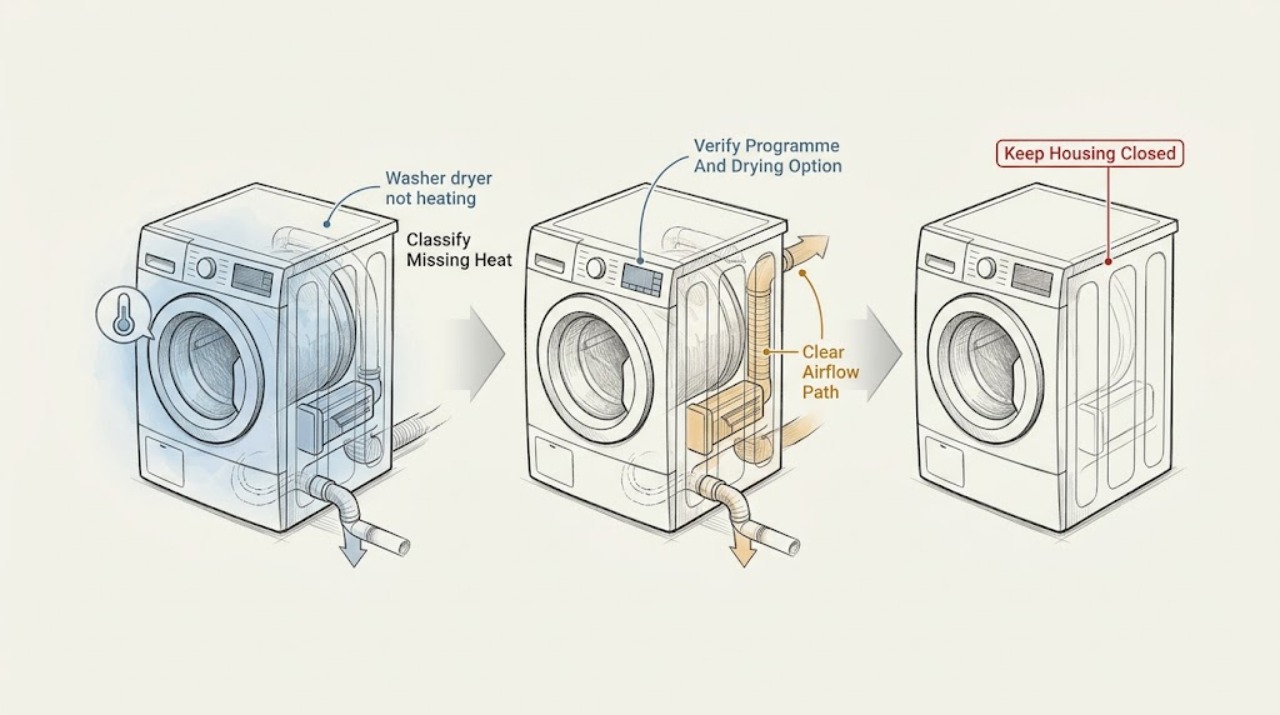
Work through in order
Diagnostic checks
Use only checks that match the exact appliance or system and its official guide.
-
Check 1
Write down the exact programme, temperature setting, drying option, and point at which you notice the problem; distinguish a wash-only cycle, a dry-only cycle, and a combined wash-and-dry cycle without opening the cabinet.
Expected result: Record whether the washer heats wash water but does not dry, dries poorly but washes normally, fails to heat in both stages, or has not yet reached the heating or drying portion of the selected programme.
Next step: Continue only with the branch that matches the affected stage; keep the exact model and programme information for the manual and service record.
Stop if: Stop if there is smoke, an electrical smell, sparking, a hot or damaged cord, water near electrical parts, repeated breaker trips, or unsafe access to the appliance.
Why this matters
Why: A problem limited to drying directs attention to drying selection, load, spin, water supply, drainage, airflow, or the drying system. A problem in both wash and dry stages makes a control or broader appliance fault more plausible, but does not identify an internal part.
-
Check 2
Using the exact Blomberg model manual, verify that the selected programme permits drying, that the drying auxiliary option or dry-only programme is actually enabled, and that the chosen temperature or drying level is suitable for the fabric.
Expected result: The display or controls should show a permitted drying option when the programme supports it; note if the drying indicator does not change, the programme is wash-only, the setting is cold or unsuitable, or the machine ends without entering drying.
Next step: Run the model-approved drying programme with a small, suitable load only after confirming the setting; do not force an option that the controls or manual do not allow.
Stop if: Do not bypass a programme lock, modify wiring, or open the control panel to make a heating or drying option operate.
Why this matters
Why: A disabled or unavailable drying option explains no drying heat without proving heater failure. A correctly enabled option that still produces cold air or a cold load after the programme reaches drying supports a different branch for load, water, drainage, or service diagnosis.
-
Check 3
For a drying or wash-and-dry test, remove enough laundry to stay within the exact manual's drying capacity and leave the drum able to turn freely; clear only visible items obstructing an accessible ventilation grille.
Expected result: Compare a small, suitable load with the original result: note whether the drum turns, clothes become warm and progressively drier, the cycle remains cold, or the programme runs unusually long.
Next step: Use the manual's washing and drying limits separately; do not treat the maximum wash capacity as the maximum drying capacity.
Stop if: Do not reach into a moving drum, remove fixed covers, dismantle ventilation paths, or continue a test if the cabinet overheats, smokes, or smells electrical.
Why this matters
Why: Improvement with a smaller load supports overloading or restricted air circulation as the contributor. No heat with a compliant small load points away from load size and toward settings, water/drainage conditions, or an internal fault that needs service.
-
Check 4
If the exact model manual says the drying system uses water, verify that the water tap is open and that the machine has completed draining; inspect the accessible drain hose for a kink and clean the pump or drain filter only with the manual's procedure, after unplugging and allowing hot water to cool.
Expected result: Record whether the tap was closed, the hose was kinked, the filter was visibly obstructed, water remained in the drum, or the machine drained normally; note any leak or unusual pump noise.
Next step: Restore only an incorrectly closed tap or accessible hose position, and repeat one model-approved small-load test; arrange service if the machine will not drain, leaks, or remains cold.
Stop if: Do not remove a filter with hot water present, reach into the pump, loosen sealed hoses, run the machine with a leak, or clean any part while it is connected to mains power.
Why this matters
Why: A closed water supply or drainage restriction can prevent or impair drying on applicable models. Normal water supply and drainage with a correctly selected programme make a persistent cold drying result more significant and do not justify opening the heater circuit.
-
Check 5
Check the care labels and model manual for the selected drying programme, then confirm that the wash stage has spun the load adequately before drying; use the model-approved spin or drying setting rather than repeating a long hot cycle.
Expected result: Note whether the load is merely damp after a normal spin, dripping wet because it did not spin or drain, unsuitable for machine drying, or still cold despite correct programme, spin, and drainage.
Next step: Rearrange or reduce the load only as the manual allows and run one appropriate test; do not use heat to dry items prohibited by the care label or manual.
Stop if: Stop if the drum will not turn, the door will not latch, the machine repeatedly stops, or the load contains materials the manual says not to dry.
Why this matters
Why: Insufficient spin, an unsuitable fabric programme, or laundry that should not be machine-dried can explain persistent dampness without a heater diagnosis. A compliant, well-spun load that remains cold supports a service branch.
-
Check 6
From a dry, safe position, observe whether the machine powers on, completes the selected programme, shows an error, or trips a breaker; inspect only the unplugged external power cord for visible damage and do not remove panels.
Expected result: Record normal controls and programme completion, an error or self-protection stop, a damaged cord or plug, a tripped breaker, repeated power interruption, or normal power with no heat.
Next step: If safe and not repeated, follow the model manual's reset or programme-cancellation instruction once; if the fault returns or the appliance trips power, leave it disconnected and arrange service.
Stop if: Do not repeatedly reset a breaker, bypass a fuse or door interlock, test live voltage, open the cabinet, or use the appliance with a damaged cord, plug, smoke, smell, or sparking.
Why this matters
Why: A power or control interruption can stop the heating stage, while a machine that runs normally but produces no heat may have a heater, thermostat, sensor, thermal protector, wiring, or control fault. These possibilities require model-specific service testing rather than a user measurement.
-
Check 7
After the safe checks, perform at most one model-approved test with a small suitable load and document the programme, setting, water and drain result, spin result, error display, and whether the load or door area became warm; do not disassemble the appliance to confirm a component.
Expected result: The machine either produces expected heat and drying progress, remains cold despite correct settings and conditions, or develops an abnormal electrical, leak, overheating, or mechanical symptom.
Next step: Stop testing and give the technician the exact model, programme, load, observations, and source of any error; arrange qualified Blomberg appliance service for persistent no-heat operation.
Stop if: Stop immediately for smoke, burning or electrical odour, sparking, a hot cord, water near electrical parts, repeated breaker trips, overheating, a damaged door or seal, or any need to open the cabinet.
Why this matters
Why: A successful controlled test supports a settings, load, water, drainage, or spin cause. Persistent cold operation under compliant conditions, or any abnormal symptom, cannot be safely narrowed to a specific internal part by ordinary observation.
Use your observations
Decision map
Find the observation that best matches what you see, then follow the next safe action.
-
PATH 01Safety boundary
What you see
The selected programme does not permit drying, the drying option is not enabled, or the manual says the control selection is unavailable for that programme.
Do this next
Select only a model-approved drying or wash-and-dry programme and confirm its drying indicator before testing a small suitable load.
Why this path and its safety boundary
Why it matters: The machine may be operating as programmed rather than failing to generate heat.
Safety stop: Do not bypass programme controls or alter wiring to force drying.
-
PATH 02Safety boundary
What you see
The load exceeds the manual's drying capacity, the drum is packed tightly, or laundry is dripping wet because it did not spin or drain adequately.
Do this next
Reduce the load to the model's drying limit, correct only an accessible drainage or spin condition, and run one appropriate programme.
Why this path and its safety boundary
Why it matters: Overloading and insufficient spin can leave laundry damp and lengthen drying without proving that the heater is defective.
Safety stop: Do not reach into a moving drum or continue if the machine will not spin, drain, latch, or safely complete the programme.
-
PATH 03Safety boundary
What you see
The applicable model requires water during drying and the tap is closed, or the drain hose/filter is restricted or water remains in the drum.
Do this next
Follow the exact manual for opening the tap or cleaning an accessible filter after unplugging and cooling; arrange service for leaks, persistent blockage, or failed draining.
Why this path and its safety boundary
Why it matters: The drying process may be impaired by water supply or drainage rather than by a confirmed heating component fault.
Safety stop: Do not clean hot or powered equipment, reach into the pump, loosen sealed connections, or run with a leak.
-
PATH 04Safety boundary
What you see
The appliance does not start the intended stage, shows an error, loses power, or trips the circuit.
Do this next
Follow the model's reset or cancellation instruction once only when safe; leave the appliance disconnected and arrange service if the issue returns.
Why this path and its safety boundary
Why it matters: A supply or control interruption can prevent heating, but repeated trips or abnormal electrical symptoms are safety events.
Safety stop: Do not repeatedly reset a breaker, bypass a fuse or interlock, test live voltage, or use a damaged or overheating cord.
-
PATH 05Safety boundary
What you see
The correct programme and drying option are enabled, the load is within capacity, water and drainage are normal, the load is appropriately spun, and the machine still remains cold.
Do this next
Stop user troubleshooting and arrange qualified Blomberg appliance service with the model, programme, observations, and any displayed error.
Why this path and its safety boundary
Why it matters: An internal heater, thermostat, sensor, thermal protector, wiring, or control fault is possible, but the particular part cannot be identified safely from these checks.
Safety stop: Do not open the cabinet, measure live circuits, replace an internal part, or continue operating if there is smoke, odour, overheating, sparking, or a leak.
-
PATH 06Safety boundary
What you see
There is smoke, burning or electrical odour, sparking, a hot cord, repeated breaker trips, water near electrical parts, overheating, or a damaged door or seal.
Do this next
Stop using it, disconnect power only if this can be done without touching a hazardous wet or damaged area, keep clear, and arrange qualified service or appropriate emergency assistance for an active hazard.
Why this path and its safety boundary
Why it matters: The appliance is not suitable for continued diagnostic operation; the immediate concern is electrical, fire, water, or mechanical safety rather than confirming heat output.
Safety stop: Do not reconnect, run another cycle, open panels, or attempt to dry, bypass, or repair the hazard.
Helpful context
Understand the symptom
Separate wash-water heating from drying heat
A washer dryer can appear to be not heating for more than one reason. A wash-only programme may leave the drum water or laundry cooler than expected if the selected programme is cold or the heating stage has not been reached. A drying programme can leave clothes damp when the drying option was not selected, the load is over its drying capacity, drainage or spin is poor, the tap is closed on a model that uses water during drying, or an internal heating component has failed. Note which programme was selected, whether the drum turns and drains, and whether the complaint affects washing, drying, or both before changing settings.
Use model instructions for the drying system
Blomberg's washer-dryer manual says drying programmes use water, require the drying option to be selected, and have a lower drying capacity than the washing capacity on the example model. Those details vary by model, so use the exact manual rather than assuming a programme, load limit, tap requirement, or filter procedure. A load that is too large or insufficiently spun can stay damp without proving that the heater is faulty.
Do not open the cabinet to prove a heater fault
The accessible checks can separate a settings, load, drainage, or programme issue from a persistent no-heat fault. They cannot safely confirm an element, thermostat, sensor, wiring, thermal protector, or control fault. Blomberg's published guidance directs customers to service when common checks do not resolve drying and warns in the manual not to repair a nonfunctional product yourself. Keep the machine unplugged for any permitted user cleaning and leave internal diagnosis to a qualified technician.
Safety boundary
Stop conditions
- Do not open the cabinet, test live voltage, replace or bridge a heater, thermostat, sensor, thermal protector, wiring, control board, or door interlock as a user troubleshooting step.
- Stop and disconnect the appliance when there is smoke, a burning or electrical smell, sparking, a hot or damaged cord, repeated breaker trips, overheating, or water near electrical parts.
- Do not repeatedly reset a breaker or appliance, bypass a fuse or interlock, or continue running a cycle after an abnormal electrical or safety symptom.
- Only clean an accessible drain filter or adjust a hose according to the exact model manual, after unplugging and allowing hot water to cool; do not reach into a pump or loosen sealed connections.
- Do not exceed the model's drying capacity, dry items prohibited by the care label or manual, or treat persistent no-heat operation as a reason to keep repeating long hot cycles.
Only after diagnosis
Potential parts
- heating element or heater assembly
Consider this category only after a qualified technician confirms that the exact model has a failed heating element or heater assembly and that the no-heat symptom is not caused by programme, water, drainage, spin, or control conditions.
Confirm the complete model identity and manufacturer fit information; do not order or install an internal heater from the symptom alone. - temperature sensor or thermostat
Consider this category only when model-specific professional testing identifies a failed temperature-sensing or thermostat component after the safe external checks pass.
Confirm the exact model, connector, specification, and manufacturer fit information with the technician; do not bypass a thermal protector or substitute an unverified sensor. - pump filter or drain component
Consider this category only if the exact manual and inspection identify a damaged or non-serviceable drain component after a blockage or drainage fault is established.
Confirm the exact model and the manufacturer's replacement procedure; ordinary debris cleaning is not evidence that a new component is needed.
When checks do not resolve it
Need a professional?
Arrange qualified Blomberg appliance service when a correctly enabled programme remains cold after a small, compliant test load and normal water, drainage, and spin conditions; when heating fails in both wash and drying stages; when an error or repeated power interruption returns; or when an internal heater, thermostat, sensor, thermal protector, wiring, or control fault is suspected. Call promptly for smoke, electrical odour, sparking, a hot cord, repeated breaker trips, overheating, leaks near electrical parts, or a damaged door or seal.
Safety scope: This article covers ordinary-control, load, programme, and model-approved accessible drainage checks only. Internal heating, electrical, sealed, thermal-protection, and control work belongs to a qualified appliance technician.
Common questions
FAQ
Why is my Blomberg washer dryer not heating when drying?
Check that the exact programme permits and has enabled drying, the load is within the manual's drying capacity, the applicable water tap is open, and the machine drains and spins correctly. If a compliant small load remains cold, stop and arrange qualified service rather than opening the cabinet.
Can an overloaded washer dryer seem like it is not heating?
Yes. Blomberg says washer dryers have separate washing and drying capacities and that excessive laundry can reduce drying performance. Reduce the load to the exact manual limit and compare one suitable test; persistent cold operation still needs service evaluation.
Does a washer dryer need the water tap open to dry?
Some Blomberg washer-dryer models use water during drying, and the opened manual says the tap should remain open for those drying programmes. Check the exact model manual rather than assuming the requirement applies to every model.
Could a blocked drain cause a washer dryer not to heat?
A blocked filter, hose, or incomplete drainage can impair drying and leave laundry wet. Follow the exact manual for an accessible filter or hose check after unplugging and cooling; do not reach into the pump or loosen sealed connections.
Should I replace the heating element or thermostat myself?
No. A heating element, thermostat, temperature sensor, thermal protector, wiring, or control fault cannot be identified safely from a cold load alone. Blomberg's manual directs users to authorised service for unresolved failures and says not to repair a nonfunctional product yourself.
When should I stop using a Blomberg washer dryer that is not heating?
Stop immediately for smoke, electrical or burning odour, sparking, a hot or damaged cord, repeated breaker trips, overheating, a leak near electrical parts, or a damaged door or seal. Disconnect only when safe and arrange qualified appliance service.
Read the exact guide
Official sources
- User's ManualBlomberg · Opened Blomberg washer-dryer manual for model LRI285410W; use the exact manual for a different model because programmes, capacities, controls, and maintenance steps can differ.
- My Blomberg washer dryer is not powering on, what should I do?Blomberg · Blomberg's official washer-dryer power FAQ; it supports external power and control checks but does not authorize internal electrical diagnosis.
- Why is my washer dryer not drying?Blomberg · Blomberg's official FAQ for washer dryers; it addresses drying capacity, filter and drainage conditions, programme selection, internal components, and service escalation.
Community feedback
Share a repair observation
Share a plain-text repair observation. Accepted observations are published automatically; this page may take a moment to update.