
On this page
Start here
Quick answer
First confirm that the selected programme is meant to heat and that the washer-dryer is not simply in a cool-down or low-temperature phase. Check the load and lower drying capacity, because an overloaded drum can restrict air circulation and leave clothes damp. Confirm that water drains and the final spin is normal, then inspect the model-specific vent, filter, water container, or sensor surfaces using only the exact Hotpoint guide. Record any code: Hotpoint identifies F03 as a temperature-sensing fault affecting wash or dry heating, F07 as a heating-circuit fault, F08 as a heater fault, F13 as a dryer temperature-sensing fault, F15 as a heater-control fault, and F19 as a fan-motor or heating fault. Unplug before repair work and stop for smoke, a burning smell, abnormal heat, visible electrical damage, water leakage, or repeated electrical trips.
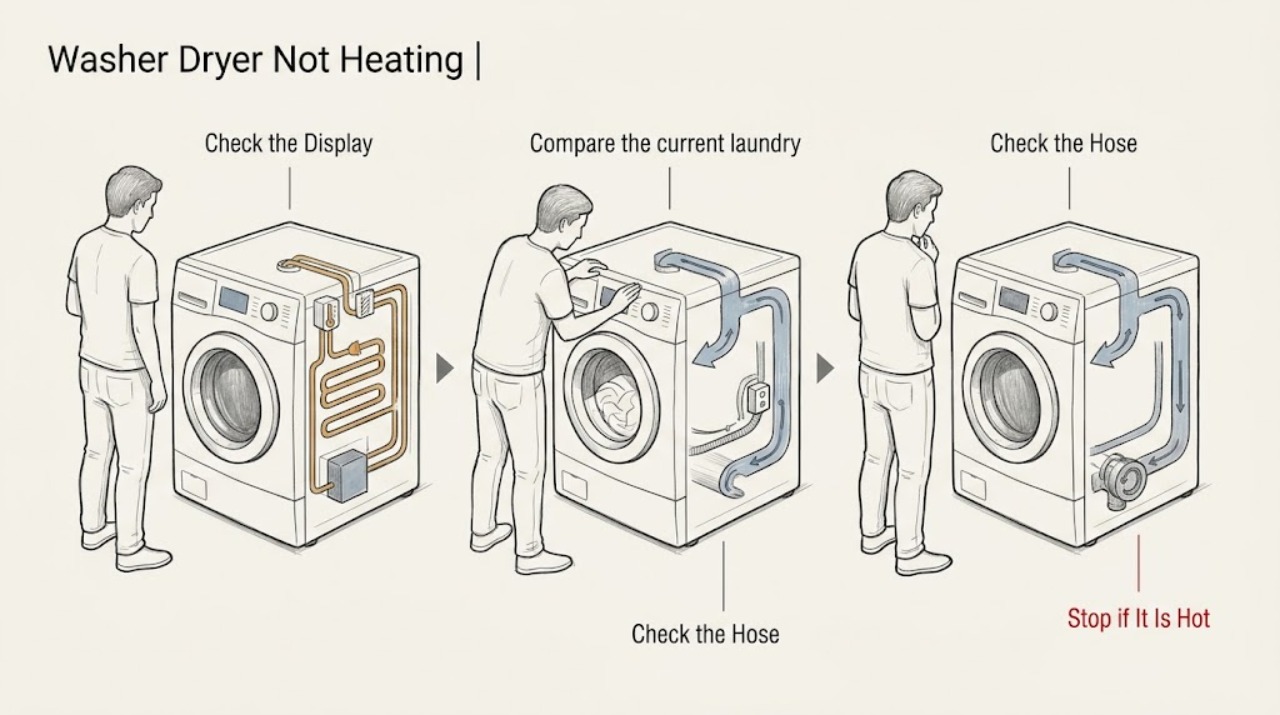
Work through in order
Diagnostic checks
Use only checks that match the exact appliance or system and its official guide.
-
Check 1
Pause the washer-dryer and note the selected wash or dry programme, its temperature behavior, and whether the display says cool-down, end, or a fault. Confirm that you are testing a programme intended to heat rather than a short or low-temperature option.
Expected result: The machine is in a cool-down phase or low-temperature programme, or the correct heating programme runs without producing warmth.
Next step: Use the exact model guide to select a suitable heated programme. If the correct programme remains cold, stop repeated cycling and continue with load, drain, and airflow checks.
Why this matters
Why: Hotpoint explains that some dryer cycles use very low temperatures and that a cooling phase can be normal. If the correct programme never heats, a load or airflow condition, sensor, heater, or control fault becomes more likely.
-
Check 2
Compare the current laundry with the washer-dryer's lower drying capacity. Remove excess items and separate tangled sheets or bulky pieces before attempting another drying cycle.
Expected result: A smaller, separated load dries or warms better, or the machine remains cold with a load within the model's drying limit.
Next step: Keep future drying loads within the lower capacity. If a correctly sized load is still cold, continue with drainage, sensor, and model-specific airflow checks.
Why this matters
Why: Hotpoint notes that washer-dryers have separate wash and dry capacities. An overloaded drum restricts warm-air circulation and spinning, but a normal-sized load that remains cold points beyond loading alone.
-
Check 3
Check whether the wash has fully drained and spun before judging the heater. Look for standing water, an unusually wet load, a drain warning, or a blocked, kinked, or bent drain hose; use the model handbook for any pump-filter access.
Expected result: Water remains, the load is much wetter than expected, or a drain issue is shown; or the machine drains and spins normally.
Next step: Resolve the external drain issue using the exact model instructions before testing heat. If drainage and spin are normal, continue to the sensor and airflow checks rather than assuming the heater is the first failed part.
Why this matters
Why: Excess water can make a working drying stage appear ineffective. Hotpoint directs owners to check blocked or kinked drainage and model-specific pump filters when water is not leaving the washer-dryer.
-
Check 4
With the appliance cool and unplugged, inspect only the drying components present on this model: clean and refit the lint filter, empty a water container, check a condenser or evaporator filter, inspect a vent hose for crushing or blockage, and wipe accessible moisture-sensor surfaces as the model guide permits.
Expected result: A filter or vent is blocked, a container is full, or sensor surfaces are dirty; or all applicable components are clean, correctly seated, and unobstructed.
Next step: Correct only the applicable user-serviceable condition and refit every filter or cover. If the correct cycle remains cold with clear airflow, stop and use the fault-code and service path.
Why this matters
Why: Hotpoint identifies clogged filters, a full water container, restricted ventilation, and dirty sensors as causes of poor drying or premature sensor shutoff. These checks are design-dependent and do not confirm the condition of an enclosed heater.
-
Check 5
Read the display or flashing-light pattern and write down the exact code before clearing it. Compare it with the exact Hotpoint washer-dryer manual and do not substitute a code list from another model.
Expected result: A heating, temperature, fan, or control code returns after the model's documented reset, or no code appears but the correct programme still produces no heat.
Next step: Stop using the heating or drying function and arrange qualified service when a code returns or the appliance has no heat. Provide the exact model, code, programme, and checks already completed.
Why this matters
Why: Hotpoint lists F03 for temperature sensing on wash or dry settings, F07 for a heating-circuit fault, F08 for a heater fault, F13 for dryer temperature sensing, F15 for heater control, and F19 for fan motor or heating faults. These findings need engineer service rather than an unsupported parts guess.
-
Check 6
After the load, drain, programme, sensor, and model-specific airflow checks, run one short supervised cycle with a small balanced load. Stop immediately if the drum remains cold and the appliance smells of burning, becomes unusually hot, leaks, smokes, sparks, or trips the breaker.
Expected result: The correct cycle warms and dries normally, improves only after an external correction, or remains cold or stops with the same fault.
Next step: Use the washer-dryer only when it completes a normal supervised cycle without warning signs. Otherwise unplug it when safe, keep it out of service, and arrange qualified Hotpoint appliance repair.
Why this matters
Why: Improvement after a documented load, drain, programme, sensor, or airflow correction supports that condition as the immediate cause. Continued no-heat behavior points to a heater, temperature sensor, fan, thermal protection, or control issue that cannot be confirmed safely from outside.
Use your observations
Decision map
Find the observation that best matches what you see, then follow the next safe action.
-
PATH 01Next step
What you see
The machine is in a cool-down or deliberately low-temperature programme.
Do this next
Use the correct heated programme from the exact model guide. Stop if the selected heated cycle still produces no warmth.
-
PATH 02Next step
What you see
A smaller load warms or dries normally after excess or tangled laundry is removed.
Do this next
Stay within the lower drying capacity and separate bulky items. If normal-sized loads remain cold, continue diagnosis and service escalation.
-
PATH 03Next step
What you see
Water remains or the final spin is weak because of an external drain or pump-filter issue.
Do this next
Resolve the model-specific drain condition before assessing heat. Do not keep running drying cycles to compensate for retained water.
-
PATH 04Next step
What you see
A model-specific filter, vent, water container, condenser, or sensor condition is found.
Do this next
Clean, empty, or refit only the applicable user-serviceable component, then retest once. Arrange service if the component cannot be safely accessed or the machine remains cold.
-
PATH 05Next step
What you see
F03, F07, F08, F13, F15, F19, or another model-specific heating fault returns.
Do this next
Stop using the heating or drying function and arrange qualified service. Do not replace a heater, sensor, fan, thermal device, or control without a confirmed model-specific diagnosis.
-
PATH 06Next step
What you see
Smoke, burning odor, abnormal heat, visible electrical damage, water leakage, sparks, or repeated breaker trips occur.
Do this next
Stop immediately, disconnect power only if safe, keep clear of damaged wiring or hot water, and seek qualified appliance or electrical service. Do not run another test.
Helpful context
Understand the symptom
Separate a cool-down phase from no heat
A washer-dryer may tumble in cool air near the end of a cycle, and a short or deliberately low-temperature programme may not feel hot. Compare the selected programme with the exact model guide before concluding that the heater has failed. If the correct drying programme leaves the drum and load cold, continue with the checks below and record any fault indication.
Keep electrical and heated repairs professional
Unplug the appliance before any repair or filter work that the model guide permits. Do not open the cabinet, probe a heater, bypass a thermal safety device, or keep restarting a machine with smoke, a burning odor, a hot plug or cabinet, exposed wiring, water leakage, or a tripped breaker.
When checks do not resolve it
Need a professional?
Book service for a returning heating fault, persistent no-heat condition, or any repair requiring cabinet access.
Common questions
FAQ
Why does my Hotpoint washer-dryer run but not heat?
Check that the selected programme heats, the load is below the drying limit, the machine drains and spins, the applicable filters or vent are clear, and no heating or temperature fault code is displayed. Persistent no heat needs service.
Can a full load make a Hotpoint washer-dryer seem like it is not heating?
Yes. The wash capacity can be higher than the drying capacity, and an overloaded drum restricts warm-air circulation and spinning. Remove items and separate the remaining load before testing.
What do Hotpoint codes F03, F07, F08, F13, F15, and F19 indicate?
Hotpoint lists F03 for temperature sensing, F07 for a heating-circuit fault, F08 for a heater fault, F13 for dryer temperature sensing, F15 for heater control, and F19 for fan-motor or heating faults. A returning code needs service for the exact model.
When should I stop using the washer-dryer?
Stop for smoke, a burning odor, abnormal heat, visible electrical damage, water leakage, sparks, repeated breaker trips, or a returning heating fault. Disconnect power only if safe and seek qualified service.
Read the exact guide
Official sources
- Why Is My Hotpoint Tumble Dryer Not Working? Troubleshooting GuideHotpoint · Use only the maintenance and drying-design checks that match the exact Hotpoint washer-dryer model.
- Washer Dryer Troubleshooting & Repair ServiceHotpoint · Use as general Hotpoint washer-dryer guidance while checking the exact user handbook because models vary.
- Hotpoint Washer-Dryer Error Codes - Quick Troubleshooting GuideHotpoint · Use code meanings only when the exact Hotpoint washer-dryer model supports the same code set.
- Step-by-Step Guide on How to Clean Your Tumble DryerHotpoint · Use only component-cleaning steps that match the exact Hotpoint washer-dryer design and user guide.
- Why Does My Laundry Come Out Wet From My Washer Dryer?Hotpoint · Use for Hotpoint washer-dryer load planning while following the exact model's capacity label and guide.
Community feedback
Share a repair observation
Share a plain-text repair observation. Accepted observations are published automatically; this page may take a moment to update.