
On this page
Start here
Quick answer
Do not diagnose a Bosch induction cooktop from the words “error displayed” alone. Photograph or write down the exact code, symbol, flashing pattern, beeps, affected cooking zone, and whether the panel responds. First remove any pan or object from the controls and dry the panel; a key symbol can indicate the child lock, while some codes indicate overheated electronics, incorrect supply voltage, demo mode, or a fault that needs support. Let an overheated zone cool and follow the Bosch instructions for that exact code and model. Do not remove the glass, open the cooktop, probe wiring, handle the supply connection, or repeatedly cycle the circuit when the code returns, the glass is cracked, the panel is wet from a spill, or there is heat, smoke, odor, or damaged wiring.
Before you begin
Safety first
- This article covers visible controls, cookware placement, and model-guided user checks only. Qualified appliance or electrical professionals determine and repair internal controls, power electronics, sensors, supply wiring, protective devices, cracked surfaces, and recurring faults.
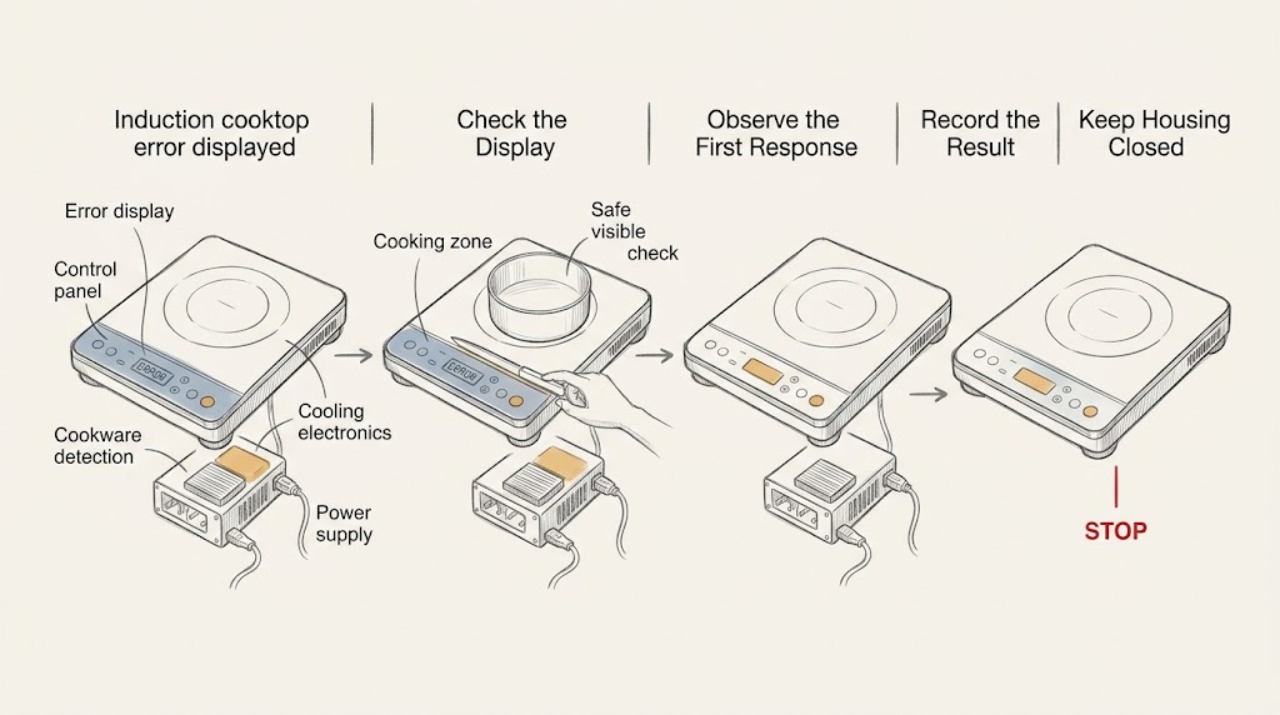
Work through in order
Diagnostic checks
Use only checks that match the exact appliance or system and its official guide.
-
Check 1
From a dry, stable position, photograph or transcribe every visible letter, number, symbol, flashing segment, beep pattern, and affected cooking zone before touching controls repeatedly; record the Bosch model identity if it is visible without moving the appliance.
Expected result: The display is a listed code, a key symbol, all indicators flashing, a single dash or symbol, an unlisted code, or an unclear intermittent pattern.
Next step: Compare the exact code with the Bosch error-code page and the owner manual for the model; keep a photo for service if the code returns.
Stop if: Stop for smoke, burning odor, visible arcing, a hot or cracked glass surface, liquid entering the controls, or damaged cord or wiring.
Why this matters
Why: The exact display determines whether the next low-risk check concerns a lock, wet control, cookware, overheating, demo mode, supply voltage, or professional fault. An unclear display cannot safely be mapped to a component or part.
-
Check 2
With cooking stopped and the surface cool enough to handle safely, remove pans, utensils, towels, and other objects from the touch-control area and dry visible moisture using the care method in the Bosch manual; do not scrape or disassemble the glass.
Expected result: All displays were flashing, a cloth or object covered the controls, visible moisture was present, or the panel was already clear and dry.
Next step: Allow the surface to become fully dry, then make one normal control attempt. If the code remains or the liquid entered a seam, stop using the cooktop and arrange service.
Stop if: Do not spray cleaner into controls, pour liquid across the panel, use sharp tools, or open the cooktop to dry it.
Why this matters
Why: Bosch identifies a wet or covered control panel as a cause of all indicators flashing. If the clear, dry panel still shows an error, the cause is not established as a spill or object and needs the exact-code path.
-
Check 3
If the display shows a key or padlock symbol and there is no heat, smoke, cracked glass, or liquid intrusion, use the Bosch manual's child-lock control sequence for that model without touching wiring or removing trim.
Expected result: The lock symbol disappears and controls respond; the symbol remains; the symbol was not present; or a different error code appears.
Next step: Test one cooking zone only with suitable cookware after the lock clears. If the display remains locked or changes to a fault, document it and request Bosch or qualified appliance service.
Stop if: Do not bypass the lock, press controls with wet hands, or remove the control panel.
Why this matters
Why: A disappearing lock symbol supports an active child-lock state rather than a failed heating zone. A persistent symbol, a different code, or unresponsive controls requires model-specific support and should not be bypassed.
-
Check 4
If the cooktop powers on but a cooking zone does not heat or its power display flashes, place one cool, induction-suitable pan centered on the selected zone and confirm that the zone and power level were selected; do not test with an empty zone or a pan that is hot or damaged.
Expected result: The pan is detected and heats; the power display continues flashing; the pan is too small, off-center, or non-magnetic; or the display shows a separate error.
Next step: Use only cookware confirmed by the model instructions, and stop testing if the control panel becomes hot, the code changes, or the zone repeatedly shuts down.
Stop if: Do not place metal tools on the surface, bypass cookware detection, or open the appliance to test the induction electronics.
Why this matters
Why: Bosch states that unsuitable, too-small, or incorrectly placed cookware may not be detected. If suitable cookware is centered and the error persists, the issue is not established as cookware and may require model-specific service.
-
Check 5
For a listed overheating code or a zone that has shut off protectively, stop cooking and let the cooktop cool naturally according to the Bosch instructions; remove hot cookware from the control area and keep ventilation openings unobstructed without moving the appliance.
Expected result: The code clears after cooling; the same code returns; another zone is also affected; or the glass, controls, cord, or surrounding cabinetry remains unusually hot or damaged.
Next step: Resume only as the model manual allows after the code clears; if it returns or heat remains abnormal, stop using the cooktop and arrange service.
Stop if: Do not cool the glass with water or ice, cover ventilation openings, remove panels, or continue cooking through a recurring protective shutdown.
Why this matters
Why: A code that clears after the specified cooldown supports a protective temperature response, but it does not prove the underlying cause is resolved. A recurring code or abnormal heat needs professional assessment of ventilation, electronics, cookware use, and the appliance.
-
Check 6
If the code indicates supply voltage, electronics, demo mode, a network or hood connection, or an error not listed for the model, stop at the visible code and compare it with Bosch's exact guidance; do not remove the appliance or inspect the supply connection.
Expected result: The code is listed with a user-level correction; it indicates incorrect supply voltage; it is unlisted or returns after the manual's permitted one-time reset; or the appliance remains unable to enter standby.
Next step: Follow only the exact model instruction for a listed low-risk correction. For voltage, recurring, unlisted, or persistent codes, arrange Bosch-authorized appliance service or a qualified electrician as appropriate and provide the code and model.
Stop if: Do not perform live voltage tests, change the breaker rating, disconnect internal wiring, bypass a fault, or repeat a power reset when the code returns.
Why this matters
Why: A listed user correction may address a lock, cookware, overheating, or demo state. Voltage, recurring, unlisted, or electronics faults cannot be safely distinguished by appearance and may involve the installation or internal controls.
Use your observations
Decision map
Find the observation that best matches what you see, then follow the next safe action.
-
PATH 01Safety boundary
What you see
All displays flash, or moisture or an object is visibly covering the control panel.
Do this next
Remove the object and dry the panel according to the Bosch care instructions, then make one normal control attempt.
Why this path and its safety boundary
Safety stop: Stop if liquid entered a seam, the panel remains unresponsive, or the error returns.
-
PATH 02Safety boundary
What you see
A key or padlock symbol is displayed and there is no heat, smoke, cracked glass, or liquid intrusion.
Do this next
Use the model-specific child-lock sequence in the Bosch manual; if it persists, request service rather than bypassing it.
Why this path and its safety boundary
Safety stop: Do not remove trim or rewire controls.
-
PATH 03Safety boundary
What you see
The cooktop powers on but a zone flashes or does not heat with the pan present.
Do this next
Confirm the zone, power level, cookware suitability, size, and centering using the manual; if a suitable pan still is not detected, arrange service.
Why this path and its safety boundary
Safety stop: Do not bypass cookware detection or open the cooktop.
-
PATH 04Safety boundary
What you see
The code identifies an overheated zone or electronics, or the zone shut off protectively.
Do this next
Stop cooking and let the appliance cool as directed. If the code returns or heat remains abnormal, stop using it and arrange qualified service.
Why this path and its safety boundary
Safety stop: Do not use water or ice to cool the glass or continue through a recurring shutdown.
-
PATH 05Safety boundary
What you see
The code identifies supply voltage, an electronics fault, a persistent unlisted fault, or the appliance will not recover after the exact manual path.
Do this next
Keep the cooktop off and arrange Bosch-authorized appliance service or qualified electrical assessment; provide the exact code, model, and installation history.
Why this path and its safety boundary
Safety stop: No live voltage testing, internal wiring work, breaker modification, or repeated reset attempts.
-
PATH 06Safety boundary
What you see
The glass is cracked, smoke or a burning odor is present, liquid entered the controls, or wiring appears damaged.
Do this next
Stop using the cooktop, keep clear of the appliance, and arrange urgent qualified appliance or electrical service; use the property's emergency response for active smoke or fire.
Why this path and its safety boundary
Safety stop: Do not touch damaged parts, remove the glass, or restore power as a test.
Helpful context
Understand the symptom
The exact display is the first diagnostic result
Bosch uses different symbols and codes for different conditions. “E” or “F” can indicate a fault, a key symbol can indicate the child lock, all displays flashing can indicate a wet or covered control panel, and other codes can point to overheating, supply voltage, demo mode, or a cooking-zone time limit. The same-looking complaint can therefore require a simple external correction or trained service. Record the display before it disappears and identify the cooktop model from its rating information or owner documentation without removing the appliance.
Start with dry controls and correct cookware placement
A pan, utensil, towel, or spill on the touch controls can make the panel flash or prevent normal operation. Bosch also notes that induction heating depends on suitable cookware, correct zone selection, and placement. These checks are limited to the visible surface and the cookware; they do not justify opening the cooktop or changing its electrical connection.
Overheating and voltage codes are escalation clues
Bosch describes protective shutoffs for overheated cooking zones or electronics and identifies separate codes for supply voltage outside the normal operating range. Let the appliance cool as directed for a listed overheating code. A voltage code, a recurring fault, a cracked glass surface, smoke, burning odor, or a panel that will not recover should move directly to qualified appliance or electrical service.
Only after diagnosis
Potential parts
- control panel or user interface
Consider this only if qualified diagnosis confirms a control-panel fault after the exact error and model are identified; a flashing symbol or wet panel does not establish that the interface needs replacement.
Confirm the complete Bosch model and approved fit through Bosch documentation or qualified service before selecting a part. - induction power module
Consider this only after qualified electrical testing identifies a power-electronics fault; supply voltage, cookware detection, overheating, and control errors can look similar.
Internal power electronics and installation requirements must be verified by qualified service; do not open the cooktop. - cooling fan or temperature sensor
Consider these only if a recurring overheating code is professionally traced to the cooling or sensing system after ventilation and cookware conditions are checked.
Confirm the exact model, sensor or fan specification, and approved installation method with qualified service.
When checks do not resolve it
Need a professional?
Arrange Bosch-authorized appliance service or qualified electrical assessment when the exact code is unlisted, recurs after the model-specific correction, indicates supply voltage or electronics, affects multiple zones, or the panel will not recover. Treat cracked glass, smoke, burning odor, liquid intrusion, exposed wiring, or abnormal heat as an immediate stop condition and keep the cooktop off.
Safety scope: This article covers visible controls, cookware placement, and model-guided user checks only. Qualified appliance or electrical professionals determine and repair internal controls, power electronics, sensors, supply wiring, protective devices, cracked surfaces, and recurring faults.
Have this ready
- Exact displayed code, symbol, flashing pattern, beep behavior, and affected zone
- Bosch model identity from the visible rating information or owner documentation
- Whether the panel was wet or covered and whether the child lock or cookware detection was involved
- Cooling, cookware, voltage, reset, and recurrence observations
- Installation, recent electrical work, spill, maintenance, or symptom-start history
Common questions
FAQ
What should I do when my Bosch induction cooktop shows an error?
Record the exact code or symbol and affected zone, then compare it with the Bosch error-code page and the model manual. You may safely remove objects and dry the visible panel, but recurring, unlisted, voltage, electronics, cracked-glass, smoke, or odor conditions need professional service.
Why are all the Bosch cooktop displays flashing?
Bosch identifies a wet control panel or objects lying on it as a possible cause. Remove the object and dry the panel according to the care instructions; if the flashing continues or liquid entered a seam, stop using the cooktop and arrange service.
What does the key symbol mean on a Bosch induction cooktop?
It can indicate that the child lock is active. Use the model-specific lock sequence in the Bosch manual. Do not bypass the lock or open the control panel if the symbol remains.
Why does a Bosch induction zone flash instead of heating?
Bosch manuals identify absent, unsuitable, too-small, or incorrectly placed cookware as possible reasons. Center one suitable pan on the selected zone and verify the power setting; if it still flashes or another fault appears, arrange service.
Should I reset the breaker when the Bosch error returns?
Do not repeatedly cycle power or work in the electrical connection. Follow a reset only when the exact model manual explicitly permits it and the appliance is otherwise safe; if the code returns, indicates voltage or electronics, or there is heat, smoke, odor, or damaged wiring, keep it off and call qualified service.
Read the exact guide
Official sources
- IU_NIT8060 Use and Care ManualBosch Home Appliances · Supports checking cookware placement and suitability, reading a fault code, following the exact manual path, and contacting support when a fault persists; the manual is model-specific.
- Bosch Induction Cooktop Error CodesBosch Home Appliances · Supports exact-code capture, wet-panel and child-lock branches, overheating, supply-voltage, demo-mode, and unlisted-code escalation.
- Bosch Induction Cooktop TroubleshootingBosch Home Appliances · Supports checking visible power/control state, child lock, cookware suitability and placement, overheating cooldown, and service escalation without internal repair.
Community feedback
Share a repair observation
Share a plain-text repair observation. Accepted observations are published automatically; this page may take a moment to update.