
On this page
Start here
Quick answer
First stop the cycle and identify when the sound occurs. A click, scrape, or rumble that follows glass-tray rotation is often associated with the tray, roller ring, cavity floor, or an oversized container; Breville manuals specifically direct owners to clean and correctly reseat the roller and turntable when the turntable is noisy. Check only accessible parts with the oven stopped, cool, and unplugged, and use the exact model's approved microwave-safe container. A brief airflow hum or operating click may be less concerning when it matches the model's normal fan or power sequence, but an internal sound cannot be safely identified by listening alone. If the noise is accompanied by sparks, smoke, a burning smell, damaged cord or door, grinding, an escalating electrical buzz, or abnormal heating, stop using the microwave and contact Breville support or qualified service. Never remove the cover, bypass a door interlock, run the oven empty, or perform high-voltage tests.
Before you begin
Safety first
- The user may stop the cycle, unplug a cool appliance safely, remove approved accessible cookware, wipe the cavity, and clean/reseat the exact model's roller ring and glass tray. The cabinet, door interlock, waveguide area, high-voltage capacitor, transformer, magnetron, diode, fan, controller, wiring, and live electrical tests are for qualified service personnel.
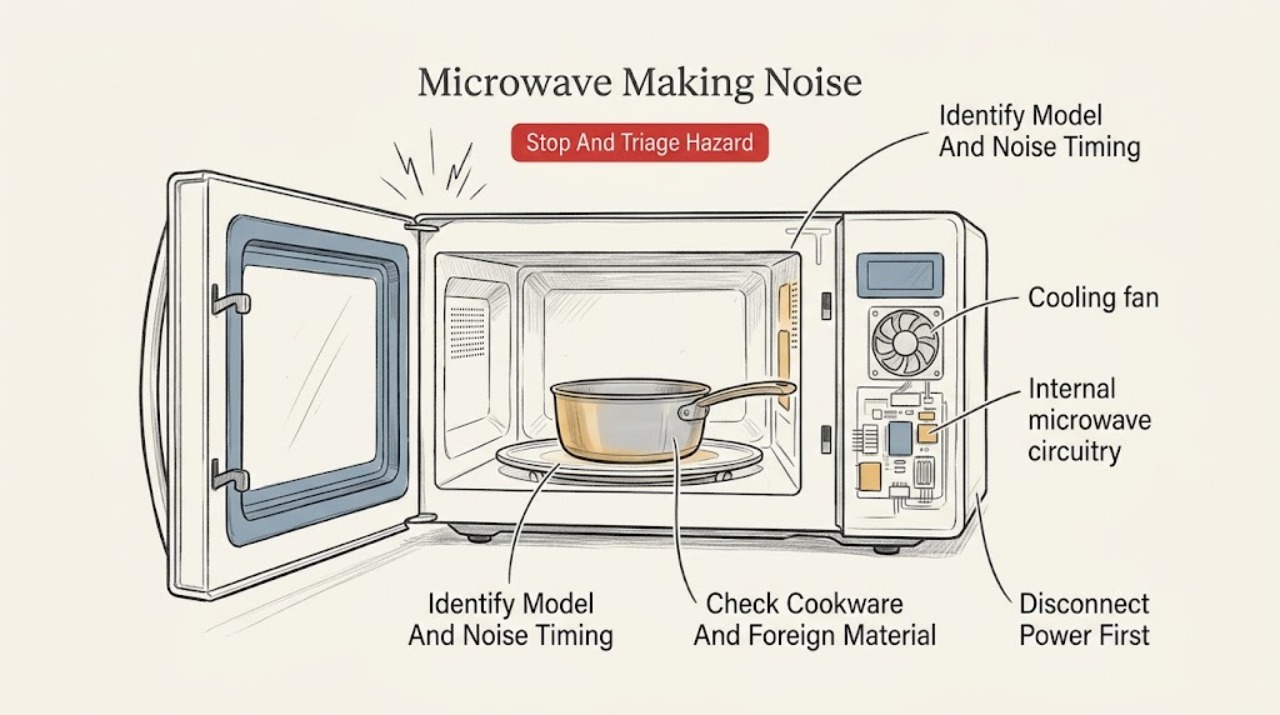
Work through in order
Diagnostic checks
Use only checks that match the exact appliance or system and its official guide.
-
Check 1
Press STOP/CLEAR as soon as the noise is accompanied by sparks, flashing, smoke, a burning smell, abnormal heat, a damaged door or cord, or a visible fire. If smoke or ignition is present, keep the door closed; disconnect power only from a safe, dry position and follow local emergency guidance.
Expected result: The sound is present without any hazard, or there is smoke, ignition, sparking/arcing, burning odor, damage, or abnormal heat.
Next step: For any hazard, keep the microwave unplugged and contact Breville support or qualified appliance service. Do not restart it to see whether the noise returns.
Stop if: Do not open the door during a cavity fire, pour water into the oven, or continue operation after smoke, fire, arcing, burning odor, or damaged insulation/door parts.
Why this matters
Why: A sound without a hazard can be triaged by timing and accessible cleaning. Smoke, fire, arcing, damage, or abnormal heat is a stop condition and cannot be safely diagnosed by repeated cooking cycles.
-
Check 2
Read the rating label or model information and note whether the noise begins at START, repeats with each turntable revolution, changes when the fan runs, occurs only at power changes, continues after STOP/CLEAR, or happens with the door closed but no cycle running.
Expected result: The model is known and the sound is linked to rotation, airflow/power changes, or it persists outside a cycle; or the model cannot be identified.
Next step: Use the exact model manual for assembly and cleaning instructions. If the model is unknown or the sound appears internal or persists when stopped, record the pattern and skip to professional service.
Stop if: Do not press door switches, remove the cabinet, or use a phone, tool, or probe inside the cavity to locate the sound.
Why this matters
Why: Model-specific controls and assemblies vary. Rotation-linked noise is more consistent with the accessible tray/roller path, while a sound that persists outside a cycle or is not linked to rotation needs service assessment; listening cannot prove which internal component is involved.
-
Check 3
After STOP/CLEAR, unplugging, and cooling, remove the cookware and inspect only the accessible cavity and tray area for a loose packaging fragment, food residue, metal clip, twist tie, foil, or a vessel that can rub the wall or impede the glass tray. Use only cookware identified as microwave-safe by its manufacturer and suitable for the exact model.
Expected result: An accessible obstruction, residue, metal item, or oversized/rubbing container is present, or the cavity and cookware are clear.
Next step: Remove only the loose, accessible item, clean visible residue with a damp cloth, and replace the item with approved cookware. If there was sparking, smoke, or scorching, do not retest; request service.
Stop if: Do not reach behind a cover, scrape the waveguide area, use metal utensils to retrieve an object, or run a cycle with metal, foil, or a questionable container.
Why this matters
Why: A foreign object, residue, or container contact can explain a scraping or crackling sound and metal/foil can explain sparking. A clear cavity makes the roller/turntable assembly or an internal fault more likely.
-
Check 4
With the microwave unplugged and cool, lift out the glass turntable and roller ring only as the exact model manual shows. Wash the roller ring in mild soapy water, wipe the cavity floor and tray, dry them fully, then place the ring in its indented track and align the turntable hub with the center shaft. Check that the tray turns freely by hand without forcing it.
Expected result: The roller ring was dirty or out of position, the tray was not seated on the shaft, or the assembly was already clean and correctly seated.
Next step: If the assembly was corrected and moves freely, use the exact model's normal supervised cooking procedure with food or water and approved cookware. If the noise returns, the ring/tray is damaged, or rotation binds, stop and contact service.
Stop if: Do not operate without the roller ring and glass tray, substitute an improvised support, lubricate the cavity, or clean while the appliance is connected to power.
Why this matters
Why: Breville manuals specifically associate turntable noise with an incorrectly assembled or dirty roller and state that cleaning the ring and oven floor helps the glass tray rotate correctly and avoids excessive noise. A correctly seated assembly that still binds or grinds needs service.
-
Check 5
Once cool and unplugged, verify that the microwave sits on a level, stable, heat-resistant surface with the model's required open space around its vents, and that nothing on top or beside it is vibrating against the cabinet. Do not move it while hot or while connected to power.
Expected result: The appliance is rocking, a nearby object resonates, or vents are blocked; or the unit is level and its ventilation openings are clear.
Next step: Correct only the external placement issue allowed by the manual. If the noise remains on a stable, ventilated setup, use the service branch rather than continuing tests.
Stop if: Do not remove the feet, block or cover vents, place the microwave on a metal surface, or install it over a heat-producing appliance contrary to the model instructions.
Why this matters
Why: Breville installation and safety instructions require a level surface, adequate air space, and unblocked openings. External vibration or restricted airflow can change the sound, but it does not prove an internal part is healthy.
-
Check 6
Only if there was no smoke, arcing, burning odor, damage, or abnormal heat and the accessible assembly is clean and correctly seated, make one brief, supervised normal-use check with food or water in an approved microwave-safe container. Observe whether the sound follows tray rotation, changes with the normal fan/power sequence, or remains a harsh/continuous noise.
Expected result: The noise is gone, clearly follows rotation, is a brief model-consistent operating sound, or remains abnormal or is accompanied by a hazard.
Next step: Stop using the microwave and contact Breville support or qualified service for any unresolved abnormal sound, recurring noise, or hazard. Provide the exact model, cycle/function, timing, and what changed after cleaning.
Stop if: Do not run the oven empty, repeat cycles to provoke the noise, continue unattended, perform live measurements, or attempt internal repair.
Why this matters
Why: A corrected rotation-linked sound supports a tray/roller cause. A brief sound that matches ordinary operation is less concerning but cannot certify internal parts. A persistent harsh, grinding, escalating, or electrical-sounding noise after the checks is an unresolved fault.
Use your observations
Decision map
Find the observation that best matches what you see, then follow the next safe action.
-
PATH 01Safety boundary
What you see
The sound repeats with glass-tray movement, the tray rocks or binds, or the noise changes when the tray is stopped by STOP/CLEAR.
Do this next
Unplug and cool the oven, then clean and correctly reseat the ring and glass tray. Check the container size and accessible debris; call service if the tray is damaged or still binds.
Why this path and its safety boundary
Why it matters: The roller ring, hub, shaft, cavity floor, residue, or container contact is more likely than an internal microwave fault.
Safety stop: Do not operate without the roller ring/tray or force a jammed assembly.
-
PATH 02Safety boundary
What you see
The noise occurs only with a particular vessel or load, a container rubs the wall, residue is present, or metal/foil/packaging is visible.
Do this next
Stop, remove the accessible item only after unplugging and cooling, clean visible residue, and use approved microwave-safe cookware. If there was a spark, smoke, or scorch mark, leave the unit unplugged and request service.
Why this path and its safety boundary
Why it matters: Cookware contact, loose material, food splatter, or unsuitable metal-containing packaging is more likely. Metal or foil also increases the risk of arcing and fire.
Safety stop: Do not test a questionable container, retrieve material behind a cover, or restart after arcing.
-
PATH 03Safety boundary
What you see
A brief hum, airflow sound, or click occurs only during a normal start, fan, or power transition, with no smoke, odor, sparks, damage, or heating change.
Do this next
Confirm the sound is not worsening and use the exact model manual. If it becomes continuous, harsh, electrical-sounding, or is joined by odor, heat, or poor operation, stop and arrange service.
Why this path and its safety boundary
Why it matters: A normal operating sound is possible, but Breville's owner documentation does not identify internal components by sound, so this observation is not a diagnosis of a relay, transformer, fan, or magnetron.
Safety stop: Do not open the cabinet or continue operating merely to prove which internal part is making the sound.
-
PATH 04Safety boundary
What you see
The sound is new, grinding, escalating, continuous, not linked to tray rotation, persists after STOP/CLEAR, or returns after correct cleaning and placement.
Do this next
Stop using the microwave, keep it unplugged, and contact Breville support or a qualified appliance service provider with the model and symptom recording/description.
Why this path and its safety boundary
Why it matters: An internal mechanical, fan, control, or high-voltage fault is more likely, and the user checks cannot identify or safely repair it.
Safety stop: Do not remove the cabinet, discharge a capacitor, test live circuits, replace a fuse, or work on the magnetron, transformer, diode, fan, controller, or interlock.
-
PATH 05Safety boundary
What you see
The noise is accompanied by arcing/sparks, smoke, flames, burning odor, scorch marks, abnormal heat, or damaged door/cord/casing.
Do this next
Press STOP/CLEAR; for smoke or ignition keep the door closed, disconnect power only if safe, and keep the appliance out of service. Contact Breville support or qualified service, and use emergency services for an uncontrolled fire.
Why this path and its safety boundary
Why it matters: This is a fire, electric-shock, microwave-safety, or appliance-damage concern rather than a routine noise adjustment.
Safety stop: Do not add water, open a smoking cavity, restart the unit, or attempt to inspect internal parts.
Helpful context
Understand the symptom
Use the timing of the sound to narrow the source
Listen from outside the closed door only long enough to note the timing: a sound that repeats once per turntable revolution points first to the glass tray, roller ring, hub, cavity floor, or a container rubbing during rotation. A sound that starts with the fan or changes when microwave power cycles may be an operating airflow or electrical sound, but Breville's owner manuals do not provide a safe user test for identifying an internal fan, transformer, relay, magnetron, or other component. A new, harsh, continuous, or worsening hum should therefore be treated as a service symptom rather than assigned to a component by guesswork.
Containers and residue can make a normal turntable sound abnormal
With the oven stopped and cool, check that the vessel does not touch the cavity wall and is not wider than the glass tray. Breville's instructions require microwave-safe cookware and warn that metal containers, utensils, clips, twist ties, foil, and unsuitable packaging can spark or cause fire. Wipe food splatters from the cavity and inspect the accessible tray and roller ring for debris. Do not use the microwave empty as a sound test; Breville warns that empty operation can damage the appliance.
The professional boundary is part of the diagnosis
A turntable assembly can be cleaned and reseated by the owner when the exact manual allows it. The cabinet, door interlock, waveguide cover, wiring, high-voltage capacitor, transformer, magnetron, diode, and internal fan are not user troubleshooting points. If the sound remains after the accessible checks, or if it is paired with arcing, smoke, odor, heat, or a damaged door or cord, leave the appliance out of service and give Breville support the model, sound timing, and any visible symptom.
Safety boundary
Stop conditions
- Stop using the microwave for sparks/arcing, smoke, flames, burning odor, abnormal heat, damaged door seals or casing, a damaged cord, or repeated electrical-sounding noise; disconnect power only when safe and contact qualified service.
- Do not remove the cabinet, perform high-voltage or live electrical tests, discharge a capacitor, replace a fuse or thermal component, or work on the magnetron, transformer, diode, fan, controller, wiring, or door interlock.
- Do not bypass or hold a door safety interlock closed, and do not operate a microwave with damaged door, seals, hinges, latches, or cavity surfaces.
- Do not run the oven empty, use metal containers/utensils, foil, clips, twist ties, or questionable packaging, or use an oversized vessel that impedes turntable rotation.
- Before moving, cleaning, or reseating the roller ring and glass tray, press STOP/CLEAR, switch off at the outlet, unplug, and allow the appliance to cool; operate only with the correct ring and tray in place.
When checks do not resolve it
Need a professional?
Contact Breville support or a qualified appliance service provider when an abnormal noise remains after the model-specific, unplugged cleaning and reseating checks; when the tray or roller is damaged or binds; when the sound is harsh, continuous, grinding, escalating, or not linked to rotation; or when heating, controls, door, cord, fan, or ventilation behave abnormally. Any spark, smoke, burning odor, damaged door/casing, or repeated electrical symptom warrants leaving the microwave out of service.
Safety scope: The user may stop the cycle, unplug a cool appliance safely, remove approved accessible cookware, wipe the cavity, and clean/reseat the exact model's roller ring and glass tray. The cabinet, door interlock, waveguide area, high-voltage capacitor, transformer, magnetron, diode, fan, controller, wiring, and live electrical tests are for qualified service personnel.
Common questions
FAQ
Why is my Breville microwave making a scraping or clicking noise?
If the sound repeats with the glass tray, first suspect the roller ring, tray hub, cavity floor, residue, or a container rubbing during rotation. Breville manuals direct owners to unplug and cool the oven, clean the roller and floor, and reseat the assembly correctly. A sound that remains after that check, or that is grinding or electrical-sounding, needs service rather than a guessed component diagnosis.
Can a Breville microwave's fan or hum be normal?
A brief airflow hum or click that occurs only during a model's normal start, fan, or power transition may be less concerning when heating and operation are otherwise normal. Breville owner manuals do not identify internal components by sound, however. A new, continuous, harsh, escalating, or electrical-sounding noise should be treated as a service symptom, especially with odor, abnormal heat, smoke, or sparks.
What should I do if the Breville microwave sparks while making noise?
Press STOP/CLEAR immediately. Check only from a safe distance; if there is smoke or ignition, keep the door closed and disconnect power only if it is safe to do so. Do not restart the appliance or use metal, foil, clips, twist ties, or questionable packaging. Leave it out of service and contact Breville support or qualified service.
Is it safe to remove the Breville microwave cover to find the noise?
No. Breville manuals reserve service and adjustment for qualified personnel. The cabinet can expose high-voltage and microwave-safety components even after the appliance is unplugged. Limit owner checks to the stopped, cool, unplugged cavity, cookware, external placement, and model-approved turntable cleaning and reseating.
Read the exact guide
Official sources
- the Quick Touch Crisp Instruction Book — BMO700Breville · Breville BMO700 model family in the US manual; other Wave or Combi Wave models may have different controls and safety instructions.
- the Quick & Easy Instruction Booklet — BMO300BSBreville · Breville BMO300BS model family in the Australian manual; controls, electrical ratings, clearances, and regional service routes may differ on other models or markets.
- the Compact Wave Soft Close Instruction Book — BMO650Breville · Breville BMO650 model family in the New Zealand/Australian manual; other Breville microwave models may use different assemblies or instructions.
- the Quick Touch Compact Instruction Booklet — BMO625Breville · Breville BMO625 model family in the Australian/New Zealand manual; exact labels, controls, and regional requirements may differ on other models.
- Countertop Microwave Ovens — Air Fryer & Convection CombosBreville US · Breville US range page; product availability and model features vary by market.
- How to clean a microwave: 4 tipsBreville US · Breville US consumer guidance; exact removal and cleaning steps still depend on the microwave model manual.
Community feedback
Share a repair observation
Share a plain-text repair observation. Accepted observations are published automatically; this page may take a moment to update.