
On this page
Start here
Quick answer
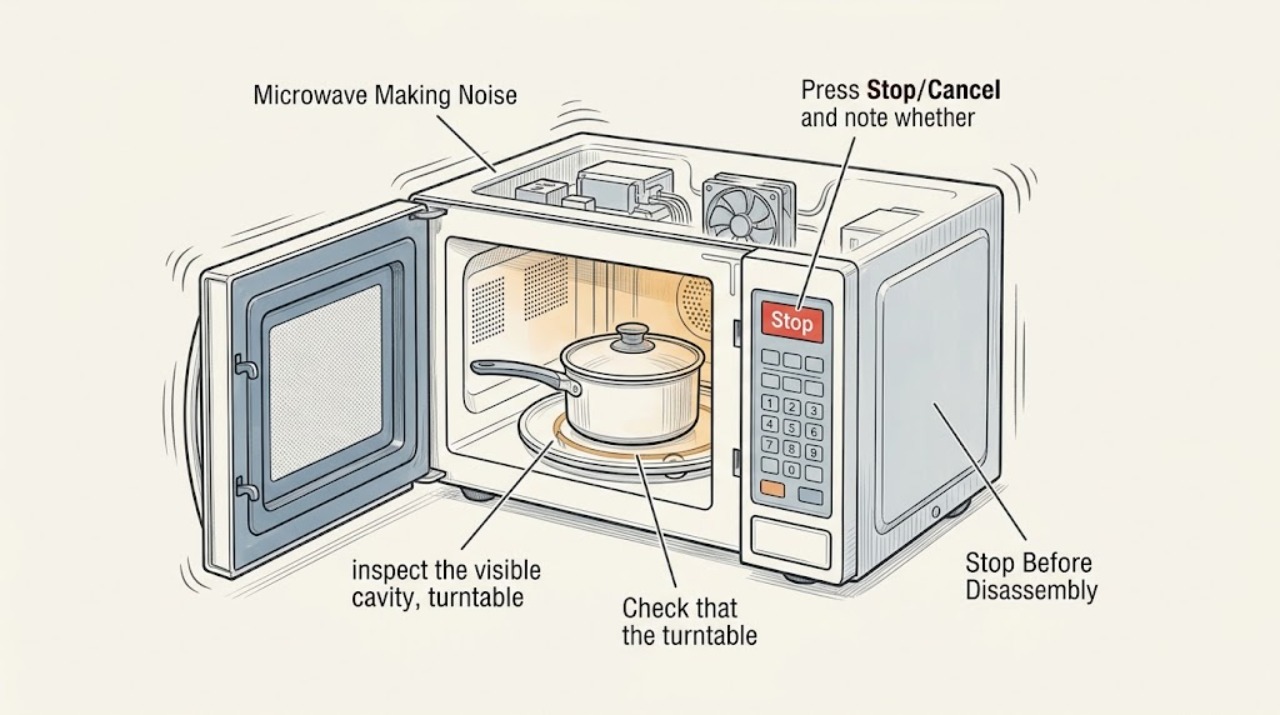
Stop the Monogram microwave and identify whether the noise is food popping, a turntable or fan sound, or an electrical/mechanical sound. Check the visible cavity and cookware only after the oven is stopped. Metal, an empty cavity, sparks, smoke, a burning odor, or a noise that remains with no food is a reason to leave it unplugged when safe and arrange authorized service; never remove the cabinet.
Before you begin
Safety first
- Do not run the oven empty to reproduce a sound, remove the cabinet, defeat interlocks, or touch internal components.
Work through in order
Diagnostic checks
Use only checks that match the exact appliance or system and its official guide.
-
Check 1
Press Stop/Cancel and note whether the sound stops with the cycle, continues as a fan, or remains when the oven is idle; do not open the cabinet.
Expected result: The sound stops with cooking, continues only briefly as airflow, or remains as a hum/grind/buzz.
Next step: Use the visible checks below only for the cycle-linked case; leave the unit off and call service for persistent abnormal noise.
Why this matters
Why: Cycle-linked sounds can come from food, turntable, or airflow; persistent or electrical/mechanical sounds are not safely identified by repeated tests.
-
Check 2
After the oven is stopped, inspect the visible cavity, turntable, roller ring, and cookware for spills, food buildup, cracks, or metal/foil; remove only loose visible residue.
Expected result: Food has popped, a spill is present, cookware is touching the wall, metal is present, or the cavity appears damaged.
Next step: Clean a safe visible spill according to the manual and use microwave-safe cookware; stop use for sparks, smoke, or visible cavity damage.
Why this matters
Why: Food, spills, metal, or cavity damage can create popping or arcing; a damaged cavity is a service issue rather than a cleaning repair.
-
Check 3
Check that the turntable and roller ring are seated and that no rack or probe is contacting the cavity, using only normal user-accessible parts.
Expected result: The tray is off-center, the ring is obstructed, or a rack/probe is installed; or all are clear.
Next step: Correct only the accessible placement issue and stop if the noise persists or changes to a crackle, grind, or burn odor.
Why this matters
Why: A mis-seated tray or accessory can cause vibration or noise; a clear setup makes an internal fan or electrical source more likely.
-
Check 4
Record when the noise occurs (fan, turntable, heating, or idle) and whether it follows a particular food or cookware item; do not run an empty-cavity experiment.
Expected result: The sound follows a food/cookware setup, or occurs with no load or while idle.
Next step: Keep the unit out of service for unexplained noise and give the timing and odor/spark history to authorized service.
Why this matters
Why: A setup-linked pop is more likely than an internal failure; idle or no-load electrical/mechanical noise needs professional diagnosis.
Use your observations
Decision map
Find the observation that best matches what you see, then follow the next safe action.
-
PATH 01Next step
What you see
The noise is a brief pop tied to food or a spill and no spark, smoke, or damage occurred
Do this next
Clean visible residue safely, use suitable cookware, and stop if popping recurs with a clean, correct setup.
Why this path and its safety boundary
Why it matters: Food moisture or residue is more likely than an internal electrical fault.
-
PATH 02Next step
What you see
The tray/accessory is mis-seated and the sound is vibration during movement
Do this next
Reseat the accessible pieces; arrange service if the sound remains or the tray will not turn normally.
Why this path and its safety boundary
Why it matters: The accessible turntable or accessory placement is more likely.
-
PATH 03Next step
What you see
The sound is electrical, mechanical, persistent at idle, or accompanied by sparks, smoke, or burning odor
Do this next
Stop using it, disconnect power only when safe, and request authorized service without opening the cabinet.
Why this path and its safety boundary
Why it matters: An internal fault or cavity damage is possible and cannot be safely isolated by a user.
Helpful context
Understand the symptom
Classify the sound without repeating a risky test
A pop from food or a spill is different from a hum, grinding, buzzing, or electrical crackle. You can listen from outside and inspect visible cookware after stopping; you do not need to run the oven empty or open the cover.
Sparks and burning odor override troubleshooting
Arcing can damage the cavity or components. If there is smoke, a burned smell, visible cavity damage, or an electrical sound, leave the microwave out of service and use authorized repair.
When checks do not resolve it
Need a professional?
Call authorized Monogram service for persistent humming, grinding, buzzing, crackling, noise at idle, sparks, smoke, burning odor, or visible cavity damage.
Safety scope: Do not run the oven empty to reproduce a sound, remove the cabinet, defeat interlocks, or touch internal components.
Have this ready
- Provide the model number, sound description, when it occurs, cookware/food used, turntable behavior, and any spark, smoke, or odor.
Common questions
FAQ
Is every microwave hum a failure?
No. Some airflow or operating sounds can be normal, but a new electrical/mechanical sound, persistent idle noise, or a sound with sparks or burning odor should be serviced.
Can I remove the microwave cover to locate the noise?
No. Keep the cabinet closed. Internal microwave components can remain hazardous after power is removed; use authorized service.
Read the exact guide
Official sources
- Microwave - Arcing or Making SoundsGE Appliances · GE microwave ovens; exact Monogram model behavior varies
Community feedback
Share a repair observation
Share a plain-text repair observation. Accepted observations are published automatically; this page may take a moment to update.