
On this page
Start here
Quick answer
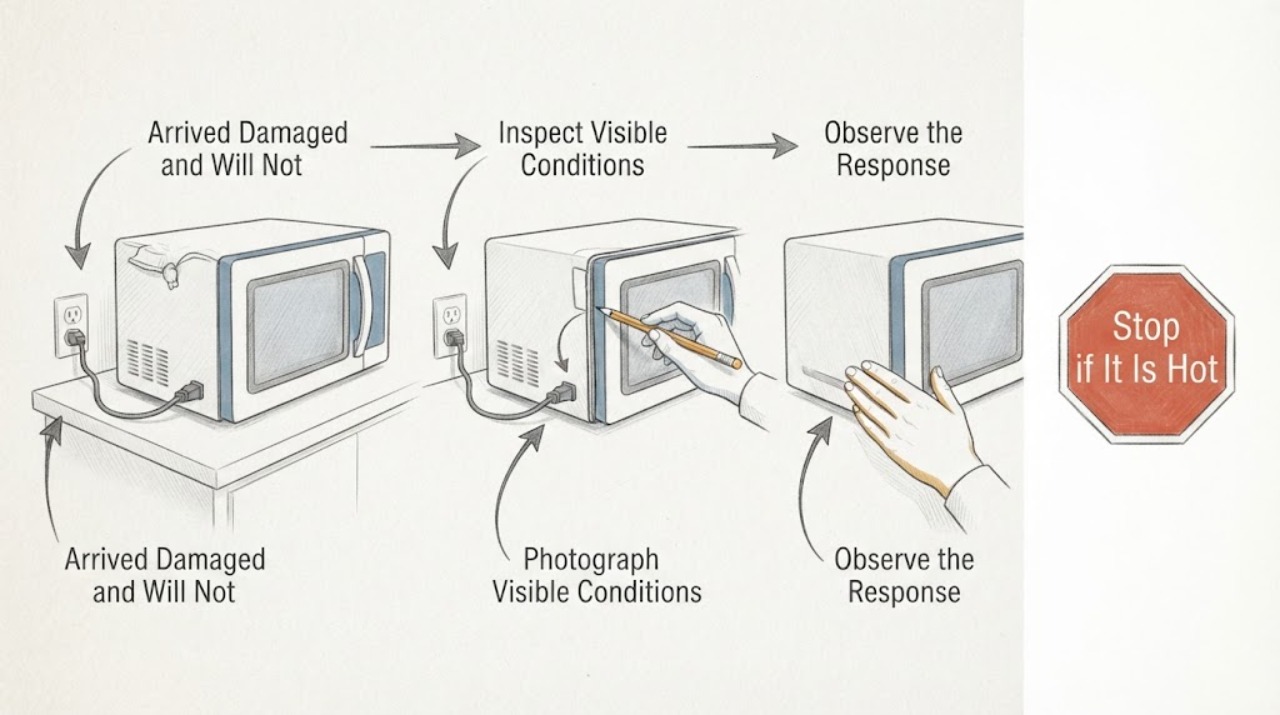
Because this Breville BMO850BSS1BUC1 was purchased as damaged and appears unused, document the arrival condition before attempting a repair: photograph the carton, appliance, label, serial number, accessories, and receipt or order record, and keep the packaging. Then make only safe external checks: from a dry position observe the display and cavity light, check the accessible outlet and breaker, look at the visible cord, and confirm that the door closes evenly without damage. If the outlet is powered but the microwave stays dark, the cord or door is damaged, or a safety symptom appears, stop using it and use Breville's return, warranty, or repair support route. Do not open the casing, replace an internal fuse, or touch the high-voltage capacitor.
Work through in order
Diagnostic checks
Use only checks that match the exact appliance or system and its official guide.
-
Check 1
Before plugging in, opening, or modifying the microwave, record that it was purchased as damaged and appears unused. Photograph the carton, shipping labels, appliance condition, model and serial label, door, controls, accessories, and receipt or order record, and retain the packaging.
Expected result: The carton or cabinet has impact marks, the door or seal is visibly damaged, an accessory is missing, the label is unclear, or the appliance looks intact but was sold as damaged.
Next step: Use the seller or Breville return, warranty, repair, or support route shown on the official BMO850 pages before attempting a repair; continue only with safe external observations if the unit is physically safe.
Stop if: Do not remove the casing, alter the door, replace a fuse, or discard packaging while the purchase condition may need to be evaluated.
Why this matters
Why: This separates an arrival-condition claim from a later electrical symptom and preserves the information needed for the seller or Breville support route.
-
Check 2
From a dry, stable position, observe the display, cavity light, panel response, and any clock or lock indication without opening the casing. Record whether the issue is a completely dark unit, a lit display that will not start, or a cycle that runs without heating.
Expected result: The display and cavity light are both off; the display is lit but controls refuse a valid start; or a cycle begins but the food remains cold.
Next step: Use the matching branch below and the exact BMO850 instructions for any documented control sequence; record the result for support rather than ordering an internal part from the symptom alone.
Stop if: Stop immediately for smoke, burning odor, arcing, abnormal electrical noise, a damaged cord, or a door that cannot close safely.
Why this matters
Why: Both lights being off keeps an external supply or appliance input fault open, while a lit display points toward standby, lock, programme, door, mode, or an internal heating-system issue.
-
Check 3
For a dark display and dark cavity light, check the accessible outlet with a suitable external check, inspect the household breaker or fuse, and look at the visible plug and cord from a dry position without moving a heavy unit or touching damaged wiring.
Expected result: The outlet or circuit is dead, the breaker or fuse is open, the visible cord is damaged, the outlet is powered but the microwave stays dark, or the breaker trips again.
Next step: Restore only an obvious external supply condition when it is safe. If power is normal but the unit remains dark, or a breaker trips again, unplug it safely and contact the seller, Breville, or qualified service.
Stop if: Do not repeatedly reset a tripping circuit, use an extension cord as a repair, open the casing, or replace an internal fuse.
Why this matters
Why: A household supply issue can explain a completely dark unit. Normal external power with a dark microwave, a damaged cord, or a repeated trip points to a fault that should be handled through service or the return or warranty route.
-
Check 4
With the microwave stopped and cool, inspect the visible door edge, seal, sealing surfaces, cavity front, and latch area for loose residue, a foreign object, a bent door, loose hardware, or a damaged seal. Remove only loose accessible residue and close the door gently; never force it.
Expected result: The door closes evenly after residue is removed, the door or seal is bent or loose, or the door appears closed but a valid start is still refused.
Next step: Use the exact model instructions for one documented start attempt only when the door is intact. For any damage or persistent closure-recognition failure, keep the microwave out of use and arrange the applicable return, warranty, or qualified service route.
Stop if: Do not bend the door, adjust a hinge or latch, tape or wedge the interlock, or operate with a damaged door or seal.
Why this matters
Why: A removable obstruction can prevent closure recognition. Structural door or seal damage, or persistent refusal with a visibly closed door, makes an alignment, latch, interlock, or control fault more likely.
-
Check 5
If the display responds, follow the exact BMO850 control instructions to wake the panel, clear a finished or paused programme, check any child-lock indication, select the intended Microwave function, and press the documented start control once.
Expected result: The panel wakes, a lock or programme state clears, a normal microwave cycle starts, the cycle counts down without heating, or the controls still refuse a valid start.
Next step: Record the exact result and contact the seller, Breville, or qualified microwave service. Do not use an empty-cavity test to investigate heating and do not infer a replacement part from the symptom.
Stop if: Do not guess undocumented lock codes, enter service diagnostics, open the microwave system, or continue after arcing, smoke, burning odor, or repeated breaker trips.
Why this matters
Why: Standby, lock, programme, or mode selection can mimic a dead appliance. A valid microwave cycle without heat, or a panel that remains unable to start, points beyond a simple user setting.
Use your observations
Decision map
Find the observation that best matches what you see, then follow the next safe action.
-
PATH 01Next step
What you see
The carton, cabinet, door, seal, cord, or accessories show arrival damage or a safety concern, or the microwave was explicitly sold as damaged.
Do this next
Keep the unit and packaging unchanged, do not power it if it is unsafe, and contact the seller or Breville through the official return, warranty, repair, or support route with photographs and the exact model.
Why this path and its safety boundary
Why it matters: The purchase and arrival condition is part of the decision, so changing or disassembling the unit could remove useful evidence and may conflict with the applicable return or warranty process.
-
PATH 02Next step
What you see
The display and cavity light are both off, and the accessible outlet or breaker is also without power.
Do this next
Correct only an obvious external supply issue when dry and safe, then record the result. If the breaker trips again or the microwave remains dark with normal power, unplug safely and arrange support or qualified service.
Why this path and its safety boundary
Why it matters: An external household supply issue is more likely than a door or programme fault.
-
PATH 03Next step
What you see
The display is on, but a valid start is refused, the door is damaged or not recognized, or the panel remains unresponsive after the documented control check.
Do this next
Keep the door and interlock intact, stop repeated attempts, and use the return, warranty, repair, or qualified service route for the BMO850BSS1BUC1.
Why this path and its safety boundary
Why it matters: A standby, lock, programme, door-safety, alignment, latch, interlock, or control problem is more likely than total loss of household power.
-
PATH 04Next step
What you see
A valid microwave cycle counts down without heating, or there is smoke, arcing, a burning odor, abnormal noise, a damaged cord, broken glass, or repeated breaker trips.
Do this next
Stop using it and unplug only from a dry, safe position if possible. Keep clear of damaged parts and arrange Breville or qualified microwave service; do not run an empty-cavity test or touch high-voltage components.
Why this path and its safety boundary
Why it matters: An internal microwave-system or immediate safety fault is possible and cannot be safely diagnosed by opening the appliance.
Helpful context
Understand the symptom
Preserve the arrival condition first
A unit bought as damaged needs a different first decision from an established appliance that failed after normal use. Before plugging it in or trying to repair it, photograph the shipping carton, labels, all sides of the microwave, the door and control panel, the serial or model label, accessories, and any missing or visible damage. Keep the packaging and the purchase record together. Breville's official BMO850 support pages provide return-policy, warranty, repair, parts, and support routes, so keep the condition unchanged until the seller or Breville tells you which route applies. Do not remove covers, drill, bend, or replace parts while the arrival condition may need to be assessed.
Separate a dead microwave from a no-start control problem
From a dry, stable position, note whether the display and cavity light are both off, whether the display is lit, whether the panel responds, and whether the complaint is that no cycle starts or that a cycle runs without heating. A completely dark unit points first to an accessible supply or input fault. A lit display shifts attention to standby, a lock or programme state, the door closure, or the selected function. Record the result for the return or warranty conversation instead of assuming that an unused-looking appliance has a particular failed part.
Make only external power and door checks
If the display and light are dark, check the accessible outlet with a suitable external check, inspect the household breaker or fuse, and look at the visible plug and cord without moving a heavy unit or touching damaged wiring. If the display is on, inspect the door edge, visible seal, latch area, and cavity front for loose residue or obvious damage. Remove only loose residue that can be reached safely, close the door gently, and use the exact BMO850 instructions for a single documented start attempt. Never tape, wedge, or bypass the door interlock.
Use the result to choose the support route
If the outlet is dead, correct only an obvious household supply issue when it is dry and safe, then record the result. If the outlet has power but the microwave remains dark, or if the cord, door, seal, or latch is damaged, stop using the unit and contact the seller or Breville through the applicable return, warranty, repair, or support route. Give them the exact model, purchase condition, photographs, packaging status, and the external checks already made. A cycle that starts but does not heat, repeated breaker trips, smoke, burning odor, arcing, abnormal noise, or broken glass also requires the appliance to remain out of use and qualified service.
When checks do not resolve it
Need a professional?
Provide the exact model BMO850BSS1BUC1, purchase condition, photographs, packaging status, display and light state, outlet and breaker observations, visible cord and door condition, selected function, and any odor, arc, noise, or error indication. Use the official Breville support, return, warranty, or repair route before authorizing work on an appliance bought as damaged.
Common questions
FAQ
Should I repair a Breville microwave that arrived as damaged?
Document the appliance and packaging first and keep the condition unchanged. Check the applicable seller or Breville return, warranty, repair, and support route before opening or modifying the microwave.
What should I do if the display and cavity light are completely dark?
Check only the accessible outlet, household breaker or fuse, and visible plug or cord from a dry position. If power is normal but the unit remains dark, unplug it safely and arrange support or qualified service.
Can I test the internal fuse or high-voltage capacitor?
No. Keep the casing closed and use qualified microwave service for internal fuses, capacitors, magnetron circuits, interlocks, or any other internal repair.
Read the exact guide
Official sources
- the Smooth Wave™ - MICROWAVES Support & FAQsBreville · Official Breville US Product Hub for BMO850; it lists the instruction manual, Warranty & Repair, Return Policy, Parts, and support routes.
- the Smooth Wave™ | Breville (US)Breville · Official Breville US product page for the BMO850 family; it provides the product identity and links to the Product Hub, Return Policies, and Warranty & Repairs.
Community feedback
Share a repair observation
Share a plain-text repair observation. Accepted observations are published automatically; this page may take a moment to update.