
On this page
Start here
Quick answer
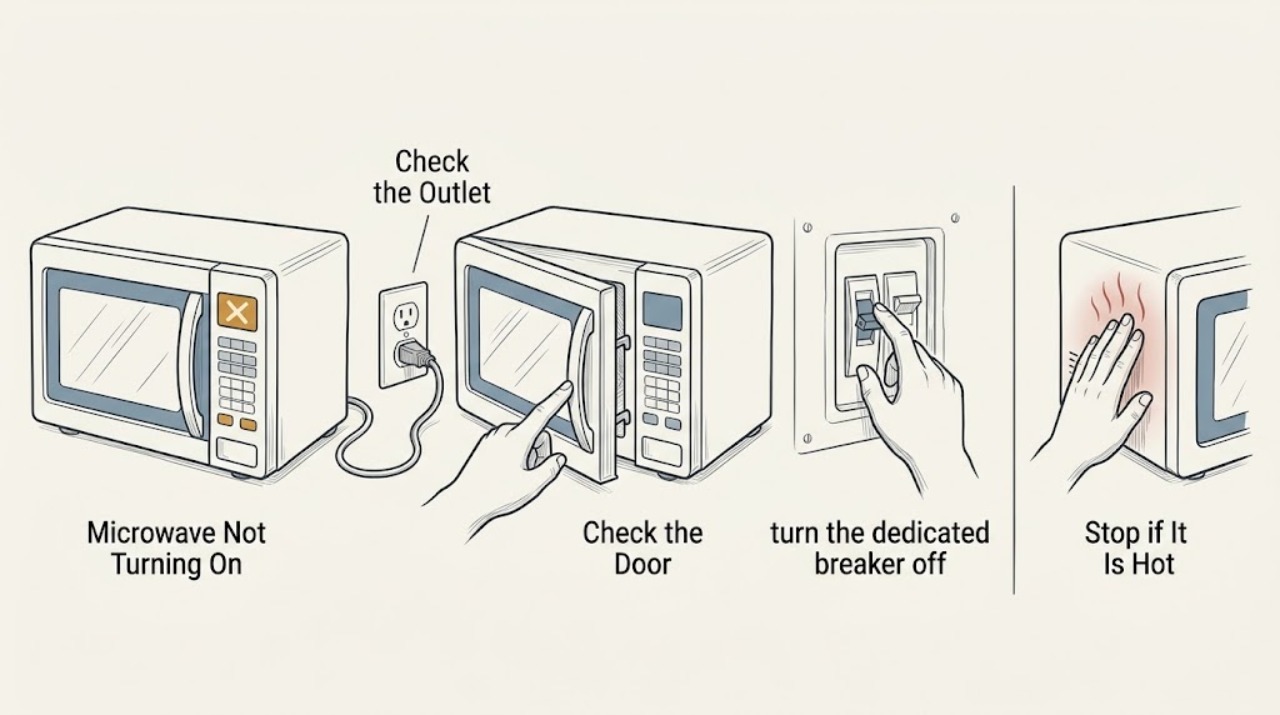
If a KitchenAid microwave is completely dark, verify the outlet and breaker, then check that the door closes and the controls are not locked. Reset power once only if the manual permits. Never open the microwave cabinet; high-voltage components require qualified service.
Work through in order
Diagnostic checks
Use only checks that match the exact appliance or system and its official guide.
-
Check 1
Check that the microwave power cord is firmly connected to a working grounded outlet and test the outlet with a small appliance if safely accessible.
Expected result: The outlet works, or it is dead.
Next step: Check the breaker once and call an electrician if the outlet remains dead or the breaker trips again.
Why this matters
Why: A dead outlet points to household power rather than the microwave.
-
Check 2
Inspect the door opening for packaging, dishes, or debris preventing the door from closing fully, then close it normally without slamming.
Expected result: The door closes and the display responds, or the display remains dark.
Next step: Use the manual's control-lock procedure if the display is active; otherwise arrange service.
Why this matters
Why: A door interlock prevents operation when the door is not latched; a dark display after a sound outlet check suggests a power or control fault.
-
Check 3
If the outlet and cord are sound, turn the dedicated breaker off for one minute and restore it once, then monitor the microwave.
Expected result: The display returns, or the unit remains dead or the breaker trips.
Next step: Do not repeat resets. Leave the breaker off after a trip and request qualified microwave service.
Why this matters
Why: A successful reset may clear a temporary control state; recurrence indicates a fault.
Use your observations
Decision map
Find the observation that best matches what you see, then follow the next safe action.
-
PATH 01Next step
What you see
The outlet is dead or the breaker trips again
Do this next
Stop electrical troubleshooting and use an electrician; do not keep resetting the circuit.
-
PATH 02Next step
What you see
The outlet is live, the door closes, and the display remains dead
Do this next
Arrange qualified service. Never remove the microwave cabinet or test high-voltage parts.
Helpful context
Understand the symptom
A dark display is different from no heating
If the display works but food does not heat, use a heating diagnosis instead. If the display and interior light are both absent, start at the supply.
When checks do not resolve it
Need a professional?
Call when the display stays dark with confirmed power, the breaker trips, there is a burning smell, sparking, or a damaged cord.
Common questions
FAQ
Can I test the microwave with the cover removed?
No. The cabinet can expose hazardous high voltage. Arrange qualified service.
What if the display works but it will not cook?
That is a no-heating symptom rather than a no-power symptom. Stop if there is arcing or burning and use model-specific service guidance.
Read the exact guide
Official sources
- No Power - Not Operating - Built-In MicrowaveKitchenAid · KitchenAid manufacturer guidance for the assigned appliance symptom.
Community feedback
Share a repair observation
Share a plain-text repair observation. Accepted observations are published automatically; this page may take a moment to update.