
On this page
Start here
Quick answer
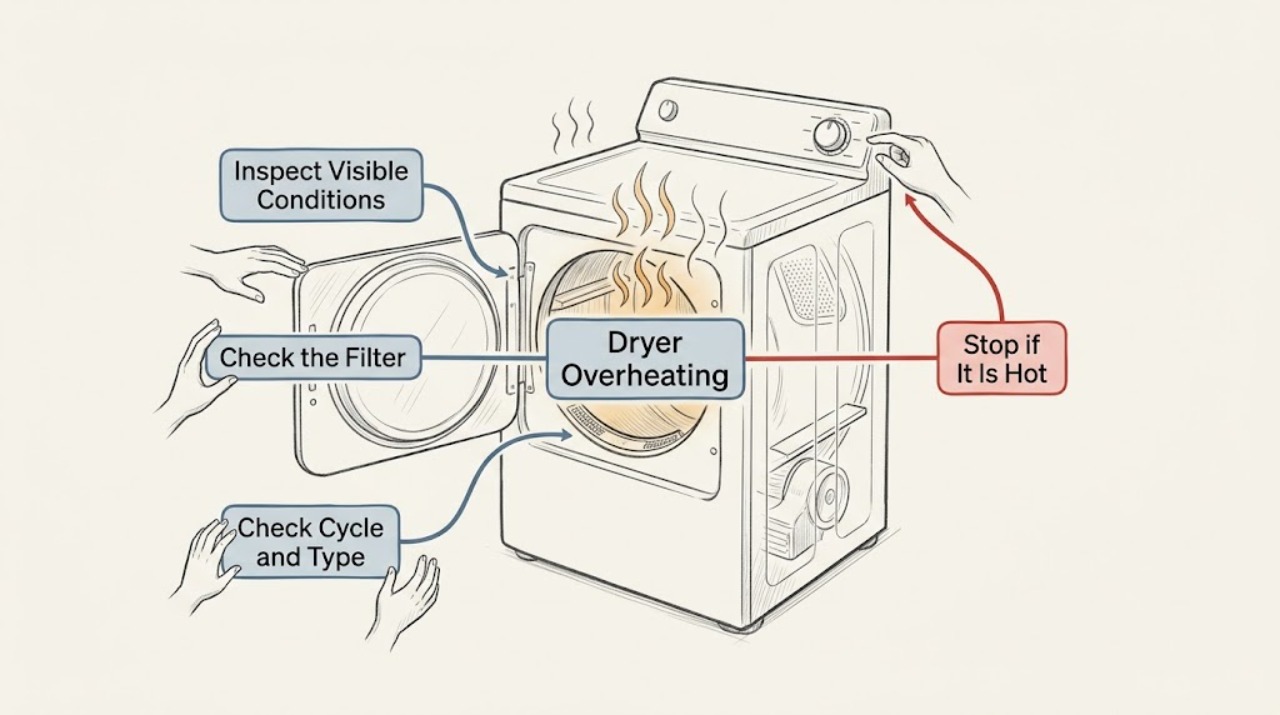
Stop using the Candy dryer if you smell burning, see smoke, or find heat damage. If there is no immediate hazard, let the machine cool and begin with the user-accessible airflow path: reduce the load, clean the lint filter, and clean the condenser or lower filter only if your model has one. Candy's maintenance guidance says the fluff filter should be cleaned after every drying cycle, the filter housing and condenser drawer need regular cleaning, and the dryer needs good ventilation. Check the water container or exhaust arrangement according to the dryer type, then run only a short supervised test. If it overheats again, stops repeatedly, has a damaged cord or plug, or needs an internal thermostat, heater, fan, thermal protector, or control diagnosis, keep it switched off and use authorized service.
Before you begin
Safety first
- Let the Candy dryer cool before cleaning. Isolate power only when it is safe and dry. Never operate the dryer without its required filter, defeat a thermal protector, insert tools into the air path, remove the cabinet, or test live wiring as an ordinary-user step. Internal heat and electrical diagnosis belongs to a qualified technician using the model-specific procedure.
Work through in order
Diagnostic checks
Use only checks that match the exact appliance or system and its official guide.
-
Check 1
Stop the current cycle and note what you actually observe: unusual cabinet or room heat, a burning smell, smoke, melted material, an error indicator, a drum that is not turning, or a cycle that stops and restarts after cooling.
Expected result: There is smoke, burning odor, visible heat damage, sparking, a hot plug or cord, or repeated breaker tripping; alternatively the dryer is merely hotter than expected without those hazard signs.
Next step: For smoke, burning, damage, sparking, or repeated trips, stop immediately, leave the dryer off, and arrange urgent professional help. Otherwise allow the dryer and clothes to cool fully before cleaning or testing.
Why this matters
Why: The hazard signs make continued operation unsafe and are not an airflow-cleaning problem to test through. Heat without a hazard sign can still indicate restricted airflow, an overloaded drum, or an internal fault, but it permits only a cool-down and external-check branch.
-
Check 2
With the dryer cool and isolated from power, remove and clean the lint or fluff filter according to the model manual, and remove loose lint from the visible filter housing without opening the cabinet. If the filter is wet, torn, warped, or will not seat correctly, keep the dryer out of use.
Expected result: The filter is packed with lint or the housing is visibly dirty; or the filter is already clean and intact; or it is damaged and cannot seal or seat normally.
Next step: Clean the accessible filter as directed and reinstall it only when completely dry and correctly seated. If it is damaged, do not operate the dryer until the correct model-specific replacement and diagnosis are confirmed.
Why this matters
Why: Candy says the fluff filter should be cleaned at every drying cycle and that accumulated debris compromises performance and can damage the appliance. A damaged or poorly seated filter can allow lint into the air path and is not safe to ignore.
-
Check 3
Identify the dryer type from the manual or control panel, then check only the parts intended for user maintenance: a condenser drawer or lower filter on a condenser or heat-pump model, the water container if fitted, or the exhaust hose and external grille on a vented model. Follow the model's cleaning and emptying instructions.
Expected result: The condenser or lower filter is clogged, the water container is full, or the exhaust hose/grille is kinked or blocked; alternatively the correct accessible path is clear.
Next step: Correct only the visible, user-maintenance condition for the identified dryer type, reinstall dry filters, and leave adequate ventilation around the machine. If the path is clear or the overheating returns, stop cleaning experiments and move to service diagnosis.
Why this matters
Why: Candy's maintenance guidance says the filter or condenser drawer needs regular cleaning and that a dryer needs good ventilation. Candy also identifies a blocked condenser, full water container, or restricted exhaust as causes of poor drying; these conditions can make a cycle run longer and hotter.
-
Check 4
Check the load and room setup after the dryer has cooled: remove excess items so the drum is not packed, confirm the selected program suits the fabric and load, and make sure external vents are not covered or enclosed in a poorly ventilated space.
Expected result: The drum was overloaded, the program was mismatched, or the dryer had restricted room ventilation; alternatively the load and ventilation match the model instructions.
Next step: Use a smaller, balanced load and the appropriate model program only after the filters and airflow path are clear. If the same load-independent overheating occurs, do not keep repeating cycles; arrange a qualified diagnosis.
Why this matters
Why: Candy warns against overloading and says the dryer must be well ventilated for air recycling. An overloaded drum or restricted room can reduce airflow and extend the heating period without proving a heater or thermostat failure.
-
Check 5
After the dryer is cool and the accessible maintenance checks are complete, run one short, supervised cycle with a small suitable load. Stay nearby and stop the cycle if the cabinet becomes abnormally hot, the smell returns, the drum stops, or a warning appears.
Expected result: The short cycle completes with normal warmth and airflow, or the dryer overheats, stops, smells abnormal, or shows an error again.
Next step: If the cycle is normal, resume use cautiously and continue the maintenance schedule in the model manual. If any overheating symptom recurs, leave the dryer off, record the exact conditions and display, and request authorized service.
Why this matters
Why: A normal supervised cycle after cleaning supports an airflow or use-condition cause, but it does not authorize ignoring a future recurrence. A repeat symptom after clear filters and correct loading points toward a fan, heater, temperature-sensing, thermal-protection, wiring, or control fault.
-
Check 6
Prepare the service information without dismantling the dryer: record the full model and serial details, dryer type, load size, selected program, when the overheating starts, whether the drum turns, what was cleaned, and any code or smell.
Expected result: The overheating is repeatable after accessible airflow checks, or there is a hazard sign, an electrical symptom, a damaged door/cord/plug, or an internal component would need to be reached.
Next step: Keep the dryer out of use and give the record to Candy or an authorized appliance technician. Do not open the cabinet, bypass a thermal protector, test live wiring, or replace an internal part as a trial.
Why this matters
Why: A recurring fault after cleaning cannot be assigned safely to a single part from the symptom. Internal heater, fan, thermostat, thermal protector, wiring, and control checks can expose electrical and heat hazards.
Use your observations
Decision map
Find the observation that best matches what you see, then follow the next safe action.
-
PATH 01Next step
What you see
Smoke, burning odor, sparking, charring, melted material, a hot damaged plug or cord, or repeated electrical trips is present.
Do this next
Stop immediately, keep the dryer off, isolate power only if safe and dry, leave the area if necessary, and seek urgent professional help. Do not run another test cycle.
-
PATH 02Next step
What you see
Lint, a dirty condenser/lower filter, a full water container, a blocked exhaust, an overloaded drum, or poor room ventilation is found.
Do this next
Correct only that user-accessible condition according to the model manual, allow all washed filters to dry, and then perform at most one short supervised test.
-
PATH 03Next step
What you see
The accessible airflow path is clear and the dryer still overheats, stops, smells abnormal, or shows an error.
Do this next
Leave the dryer switched off and arrange authorized service for model-specific diagnosis of the heater, fan, temperature control, thermal protection, wiring, or control system.
-
PATH 04Next step
What you see
The dryer remains normally warm, ventilated, and stable through one short supervised cycle after maintenance.
Do this next
Resume use cautiously, avoid overloading, maintain the filters at the model's stated interval, and stop again if overheating returns.
Helpful context
Understand the symptom
What overheating means on a Candy dryer
A dryer needs a steady path for air and moisture. A packed drum, lint-covered filter, dirty condenser path, blocked exhaust, or poorly ventilated room can make the cycle run hotter or longer. That does not prove that one internal part has failed. A temperature sensor, heater, fan, thermal protector, or control fault is possible when the accessible airflow checks are good, but those components require model-specific diagnosis.
Stop first if the symptom is hazardous
Do not continue a cycle to see whether a burning smell disappears. Stop the program, keep the door closed if the drum or clothes are hot, and isolate the dryer from power only if doing so is safe and dry. Do not use the machine again after smoke, charring, melted plastic, sparking, a hot or damaged plug, or repeated electrical trips.
The dryer type changes the checks
Candy dryers may be vented, condenser, or heat-pump designs. Do not wash or remove a component that your model does not have. Use the model manual for the filter, condenser drawer, water container, exhaust hose, and cleaning instructions; the checks below deliberately stay at the user-accessible level.
Only after diagnosis
Potential parts
- lint filter or filter housing
Consider this category only if the filter is torn, warped, missing, or cannot seat correctly after the model-specific maintenance check.
Confirm the complete Candy model and manufacturer's fit information before ordering; do not infer compatibility from the overheating symptom. - temperature sensor or thermal protection component
Consider this category only after a technician confirms a temperature-control or thermal-protection fault with the airflow path clear.
Use model-specific service diagnosis and fit information; do not bypass or reset a safety protector as a substitute for repair. - heater or airflow fan assembly
Consider this category only when a technician confirms a heater or fan fault after checking filters, condenser/exhaust path, loading, and ventilation.
Confirm the exact model and revision with Candy or the technician before ordering; similar-looking parts are not proof of compatibility.
When checks do not resolve it
Need a professional?
Contact Candy or an authorized appliance technician when overheating returns after the lint and model-specific airflow checks, the dryer repeatedly stops, an error returns, the drum does not turn, the cabinet or clothes become abnormally hot, or diagnosis would require opening the cabinet or testing the heater, fan, thermostat, thermal protector, wiring, or control board.
Common questions
FAQ
Why is my Candy dryer overheating?
Start with restricted airflow or operating conditions: a full lint filter, dirty condenser or lower filter, blocked exhaust, full water container, overloaded drum, or poor ventilation can extend the heating period. If the accessible path is clear and the dryer still overheats, stop using it and arrange service for an internal heater, fan, sensor, thermal-protection, wiring, or control diagnosis.
How often should I clean the Candy dryer lint filter?
Candy's maintenance guidance says to clean the fluff filter at every drying cycle. It also recommends regular cleaning of the filter housing and, depending on the dryer type, the filter or condenser drawer. Follow your model manual for the exact access and cleaning method.
Can I keep using the Candy dryer if it gets too hot but there is no smoke?
Do not continue normal cycles while the cause is unknown. Let it cool, complete the accessible filter, condenser/exhaust, load, and ventilation checks, and perform at most one short supervised test. If abnormal heat returns, keep it off and request authorized service.
Should I replace the thermostat or thermal fuse myself?
No. A locked-out or repeatedly overheating dryer can have more than one possible cause, and reaching internal heat or electrical parts requires model-specific diagnosis. Keep the dryer off and have a qualified technician identify the fault and the correct part.
Read the exact guide
Official sources
- How to best maintain the dryerCandy · Candy tumble dryers, including user maintenance for filters, condenser drawer, load, and ventilation
- Sèche-linge ne sèche plus : causes et solutionsCandy France · Candy tumble dryers with poor drying, restricted airflow, overheating signs, and user-accessible maintenance checks
Community feedback
Share a repair observation
Share a plain-text repair observation. Accepted observations are published automatically; this page may take a moment to update.