
On this page
Start here
Quick answer
If a Crosley dryer is not spinning, first confirm that a running cycle is selected, the Start control is pressed firmly, the door is fully closed, and the dryer has power. With power disconnected and the drum empty, check for a trapped object or a drum that binds when turned by hand. If the controls respond but the drum still will not move, or if the door switch, cord, breaker, or dryer makes a hot or burning smell, stop using it and arrange qualified service rather than removing panels or testing energized wiring.
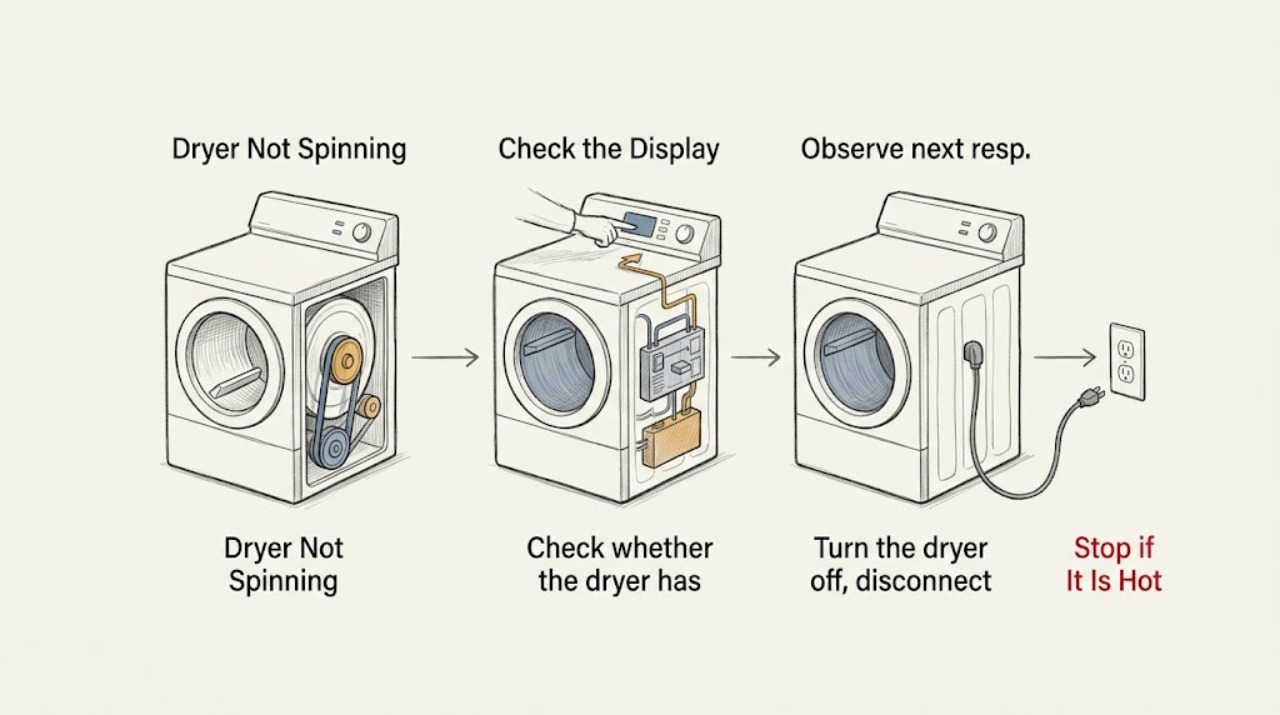
Work through in order
Diagnostic checks
Use only checks that match the exact appliance or system and its official guide.
-
Check 1
Select a normal running cycle, confirm the controls are in an On or running position, close the dryer door completely, and press or hold the model's Start control as its manual describes. Keep hands and clothing away from the drum opening while testing.
Expected result: The dryer starts and the drum begins moving, or the controls respond but the drum remains still.
Next step: If the drum starts, stop repeated testing and use the dryer normally with the lint screen installed. If it remains still, continue with the power and obstruction checks.
Why this matters
Why: An incomplete cycle selection, door closure, or Start command can prevent a normal start without an internal failure. A responsive control with a stationary drum moves the diagnosis toward the drum drive, motor, or door-switch path.
-
Check 2
Check whether the dryer has power: inspect the plug connection and the household breaker or fuses supplying the dryer. If the electrical supply or cord appears damaged, hot, loose, or scorched, do not touch the damaged area or keep resetting the breaker.
Expected result: The dryer display or drum light is dark and a breaker or fuse is abnormal, or power appears normal and the controls still respond.
Next step: Restore a tripped breaker only once if it can be done safely and the floor and outlet are dry. If it trips again, a fuse is abnormal, or the cord is damaged, stop and call a qualified electrician or appliance technician.
Why this matters
Why: A missing household supply can make the dryer appear not to spin. A stable supply with a responsive control makes a basic power interruption less likely.
-
Check 3
Turn the dryer off, disconnect power at the plug only when the area is dry and the cord is safe to handle, remove the clothes, and inspect the front and rear edges of the drum for a coin, button, paper clip, or other trapped object. Do not remove cabinet panels.
Expected result: A small object is caught at the drum edge, or the drum edge is clear.
Next step: Remove only a loose object that is plainly accessible without tools, then reconnect power and test once. If the object cannot be removed safely or the drum remains still, arrange service.
Why this matters
Why: A trapped object can restrict movement and cause unusual sounds. A clear edge means the lack of rotation is more likely in the drive or start system.
-
Check 4
With power still disconnected and the drum empty, rotate the drum gently by hand through a small part of its travel. Stop if it binds, grinds, feels sharply uneven, or will not move; do not force it or reach behind the drum.
Expected result: The drum turns smoothly enough by hand, or it binds and produces abnormal resistance or noise.
Next step: If the drum binds or grinds, leave the dryer unplugged and request service. If it turns but will not run under power, continue only to the service boundary after confirming the door and controls.
Why this matters
Why: Smooth hand movement makes a seized drum less likely but does not prove that the belt, idler, motor, or switch is sound. Binding or grinding indicates a mechanical problem that should not be corrected through the cabinet by a user.
-
Check 5
Check the lint screen and its opening for a visible obstruction, and verify that the screen is present, seated, and not visibly damaged. If the dryer had been running with a blocked or missing screen, also note any unusual heat or odor without restarting it for a prolonged test.
Expected result: The screen is blocked, loose, damaged, or missing, or it is clean and correctly seated.
Next step: Clean or reinstall only the accessible screen as directed by the manual. If the dryer overheated, smells hot, or the drum still will not spin, stop using it and arrange qualified service.
Why this matters
Why: Crosley warns that a blocked or missing lint screen can cause overheating and damage. A correct screen does not explain a stationary drum by itself, so a no-spin condition still needs the start and drive diagnosis.
Use your observations
Decision map
Find the observation that best matches what you see, then follow the next safe action.
-
PATH 01Next step
What you see
The dryer has no display, light, or response.
Do this next
Check the plug, household breaker, and fuses once from a dry, safe position. If power protection trips again or the cord is damaged, stop and request qualified electrical or appliance service.
-
PATH 02Next step
What you see
The controls respond but the drum remains still.
Do this next
Confirm the door closes fully and perform the unplugged drum-edge and gentle hand-movement checks. If it still will not spin, leave internal drive diagnosis to a technician.
-
PATH 03Next step
What you see
The empty drum binds, grinds, or an object is trapped at its edge.
Do this next
Remove only a loose, plainly accessible object without tools. Otherwise keep the dryer disconnected and request service; do not force the drum or remove panels.
-
PATH 04Next step
What you see
The lint screen is missing, damaged, or blocked, or the dryer smells hot.
Do this next
Stop the dryer, allow it to cool without a prolonged restart, and arrange service if there is a hot odor, visible damage, or a continuing no-spin condition.
-
PATH 05Next step
What you see
Power, cycle, Start command, door closure, lint screen, and accessible drum checks are normal but the drum will not spin.
Do this next
Stop troubleshooting and request qualified appliance service. Do not test energized wiring or replace a drive component based only on the symptom.
Helpful context
Understand the symptom
A dryer that is not spinning may be completely unresponsive, or it may heat while the drum remains still. Start with the controls, door, and power. Then use only an unplugged, empty-drum check to distinguish a trapped object or mechanical binding from a fault that needs service.
Never run a dryer with a loose, damaged, blocked, or missing lint screen. If there is smoke, a strong burning smell, a scorched cord, or a gas odor, stop the cycle and use the safety boundary below before any further check.
Only after diagnosis
Potential parts
- dryer drive belt
Only consider a belt after service inspection confirms that the motor runs but the drum does not receive drive, or the belt is visibly damaged with power disconnected.
Confirm the complete Crosley model and the manufacturer's fit information before ordering any component. - dryer door switch
Only consider this component if the door closes but service testing confirms that the switch does not report a safe closed condition.
Use the full model identification and manufacturer fit information; do not infer compatibility from appearance alone.
When checks do not resolve it
Need a professional?
Request service for a Crosley dryer that has power and a valid start command but will not spin, or for a dryer with binding, overheating, a damaged switch or cord, or repeated breaker operation.
Have this ready
- Provide the complete model number, whether the controls and drum light respond, whether the door closes, whether the drum turns by hand while disconnected, any trapped-object or unusual-noise finding, and whether the dryer is gas or electric.
Common questions
FAQ
Why does my Crosley dryer turn on but not spin?
Confirm the door closes and the Start control is pressed firmly, then disconnect power and check for a trapped object or drum binding. If the controls respond but the drum stays still, the drive or door-switch circuit needs service.
Can a tripped breaker stop a Crosley dryer drum from spinning?
Yes. Check the dryer plug and the supplying breaker or fuses once from a dry, safe position. If power protection trips again, stop resetting it and request qualified service.
Should I remove the Crosley dryer panel to check the belt?
No. A stationary drum can involve the belt, motor, idler, support, door switch, or power path. Leave cabinet and energized-wiring diagnosis to a qualified technician.
What if the Crosley dryer makes a hot smell while not spinning?
Stop the cycle and do not restart it for a prolonged test. Check only the visible lint screen from a safe position; smoke, a burning smell, scorched wiring, or a gas odor requires immediate service and the applicable safety response.
Read the exact guide
Official sources
- CE/GD7006 - CROSLEY HOME PRODUCTSCrosley Home Products · Crosley electric and gas dryers
- ELECTRIC DRYER OWNER'S MANUALCrosley Home Products · Crosley electric dryers covered by the owner manual
- TROUBLESHOOTINGCrosley Home Products · Crosley electric and gas dryer guide
Community feedback
Share a repair observation
Share a plain-text repair observation. Accepted observations are published automatically; this page may take a moment to update.