
On this page
Start here
Quick answer
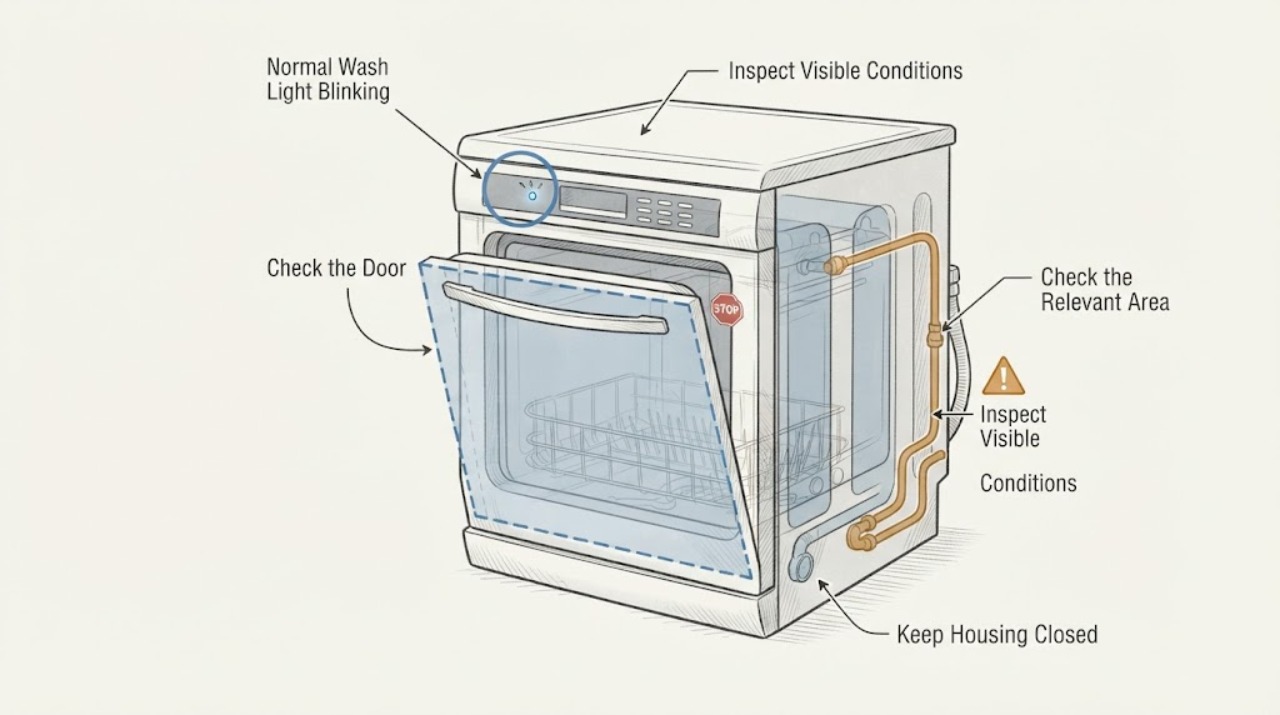
On the Danby DDW1805EWP, do not decide that a blinking Normal light is harmless or that it proves overflow from the blink alone. Danby's exact manual says the Normal wash indicator flashing means water overflow, while the same manual also identifies that light as the selected program indicator; an opened exact-model Reddit report describes the selected program light blinking during normal setup and changing when another program is selected. First stop the water source if there is actual water rising, leaking or standing outside the tub. If the light changes with the selected program, there is no overflow, the cycle starts normally and the machine does not beep or stop, the report suggests it may be normal program feedback, but that is community evidence rather than Danby's explicit explanation. If water is present, the indicator stays on the Normal program outside selection, the cycle stops, or the Rapid indicator also flashes/beeps, unplug the unit safely, leave the water off and use Danby's service/warranty route. Danby's manual permits one approximately five-minute power reset for an error, but it does not authorize opening the base or diagnosing a float, valve or pump from the light alone.
Before you begin
Safety first
- Do not run repeated fill tests with the faucet open, disconnect a pressurized Quick Connect, open the lower cover, reach for an overflow switch, remove panels, bypass the door or water-level safety, test live wiring, or choose an inlet valve, drain pump or control part from the indicator alone. Stop the water and isolate power only when safe if there is a leak, hot spray, smoke or electrical damage.
Work through in order
Diagnostic checks
Use only checks that match the exact appliance or system and its official guide.
-
Check 1
With the dishwasher stopped, note which program is selected, then press the Program button once at a time to select another program without starting a wash. Observe the selected-program light; do not use a light change alone as proof that an overflow has occurred.
Expected result: The illuminated or blinking light follows the selected program, or the Normal light flashes regardless of the selected program.
Next step: If the selection behavior is normal and there is no water, continue with the hookup and short-cycle checks. If the Normal light remains an error indication, leave the water off and continue only with safe external observations and a service decision.
Why this matters
Why: Danby's manual identifies the Heavy, Normal, 90 Min and Rapid lights as program indicators, while its error table maps a flashing Normal indicator to water overflow. A light that follows selection resembles the exact-model community setup report; a Normal light that persists independently of selection needs to be treated as the manual's error indication.
-
Check 2
Look at the floor, the tub and the accessible faucet/Quick Connect connection with the water source turned off. Do not reach into the tub while a cycle is running or disconnect a pressurized connector.
Expected result: There is water outside the appliance, water rising or remaining unusually high in the tub, a drip at the faucet adapter/Quick Connect, or no visible water problem.
Next step: If water is leaking or rising, keep the faucet off, isolate power only when safe and request Danby service. If the hookup is dry, correct only an obvious accessible connection issue and do not open the base to search for an overflow part.
Why this matters
Why: Actual water or a leaking connection makes the manual's overflow warning more urgent; a dry floor and normal tub level do not prove that the indicator is harmless, but they distinguish the community's selected-program observation from an observed spill.
-
Check 3
When the connection is dry and the selected program is clear, follow Danby's startup sequence: load the unit, close the door, select a program, run the nearest hot faucet until the water is hot, turn it off, and press Start/Pause/Cancel. Stay nearby for the initial fill and stop if water leaks, rises abnormally, beeps or the cycle stops.
Expected result: The dishwasher fills and runs without a leak or overflow, or it stops with a flashing Normal indicator, repeated alarm, water outside the tub or another indicator pattern.
Next step: If the cycle runs dry and normally, monitor it and keep the water source off when the program is complete. If the fault pattern appears, cancel/stop the cycle, keep the water off and use service rather than repeating fills.
Why this matters
Why: Danby documents the startup sequence and says the program light identifies the chosen cycle. A clean short observation supports normal setup more than an idle light does; a stop, alarm or actual water event is not explained by program selection alone.
-
Check 4
If Danby's error pattern remains after the water has been stopped and the machine is safe to handle, unplug the dishwasher for approximately five minutes and reconnect it once. Do not repeatedly reset an appliance that is leaking, full of water or showing electrical damage.
Expected result: The indicator returns to the selected-program behavior and the unit runs without water trouble, or the Normal overflow indication returns immediately or is joined by an intake/heating indicator.
Next step: If the error returns, leave the water supply off and arrange Danby service under the new-appliance warranty. Do not remove panels, bypass a float or door safety, test live wiring or order a valve/pump from the indicator alone.
Why this matters
Why: Danby says a power reset may resolve an error code, but the manual does not identify which internal component caused an overflow indication. A returning indicator after one reset needs model-specific service diagnosis.
Use your observations
Decision map
Find the observation that best matches what you see, then follow the next safe action.
-
PATH 01Next step
What you see
The light changes with the selected Heavy, Normal, 90 Min or Rapid program, there is no water outside or rising in the tub, and the short startup observation runs normally.
Do this next
Continue using the selected program while monitoring the first cycle. Keep the hookup accessible and turn off the faucet after the program; contact Danby if the light stops following selection or an actual water/alarm symptom appears.
Why this path and its safety boundary
Why it matters: This pattern matches the program-indicator role in Danby's manual and the exact-model community report more closely than an observed overflow, although the Reddit report does not override Danby's error table.
-
PATH 02Next step
What you see
The Normal indicator flashes independently of program selection, or the machine stops with water rising, water outside the tub, a beep or a repeated overflow indication.
Do this next
Turn off the faucet, stop the cycle and isolate power only when safe. Do not run another fill or open the base; arrange Danby service and describe the water level, leak location and indicator pattern.
Why this path and its safety boundary
Why it matters: Danby's exact DDW1805EWP error table defines a flashing Normal wash indicator as water overflow. The external symptom makes this a real fault boundary rather than a harmless selected-program observation.
-
PATH 03Next step
What you see
The Rapid indicator flashes, or Rapid and 90 Min flash together, instead of the Normal overflow pattern.
Do this next
Leave the faucet and machine safe, record the exact pattern and request service if it persists. Do not transfer the overflow meaning to a different indicator combination.
Why this path and its safety boundary
Why it matters: Danby's manual assigns those patterns to restricted water intake/low pressure and a heating-element malfunction respectively; they are different from the Normal overflow indication.
-
PATH 04Next step
What you see
The connection leaks, the Quick Connect will not lock, or the owner needs to disconnect it while the inlet hose is pressurized.
Do this next
Turn off the water source, follow Danby's pressure-relief step only as described in the manual, and do not force the collar or continue setup until the connection is secure. Use service or a qualified installer if it still leaks.
Why this path and its safety boundary
Why it matters: Danby treats the portable hookup as a pressurized water connection and warns that failing to release pressure can spray hot water and cause scalding.
Helpful context
Understand the symptom
Why the Normal light is confusing on a new DDW1805EWP
The exact manual uses the front-panel lights in two ways that need to be separated. It calls Heavy, Normal, 90 Min and Rapid program indicators and says a program indicator illuminates for the chosen program. In the error table, it also says that a flashing Normal wash indicator means water overflow. The lamp's behavior, the presence of water and what the dishwasher does next matter more than the word “blinking” alone.
Use the selected-program comparison before calling it an overflow
An opened Reddit post about a brand-new DDW1805EWP reports that the Normal light blinked, then the Heavy light blinked after the owner changed the selected program. The author interpreted that as normal operation, but this is a community observation, not Danby's explanation. If the light follows the selected program and there is no water rise, leak, alarm or stopped cycle, record that pattern and avoid inventing a failed part. If the same light flashes as an error while water is present or the machine stops, follow the manual's overflow boundary instead.
Check the portable hookup without opening the machine
For first setup, Danby says the Quick Connect must click onto the faucet adapter, the water source should remain off until a wash program is ready to run, and the hoses must be handled as pressurized water connections. Inspect only accessible connections for a leak, loose collar or kink with the water off. Do not remove the lower cover or try to reach an overflow switch, inlet valve or drain pump.
When checks do not resolve it
Need a professional?
Request Danby service for the new DDW1805EWP if the Normal overflow indicator remains independent of program selection, water rises or leaks, the unit stops or alarms, the error returns after one safe five-minute reset, the Quick Connect cannot be made leak-free, or the machine shows a different persistent error pattern.
Safety scope: Do not run repeated fill tests with the faucet open, disconnect a pressurized Quick Connect, open the lower cover, reach for an overflow switch, remove panels, bypass the door or water-level safety, test live wiring, or choose an inlet valve, drain pump or control part from the indicator alone. Stop the water and isolate power only when safe if there is a leak, hot spray, smoke or electrical damage.
Common questions
FAQ
Does a blinking Normal light always mean my new Danby DDW1805EWP is overflowing?
Danby's exact manual says a flashing Normal wash indicator means water overflow, so do not ignore it when water rises, leaks, the cycle stops or the indication persists. A separate exact-model community report observed the selected program light blinking and changing when the program changed without visible overflow; use the water and cycle behavior to separate those cases.
Why does the program light blink after I choose a cycle?
Danby's manual identifies the Heavy, Normal, 90 Min and Rapid lights as program indicators. If the light follows the program you select and the dishwasher starts normally without water trouble, that resembles the exact-model community setup report. It is not a reason to dismiss a persistent Normal error indication with water or alarms.
What should I do first if there is actual water during the overflow indication?
Stop the cycle, turn off the faucet and isolate power only when safe. Do not continue filling or open the base. Record whether water is in the tub, on the floor or at the Quick Connect, then contact Danby service.
Can I reset the DDW1805EWP overflow light?
Danby's manual says an error may clear after unplugging the dishwasher for approximately five minutes and reconnecting it. Use that only once after the water source is off and the appliance is safe; if the indication returns, use service rather than repeatedly resetting or replacing a part by guesswork.
Read the exact guide
Official sources
- Danby DDW1805EWP Owner's ManualDanby Products Limited / Danby Products Inc. · Opened the Danby-hosted PDF and verified the cover identifies model DDW1805EWP. The manual's English section covers this dishwasher's program indicators, portable Quick Connect, startup sequence, error combinations and troubleshooting boundary. It specifically maps a flashing Normal wash indicator to water overflow.
- Danby 18" Wide Portable Dishwasher in White - DDW1805EWPDanby · Opened Danby's official USA product page for SKU DDW1805EWP. It identifies the assigned model as an 18-inch portable dishwasher and links the owner manual; it is used for identity and setup scope, not as the indicator-code authority.
- Brand new Danby dishwasher. Am I doing it wrong or just overthinking?Reddit r/Appliances · Opened the exact Reddit post. The author identifies a new Danby DDW1805EWP, reports a blinking Normal indicator without visible overflow, and reports that changing the selected program made the Heavy indicator blink. This is community context only and does not replace Danby's error table.
Community feedback
Share a repair observation
Share a plain-text repair observation. Accepted observations are published automatically; this page may take a moment to update.