
On this page
Start here
Quick answer
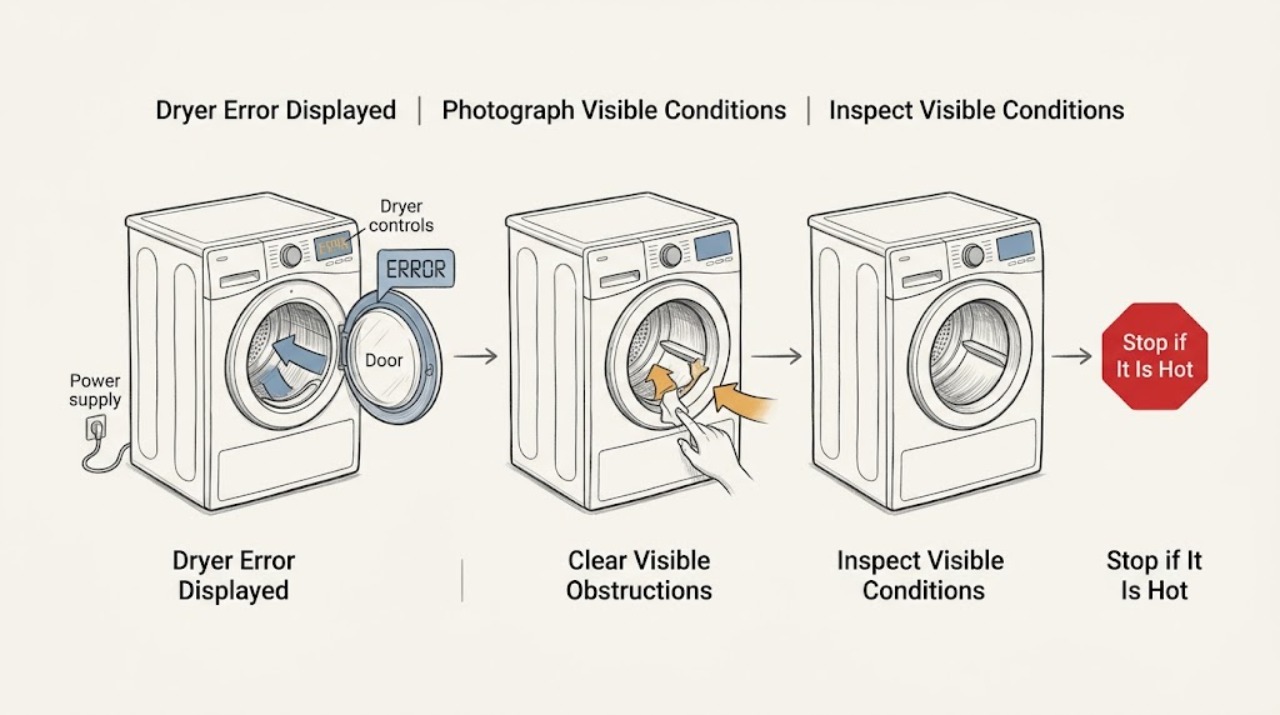
When an Electrolux dryer displays an error, write down the exact code or message and the model number before clearing it. The meaning is model- and market-dependent: E42 points to a door that is blocked or not fully closed on the Electrolux laundry dryer guide, EF1 points to a ventilation blockage, E4 indicates a humidity-sensor fault that may still allow a current or manual cycle, and EH0/EHO points to a possible power-supply problem on applicable condenser and heat-pump dryers. You can make the documented external checks and one model-appropriate reset, but do not guess at a code, bypass a door or safety device, use an extension cable, or open live wiring. If the code returns, the dryer will not start, or there is heat, smoke, burning odor, a damaged cord, or a tripping circuit, stop and arrange qualified service or electrical help.
Work through in order
Diagnostic checks
Use only checks that match the exact appliance or system and its official guide.
-
Check 1
With the dryer stopped, record the complete code or message exactly as displayed, photograph it if possible, and note the model number from the rating label or owner documentation. Do not substitute a similar-looking code from a different model or region.
Expected result: A code such as E42, EF1, E4, H2/B2, H4/B4, EH0/EHO, Err, Mute, or AD leads to a different documented check. A code that is incomplete, intermittent, or not listed for the model cannot be safely decoded from the label alone.
Next step: Search the Electrolux support library or the model manual using the recorded model and code. If the code returns immediately or the manual gives no user check, preserve the photo and arrange qualified service.
Why this matters
Why: The exact display is the decision point. Misreading a character can send the repair down the wrong path, while a model-specific manual can define a code that the general guide does not cover.
-
Check 2
If the display is E42 or the door-related warning is equivalent on your model, remove only an accessible garment or item blocking the door and close it firmly without slamming. Check that the latch area is not visibly obstructed; do not bypass or hold the door switch closed.
Expected result: If the door closes normally and the code clears on a new start, the immediate condition was consistent with an obstructed or incompletely closed door. If the door appears closed but E42 returns, or the latch will not engage, the dryer still has a door-sensing problem.
Next step: Run one short test only after the door closes normally. If the code returns, stop and arrange service with the model number and the exact display; do not open the front or control area.
Why this matters
Why: The door interlock must confirm closure before the dryer can safely run. A recurring door code after an unobstructed closure is not a reason to defeat the interlock or keep retrying.
-
Check 3
If EF1 is displayed, switch the dryer off and unplug it before cleaning the lint filter. Inspect the accessible exhaust tube for a sharp bend, crushing, or visible blockage, and look at the vent exit for lint or debris that can be cleared without dismantling the vent or wall.
Expected result: A loaded lint filter, restricted tube, or blocked exit matches the ventilation check in Electrolux's error guide. If the accessible path is clear but EF1 returns, the dryer still detects an airflow condition or needs model-specific diagnosis.
Next step: Restore the filter and vent connection, then run one supervised test. If EF1 returns, airflow remains weak, or the vent requires work inside the wall or building, stop using the dryer and arrange qualified appliance or vent service.
Why this matters
Why: The error may be caused by an airflow restriction rather than a failed control. Repeated operation with restricted exhaust can increase heat and lint risk, so clearing only the accessible path is the limit of this check.
-
Check 4
If the display is E4, note whether the dryer completes its current cycle and whether a manual timed cycle can run, without trying to open the sensor assembly. Keep the exact code and model recorded.
Expected result: Electrolux's guide says a humidity-sensor failure may allow the current cycle to complete and manual cycles to operate. If the code persists, cycles stop, or drying behavior is abnormal, the condition has not resolved.
Next step: If E4 continues after the current test, stop relying on repeated resets and schedule qualified service. Provide the code, model, cycle used, and whether manual operation was possible.
Why this matters
Why: A usable manual cycle does not prove the sensor is healthy; it only indicates the dryer may have a limited operating mode. Repeated E4 needs service rather than a guessed sensor replacement.
-
Check 5
If the display is Err, switch the dryer off and on, then select a cycle and options before starting it. Make sure the door is fully closed and do not change an option after the cycle has begun unless the model manual permits it.
Expected result: Electrolux says Err can result from changing a cycle or setting after the cycle has started or selecting an incompatible option. If the error clears after a fresh selection and the door closes, it was consistent with that control condition; if Err returns immediately, the problem remains.
Next step: Try one correctly configured cycle. If Err persists, record the selected cycle and options and arrange service instead of repeatedly switching settings or opening the controls.
Why this matters
Why: Err can be an option or cycle-state message rather than a component failure. A repeat after a clean selection means the user-level reset did not resolve the underlying condition.
-
Check 6
If the display is EH0 or EHO, unplug the dryer and test the same wall socket with another suitable appliance only if doing so is safe. Do not use an extension cable. If the socket also fails, leave the circuit off and contact a qualified electrician; if it works, reconnect the dryer and perform one documented 30-second reset before selecting a program.
Expected result: A failed socket or unstable circuit points to a supply-side issue. If the socket works but EH0/EHO returns after the reset, Electrolux identifies a possible supply problem that needs professional diagnosis rather than internal testing.
Next step: Stop using the dryer and arrange electrical or appliance service if the code returns, the circuit trips, the plug or cord is damaged, or the outlet is warm or discolored.
Why this matters
Why: The code may be caused by supply conditions, not the dryer's mechanical system. A reset can separate a transient control state from a recurring fault, but it cannot validate live internal wiring.
-
Check 7
If the display is H4/B4, H2/B2, Mute, or AD, compare the message with the model manual and the official error guide. For H4/B4, do not alter wiring; for H2/B2, do not open the electrical enclosure; for Mute or AD, check whether the dryer otherwise operates normally.
Expected result: Electrolux labels H4/B4 as an incorrect-wiring installation issue and H2/B2 as a power-supply issue. Mute can indicate that sounds or alarm chimes are disabled, while AD identifies an Auto Dry setting in the guide.
Next step: If the code is installation or power related, stop and arrange professional help. If it is a setting indicator and the dryer runs normally, use the model instructions; if operation is affected or the code is not listed, schedule service.
Why this matters
Why: These displays do not share one repair path. Installation or supply codes require a qualified installer, electrician, or appliance technician; a setting indicator may need only a control change defined by the manual.
Use your observations
Decision map
Find the observation that best matches what you see, then follow the next safe action.
-
PATH 01Next step
What you see
The exact code is E42 and the door was obstructed or not fully closed.
Do this next
Clear the accessible obstruction, close the door normally, and perform one short test. Escalate if the code returns or the latch will not engage.
-
PATH 02Next step
What you see
The exact code is EF1 and the lint filter, exhaust tube, or vent exit has an accessible restriction.
Do this next
Unplug the dryer, clear only the accessible restriction, restore the filter and vent connection, and test once. Arrange appliance or vent service if EF1 returns or the restriction is inside the building path.
-
PATH 03Next step
What you see
The exact code is E4 and a current or manual cycle still operates.
Do this next
Treat that as limited operation, not a confirmed repair. If E4 persists, record the behavior and schedule qualified appliance service.
-
PATH 04Next step
What you see
The display is Err and the cycle or option was changed after starting, or the selected option is incompatible.
Do this next
Switch the dryer off and on, select the cycle and options before starting, and close the door fully. Escalate if Err returns on a correctly selected cycle.
-
PATH 05Next step
What you see
The display is EH0/EHO, the outlet fails, the code returns after a 30-second reset, or the circuit trips.
Do this next
Stop using the dryer and arrange qualified electrical or appliance service. Never use an extension cable or test live internal wiring.
-
PATH 06Next step
What you see
The code is H4/B4 or H2/B2, or the display is not covered by the model documentation.
Do this next
Do not guess at wiring or component repairs. Preserve the exact code and model information and contact a qualified installer, electrician, or appliance technician as appropriate.
-
PATH 07Next step
What you see
The display is Mute or AD and the dryer otherwise operates normally.
Do this next
Use the exact model instructions to change the setting only if desired. If the dryer will not operate normally or the display persists unexpectedly, arrange service.
Helpful context
Understand the symptom
Start with the exact display
An error displayed on an Electrolux dryer is a symptom, not one universal diagnosis. Codes vary by dryer type, model, and market, and a display such as Err, Mute, or AD may describe a control state rather than a failed component. Photograph or transcribe the entire message, including characters that may look alike, and record whether the dryer stopped, will not start, or completes a cycle. Use the manual for the exact model before treating a code from another Electrolux family as applicable.
Keep checks outside the cabinet
Only inspect the door, lint filter, accessible exhaust path, controls, and wall socket as described for your model. Do not defeat a door switch, remove panels, probe wiring, or use an extension cable. Unplug the dryer before clearing an accessible lint restriction or making a reset, and keep the vent and floor clear. A persistent code or an electrical or overheating symptom belongs with qualified service.
When checks do not resolve it
Need a professional?
Professional diagnosis is appropriate for a recurring or unknown code, a code involving wiring or power, a code that prevents safe starting, or any error accompanied by overheating, smoke, burning odor, or repeated circuit trips.
Common questions
FAQ
What should I do first when my Electrolux dryer displays an error?
Record the exact code, photograph it if possible, and note the model number before clearing the display. Then use the model manual or Electrolux support article for that code; codes are not interchangeable across dryer models or regions.
What does EF1 mean on an Electrolux dryer?
Electrolux's laundry dryer guide associates EF1 with a ventilation blockage. With the dryer unplugged, check the lint filter, accessible exhaust tube, and vent exit for bends, restrictions, or debris. If the code returns, arrange qualified appliance or vent service.
What does EH0 or EHO mean on an Electrolux dryer?
On applicable condenser and heat-pump dryers, Electrolux says EH0/EHO can indicate a power-supply problem. Check the socket safely, never use an extension cable, unplug for the documented 30-second reset, and arrange professional help if the code returns.
Why does my Electrolux dryer show Err?
Electrolux says Err can appear when a setting is changed after a cycle has started or the option is incompatible with the selected cycle. Switch the dryer off and on, select the cycle and options before starting, and close the door fully.
Can I keep using an Electrolux dryer showing E4?
The general Electrolux guide says a humidity-sensor error may let the current cycle complete and manual cycles operate, but it advises scheduling service if the error continues. Do not treat limited operation as proof that the sensor is repaired.
Read the exact guide
Official sources
- Support for DryersElectrolux · Electrolux's dryer support library and model-specific route for manuals and additional troubleshooting articles.
- Tumble dryer displays error message EHO, EH0Electrolux · Electrolux condenser and heat-pump tumble dryers displaying EHO/EH0 or related EH power-supply codes.
- Laundry Dryer Error Code GuideElectrolux · Electrolux's general laundry dryer guide for E42, EF1, E4, H4/B4, H2/B2, Mute, and AD display conditions.
- Tumble dryer displays error message "Err"Electrolux · Electrolux vented, condenser, and heat-pump tumble dryers displaying Err after an incompatible setting or a change after cycle start.
Community feedback
Share a repair observation
Share a plain-text repair observation. Accepted observations are published automatically; this page may take a moment to update.