
On this page
Start here
Quick answer
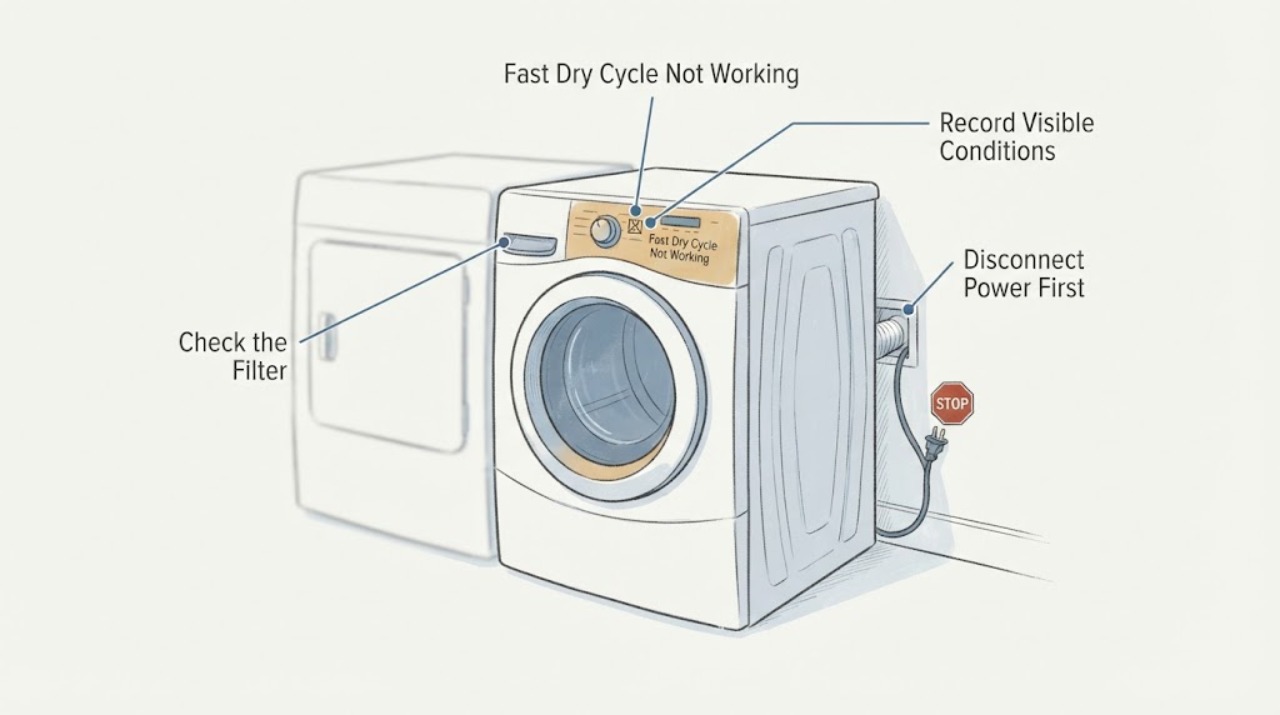
First confirm what the control is doing on the exact Electrolux EFME517STT: its guide describes an 18-minute Fast Dry cycle for small loads, while available settings vary by selected cycle and an unavailable setting will not light. Moving the dryer from stacked to side-by-side changes installation conditions, so check the rating-plate model/PNC, cycle and display behavior, lint filter, visible vent path, level, clearance and power indicators before suspecting a control board. Turn the dryer off and disconnect it before cleaning or inspecting. If Fast Dry still cannot be selected, the cycle does not run normally, or there is unsafe heat, an electrical symptom, a burning smell, or a recurring fault, stop using it and arrange qualified Electrolux service. Do not force an option, open the cabinet, or alter wiring.
Before you begin
Safety first
- Disconnect power before cleaning or maintenance. Do not open the cabinet, bypass the door switch, test live voltage, alter wiring, move the dryer alone or replace a control, keypad, motor, sensor, belt or vent component based only on the Fast Dry symptom. Use only maintenance described in the model guide; stop immediately for smoke, burning odor, unsafe heat, electrical damage or a recurring fault.
Work through in order
Diagnostic checks
Use only checks that match the exact appliance or system and its official guide.
-
Check 1
Read the rating plate and record the complete model and PNC/serial information, then select Fast Dry and write down exactly what happens: the cycle lights, the control rejects it, the display shows a time, the time is abnormal, or Start does nothing. Do not infer the last characters from EFME517S alone.
Expected result: The rating plate confirms EFME517STT and the control offers Fast Dry, or the exact model/PNC or display behavior differs.
Next step: Use the complete model/PNC in Electrolux documentation. If the display or model cannot be matched, stop guessing at settings and give the exact information to service.
Why this matters
Why: The support page is specific to EFME517STT, while the guide covers multiple series and warns that consoles and available features can differ. A partial model name is not enough to apply another cycle chart.
-
Check 2
Choose the Fast Dry cycle first and then observe the Options/Set controls. Compare the indicator with the owner-guide setting chart; do not keep pressing an option that does not light and do not use another cycle as a substitute until the selection behavior is understood.
Expected result: Fast Dry selects normally; the cycle selects but a particular option stays dark; the displayed time is abnormal; or the control will not select Fast Dry.
Next step: If only an option is unavailable, follow the chart for the selected cycle. If Fast Dry itself is unavailable or the display is abnormal, record it and continue to the installation and power checks before arranging service.
Why this matters
Why: A dark option can be a documented cycle restriction rather than a failure. A selector that rejects Fast Dry or presents an abnormal display is a control or configuration symptom, but it does not identify a control board or keypad part.
-
Check 3
Turn the dryer off and disconnect it from power before maintenance. When cool, clean and reinstall the lint filter, inspect the visible exhaust outlet and hose connection for crushing or blockage, and check that nothing is pressed against the front or rear ventilation areas. Do not open the cabinet or reach into the exhaust housing.
Expected result: The lint filter is blocked or damaged, the exhaust path is visibly restricted after the move, the dryer has inadequate clearance, or the visible airflow path is clear.
Next step: Correct only the external filter or visible routing issue described by the manual. If the path is clear but Fast Dry still misbehaves, keep the dryer off for the service decision.
Why this matters
Why: Electrolux identifies lint, air passages and installation ventilation as performance and safety checks. A restricted path can make drying slow or hot, but cannot explain a cycle-selection display by itself.
-
Check 4
Compare the new side-by-side installation with the installation instructions without moving the dryer alone: confirm it is level and stable, the door closes normally, the outlet and cord show no damage, and the exhaust is routed according to the guide. If the dryer was physically moved, have the installation checked by a qualified person rather than lifting or rewiring it yourself.
Expected result: The dryer rocks, the door or vent connection changed, the outlet/breaker or cord shows a problem, or the installation appears level, secure and unobstructed.
Next step: Do not operate through an unstable, damaged, poorly ventilated or electrically questionable installation. Correct or have it verified; if sound and the cycle fault remains, arrange model-specific service.
Why this matters
Why: A change after relocation makes installation and supply a plausible branch, but the observed condition does not prove internal dryer damage. Electrolux says to check level, ventilation, installation guidance and power.
-
Check 5
If there is no safety symptom, the installation is verified, and the guide allows the cycle, make one nearby observation with a small, loosely loaded group of suitable fabrics on Fast Dry. Follow the door and Start controls normally; do not bypass the door switch, repeat tests, or run a full load just to reproduce the problem.
Expected result: Fast Dry runs and ends normally; the dryer starts but the display or duration is abnormal; it stops, heats unsafely, or will not start; or the cycle works only after changing the installation.
Next step: Keep the result and display record with the model/PNC. Stop and arrange qualified service for a repeatable selection, starting, heating or stopping fault, or any unsafe heat, odor, electrical symptom or recurring error.
Why this matters
Why: Fast Dry is intended for a small load, so a normal run separates a selection misunderstanding from a repeatable appliance fault. A very small or nearly dry load can also make moisture-sensed cycles end early; this does not prove a failed sensor or board.
Use your observations
Decision map
Find the observation that best matches what you see, then follow the next safe action.
-
PATH 01Next step
What you see
The complete EFME517STT identity is confirmed, Fast Dry selects as the 18-minute small-load cycle, and the only dark indicator is an option that the chart does not make available for the selected cycle.
Do this next
Use the cycle and options shown as available in the exact guide. Do not force the unavailable option or replace a board from the indicator alone.
Why this path and its safety boundary
Why it matters: This pattern is consistent with a documented cycle restriction, not proof of a broken control.
-
PATH 02Next step
What you see
Fast Dry itself will not select, shows an abnormal time, will not start, or the same fault remains after the exact cycle-selection sequence and one safe restart.
Do this next
Stop repeated attempts, preserve the exact display and model/PNC record, and arrange qualified Electrolux service. Do not open the cabinet or buy a keypad/control board from the symptom.
Why this path and its safety boundary
Why it matters: The behavior is repeatable and is not explained by an option restriction. It could involve controls, supply or another system, but the observation does not identify a part.
-
PATH 03Next step
What you see
The problem began only after the dryer was moved from stacked to side-by-side and an external check finds a changed vent route, inadequate clearance, instability, damaged cord/outlet or another installation difference.
Do this next
Have the installation corrected or checked by a qualified person before further use. Recheck the exact cycle only after the installation is safe and compliant.
Why this path and its safety boundary
Why it matters: The relocation created a plausible installation or supply branch, but does not establish internal dryer damage.
-
PATH 04Next step
What you see
The dryer is level, ventilated, correctly supplied, and the exact cycle is selected, but Fast Dry still fails or the dryer shows unsafe heat, an electrical symptom, burning odor, smoke, repeated stopping or a recurring fault.
Do this next
Stop using the dryer and arrange qualified service. Keep it disconnected when cleaning or while awaiting service; do not reproduce the fault, remove panels, handle live wiring or select internal parts from the symptom.
Why this path and its safety boundary
Why it matters: The external checks did not resolve a model-specific performance or safety fault. Electrolux directs recurring or unsafe dryer problems to professional service.
Helpful context
Understand the symptom
Why the move matters
A stacked installation and a side-by-side installation can leave different clearances, exhaust routing, leveling, outlet access and room airflow. The move is a new installation observation to verify, not proof that the move damaged a board. The EFME517STT guide also says that it covers multiple series and that not every cycle, option or feature is available on every model; select the cycle first and read the display rather than treating Fast Dry like a universal add-on.
What Fast Dry means here
The linked guide describes Fast Dry as an 18-minute cycle for a small load on the 500 Series. It says a setting that is unavailable for the selected cycle will not light, and that a very small or nearly dry load can end an automatic cycle early because the moisture bars detect too little moisture. That is different from a selector that refuses Fast Dry, an abnormal displayed time, or a dryer that will not start.
When checks do not resolve it
Need a professional?
Arrange qualified Electrolux service when Fast Dry itself cannot be selected after the exact cycle sequence, the display shows an abnormal time, the dryer will not start or stops repeatedly, the problem remains after relocation and external airflow/power checks, or there is unsafe heat, an electrical symptom, burning odor, smoke, damaged cord or recurring fault.
Safety scope: Disconnect power before cleaning or maintenance. Do not open the cabinet, bypass the door switch, test live voltage, alter wiring, move the dryer alone or replace a control, keypad, motor, sensor, belt or vent component based only on the Fast Dry symptom. Use only maintenance described in the model guide; stop immediately for smoke, burning odor, unsafe heat, electrical damage or a recurring fault.
Have this ready
- Provide the complete EFME517STT model and PNC/serial, the former stacked and current side-by-side arrangement, the exact Fast Dry selection behavior and display, photos of the installation and vent route, and the results of the filter, level, ventilation and power observations. Electrolux says detailed appliance information and issue history help prepare a service visit.
Common questions
FAQ
Is Fast Dry an option that should work on every cycle?
No. In the EFME517STT owner guide, Fast Dry is an 18-minute cycle for small loads on the 500 Series, and settings unavailable for the selected cycle will not light. Select the cycle first and use its setting chart.
Could changing from stacked to side-by-side cause the Fast Dry problem?
It can change level, exhaust routing, clearance, ventilation and power access, but the move alone does not prove an internal failure. Check those external conditions and the complete model/PNC before drawing a control-board conclusion.
Should I replace the control board if the cycle will not select?
Not from that symptom alone. Document the exact display, confirm the cycle sequence and model guide, and verify installation and power. A repeatable selection fault after those checks needs qualified diagnosis rather than a guessed part.
Read the exact guide
Official sources
- ElectroluxNA Front Load Perfect Steam™ Electric Dryer with Instant Refresh and 8 cycles - 8.0 Cu. Ft. EFME517STT Model Support PageElectrolux Canada · The page identifies EFME517STT as a front-load electric dryer, marks it no longer in production, and links the complete owner guide and installation instructions for this exact model.
- Electrolux User Manuals: How to Find & Download InstructionsElectrolux UK · Electrolux directs owners to enter the model number or PNC and says the PNC is on the rating plate; this supports using the full EFME517STT identity instead of a partial EFME517S label.
- Tumble dryer repair serviceElectrolux UK · Electrolux lists dryer performance, heating, airflow, sensor, drum and belt problems for professional diagnosis, asks for model/PNC, serial and issue details, and says to stop using the appliance for electrical issues, burning smells, unsafe heat or recurring faults.
- What to check before contacting Electrolux consumer serviceElectrolux UK · Electrolux recommends checking power, a one-time restart, filters/air passages, error displays, level, ventilation, doors, installation guidance and the model-specific manual; it also says not to dismantle internal components.
- A04173701B.inddElectrolux Major Appliances · This owner-guide PDF is linked from the exact EFME517STT support page. It covers multiple Electrolux series, so the model console and available options must still be confirmed; it describes 18-minute Fast Dry for the 500 Series, small-load use, setting availability, lint/ventilation and service boundaries.
Community feedback
Share a repair observation
Share a plain-text repair observation. Accepted observations are published automatically; this page may take a moment to update.