
On this page
Start here
Quick answer
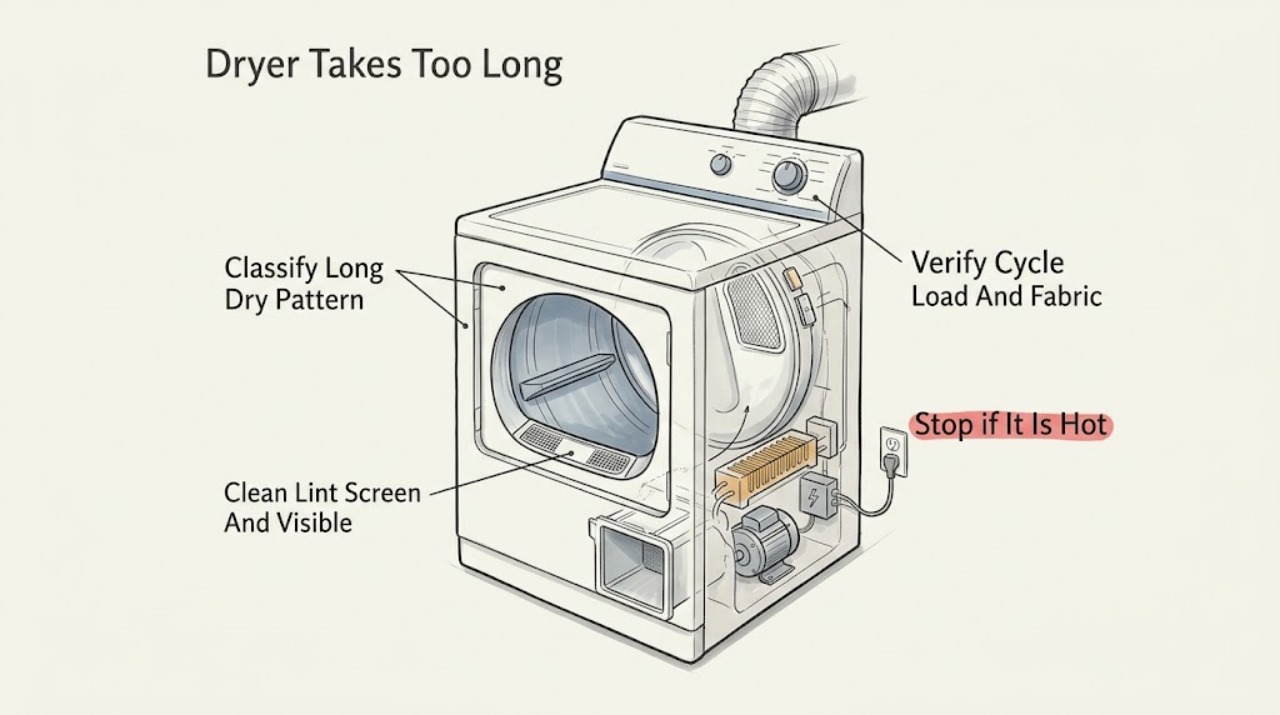
An Electrolux dryer that takes too long to dry usually has restricted airflow, a coated lint screen, an unsuitable cycle or dryness setting, an overloaded or poorly sorted load, residue on the moisture sensors, inadequate power or heat, or a ventilation condition. Start by cleaning and fully drying the lint screen, checking the visible exhaust hose and outside hood, and confirming the cycle and temperature match the fabric and load. Give clothes room to tumble and group similar fabrics. If the dryer is hot, stops, displays an airflow or power message, has a gas vent problem, or remains slow after the safe checks, stop and arrange qualified service or vent cleaning. Do not remove panels, operate a gas dryer without its outdoor exhaust duct, bypass sensor or thermal protection, or keep running through smoke, scorching, a burning odor, or damaged wiring.
Work through in order
Diagnostic checks
Use only checks that match the exact appliance or system and its official guide.
-
Check 1
Record the Electrolux cycle, temperature, dryness setting, load size, fabric mix, and whether clothes are warm, damp, or completely dry when the cycle ends. Note whether the dryer is hot to the touch, the timer changes normally, an airflow or power message appears, or the problem began after installation or a vent change.
Expected result: The load is warm but damp, the cycle ends normally with dry clothes after a long time, the dryer is unusually hot, an airflow or power message appears, or the control stops responding.
Next step: Use the cycle, load, lint, and visible exhaust checks for ordinary long drying. Stop using the dryer and arrange qualified appliance, electrical, or vent service for overheating, smoke, burning odor, damaged wiring, a recurring message, or a control that stops responding.
Stop if: Do not keep running the dryer through smoke, scorching, a burning odor, sparking, or severe overheating.
Why this matters
Why: Warm damp clothes point toward airflow, load, sensor, cycle, or heat-transfer problems. A normal end with dry clothes may reflect load or fabric choice. Excess heat, a warning, or an unresponsive control can indicate a ventilation, power, or internal fault rather than ordinary cycle variation.
-
Check 2
Stop the dryer and clean the lint screen according to the Electrolux guide. If residue from detergent or fabric softener coats the screen, wash it as the model instructions permit and dry it fully before reinstalling. From outside the appliance, inspect the visible exhaust hose and outdoor hood for crushing, kinks, lint, or a blocked damper; do not remove internal panels.
Expected result: Lint falls from the screen, the screen is coated, the exhaust hose or hood is visibly restricted, the outside airflow is weak, or the screen and visible exhaust are clear.
Next step: Correct an accessible lint or external obstruction and compare one safe load. Arrange qualified vent cleaning when the duct or hood remains restricted; arrange appliance service when drying stays slow with clear visible airflow.
Stop if: Do not operate without the lint screen, use a damaged screen, clean inside the cabinet, or keep running while airflow is severely restricted or the dryer overheats.
Why this matters
Why: Electrolux says lint buildup can block airflow and hinder drying, and recommends regular lint-screen and outdoor-vent care. A clear screen and visible hose do not rule out a hidden duct restriction or an internal heating, motor, or control fault.
-
Check 3
Choose a cycle and temperature that match the fabric care labels and the load. Do not overload or underload the drum; separate heavy items from lightweight items and leave room for free tumbling. On models with a More Dry or equivalent option, use the model guide to select it only when the load needs more time, rather than treating it as a repair.
Expected result: A smaller or better-sorted load dries normally, the prior cycle was Air Fluff or another no-heat setting, heavy and light items were mixed, the drum was overfilled, or the same long time occurs with a suitable load.
Next step: Use the cycle and load arrangement that produces normal results. If the correct cycle and load still take too long or clothes remain damp, continue with the sensor, power, and service checks.
Stop if: Do not select heat that conflicts with fabric care labels or use a cycle setting to conceal overheating, smoke, or an electrical symptom.
Why this matters
Why: Electrolux identifies cycle choice, load size, fabric type, and free tumbling as major drying-time factors. Improvement after sorting or resizing supports an operating condition; persistence with a suitable load shifts attention to airflow, sensors, heat, power, or service.
-
Check 4
With the dryer stopped and cool, locate the moisture-sensor bars using the Electrolux model guide and inspect them for visible residue from fabric-softener sheets. Wipe only as the guide permits. Also note whether the dryer is installed in a closet or under a counter, whether room ventilation is restricted, and whether the outside hood opens during operation; do not disconnect a gas exhaust duct.
Expected result: Sensor bars have residue, the load is too small to contact them, the dryer is enclosed with limited ventilation, the outside hood or duct is restricted, or the sensor and ventilation appear normal.
Next step: Clean only accessible sensor residue as directed and restore approved ventilation. Arrange qualified vent service for a duct or hood restriction and appliance service when the dryer remains slow with normal sensor and airflow conditions.
Stop if: Do not bypass or short a sensor, remove ducting from a gas dryer, open the heater or control area, or operate with a blocked exhaust.
Why this matters
Why: Electrolux says residue can inhibit moisture sensing, while poor room or exhaust ventilation can lengthen drying. A normal visible sensor and ventilation condition does not clear the heater, motor, sensor circuit, or control.
-
Check 5
If the dryer is electric and the display or drum behavior changed after an installation or power event, check only the external plug and household breaker status. If the dryer is gas-fired, do not alter the gas connection; note whether there is a gas-supply or heat symptom and use the model guide. Record any power, airflow, humidity-sensor, or fault message without removing covers or testing live wiring.
Expected result: A breaker has tripped, a power or ventilation message appears, the dryer tumbles but produces little heat, the dryer is hot and slow, or external power and heat behavior appear normal.
Next step: Follow only the model manual's safe response to a one-time power or display message. For a returning message, low or absent heat, repeated breaker trip, gas concern, or persistent long drying, stop and arrange qualified appliance or electrical service.
Stop if: Do not open the terminal area, probe voltage, reset a repeatedly tripping breaker, adjust gas components, or operate through a burning odor or smoke.
Why this matters
Why: A power or ventilation message can explain poor heating or long cycles, while excessive heat can signal restricted airflow. Normal external status with persistent slow drying makes an internal heater, sensor, motor, or control issue more likely.
-
Check 6
After the lint, visible exhaust, cycle, load, sensor, and external power checks, compare one safe representative load. Record the model number, fabric mix, cycle and dryness setting, load size, screen and vent condition, sensor condition, heat behavior, and any message. Keep the dryer unused if the long cycle is accompanied by heat, smoke, odor, a leak, or abnormal noise.
Expected result: Drying returns to normal, only certain loads remain slow, the same load remains damp, an airflow or fault message returns, or the dryer becomes hot or stops.
Next step: Continue the model's routine lint and exhaust maintenance when performance is restored. Otherwise arrange qualified Electrolux appliance or vent service and provide the recorded pattern; do not select a replacement part from drying time alone.
Stop if: Do not continue test cycles through overheating, smoke, burning odor, damaged wiring, or a returning fault message.
Why this matters
Why: A result that improves after a setting, load, screen, or airflow correction supports an operating or maintenance cause. Persistent slow drying or heat-related symptoms require diagnosis of internal airflow, heater, sensor, motor, thermal, or control components.
Use your observations
Decision map
Find the observation that best matches what you see, then follow the next safe action.
-
PATH 01Next step
What you see
A smaller, better-sorted load or a cycle appropriate to the fabric dries normally, while the prior load was overloaded, too small, mixed, or on a no-heat setting.
Do this next
Use the model-appropriate cycle and load arrangement. If the same long drying returns with a suitable load, continue with airflow and sensor checks.
Why this path and its safety boundary
Why it matters: The improvement favors load distribution or cycle selection rather than an appliance failure.
-
PATH 02Next step
What you see
The lint screen is coated, the outside hood or visible hose is restricted, airflow is weak, or a ventilation message appears.
Do this next
Clean and fully dry the lint screen and arrange qualified vent cleaning for restrictions beyond the accessible area. Stop the dryer if it becomes unusually hot or shows a burning symptom.
Why this path and its safety boundary
Why it matters: Electrolux links lint buildup and restricted exhaust with impaired drying performance and longer cycles.
-
PATH 03Next step
What you see
Sensor bars have residue, the load is too small or poorly distributed to contact them, or the cycle ends at an unexpected dryness.
Do this next
Clean the accessible sensor bars only as the model guide permits, use a load that tumbles and contacts the sensors, and compare one safe cycle. Persistent incorrect endings require service.
Why this path and its safety boundary
Why it matters: The moisture-sensing system may be receiving an unreliable contact or moisture signal, which can affect cycle duration and dryness.
-
PATH 04Next step
What you see
The dryer tumbles but produces little heat, a power or heat message appears, the machine becomes unusually hot, or a gas-supply concern is present.
Do this next
Stop unsafe operation and arrange qualified appliance, electrical, or gas service as appropriate. Do not open covers or alter gas or electrical components.
Why this path and its safety boundary
Why it matters: The symptom favors a heating, power, airflow, or fuel-supply condition rather than a simple load choice.
-
PATH 05Next step
What you see
The cycle, load, lint screen, visible exhaust, sensor condition, and external power checks are normal, but drying remains slow or clothes remain damp.
Do this next
Leave the dryer unused if heat or safety symptoms accompany the delay, and arrange qualified Electrolux appliance service. Provide the model, cycle, load, heat behavior, and completed checks.
Why this path and its safety boundary
Why it matters: An internal heater, sensor circuit, motor, airflow path, thermal component, or control fault becomes more likely; drying time alone cannot identify the part.
-
PATH 06Next step
What you see
There is smoke, scorching, a burning odor, sparking, damaged wiring, a repeated breaker trip, a gas concern, or severe overheating.
Do this next
Stop using the dryer and keep people away. Use local emergency guidance for smoke, fire, or an acute gas or electrical danger, then arrange qualified service when safe.
Why this path and its safety boundary
Why it matters: This is an immediate fire, gas, or electrical safety boundary, not a routine drying-time adjustment.
Helpful context
Understand the symptom
Start with airflow and the load
A dryer needs a clean lint screen, an open exhaust path, and a load that can tumble and contact the moisture-sensing system. Electrolux recommends cleaning the lint screen before or after each load and regularly inspecting the outdoor exhaust. A crowded drum, mixed heavy and light fabrics, or a setting that is not intended for the load can make the cycle appear abnormally long even when the dryer is otherwise working.
Know when longer drying is a safety issue
Long time alone is a performance symptom, but a dryer that is unusually hot, stops and later restarts, shows a ventilation or power message, or smells burnt needs a stronger response. Keep the exhaust duct connected on a gas dryer, and leave internal heater, motor, sensor, thermal, and electrical diagnosis to a qualified technician.
Only after diagnosis
Potential parts
- Electrolux dryer lint screen or exhaust component
Consider this only when the model-specific screen or an exhaust component is visibly damaged or a qualified diagnosis confirms it is restricting safe airflow.
Screen and exhaust components vary by model and installation. Confirm the model and diagnosis before selecting a replacement or changing ducting. - Electrolux dryer moisture sensor or sensor circuit
Consider this only when accessible residue, proper load contact, and airflow are normal but service diagnosis confirms incorrect moisture sensing or a recurring sensor message.
Sensor bars and circuits are model-specific and may require internal access. Do not bypass or substitute a sensor based on cycle time alone. - Electrolux dryer heater, motor, or thermal component
Consider this only after qualified service identifies a heating, motor, or thermal fault following safe load, lint, exhaust, and power checks.
These components involve heat and electrical or gas systems and vary by model. Have a qualified technician confirm the failure and compatibility.
When checks do not resolve it
Need a professional?
Arrange qualified Electrolux appliance service when a suitable cycle and load, clean lint screen, visible exhaust, sensor, and external power checks do not restore normal drying; when a fault or airflow message returns; or when the dryer overheats, stops, tumbles without heat, or needs internal sensor, heater, motor, thermal, or control diagnosis. Arrange qualified vent service for a restricted duct or hood and qualified electrical or gas help for supply concerns. Stop immediately for smoke, scorching, burning odor, sparking, damaged wiring, repeated breaker trips, severe overheating, or a gas concern; use local emergency guidance for immediate danger. Do not bypass safety devices, open panels, probe wiring, alter gas components, or operate a gas dryer without its approved outdoor exhaust duct.
Common questions
FAQ
Why is my Electrolux dryer taking so long to dry?
Start with the lint screen, visible exhaust, load size, fabric sorting, cycle and temperature, and moisture-sensor condition. Electrolux links restricted airflow, unsuitable loads or settings, sensor residue, and ventilation with longer drying. If a suitable load remains damp after those checks, arrange service.
Can a dirty lint screen make an Electrolux dryer take longer?
Yes. Electrolux says lint buildup can block airflow and hinder drying performance. Clean the screen as directed and dry it fully before reinstalling; if the exhaust path is restricted beyond the accessible area, arrange qualified vent cleaning.
Can the load or cycle make an Electrolux dryer run too long?
Yes. Electrolux says overloaded or very small loads, mixed fabrics, inadequate room to tumble, and a cycle or temperature that does not fit the fabric can affect drying time. Sort and resize the load and use the model-appropriate cycle before assuming a component has failed.
What if my Electrolux dryer gets hot or stops while drying?
Stop it and let it cool. Electrolux identifies overload-related motor overheating and thermal-limiter activation as possible causes of a dryer stopping. Reduce the load only when there is no smoke, scorching, burning odor, or abnormal noise. Repeated heat-related stopping needs qualified service.
When should I call for Electrolux dryer service for long drying time?
Arrange service when correct loading, cycle selection, clean lint screen, visible exhaust, sensor, and external power checks do not restore drying, or when a fault or airflow message returns. Stop immediately for smoke, scorching, burning odor, sparking, damaged wiring, repeated breaker trips, severe overheating, or a gas concern.
Read the exact guide
Official sources
- What should I do if my dryer stops operating?Electrolux · Electrolux dryer motor overheating, overload, cooling, thermal limiter, and authorized service guidance
- Dryers - How often do I need to clean my dryer or the lint screen/filter to optimize my drying performance?Electrolux · Electrolux dryer lint-screen and outdoor exhaust maintenance and airflow-related drying performance
- What should I do if my dryer does not start?Electrolux · Electrolux dryer start control, cycle selector, door, power cord, breaker, and qualified electrical service guidance
Community feedback
Share a repair observation
Share a plain-text repair observation. Accepted observations are published automatically; this page may take a moment to update.