
On this page
Start here
Quick answer
An Electrolux dryer that stops before the selected cycle ends can be ending an automatic cycle because the sensor estimates the load is dry, or it can be stopping from a blocked airflow path, overload, motor overheating, door or power interruption, moisture-sensor residue, or an error. First note whether the drum is cool and the clothes are dry, whether the display shows an error, and whether the dryer restarts only after cooling. With the dryer off and cool, clean the lint screen, check the visible exhaust hood and duct for restriction, wipe accessible moisture-sensor bars as the model guide directs, use a suitable load and cycle, and confirm the door closes. Do not bypass the door or thermal protection, open the cabinet, use an extension cord, or keep restarting a dryer that smells burnt, smokes, overheats, or trips the breaker. If the same premature stop remains after safe external checks, arrange qualified Electrolux service.
Before you begin
Safety first
- This article covers normal controls, load and cycle checks, accessible lint and exhaust observations, model-directed sensor care, and documentation only. Motor, heater, thermal limiter, sensor wiring, door switch, control, internal duct, and electrical-supply work belongs to qualified professionals.
Work through in order
Diagnostic checks
Use only checks that match the exact appliance or system and its official guide.
-
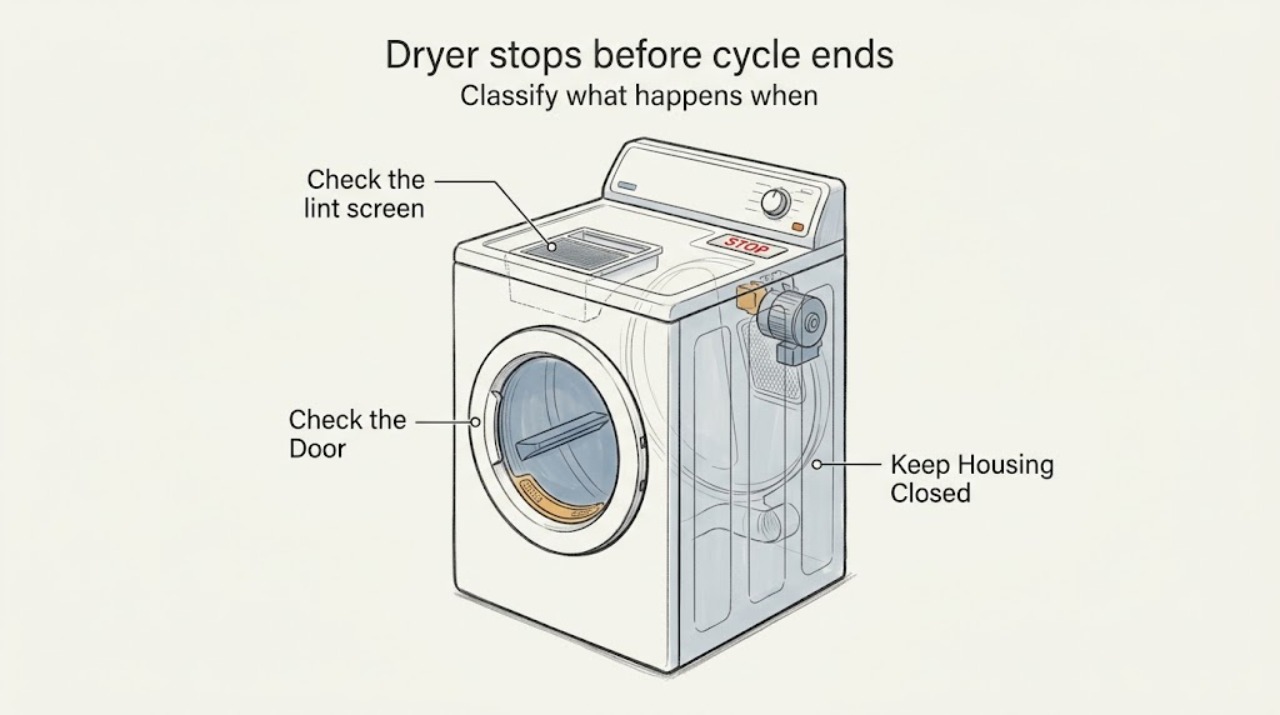
Classify what happens when the dryer stops
Note whether the cycle ends with dry clothes, stops with damp clothes, pauses with the display still active, goes blank, shows an error or blinking indication, or stops while the drum or cabinet is hot. Do not restart a hot or smoking dryer to reproduce the event.
Expected result: The load is dry without an error, the load is damp, an error appears, the dryer is hot and later restarts, or power is lost.
Next step: Use the matching branch and continue only with cool, external checks. Keep the dryer off for smoke, burning odor, abnormal heat, or repeated power trips.
Stop if: Stop immediately for smoke, burning odor, sparks, shock, exposed wiring, melted material, uncontrolled heat, or a repeated breaker trip.
Why this matters
Why: A dry load without an error can be normal automatic-cycle termination. Damp clothes suggest sensor, load, airflow, temperature, or cycle issues. A hot stop that recovers after cooling suggests overload or thermal protection, while a code or power loss requires its own troubleshooting path.
-
Check cycle choice, load size, and door closure
Compare the selected cycle and temperature with the fabric and load, then check that the drum is neither overloaded nor nearly empty and that the door closes and latches without a garment in the seal. Follow the exact Electrolux guide for the model; do not force the door or bypass its switch.
Expected result: The cycle is Air Fluff or another no-heat setting, the load is too large or too small, the load needs more time than the selected program, the door does not latch, or the cycle and load are appropriate.
Next step: Use one correctly sized load and the model-recommended cycle, clear only an obvious door obstruction, and observe whether the stop recurs. Arrange service for a door that will not latch or a repeated stop with normal loading.
Stop if: Do not overload, run with a damaged latch or seal, hold the door switch closed, or use an extension cord or power strip.
Why this matters
Why: A cycle or load mismatch can make the dryer appear to stop early or leave clothes damp. A door that opens or fails to prove closed can interrupt operation. If settings, load, and latch are normal but the stop repeats, sensor, airflow, motor, thermal, control, or power conditions become more likely.
-
Check the lint screen and visible exhaust path
With the dryer off and cool, clean the accessible lint screen as the manual directs and inspect the visible exhaust duct, exterior hood, and air inlet for lint, bends, screens, or blockage. Do not remove the cabinet, enter a concealed duct, or operate the dryer without its lint screen.
Expected result: The lint screen is coated or damaged, the exhaust hood or duct is restricted, the air inlet is blocked, or the visible airflow path is clear.
Next step: Clean the screen and clear only an obvious external obstruction. If the vent is concealed or remains restricted, arrange vent cleaning or service; if the dryer still stops early, continue to sensor and service checks.
Stop if: Do not use the dryer without the lint screen, insert tools into the duct, remove a rear panel, or continue if heat or burning odor is present.
Why this matters
Why: Electrolux links lint buildup and exhaust restriction to poor drying and longer operation; restriction can also contribute to overheating and early stops. A clear screen and visible path do not prove the internal duct, fan, heater, or thermal system is normal.
-
Inspect the accessible moisture-sensor bars
Using the exact Electrolux owner's guide to locate the sensor bars, inspect them for fabric-softener or detergent residue and wipe them with the model-approved method while the dryer is off and cool. Do not scrape, wet the cabinet, or open sensor wiring.
Expected result: The bars have visible residue, the load ends early only in an automatic cycle, the bars are clean, or the model location or cleaning method is unclear.
Next step: Clean only as the manual directs and compare the appropriate automatic cycle with a correctly sized load. If the cycle still ends early or the model-specific method is unclear, arrange service rather than changing sensor wiring.
Stop if: Do not use sharp tools, solvents, live electrical tests, or a bypass to force the sensor or cycle to continue.
Why this matters
Why: Electrolux says residue can inhibit moisture-sensor accuracy, making an automatic cycle end before the load is actually dry. Clean bars reduce that possibility but do not rule out airflow, temperature, motor, control, or a failed sensor circuit.
-
Check for motor cooling or power interruption
Record whether the dryer restarts only after a cooling period, whether the load was unusually large, and whether the display or breaker indicates a power interruption. Check the visible plug and cord for damage or looseness without opening the outlet; do not reset a breaker repeatedly.
Expected result: The dryer recovers after cooling, the load was overloaded, the thermal-limiter or power code appears, the breaker trips, or the stop occurs without heat or power symptoms.
Next step: Reduce only an obviously excessive load and allow the dryer to cool as the Electrolux guide permits; do not run another cycle if the stop repeats. Leave the appliance off and arrange qualified appliance or electrical service for recurring cooling or power symptoms.
Stop if: Do not bypass thermal protection, touch a hot or wet connection, open the outlet, substitute a fuse, or continue after smoke, odor, heat damage, or repeated trips.
Why this matters
Why: Electrolux identifies motor overheating from overload and thermal-limiter activation as possible stop causes. Recovery after cooling can support that pattern but does not prove the motor or protection system is healthy. A trip, damaged cord, or power code is an electrical boundary.
-
Document the repeatable stop for service
Record the exact model, cycle and temperature, load type and size, whether clothes were dry or damp, time into the stop, sensor and lint observations, exhaust condition, door-latch result, motor cooling behavior, error wording, and any heat, odor, noise, or power symptom. Do not disassemble the dryer.
Expected result: The problem clears after one identified safe correction, or the same early stop remains with correct load, cycle, clear airflow, clean sensor, and normal door and power conditions.
Next step: Keep the dryer off when the stop persists or any safety symptom exists and arrange qualified Electrolux service. Provide the full record rather than selecting a part from the symptom alone.
Stop if: Stop all homeowner troubleshooting when diagnosis requires cabinet panels, live measurements, thermal or motor access, internal vent work, or an interlock bypass.
Why this matters
Why: Improvement after one identified correction supports a use or maintenance cause. A repeatable stop under controlled conditions points toward a sensor circuit, motor, thermal limiter, heater/airflow, door switch, control, or another exact-model fault.
Use your observations
Decision map
Find the observation that best matches what you see, then follow the next safe action.
-
PATH 01Next step
What you see
The automatic cycle ends without an error and the clothes are dry or nearly dry, while the dryer is not hot, smoky, or electrically abnormal.
Do this next
Compare the load and cycle with the Electrolux guide. If clothes remain damp, inspect sensor residue and airflow; if the early end persists, arrange service.
-
PATH 02Next step
What you see
The dryer ends early mainly on automatic cycles, clothes remain damp, sensor bars have residue, or the selected program does not match the load.
Do this next
Clean accessible sensor bars as the exact manual directs, use a suitable load and cycle, and compare once. Arrange service if the sensor result does not change or the cycle stops with an error.
-
PATH 03Next step
What you see
The lint screen, visible duct, exhaust hood, or air inlet is restricted, or drying has lengthened before the early stop.
Do this next
Clean the accessible screen and clear only an obvious external obstruction. Arrange vent cleaning or qualified service for a concealed or persistent restriction; do not operate with a damaged or missing screen.
-
PATH 04Next step
What you see
The dryer stops hot, restarts only after cooling, or the stop began with an overloaded load and no smoke or electrical damage is present.
Do this next
Use an appropriately sized load and allow cooling only as the Electrolux guide permits. Keep the dryer off and arrange service if the stop recurs or the cabinet, cord, or load becomes unusually hot.
-
PATH 05Next step
What you see
The door opens or fails to latch, an error or blinking indication appears, the display loses power, or the breaker trips.
Do this next
Record the exact indication and follow the model-specific Electrolux guide for one safe external check. Leave the appliance off for recurring codes, damaged power connections, or repeated trips and arrange service.
-
PATH 06Next step
What you see
The early stop is accompanied by smoke, burning odor, sparks, shock, exposed wiring, melted material, uncontrolled heat, a damaged drum, or repeated breaker trips.
Do this next
Stop the dryer and isolate power at the breaker when safe; keep clear of smoke or damaged electrical areas and arrange qualified appliance or electrical help. Use appropriate emergency help for fire, shock, or immediate danger.
Helpful context
Understand the symptom
First decide whether the cycle ended normally or the dryer stopped
If clothes are dry and the dryer ends without an error, an automatic cycle may have reached its moisture target rather than failing at a particular clock time. If clothes remain damp, the drum stops hot, the unit restarts only after cooling, or a code appears, treat the event as a fault pattern. Electrolux's guides separate sensor, load, airflow, power, door, and thermal-limiter conditions, so one premature stop does not identify one part.
Airflow and sensor checks are model-accessible maintenance
A lint screen or exhaust restriction can lengthen drying and contribute to overheating, while residue on moisture-sensor bars can make an automatic cycle judge the load incorrectly. Electrolux directs users to clean the lint screen after each load, check the exhaust path, and wipe sensor bars according to the owner's guide. These checks do not authorize opening the heater, motor, vent interior, or control area.
Cooling after an overload is not the same as a repair
Electrolux says an overloaded dryer can overheat its motor and that a thermal limiter can turn off the motor in an overheated situation. Reducing the load and allowing the unit to cool may distinguish a one-time overload from a repeated protection event, but a recurring stop, hot cabinet, burning smell, or abnormal drum behavior needs service. Do not bypass a thermal limiter or repeatedly restart the appliance.
Use the exact model for codes and cycle behavior
Electrolux error meanings and cycle controls vary by model. The error guide includes door-open, ventilation blockage, humidity-sensor, and power-supply categories, but a code should be read with the exact model instructions. Record the code, load, cycle, time into the stop, temperature, and whether the drum turns after cooling before requesting service.
Safety boundary
Stop conditions
- Stop using the dryer for smoke, burning odor, sparks, shock, exposed wiring, melted material, uncontrolled heat, a damaged drum, a stationary hot load, or repeated breaker trips.
- Do not bypass the door switch or thermal limiter, open the cabinet, test live wiring, remove heater or motor panels, use an extension cord, or repeatedly restart after a hot stop.
- Do not operate without the lint screen, use sharp tools on sensor bars or ducts, or treat one successful cool-down or reset as proof that the underlying fault is repaired.
Only after diagnosis
Potential parts
- Electrolux dryer moisture sensor or sensor bars
Consider this category only when qualified testing confirms a sensor or sensor-circuit fault after residue, load, cycle, airflow, and door causes are excluded.
Confirm the exact Electrolux model, sensor layout, wiring, and manufacturer-approved fit before replacement. - Electrolux dryer thermal limiter or thermostat
Consider this category only when service confirms repeated thermal-limiter activation or a failed temperature-protection component after airflow and load conditions are evaluated.
Confirm exact model, temperature rating, mounting, and approved component; never bypass thermal protection. - Electrolux dryer lint filter or exhaust duct component
Consider this category only when the accessible screen or a qualified vent inspection confirms damage, poor sealing, or a restriction that cleaning cannot correct.
Confirm the exact model, filter shape, duct configuration, and approved installation before replacement or rerouting. - Electrolux dryer motor, door switch, or electronic control
Consider this category only after service links the early stop to motor overheating, a door-interlock signal, or a control fault under the exact model's diagnostic procedure.
Confirm exact model, diagnostic result, connector, mounting, and manufacturer-approved compatibility before selecting a part.
When checks do not resolve it
Need a professional?
Arrange qualified Electrolux dryer service when the unit repeatedly stops with damp clothes after a suitable cycle, correct load, clear accessible airflow, clean sensor bars, and a properly closed door; when it restarts only after cooling; when an error, humidity-sensor, ventilation, power, or door indication recurs; or when diagnosis requires internal vent, heater, motor, thermal-limiter, control, or wiring access. Arrange electrical service for outlet, cord, or breaker concerns. Stop immediately and seek urgent help for smoke, fire, sparks, shock, exposed wiring, uncontrolled heat, or immediate danger.
Safety scope: This article covers normal controls, load and cycle checks, accessible lint and exhaust observations, model-directed sensor care, and documentation only. Motor, heater, thermal limiter, sensor wiring, door switch, control, internal duct, and electrical-supply work belongs to qualified professionals.
Have this ready
- Provide the exact Electrolux model, selected cycle and temperature, load size and fabric mix, dry or damp result, stop timing, sensor and lint observations, exhaust condition, door-latch result, cooling behavior, error wording, and any heat, odor, noise, smoke, or breaker symptom.
Common questions
FAQ
Why does my Electrolux dryer stop before the cycle ends?
An automatic cycle may end because the moisture sensor estimates the load is dry, but a premature stop with damp clothes can also involve sensor residue, load or cycle selection, restricted airflow, motor overheating, a thermal limiter, door interruption, power, or an error. Classify the result before choosing a repair.
Why does my Electrolux dryer stop with damp clothes?
Check the selected cycle, load size and fabric mix, lint screen, visible exhaust path, moisture-sensor bars, and dispenser or door behavior using the exact model guide. If it still stops early under controlled conditions, arrange qualified service for a sensor, airflow, motor, thermal, door, or control diagnosis.
Can an Electrolux dryer stop because the motor overheats?
Yes. Electrolux identifies overload-related motor overheating and thermal-limiter activation as possible reasons a dryer stops. Reduce only an obviously excessive load and allow cooling as the guide permits; recurring hot stops require service and must not be bypassed.
Can a dirty moisture sensor make an Electrolux dryer stop early?
Yes. Electrolux says fabric-softener residue can inhibit moisture-sensor accuracy. Locate the sensor bars in the exact owner's guide and clean them only with the approved method. If the early stop remains, do not alter the sensor wiring; arrange service.
Can a blocked vent make my Electrolux dryer stop before the cycle ends?
A restricted lint screen or exhaust path can lengthen drying and contribute to overheating or changed cycle behavior. Clean the accessible screen and inspect the visible hood or duct for blockage. Concealed vent cleaning and internal airflow diagnosis belong to qualified service.
Should I keep restarting an Electrolux dryer that stops early?
No. Repeated restarts can worsen an overheating or electrical problem. Stop for a hot cabinet, burning smell, smoke, sparks, shock, damaged cord, or repeated breaker trip, isolate power when safe, and arrange qualified help.
When should I call for Electrolux dryer service?
Arrange service when the dryer repeatedly stops with damp clothes after a suitable cycle, correct load, clean sensor and lint screen, clear visible airflow, and a properly closed door; when it recovers only after cooling; when an error recurs; or when diagnosis requires internal heater, motor, thermal, sensor, control, vent, or electrical access.
Read the exact guide
Official sources
- Laundry Dryer Error Code GuideElectrolux Owner Support · Electrolux laundry dryer code guidance; exact model code display and instructions govern.
- Dryers - How often do I need to clean my dryer or the lint screen/filter to optimize my drying performance?Electrolux Owner Support · Electrolux dryer lint and airflow maintenance guidance.
- What should I do if my dryer stops operating?Electrolux Owner Support · Electrolux dryer stop-operating guidance; exact model instructions govern procedures.
- How to Clean & Care For Your DryerElectrolux Owner Support · Electrolux dryer care page opened as a model-support reference; exact owner's guide controls sensor location and cleaning method.
- What should I do if my dryer does not start?Electrolux Owner Support · Electrolux dryer start and power context used to distinguish a no-start event from a premature-cycle stop.
- Dryer - Not Drying and Extended Drying TimeElectrolux Owner Support · Electrolux dryer drying and early-cycle context; exact model manual controls cycle and sensor details.
Community feedback
Share a repair observation
Share a plain-text repair observation. Accepted observations are published automatically; this page may take a moment to update.