
On this page
Start here
Quick answer
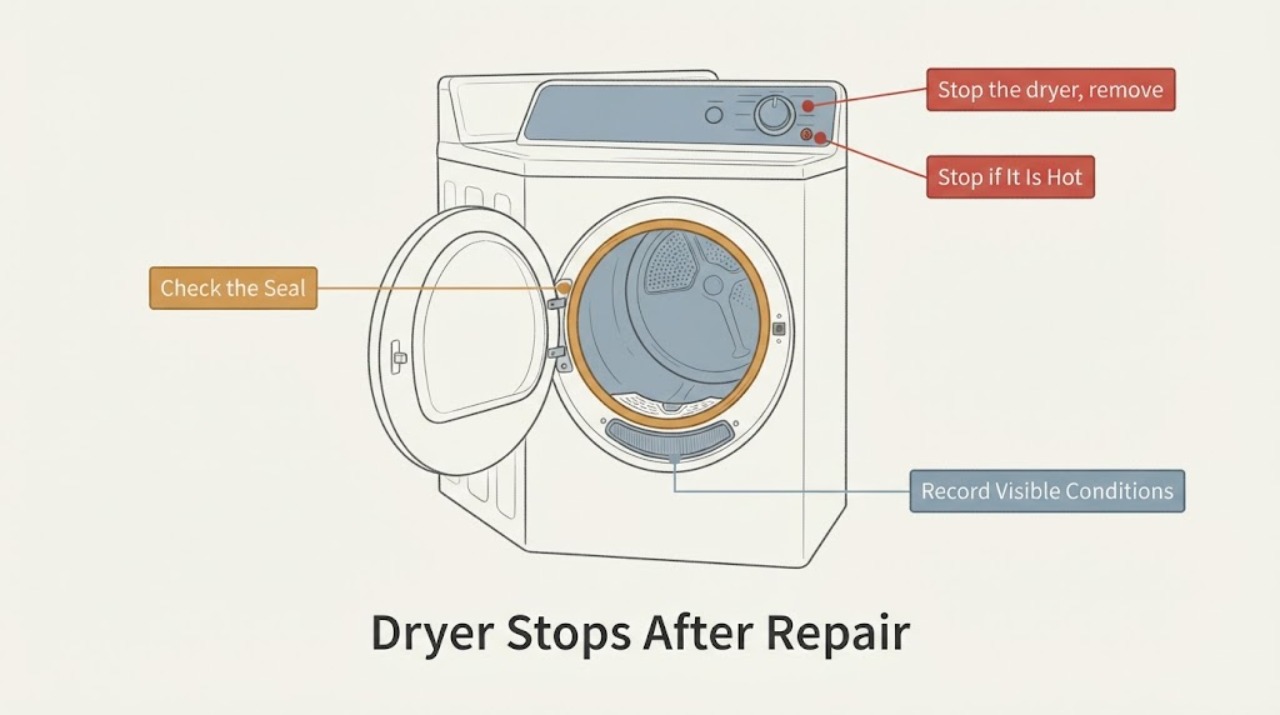
The supplied Electrolux case is more specific than 'gremlins': after a repair for squeaking, the dryer reportedly stops after a few seconds with a wet load and later leaves paper fragments on clothing. Do not treat that as proof of a motor, thermal limiter, drum seal or control fault. Stop the dryer, remove the load and visible paper only from the accessible drum, and make one safe empty-drum observation only if there is no burning smell, smoke, scraping or exposed damage. Electrolux says a dryer that stops can need service, and persistent noise with an empty load should be reported; because the symptom began after a repair, the original servicer should inspect its reassembly and clear any debris rather than the owner opening the cabinet.
Work through in order
Diagnostic checks
Use only checks that match the exact appliance or system and its official guide.
-
Check 1
Stop the dryer, remove the wet load and keep the cabinet closed. Unplug it only from a dry, safe location if there is smoke, a burning smell, exposed damage or a persistent abnormal scrape; otherwise leave it off while documenting the post-repair complaint.
Expected result: The dryer stops after a few seconds again, or there is smoke, burning odor, abnormal heat, scraping or visible damage.
Next step: Contact the original servicer or an authorized Electrolux provider and state that the symptom began immediately after the prior repair. Do not restart repeatedly to see whether the fault clears.
Stop if: Do not run the dryer with smoke, a burning odor, exposed wiring, damaged cabinet parts or a sharp persistent scrape.
Why this matters
Why: A repeat stop is not a normal confirmation test, and smoke, heat or scraping makes continued operation unsafe. Electrolux identifies overheating-related stop conditions and directs unresolved cases to service.
-
Check 2
With power off and the drum cool, remove only visible paper fragments and foreign objects from the accessible inside of the drum and lint-screen area. Do not reach behind the drum seal, remove the drum, or open a panel.
Expected result: Paper or another foreign object is visible in the drum, more fragments are found at the accessible opening, or nothing visible is found.
Next step: Bag a representative fragment or photograph it for the servicer, then stop if material continues to appear. If nothing is visible, do not escalate to internal disassembly; use the service branch if the stop repeats.
Stop if: Do not pull at the felt/drum seal, remove the lint housing, or use tools inside the cabinet.
Why this matters
Why: Electrolux says foreign objects can cause dryer noise and recommends stopping to check the drum. Finding paper after service supports a clean-out and reassembly callback, but it does not identify where the material entered or prove a seal fault.
-
Check 3
Record the exact operating sequence from outside the appliance: selected cycle, approximate load size, whether the door closes fully, whether the display starts counting, whether the drum begins moving, and whether the stop occurs only with wet clothes or also with no load. Do not run a gas dryer without its outdoor exhaust duct.
Expected result: The dryer will not start, starts and stops with a load, or starts and stops with an empty drum; note any code, chime, hum or visible paper without opening the cabinet.
Next step: Give the servicer the sequence, load condition, exact repair date and paper-fragment evidence. If the unit stops empty or makes continuing noise empty, keep it off and request service.
Why this matters
Why: Electrolux distinguishes start conditions from a dryer that stops operating and uses an empty-load observation to separate clothing/foreign-object noise from unit noise. The pattern narrows the service report but does not select a component.
-
Check 4
Perform only the external start checks Electrolux lists: confirm the door is completely closed, the start control is held long enough for the model's normal command, the cycle selector is at a start position, and the power cord is firmly connected without an extension cord. Do not reset or replace internal fuses.
Expected result: The dryer remains dead, starts only after a control change, or still starts and stops after the external checks.
Next step: Record the result and return the machine to the original servicer, especially if the same behavior began after their work. Do not open the cabinet or perform continuity/voltage tests.
Stop if: Stop if a breaker repeatedly trips, the cord/outlet is damaged, or any electrical odor or heat appears; use a qualified electrician or appliance service.
Why this matters
Why: These checks can explain a no-start state, but a post-repair stop with paper fragments is not resolved by assuming a door switch, fuse or board fault. Electrolux warns against increasing fuse capacity and directs unresolved electrical or overload issues to qualified service.
-
Check 5
Prepare the service callback with the exact Electrolux model and serial from the rating label, the prior repair invoice or work description, the stop timing, load condition, photos of paper fragments, and whether an empty drum makes noise or stops. Ask the servicer to inspect its prior work and clean any accessible debris.
Expected result: The symptom began after service, persists after the accessible checks, or requires access behind the cabinet/drum seal.
Next step: Keep the dryer out of service until the original servicer or an authorized Electrolux provider confirms safe operation. Do not order a motor, thermal limiter, belt, seal or control board from this symptom alone.
Why this matters
Why: The supplied case has no model and no confirmed component result. Electrolux's public guidance provides service escalation for unresolved stopping and persistent empty-load noise, while reassembly and internal inspection are professional tasks.
Use your observations
Decision map
Find the observation that best matches what you see, then follow the next safe action.
-
PATH 01Next step
What you see
The dryer emits smoke or a burning smell, becomes unusually hot, repeatedly trips power, exposes damaged wiring, or makes a sharp persistent scrape.
Do this next
Stop using it, isolate power only from a safe dry location, and arrange qualified Electrolux or appliance service. Do not remove panels or test live circuits.
Why this path and its safety boundary
Why it matters: The appliance has a safety symptom beyond a normal post-repair observation; continuing to run it could worsen the hazard.
-
PATH 02Next step
What you see
The dryer stops only with a wet load, while the accessible drum is clear and no safety symptom is present.
Do this next
Do not keep retrying with different loads. Let the unit remain off and give the original servicer the load size, stop timing and repair history for a model-specific inspection.
Why this path and its safety boundary
Why it matters: Electrolux lists overload and motor-heating conditions among reasons a dryer can stop, but this pattern does not prove an overheated motor or thermal limiter, especially after a repair.
-
PATH 03Next step
What you see
Paper fragments or abnormal noise appear with an empty drum after the prior repair.
Do this next
Stop operation and request the original servicer to inspect and clean the repaired area. Do not reach behind the seal or open the cabinet yourself.
Why this path and its safety boundary
Why it matters: Electrolux says persistent noise in an empty load points back to the appliance rather than clothing. The post-repair timing makes reassembly or debris a service hypothesis, not a confirmed seal or part diagnosis.
-
PATH 04Next step
What you see
The external door, control and cord checks are normal, but the dryer still stops or will not start correctly after the repair.
Do this next
Use the authorized service path and provide the exact model, repair details, symptom sequence and paper evidence; do not select a replacement component from the word 'gremlins'.
Why this path and its safety boundary
Why it matters: The documented user checks have not resolved the assigned symptom, and a model-specific internal diagnosis is unavailable because the task supplies no model or repair record.
Helpful context
Understand the symptom
What is specific about this post-repair complaint
This is not a generic 'dryer gremlins' report. The supplied case describes a repair for squeaking followed by a dryer that stops after a few seconds with a wet load, plus paper fragments appearing on clothing. Those facts justify a return-to-servicer request and a careful accessible-drum check, but they do not prove that paper is inside the drum seal or that a motor, thermal limiter, belt or control board failed.
Keep the post-repair inspection external
Electrolux's public guidance separates no-start checks, stop-operating conditions and noise checks. Use those boundaries to document what happens with the door closed, the selected cycle, the load removed and the drum empty. Do not remove panels or try to correct a repairer's reassembly yourself; return the symptom, paper fragments and timing to the original servicer.
When checks do not resolve it
Need a professional?
Call the original servicer or an authorized Electrolux provider when the dryer stops again, paper fragments continue, abnormal noise remains with an empty drum, the unit will not start after the external checks, or any smoke, burning odor, heat, damaged wiring or repeated breaker trip occurs. Supply the exact model and serial plus the prior repair details.
Common questions
FAQ
Does stopping after a repair prove the motor or thermal limiter failed?
No. Electrolux lists overheating-related stop conditions, but the supplied case has no model-specific diagnosis. Record whether the stop repeats with a load or empty drum and return it to the original servicer rather than replacing a part from the symptom alone.
What should I do with paper fragments found after a dryer repair?
Stop the dryer, remove only visible fragments from the accessible drum, photograph or retain one for the servicer, and do not pull at the drum seal or open the cabinet. If fragments continue or the empty drum is noisy, request a service callback.
Can I keep using the dryer if it works with a lighter load?
Do not use a lighter load as proof that it is repaired. Electrolux says reducing load size can help an overheating stop, but a post-repair stop or paper debris still needs the original service provider's assessment, particularly if the event repeats.
Read the exact guide
Official sources
- Dryer - Not Drying and Extended Drying TimeElectrolux · Opened Electrolux's official drying guidance. It supports keeping the lint screen installed, checking visible exhaust conditions and not operating a gas dryer without an outdoor exhaust; it is not used to diagnose the post-repair stop.
- What should I do if my dryer does not start?Electrolux · Opened Electrolux's official owner-support article. It supports only external start and household power checks and warns against increasing fuse capacity; it does not establish an internal post-repair cause.
- Laundry Dryer NoisesElectrolux · Opened Electrolux's official laundry-dryer noise guide. It supports external empty-cycle, object, leveling and service checks; it does not establish the original post-repair paper path or a specific part.
- What should I do if my dryer stops operating?Electrolux · Opened Electrolux's official owner-support article. It applies at dryer-family level and supports allowing an overheated motor to cool, reducing load and contacting authorized service when the problem remains; it does not diagnose this model-free post-repair case.
- Is it normal for my dryer to make sounds or noises?Electrolux · Opened Electrolux's official owner-support article. It supports stopping to check accessible drum objects and contacting Electrolux if noise persists in an empty load; it does not identify a drum-seal or post-repair component fault.
Community feedback
Share a repair observation
Share a plain-text repair observation. Accepted observations are published automatically; this page may take a moment to update.