
On this page
Start here
Quick answer
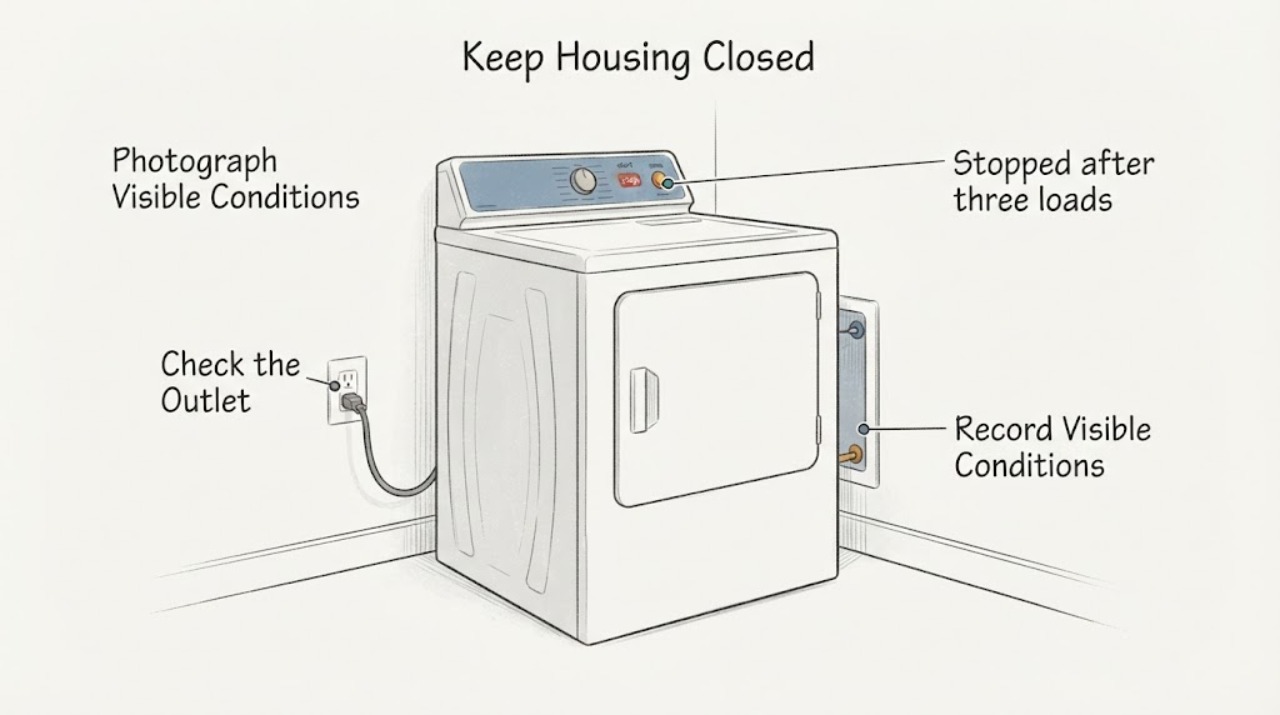
A new Electrolux ELFE7537AT electric dryer that stopped after only three loads should be treated first as an installation or early-failure timeline, not as proof that a control board or motor needs replacement. Confirm the full model and serial number, note whether the display has power, make sure the door closes, the cycle and Start control are actually engaged, and check the dedicated household breaker or fuse without opening the terminal area. Electrolux says the start control may need to be held for two seconds, the door must be fully closed, and an overloaded circuit or tripped breaker needs qualified electrical attention. If the dryer stopped while hot, allow it to cool once; a repeat stop, no power after a safe breaker check, burning odor, smoke, a hot cord or outlet, or an installation concern is a service or installer handoff. Do not perform live electrical measurements, remove terminals, bypass a door or thermal safety, or guess a replacement part.
Before you begin
Safety first
- User checks are limited to the rating plate, display and timeline, dry-position cord and breaker status, normal door and control operation, and one safe cool-down observation when no hazard is present. Do not perform live electrical measurements, open terminals or panels, bypass the door or thermal limiter, use an extension cord, change wiring, alter venting, enter diagnostics, or keep testing after heat, smoke, odor, sparks, or protection trips.
Work through in order
Diagnostic checks
Use only checks that match the exact appliance or system and its official guide.
-
Check 1
Stop trying to start the dryer and record the sequence of the three loads: date installed, load size, cycle, whether it completed, whether it stopped hot or mid-cycle, and whether the display, drum light, or controls still respond. Photograph any error, blank display, breaker position, scorch mark, or visible cord or outlet damage from a dry position.
Expected result: The dryer stopped during a hot cycle; it is completely blank; controls light but Start does nothing; a breaker tripped; or there is smoke, burning odor, heat, or visible damage.
Next step: For any hazard, stop use and arrange qualified appliance or electrical help; notify the installer, landlord, or building manager. If there is no hazard, keep the timeline and continue only with the dry external checks below.
Stop if: Do not restart to reproduce a hot stop, touch a hot or damaged outlet, remove a cover, or continue after smoke, burning odor, sparks, or scorching.
Why this matters
Why: A short early-use timeline separates a possible overload or thermal stop from a power, door, control, or installation issue. Smoke, burning, abnormal heat, damaged wiring, or a hot outlet is a safety boundary, not a reason to run another test.
-
Check 2
Read the rating plate and record the complete model and serial number, confirming ELFE7537AT rather than a nearby ELFE or gas-model suffix. Electrolux's laundry guidance places a dryer model label at the top of the door opening; read it without pulling the appliance out or opening the cabinet.
Expected result: The label confirms ELFE7537AT; it shows another suffix; or the label is missing or unreadable.
Next step: Give the full identity and serial number to the installer or Electrolux service. If it cannot be confirmed, pause part selection and use only general safe observations.
Stop if: Do not move a stacked or tight-fit appliance, remove trim, or order a control, motor, thermal limiter, or cord from the short model name.
Why this matters
Why: The model identity determines the correct owner guide, wiring and installation instructions, and warranty or installer route. ELFE7537AT is listed by Electrolux as an electric dryer, but a different suffix must not inherit its assumptions.
-
Check 3
From a dry, stable position, check whether the power cord is firmly seated at the wall outlet and whether the outlet, cord, and nearby wall area look normal. Check the household dryer breaker or fuse only as a user-level status check; never increase fuse capacity and never remove the dryer terminal cover or perform live electrical measurements.
Expected result: The display is blank and the breaker is tripped; the breaker immediately trips again; the outlet or cord is hot or damaged; or the breaker and visible connection appear normal.
Next step: If the breaker trips again or the outlet or cord is abnormal, leave the breaker off and call a qualified electrician or installer. If the breaker remains on and the appliance is dry and undamaged, continue to the door and control checks without opening any electrical area.
Stop if: Do not reset repeatedly, use an extension cord, open the terminal block, perform live electrical measurements, or touch a wet or hot connection.
Why this matters
Why: Electrolux lists a loose power connection and a blown fuse or tripped breaker as no-start causes and directs overloaded circuits to a qualified electrician. A breaker that trips again, a hot outlet, or a damaged cord can indicate an electrical or installation problem; a normal status check does not prove the dryer is powered correctly internally.
-
Check 4
Check the door from the front: remove only a visible obstruction, close it normally, and verify that the cycle selector and Start control are at the intended setting. Electrolux says the Start control may need to be held for two seconds; use that normal control action once, without pressing repeatedly or forcing the door.
Expected result: The door was not fully closed; a selector was between cycles; Start responds after the normal hold; the controls light but the drum does not run; or the controls remain blank.
Next step: If a visible door or selector issue was corrected and the dryer starts without abnormal heat or noise, document the correction. If it remains unresponsive, leave it off and provide the model, display state, and three-load timeline to the installer or Electrolux service.
Stop if: Do not force the door, bypass a door switch, remove the front panel, enter a diagnostic mode, or repeatedly press Start.
Why this matters
Why: A door or control state can prevent a start without proving a motor or control-board failure. If the door and normal Start action are correct but the dryer still does not run, the early failure requires service rather than repeated button attempts.
-
Check 5
If the dryer stopped after a dense or unusually large load and there is no odor, smoke, heat damage, or electrical concern, leave it off and allow it to cool once. Do not use another load as a test. Electrolux associates overload with motor overheating and says a thermal limiter can stop an electric dryer.
Expected result: The dryer returns after cooling; it remains dead; it stops again with a normal load; or it was not hot when it stopped.
Next step: If it returns once and remains normal, record the load and keep future loads within the owner's guide. If it stops again, remains unresponsive, or was not hot, stop use and arrange authorized service; do not continue load experiments.
Stop if: Do not operate through repeated stopping, a burning smell, abnormal heat, smoke, a tripped breaker, or a hot cord or outlet.
Why this matters
Why: A one-time overload-related thermal stop is possible, but recurrence or no recovery points to a service issue. Cooling recovery cannot distinguish a thermal limiter, motor, airflow, power, or control problem, and it does not authorize replacing a limiter.
-
Check 6
Review the installation handoff without moving the dryer: confirm the appliance was installed by the intended installer, that the room and vent clearance follow the installation instructions, and that no temporary packing, stacked-unit, cord, or outlet issue was left unresolved. Record any installation date, invoice, installer note, or early-failure report.
Expected result: The dryer stopped within the first three loads; installation paperwork or model documentation is missing; the cord or outlet arrangement is uncertain; or the installation appears complete and the appliance still will not run.
Next step: Send the installer or Electrolux service the full model and serial, three-load timeline, display and breaker observations, and photos. In a rental, notify the landlord and do not alter the installation.
Stop if: Do not change wiring, replace a receptacle, remove a stacked unit, alter venting, or open the cabinet as a self-repair.
Why this matters
Why: An early failure deserves an installer and warranty/service handoff before a tenant or owner opens the machine. Electrolux's delivery guidance emphasizes accessible, sound connections and installation requirements, while the exact model's documents must control clearances and electrical details.
-
Check 7
Choose the handoff based on the combined result: installer for a new-installation connection or clearance concern, qualified electrician for breaker, outlet, cord, or supply concern, and Electrolux-authorized appliance service for a correctly supplied dryer that remains unresponsive or repeatedly stops. Preserve the three-load timeline and do not select a component from the symptom.
Expected result: The dryer has no display after a safe supply check; it trips protection; it starts only after cooling but stops again; it has visible heat damage; or it remains unresponsive despite normal door and control conditions.
Next step: Leave the dryer out of use and provide the exact identity, installation date, loads completed, controls and power observations, breaker history, and any odor or heat evidence to the responsible professional.
Stop if: Do not bypass thermal or door protection, open the terminal or control area, test live circuits, or return the dryer to service after a repeated stop or hazard.
Why this matters
Why: The early-use timeline has established a serviceable failure boundary, not a specific failed part. Electrolux directs service when cooling and load reduction do not resolve a stop and directs electrical help for overloaded circuits; internal diagnosis must be model-specific.
Use your observations
Decision map
Find the observation that best matches what you see, then follow the next safe action.
-
PATH 01Next step
What you see
The display is blank, the breaker or fuse has operated, or the outlet or cord is hot, damaged, or uncertain after the dryer stopped within three loads.
Do this next
Leave power isolated if it is safe to do so and arrange a qualified electrician or installer; notify the landlord if applicable. Do not open the terminal area or perform live electrical measurements.
Why this path and its safety boundary
Why it matters: Power supply or installation is more urgent than a dryer part decision. A breaker that trips again is not a reset invitation.
-
PATH 02Next step
What you see
The display responds, the door closes, the cycle is selected, and the normal two-second Start action does not start the drum, with no heat or electrical hazard.
Do this next
Stop user troubleshooting and arrange Electrolux-authorized service with the exact model and the three-load timeline. Do not enter diagnostics or bypass the door circuit.
Why this path and its safety boundary
Why it matters: A control, door-sensing, or internal start fault remains possible, but the external checks cannot distinguish a board, motor, switch, or wiring issue.
-
PATH 03Next step
What you see
The dryer stopped hot after an unusually dense load, returns after one cool-down, and has no smoke, burning odor, abnormal heat, or breaker event.
Do this next
Record the load and follow the exact owner guide for normal loading. If it stops again or will not recover, leave it off and arrange service rather than repeating load tests.
Why this path and its safety boundary
Why it matters: An overload-related thermal stop is possible, but recovery does not prove the thermal limiter or motor is healthy.
-
PATH 04Next step
What you see
The dryer stopped within the first three loads and the installer, supply, door, and controls appear normal, or the fault recurs after a normal load.
Do this next
Leave the appliance out of use, preserve installation and load records, and request model-specific authorized service. In a rental, route the report through the landlord.
Why this path and its safety boundary
Why it matters: This is an early-failure service branch. The short timeline supports prompt installer or Electrolux handling, not a consumer economic conclusion or a guessed replacement part.
-
PATH 05Next step
What you see
There is smoke, burning odor, scorching, sparks, a hot cord or outlet, repeated breaker operation, exposed wiring, or any need to open the cabinet or terminal area.
Do this next
Stop use, keep people away, isolate power only from a dry safe location if possible, and contact the appropriate emergency, electrical, installer, or appliance professional. Do not restore power as a test.
Why this path and its safety boundary
Why it matters: The condition is an electrical or fire safety issue, not a no-start troubleshooting branch.
Helpful context
Understand the symptom
The phrase “used three times” changes the first decision. A dryer that worked for three loads and then stopped may have lost one supply leg, encountered a door or control condition, overheated, or exposed an installation fault; that timeline is more actionable than naming a failed part. Preserve the date, load, cycle, display state, and any breaker or odor event for the installer, landlord, or Electrolux service.
Electrolux's official material places ELFE7537AT in the front-load electric-dryer list. Do not apply gas-valve advice or open the power terminal area. All checks below are external and user-level; electrical testing and internal safety components belong to a qualified professional.
When checks do not resolve it
Need a professional?
Arrange installer or Electrolux-authorized service for a dryer that stopped within the first three loads and remains unresponsive, stops again after cooling, has a normal door and Start state but no drum movement, or needs any internal inspection. Use a qualified electrician for a tripped or repeatedly tripping breaker, hot or damaged outlet, cord or supply concern. Provide the full ELFE7537AT identity, serial number, installation date, three-load timeline, display state, breaker history, and any heat or odor evidence.
Common questions
FAQ
Does stopping after three loads mean the ELFE7537AT motor failed?
No. Electrolux also lists door, Start control, power connection, breaker, overload, and thermal-limiter conditions. The early timeline supports an installer or authorized service handoff, but it cannot select a motor or control part.
Can I keep resetting the dryer breaker?
No. Check the breaker only as a status observation. If it trips again, or the outlet or cord is hot or damaged, leave the circuit isolated and call a qualified electrician or installer; do not open the terminal area or perform live electrical measurements.
What should I give service for an early failure?
Give the complete model and serial number, installation date, the three load types and outcomes, display state, door and Start observations, breaker history, and any heat, odor, smoke, or cord or outlet evidence. Those details are more useful than a guessed part name.
Read the exact guide
Official sources
- Where can I find my model and serial number?Electrolux · Electrolux dryer identity-recording guidance; use the complete ELFE7537AT rating-plate identity
- What should I do if my dryer does not start?Electrolux · Electrolux dryer guidance supporting external no-start checks; exact ELFE7537AT manual takes precedence
- What should I do if my dryer stops operating?Electrolux · Electrolux dryer stopping guidance; use only the safe cool-down observation and do not infer a component
- Delivery and Installation Guide - LaundryElectrolux · General Electrolux laundry installation guidance; exact ELFE7537AT installation instructions control electrical and clearance details
- Qualifying AppliancesElectrolux Home Products, Inc. · Exact assigned model ELFE7537AT; the document identifies it under front-load electric dryers, while the exact owner and installation guides control repair procedures
Community feedback
Share a repair observation
Share a plain-text repair observation. Accepted observations are published automatically; this page may take a moment to update.