
On this page
Start here
Quick answer
If the Roper RED4516FW0 dryer starts and stops after about 8 seconds, do not assume a failed motor, thermal fuse or control part from the timing alone. Stop immediately for smoke, burning odor, sparks, unusual heat, a damaged cord or a gas smell. Otherwise perform only the documented external checks: close the door fully, select the intended cycle, hold Start for the period specified by the matching manual, and check household power without repeatedly resetting a tripped circuit. Record the full model label, gas or electric configuration, drum movement and power behavior, then use the exact manual or qualified service for the unresolved stop.
Before you begin
Safety first
- Keep the dryer disconnected for smoke, gas odor, sparks, abnormal heat, damaged supply hardware or repeated power trips. Do not open the cabinet, bypass the door switch, perform live electrical testing, alter gas components or replace a motor, fuse, belt or control part by guesswork.
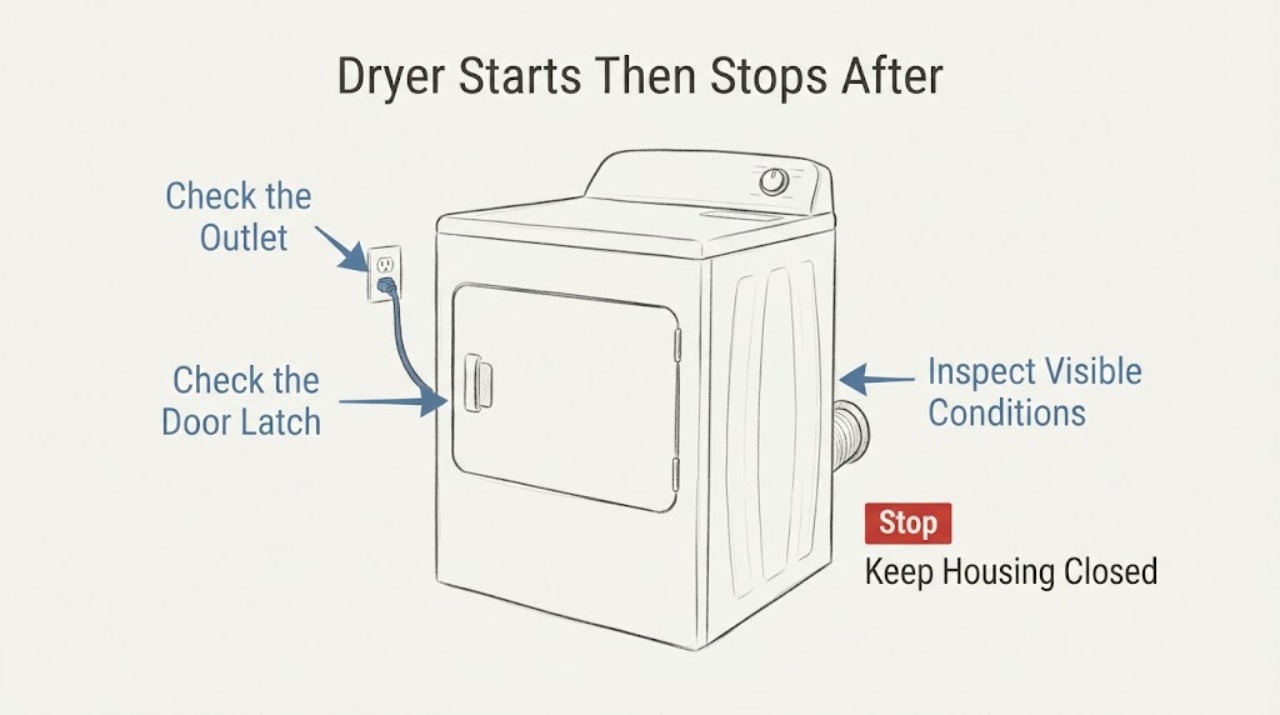
Work through in order
Diagnostic checks
Use only checks that match the exact appliance or system and its official guide.
-
Check 1
Stop using the dryer and look from a safe position for smoke, sparks, a burning or gas odor, unusual heat, a scorched plug or outlet, a damaged cord, or a gas-supply concern. Do not start another cycle when any of these signs is present.
Expected result: An active hazard is present, or the exterior and nearby supply look normal with only the stop-after-eight-seconds symptom.
Next step: For active smoke or fire, leave the area and use local emergency procedures. For a gas odor, leave the area and contact the gas supplier or emergency service from a safe location. Otherwise keep the dryer disconnected and arrange qualified appliance service; use an electrician for household electrical damage.
Why this matters
Why: Smoke, sparks, abnormal heat, damaged electrical hardware or a gas odor is a fire, shock or gas-safety stop condition; a normal-looking exterior does not clear an internal fault.
-
Check 2
With power off and the door closed normally, confirm the cycle selector is not at Off, select the intended cycle, and hold Start for the duration stated by the exact Roper manual. Do not force the door latch or bypass a door switch.
Expected result: The dryer starts and stays running, or it starts and stops again after roughly eight seconds while the controls remain responsive.
Next step: If it repeats, stop testing and record the elapsed time, whether the drum moved, whether heat was felt, and whether any display or control changed. Use the full model label for model-specific service.
Why this matters
Why: A normal door and documented Start action can clear a simple start-control issue, but a repeat stop is still a symptom and does not prove a particular internal component.
-
Check 3
Identify the household supply as gas or electric from the rating label and installation records, then observe the household breaker or fuse only from the panel. An electric dryer uses two household fuses or breakers; a gas dryer uses one. Do not keep resetting a device that trips or blows again.
Expected result: The supply protection stays on, or it trips or blows when the dryer is used.
Next step: If protection trips again, leave the dryer disconnected and arrange qualified appliance service and an electrician as appropriate. Do not probe live wiring or remove dryer panels.
Why this matters
Why: A repeated trip points to an unresolved appliance or household supply problem; it is not evidence that a dryer thermal fuse or other internal part should be replaced by the user.
-
Check 4
After the dryer is unplugged or otherwise safely isolated and cool, clean the lint screen and inspect only the visible exhaust hood or duct connection for an obvious lint blockage, crushed section or flap that cannot open. Do not disassemble the cabinet or reach into the internal duct.
Expected result: The lint screen or visible exhaust path is blocked or damaged, or it looks clear.
Next step: If the visible path is blocked or damaged, keep the dryer off and have the vent corrected or cleaned by qualified service. If it is clear, do not repeat heated cycles to search for a cause; provide the symptom record to service.
Why this matters
Why: Roper says lint buildup can lengthen drying or stop a load before it is dry, but a clear visible path does not explain an eight-second stop or rule out an internal problem.
-
Check 5
Record the full RED4516FW0 model and serial from the rating label, gas or electric configuration, cycle selected, whether the drum turned, whether heat or odor appeared, whether the breaker moved, and the approximate time before stopping. Do not remove panels to find a part number.
Expected result: The complete label and symptom timeline are available, or identification would require opening the cabinet.
Next step: Use the full label to retrieve the exact manual or give it to qualified service. If the label is not safely visible, let the technician identify the model during service rather than opening the cabinet.
Why this matters
Why: Roper and Whirlpool route service through the complete model and serial; the opened family manual does not establish an internal diagnosis for the exact suffix from timing alone.
Use your observations
Decision map
Find the observation that best matches what you see, then follow the next safe action.
-
PATH 01Next step
What you see
Smoke, gas odor, sparks, abnormal heat, a scorched plug or outlet, a damaged cord, or a household breaker/fuse trip is present.
Do this next
Stop using the dryer. Leave the area for active smoke, fire or gas odor and contact the appropriate emergency or gas service from a safe location; otherwise keep it disconnected and arrange qualified appliance service and an electrician when supply damage is visible.
Why this path and its safety boundary
Why it matters: This is a fire, gas or electrical stop condition, not a routine eight-second no-run symptom.
-
PATH 02Next step
What you see
The door was not fully latched, Start was only tapped when the exact manual requires a hold, or the cycle/control state was not selected normally, and there is no hazard.
Do this next
Correct only the documented external control state for RED4516FW0 and stop if the dryer again stops after eight seconds. Do not bypass the latch or controls.
Why this path and its safety boundary
Why it matters: The visible start sequence may explain a no-start or immediate stop without proving an internal failure.
-
PATH 03Next step
What you see
The dryer starts, the door and controls are normal, household power stays on, and it stops again after about eight seconds.
Do this next
Keep the dryer out of service and provide the full model/serial, configuration and timeline to qualified Roper or appliance service. Do not order a part or open the cabinet from the timing alone.
Why this path and its safety boundary
Why it matters: The symptom remains unresolved. Official sources do not map this timing to a motor, thermal fuse, belt, switch or board.
-
PATH 04Next step
What you see
The visible lint screen or exhaust path is obstructed, or drying became progressively longer before the stop.
Do this next
Keep the unit off, clean only the accessible lint screen, and arrange qualified vent cleaning or inspection for the duct and interior. Do not run repeated heated cycles to confirm a suspected restriction.
Why this path and its safety boundary
Why it matters: Roper identifies lint buildup and restricted exhaust as causes of longer drying or a load stopping before it is dry, but this does not establish that restriction caused an eight-second stop.
-
PATH 05Next step
What you see
The drum moves intermittently after a cycle ends while the dryer is otherwise off and the model manual documents an optional wrinkle-prevent feature.
Do this next
Check the exact RED4516FW0 manual before calling post-cycle tumbling a fault. If tumbling occurs during the selected cycle or with heat, stop use and arrange service.
Why this path and its safety boundary
Why it matters: Roper describes periodic no-heat tumbling after a cycle for models equipped with Wrinkle Prevent; that behavior is distinct from a normal cycle stopping after eight seconds.
Helpful context
Understand the symptom
Treat an eight-second stop as an unresolved symptom
The title describes a Roper dryer that starts and stops after about eight seconds. That timing does not identify a failed motor, thermal fuse, belt, door switch or control board. The opened Roper family manual supports visible start, door, power, lint and exhaust checks, while its drawings and features may vary by model. Keep the full RED4516FW0 label available and avoid copying a part or button sequence from another dryer.
Do the safe start and supply checks once
With the dryer off and the area dry, confirm the door is fully latched, the intended cycle is selected and Start is held as required by the exact manual. Whirlpool's official dryer guidance says electric dryers use two household fuses or breakers and gas dryers use one; a repeated trip is a reason to stop and involve qualified service or an electrician. Do not repeatedly reset power or perform live electrical tests.
Check only the visible lint and exhaust path
After the dryer is disconnected and cool, clean the lint screen and look only at the visible exhaust hood or duct connection for obvious blockage or collapse. Roper says lint buildup can lengthen drying or stop a load before it is dry, and it calls for periodic interior and vent cleaning by qualified personnel. A clean screen does not explain an eight-second stop by itself, so do not open the cabinet or infer an internal restriction from this check.
When checks do not resolve it
Need a professional?
Stop immediately for smoke, gas odor, sparks, unusual heat, damaged electrical hardware or a repeated breaker/fuse trip. Arrange qualified service when the dryer still stops after the documented door, Start, supply and visible lint/exhaust checks, or whenever internal gas, electrical, drive or thermal diagnosis would be required.
Safety scope: Keep the dryer disconnected for smoke, gas odor, sparks, abnormal heat, damaged supply hardware or repeated power trips. Do not open the cabinet, bypass the door switch, perform live electrical testing, alter gas components or replace a motor, fuse, belt or control part by guesswork.
Have this ready
- Provide RED4516FW0, serial, gas or electric configuration, installation details, selected cycle, whether the drum moved, whether heat or odor appeared, elapsed time before stopping, breaker or fuse behavior, and the visible lint/exhaust observations.
Common questions
FAQ
Does stopping after eight seconds prove the thermal fuse or motor failed?
No. The opened official Roper and Whirlpool sources do not map that elapsed time to a specific component. Record the symptom and use qualified service rather than ordering a part from the timing alone.
Should I keep resetting the breaker to see whether the dryer runs?
No. If the household protection trips or blows again, leave the dryer disconnected and arrange qualified appliance service and an electrician as appropriate. A repeated reset is not an internal dryer repair.
Can a lint or exhaust restriction be confirmed from this symptom?
No. Roper says lint buildup can lengthen drying or stop a load before it is dry, so the accessible lint screen and visible exhaust path can be checked after isolation. A clear path does not explain an eight-second stop, and interior vent work belongs with qualified service.
What should service receive before inspecting the dryer?
Give the complete RED4516FW0 model and serial, gas or electric configuration, cycle, whether the drum moved, heat or odor observations, the approximate eight-second timeline, breaker behavior and visible lint or exhaust findings. Whirlpool's official manual lookup uses the full model number for matching literature.
Read the exact guide
Official sources
- Dryer Not Starting or No OperationWhirlpool Product Help · Opened Whirlpool's official dryer support page. It supports external checks such as holding Start for the model-required period, checking controls and door closure, and distinguishing two household protection devices on electric dryers from one on gas dryers. It does not establish a Roper RED4516FW0 internal component diagnosis.
- Whirlpool Manuals and LiteratureWhirlpool Corporation · Opened the official manual-lookup page. It requires the complete model number to route to matching literature. This is the correct next step for the assigned Roper RED4516FW0 identity, but it is not used to claim unseen model-specific technical rules.
- Roper Use & Care Guide: Electric and Gas DryersWhirlpool Corporation / Roper · Opened the official Roper/Whirlpool PDF. It identifies Roper electric and gas dryers, says illustrations and features may vary by model, and requires the complete model and serial for service. The assigned model string RED4516FW0 is retained as task identity; this family source supports external checks and safety only, not variant-specific internal parts or procedures.
- Not Tumbling or Spinning - DryerWhirlpool Product Help · Opened Whirlpool's official dryer support page. It supports external power and Start checks, warns that electrical installation and terminal work require qualified handling, and does not transfer an internal part diagnosis to the assigned Roper model.
Community feedback
Share a repair observation
Share a plain-text repair observation. Accepted observations are published automatically; this page may take a moment to update.