
On this page
Start here
Quick answer
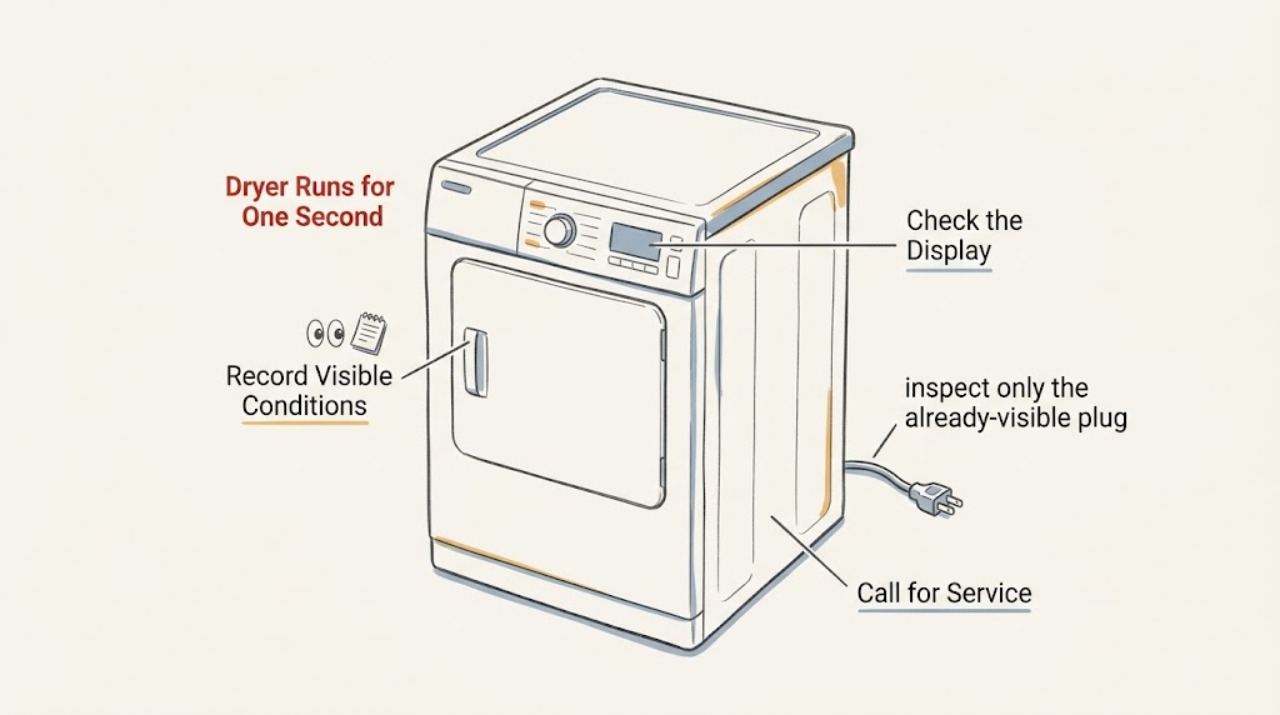
Do not keep restarting the Maytag MED5630HW2 after it made a strong noise and then began running for only about one second. The exact model is identified by Maytag's parts document as an electric dryer, and Maytag's own guidance treats loud grinding, rumbling, scraping, or a dryer that stops spinning as a reason to stop and arrange professional assessment. First record whether the display stays on, whether the door remains latched, whether the load is trapped or unusually hot, and whether the lint screen or visible exhaust is restricted. From a safe position, look for a hot or damaged plug, cord, or outlet without moving the dryer or opening any panel. If there is a burning smell, smoke, sparking, a hot connection, a repeated trip, a seized-looking drum, or a new loud noise, leave it out of service and call qualified appliance or electrical help. Do not identify the motor, belt, roller, control, or thermal component from the symptom alone.
Before you begin
Safety first
- Keep the dryer out of service after the prior loud noise and one-second stop. No user cabinet access, live electrical testing, control-area access, service-mode entry, safety bypass, drive-part replacement, or repeated restart is appropriate.
Work through in order
Diagnostic checks
Use only checks that match the exact appliance or system and its official guide.
-
Check 1
Stop pressing Start and leave the dryer cool and unused. From outside the appliance, write down whether the last sound was a bang, grind, squeal, scrape, rumble, or electrical buzz; whether the drum stopped abruptly; whether the display went blank; and whether the load was damp, dry, hot, or smelled burnt.
Expected result: The dryer now runs for about one second and stops again, or the display remains active while the motor or drum stops; the prior noise may have come from the drum area, blower area, cabinet, or electrical connection.
Next step: Keep the dryer out of service and use these observations for the service call. If there was smoke, sparking, a burning smell, unusual heat, or a hot connection, use the urgent safety branch immediately.
Stop if: Do not start another cycle to reproduce the noise, repeatedly press Start, or treat a one-second run as evidence that the dryer is safe to operate.
Why this matters
Why: The timing and sound are more informative than a guessed part name. A strong mechanical or electrical symptom before the one-second stop is not the same decision as a normal cycle ending or a simple missed Start press.
-
Check 2
Verify the full rating-plate model and serial information without moving the dryer, and confirm the displayed model is MED5630HW2 rather than a similar MED5630 variant. Maytag's owner support asks for the model and serial information before model-specific support.
Expected result: The rating plate confirms MED5630HW2, or the suffix, serial information, or electrical identity is different or unreadable.
Next step: Give the complete identity to the technician and use only that model's owner material. If the identity cannot be confirmed, stop at external observations rather than guessing a platform or component.
Why this matters
Why: The exact suffix determines which manual and service data apply. Maytag's parts document identifies MED5630HW2 as an electric dryer, but a similar-looking model or missing suffix should not inherit a procedure or part list.
-
Check 3
From a dry standing position, inspect only the already-visible plug, cord, receptacle, and nearby cabinet area for heat damage, discoloration, melted material, moisture, a loose-looking connection, or an electrical odor. Do not pull the dryer forward, open a breaker panel, remove an access panel, or touch a connection.
Expected result: The visible electrical area looks normal, or there is a hot plug or outlet, scorch mark, melting, moisture, a repeated breaker trip, buzzing, or an uncertain installation.
Next step: For any damage, heat, odor, buzzing, or repeated trip, leave the dryer disconnected if it can be done without reaching a damaged area and call a qualified electrician or appliance technician. Otherwise report the normal external check without attempting a restart.
Stop if: Do not re-energize a dryer with a hot or damaged connection, do not reset protection repeatedly, and do not make a live electrical measurement.
Why this matters
Why: A normal display does not clear the supply or cord. A visible electrical warning can explain an abrupt stop but cannot safely identify the failed component; it raises a fire and shock risk.
-
Check 4
With the dryer off and cool, inspect the door opening, latch, strike, and visible seal for lint, clothing caught in the opening, distortion, or a latch that does not remain closed. Check that the control display registers a normally closed door without forcing it, taping it, or bypassing the switch.
Expected result: The door will not latch, pops open, clothing is caught, the display loses the running state when the door is touched, or the visible door and latch look normal while the one-second stop recurs.
Next step: Remove only loose lint or clothing that is accessible without tools. If the latch is damaged or the stop persists with a secure door, keep the dryer out of service and request model-specific service.
Stop if: Do not wedge, tape, defeat, or bypass the door latch or switch, and do not remove the door or front panel.
Why this matters
Why: Maytag identifies a fully closed and latched door as a prerequisite for operation. A damaged latch or an unregistered door can interrupt a cycle, but an intact visible latch does not clear the hidden switch or control circuit.
-
Check 5
With the dryer off and cool, clean the lint screen as directed by the owner material and inspect only the visible exhaust hose, wall connection, and outside hood for crushing, disconnection, lint buildup, or a flap that cannot open. Do not reach into the blower or heater area and do not run a test cycle after the prior loud noise.
Expected result: The lint screen or visible exhaust is blocked, crushed, disconnected, or unusually weak, or the accessible vent path looks normal while the one-second stop and prior noise remain.
Next step: Correct only an accessible, obvious vent connection or lint-screen issue without moving the dryer. If the stop recurs or the dryer became unusually hot, arrange qualified inspection instead of restarting it.
Stop if: Do not operate with a disconnected, crushed, blocked, or unverified exhaust path, and do not open the cabinet to clean or test hidden components.
Why this matters
Why: Restricted exhaust can raise heat and lengthen drying, and Maytag treats venting and lint maintenance as part of safe dryer operation. A clear exterior path does not rule out internal lint, a drive problem, a thermal response, or a control fault.
-
Check 6
Check the control panel from a dry position for a blank display, a lock indicator, an error indication, or a normal selected cycle. Do not infer a motor, belt, roller, control, or thermal part from the display alone, and do not enter a service mode or use a technician-only sheet.
Expected result: The display is completely blank, remains lit but the motor stops after one second, shows a lock or error state, or responds normally but the machine still stops.
Next step: Record the exact display state and hand it to qualified service. If the display is blank or the dryer has a power symptom, include an electrician in the assessment; do not repeatedly reset or attempt a hidden diagnostic sequence.
Stop if: Do not open the control area, use live test points, enter technician service mode, or keep powering a dryer that stopped after a loud or hazardous event.
Why this matters
Why: A blank display and a lit display with a stopped motor point to different service paths, while a lock or cycle state can prevent starting on some models. The exact MED5630HW2 parts document lists technician material, but Maytag says technical sheets are intended for people with electrical, electronic, and mechanical experience.
Use your observations
Decision map
Find the observation that best matches what you see, then follow the next safe action.
-
PATH 01Next step
What you see
The dryer made a strong bang, grind, scrape, rumble, or electrical noise, then now runs for about one second or will not keep the drum moving.
Do this next
Leave the dryer out of service and book qualified Maytag appliance assessment. Supply the sound description, whether the display stayed on, and whether the drum stopped abruptly; do not reproduce it.
Why this path and its safety boundary
Why it matters: This is a fault-pattern change, not a normal cycle completion. Maytag's noise and no-spin guidance makes drive, drum, blower, door, or another internal problem possible, but the sound does not identify one part.
-
PATH 02Next step
What you see
Smoke, a burning or electrical odor, sparking, a hot plug or receptacle, melted material, exposed damage, or a repeated protective trip is present.
Do this next
Stop use and keep clear of the damaged area. Use qualified electrical or appliance help from a safe location, and use emergency response for active smoke or fire. Do not reset protection or energize the dryer again.
Why this path and its safety boundary
Why it matters: The priority is fire and shock prevention. The one-second run is not a safe diagnostic test, and no internal part can be named from the visible warning.
-
PATH 03Next step
What you see
The door does not remain latched, the display changes when the door is touched, clothing is caught at the opening, or the visible exhaust is crushed or disconnected.
Do this next
Remove only accessible lint or clothing and restore only an obvious external vent connection without moving the appliance. If the latch is damaged, the stop persists, or the prior noise was severe, leave it off and call service.
Why this path and its safety boundary
Why it matters: An accessible door or vent condition can interrupt operation or create a heat risk, but it does not explain away the prior loud noise if that noise recurs.
-
PATH 04Next step
What you see
The display remains normal, the door and visible exhaust look normal, there is no electrical or heat warning, but the dryer still stops after roughly one second.
Do this next
Do not continue troubleshooting by repeated starts. Give a qualified technician the exact model, one-second timing, sound description, display state, and results of the external checks.
Why this path and its safety boundary
Why it matters: External checks have not cleared an internal drive, motor, control, door-sensing, thermal, or power fault. A normal display is not proof that the motor circuit or drum can safely run.
Helpful context
Understand the symptom
The supplied model is specific enough to identify the platform: Maytag's opened repair-parts document lists MED5630HW2 as an electric dryer and points to its owner's manual, tech sheet, and wiring diagram. Those documents are model-specific service material, not an invitation to open the cabinet. The symptom to preserve for service is the sequence: a strong or unusual noise on the last run, an unexpected stop, and a later start that lasts about one second.
A short start by itself can be a control, door, or supply symptom, but a preceding angry noise changes the first decision. Maytag lists grinding, rumbling, scraping, belt or drive concerns, loose objects, and blower-related noise among possible causes, while its no-spin guidance says continued use is not recommended when the dryer is malfunctioning or the drum does not spin. These are symptom categories for a technician, not proof that a particular part has failed.
When checks do not resolve it
Need a professional?
Use qualified Maytag appliance service for the recurrent one-second stop or any suspected drive, door, thermal, control, or internal airflow issue. Use a qualified electrician for hot, damaged, buzzing, or uncertain electrical supply connections; use emergency help for smoke or fire.
Safety scope: Keep the dryer out of service after the prior loud noise and one-second stop. No user cabinet access, live electrical testing, control-area access, service-mode entry, safety bypass, drive-part replacement, or repeated restart is appropriate.
Have this ready
- Provide the complete MED5630HW2 model and serial information, electric-dryer identity, the exact timing, last-cycle load and heat state, sound description and location, display state, door-latch behavior, visible exhaust condition, power-symptom history, and any odor, smoke, scorch, or trip.
Common questions
FAQ
Can I keep restarting the MED5630HW2 to hear the noise again?
No. A strong prior noise followed by a one-second run is a reason to stop, document the sound and display state, and arrange qualified assessment. Repeated starts can worsen an internal or electrical fault and do not identify the failed part.
Does a normal display mean the dryer motor is fine?
No. The display can remain active while a door-sensing, drive, thermal, control, or supply problem prevents continued operation. Check only the visible door, exhaust, and electrical warning signs, then hand the exact sequence to a technician.
Should I replace the belt, motor, roller, or control board first?
No. Maytag's guidance lists several possible noise and no-spin categories, but the noise and one-second stop do not prove a particular component. The exact MED5630HW2 model, external observations, and a qualified diagnosis are needed before selecting a part.
Read the exact guide
Official sources
- Service & Support Owners Center | MaytagMaytag · Supports collecting the complete model and serial before model-specific support; it does not define the one-second fault or authorize user disassembly.
- Why Does My Dryer Keep Stopping Mid-Cycle?Maytag · General Maytag symptom guidance used for external door, vent, and heat observations; it does not prove a MED5630HW2 sensor, fuse, belt, motor, or control fault.
- Possible Fixes for a Dryer That’s Making Loud NoisesMaytag · General Maytag dryer guidance used to classify the preceding noise and set a service boundary; it does not identify the MED5630HW2 failed part.
- Dryer Not Starting or No OperationMaytag Product Help · General Maytag dryer guidance used only for safe external observations of Start, door latch, display/control, and supply symptoms; it does not authorize repeated restarts or internal testing.
- MED5630HW | MaytagMaytag · Family-level context only; it must not override the exact MED5630HW2 suffix or be used to select a replacement part.
- Where Can I Find the Tech Sheet for My Appliance?Maytag Product Help · Supports keeping wiring, voltage, component testing, and service-mode data with qualified repair personnel; it does not diagnose this MED5630HW2 symptom.
- How to Fix a Dryer That Won’t SpinMaytag · General Maytag guidance used for the boundary that a loud-noise/no-spin dryer should not continue operating; it is not a MED5630HW2 parts diagnosis.
- Repair Parts List - W11511599 - Rev BMaytag / Whirlpool Corporation · Directly identifies MED5630HW2 as an electric dryer and lists its owner manual, tech sheet, wiring diagram, control, door strike, and cabinet assemblies; it does not prove which component caused the reported stop.
Community feedback
Share a repair observation
Share a plain-text repair observation. Accepted observations are published automatically; this page may take a moment to update.