
On this page
Start here
Quick answer
First distinguish an oven with no power from one that has an active display but remains cold. If the oven light, display, or dial halos are off, check for a household outage or tripped breaker without opening the appliance. If controls are active, select the normal oven function and setting for the exact model, check for a lock, Demo Mode, or Sabbath Mode, close the door fully, and avoid frequent opening during preheat. On gas models, an unavailable household gas supply can prevent heating; do not work on gas or ignition parts. A recurring alert, flashing control, cracked door glass, gas odor, smoke, unstable flame, or repeated breaker trip is a stop condition requiring qualified service. [Source: fisherpaykel-gas-oven-guide; fisherpaykel-rhv-oven-guide; fisherpaykel-professional-oven-guide]
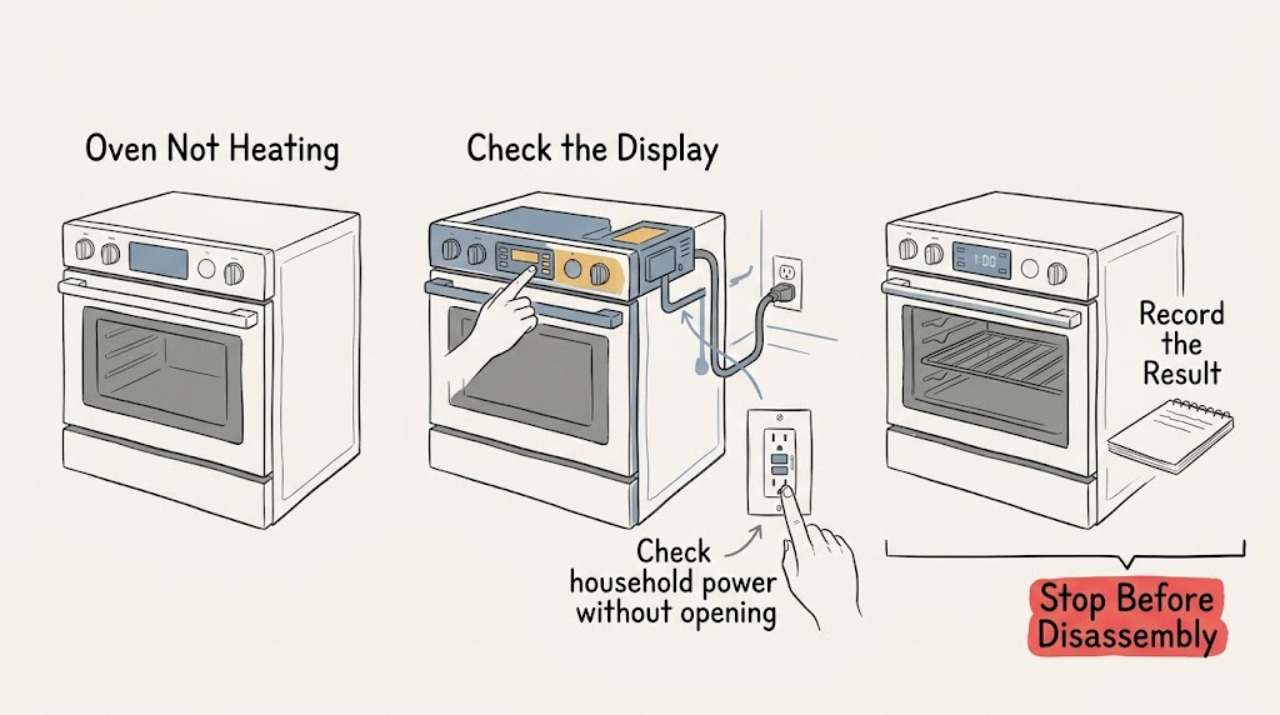
Work through in order
Diagnostic checks
Use only checks that match the exact appliance or system and its official guide.
-
Classify dead controls versus powered but cold
With the oven cool and unused, observe the display, oven light, dial halos or indicators, response to the controls, and any alert or flashing control. Do not reach into the oven or remove a panel to investigate the heat source.
Expected result: The controls are completely dark, the display is on but the oven stays cold, the controls are unresponsive, or an alert or flashing dial appears.
Next step: Follow the matching power, controls, door, gas, or alert branch. Do not repeat heating attempts until the symptom category is clear.
Why this matters
Why: Dark controls point toward power or an outage; an active but cold oven points toward function, door, gas supply on gas models, or an internal fault; unresponsive or flashing controls can indicate a lock, special mode, or technical problem.
-
Check household power without opening the oven
If the display, oven light, and control indicators are off, check whether other household power is available and observe the accessible breaker or fuse indication. Reset a clearly tripped breaker only once if there is no smell, smoke, water, heat, or visible damage; do not remove covers or touch wiring.
Expected result: Power returns and the controls illuminate, the outage remains, the breaker trips again, or the breaker appears normal but the oven stays dark.
Next step: If power is unavailable, wait for stable household supply. If the breaker trips again or the oven remains dark with power available, leave it off and arrange qualified electrical or appliance service.
Why this matters
Why: Fisher & Paykel lists no power, an outage, or a tripped breaker as reasons an oven does not work. A repeat trip or persistent dark control is an electrical or appliance-service issue, not a reason to keep resetting.
-
Confirm the normal function and control mode
With the oven empty, select the standard bake or oven function named by the exact model guide and set the intended control position. Check the display for a locked panel, Demo Mode, Sabbath Mode, automatic cooking, or another special setting; use only the documented mode-exit procedure and never bypass a lock or safety control.
Expected result: The oven begins normal heating after the correct function is selected, a lock or special mode is shown, the clock or automatic program blocks operation, or the controls stay unresponsive.
Next step: Perform one supervised heating check after the manual-approved mode correction. If the oven remains cold or a mode cannot be exited, stop and request service.
Why this matters
Why: Fisher & Paykel guides identify control locks, Demo Mode, Sabbath Mode, and model-specific control states as reasons a powered oven may not work. A mode that cannot be exited or a control that remains unresponsive can indicate a technical fault.
-
Close the door and allow a normal preheat
Close the oven door fully and check from outside that the seal sits evenly and the glass is intact. Select the correct function once, allow normal preheat time, and avoid repeatedly opening the door while judging heat; do not force or remove the door.
Expected result: The door was not fully closed, the oven starts heating after closure, the glass is cracked or chipped, the door cannot seal, or the oven stays cold with a closed intact door.
Next step: If the door is damaged or cannot close, keep the oven out of service. If it closes normally but the oven remains cold after one check, stop repeating tests and arrange qualified service.
Why this matters
Why: Fisher & Paykel states that heating is disabled while the door is open and that frequent opening interferes with heating. Cracked glass or a door that cannot close is a stop condition; a closed door with no heat points toward supply, ignition, controls, or service.
-
Check external gas availability only on gas models
If this is a gas or dual-fuel model and the controls work but the oven does not ignite or heat, confirm only from a safe external observation whether the home's gas supply is available and whether other gas appliances show the same supply symptom. Do not open fittings, adjust a valve or regulator, purge a line, or work on ignition components.
Expected result: The household gas supply is unavailable, another gas appliance has the same symptom, gas odor or an unstable flame is present, or the external supply appears normal but the oven remains cold.
Next step: For gas odor or an unsafe flame, leave the area and use the appropriate emergency or gas-service channel. Otherwise keep the oven off and arrange qualified gas-appliance service if supply is unavailable or the oven still fails.
Why this matters
Why: Fisher & Paykel distinguishes no gas supply from an oven-specific no-heat fault. Gas odor or abnormal combustion is an immediate stop condition; a normal external supply with no heat needs model-specific diagnosis.
-
Record an alert and stop for persistent no heat
If an alert code, flashing oven-mode or temperature control, repeated ignition without reliable heating, smoke, or an abnormal flame appears, note the exact visible message and turn the oven controls off. Allow the oven and fans to cool fully; only if the exact guide directs it, switch power off at the wall once after cooling and contact trained service if the alert or no-heat condition returns.
Expected result: The alert clears and normal heating returns, the alert or flashing control returns, the oven still will not ignite or heat, or smoke, gas odor, or abnormal combustion appears.
Next step: Keep the oven off and request qualified Fisher & Paykel service. For gas odor, smoke, or uncontrolled combustion, leave the area and use the appropriate emergency or gas-service channel.
Why this matters
Why: Fisher & Paykel directs owners to record recurring alerts, cool the oven, and contact trained service. A returning alert, persistent no heat, or unsafe combustion symptom cannot be safely narrowed to a replaceable part.
Use your observations
Decision map
Find the observation that best matches what you see, then follow the next safe action.
-
PATH 01Safety boundary
What you see
The display, oven light, and control indicators are all off.
Do this next
Check the household outage and accessible breaker or fuse indication once. If power is available but the oven stays dark, leave it off and arrange service.
Why this path and its safety boundary
Safety stop: Continue with function, door, gas-model, and alert checks.
-
PATH 02Safety boundary
What you see
The controls are on but the oven remains cold.
Do this next
Confirm the normal function and setting, any lock or special mode, a fully closed door, and external gas availability where fitted. If these are normal, arrange service.
Why this path and its safety boundary
Safety stop: Use the dark-control or unresponsive-control branch.
-
PATH 03Safety boundary
What you see
A lock, Demo Mode, Sabbath Mode, or automatic-control state is shown.
Do this next
Use the exact model guide's documented exit procedure and perform one supervised check. If the mode cannot be exited, request service.
Why this path and its safety boundary
Safety stop: Continue with door and supply checks.
-
PATH 04Safety boundary
What you see
The door is not fully closed, the glass is cracked, or the door cannot seal.
Do this next
Close it normally only when undamaged; do not use the oven with cracked glass or a door that cannot seal, and arrange trained service.
Why this path and its safety boundary
Safety stop: Allow one normal preheat check, then escalate if no heat persists.
-
PATH 05Safety boundary
What you see
An alert returns, a control flashes, gas odor or smoke appears, or the flame is abnormal.
Do this next
Turn the oven off, leave the area for gas odor or uncontrolled combustion, and contact the appropriate qualified service or emergency channel.
Why this path and its safety boundary
Safety stop: Document the successful setting or door check and monitor normal use; do not replace a part from the symptom alone.
Helpful context
Understand the symptom
A cold oven is not always a failed heater. The first useful split is whether the controls are dead, whether a powered oven is set to the wrong mode, whether the door is open, or whether a gas model lacks supply. Model families differ, so symbols and mode-exit steps must come from the exact Fisher & Paykel guide.
These checks stay outside the appliance: observe the controls, household supply, door, and visible symptoms. Do not test live voltage, open gas fittings, adjust burners or regulators, bypass a door or ignition safety, remove panels, or dismantle the oven.
A cooling fan or warm air from the vents after the oven is turned off can be normal on Fisher & Paykel models. Judge heating by the selected function, normal preheat behavior, cooking result, and any alert—not by fan noise alone.
Safety boundary
Stop conditions
- Stop immediately for gas odor, smoke, an uncontrolled or unstable flame, repeated ignition without reliable heating, arcing, hot wiring, a breaker that trips again, or a damaged power connection.
- Do not open gas fittings, adjust a regulator or burner, test live electrical parts, bypass ignition or door safety, remove panels, or dismantle the oven.
- Do not use the oven with cracked door glass, a door that cannot close and seal, a recurring alert, or a flashing control that persists after the exact manual's documented guidance.
- Do not keep repeating heating or breaker-reset attempts; leave electrical, gas, and combustion diagnosis to qualified professionals.
When checks do not resolve it
Need a professional?
Request qualified Fisher & Paykel appliance service when power is available but the oven remains cold, a normal function and closed door do not restore heat, a gas-model supply appears normal but ignition fails, a lock or special mode cannot be exited, an alert returns, or a breaker trips again. Use a qualified gas professional for supply, conversion, regulator, or installation concerns and the appropriate emergency gas channel for gas odor or uncontrolled combustion.
Have this ready
- Exact Fisher & Paykel model and serial details
- Whether the display, oven light, and control indicators are on
- Selected function and setting, mode or lock symptoms, and exact alert text or flashing control
- Whether the appliance is gas, dual-fuel, or electric and whether the external supply is available
- Whether the door closes and seals normally and whether the glass is intact
- What happened after the single documented check, including breaker behavior, gas odor, smoke, or flame symptoms
Common questions
FAQ
Why is my Fisher & Paykel oven on but not heating?
Confirm the normal function and setting, any lock or special mode, a fully closed door, and gas availability if it is a gas model. If those checks are normal and the oven remains cold, stop repeating tests and request qualified service.
Can an open oven door prevent a Fisher & Paykel oven from heating?
Yes. Fisher & Paykel states that heating is disabled while the door is open and recommends avoiding frequent opening during cooking. Close the intact door normally; do not use the oven if the glass is cracked or the door cannot seal.
When should I stop using a Fisher & Paykel oven that is not heating?
Stop for gas odor, smoke, an abnormal flame, a recurring alert, cracked door glass, a breaker that trips again, or a control that remains faulty. Leave electrical, gas, ignition, and heating diagnosis to qualified service.
Read the exact guide
Official sources
- Fisher & Paykel Professional Range User Guide, TroubleshootingFisher & Paykel · Fisher & Paykel professional gas and dual-fuel ranges; manufacturer troubleshooting for no power, no gas, outage, no heating, and normal cooling behavior
- Fisher & Paykel Oven User Guide, TroubleshootingFisher & Paykel · Fisher & Paykel range ovens; manufacturer troubleshooting for no heat, power, gas, Demo Mode, lock or Sabbath Mode, door closure, alerts, and service
- Fisher & Paykel RGV3 Gas Cooker User GuideFisher & Paykel · Fisher & Paykel gas cookers and ranges; manufacturer troubleshooting for no power, no gas, no heat, door behavior, alerts, and service
Community feedback
Share a repair observation
Share a plain-text repair observation. Accepted observations are published automatically; this page may take a moment to update.