
On this page
Start here
Quick answer
A Fisher & Paykel refrigerator filter indicator generally means the filter is due for replacement or the filter-monitoring interval has not been reset. Do not use a generic button combination: Fisher & Paykel's official instructions vary by model family, and the manufacturer says not to reset the indicator before replacing the filter. Identify the exact model, install the matching filter using its official guide, flush it as directed, then use only that model guide's reset control. If the light remains on after a correctly installed filter and exact reset, use Fisher & Paykel product support rather than disabling the reminder or forcing the cartridge.
Before you begin
Safety first
- Do not force the cartridge, disable the reminder to hide an unresolved issue, perform internal electrical/display work or alter water connections beyond the exact guide.
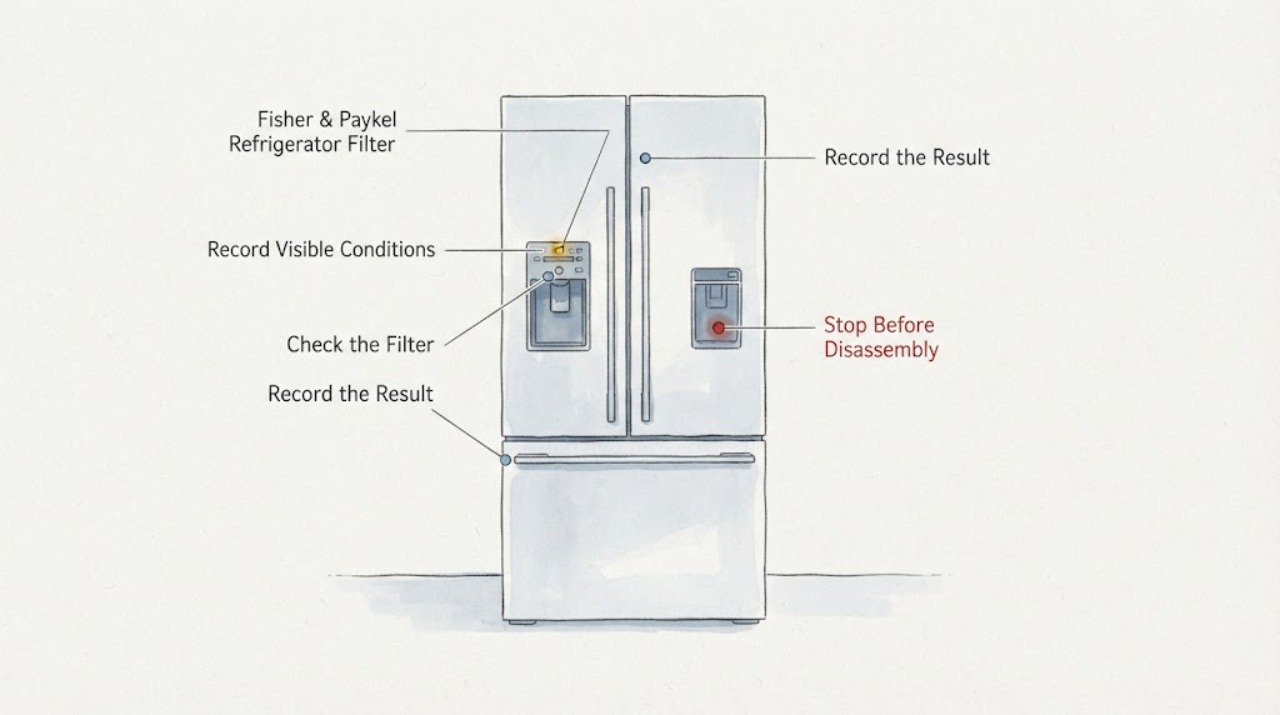
Work through in order
Diagnostic checks
Use only checks that match the exact appliance or system and its official guide.
-
Check 1
Record the full refrigerator model and serial number and compare the lit icon's location and appearance with that model's user guide.
Expected result: The icon matches a filter replacement indicator, or it is a dispenser lock/alarm/other warning.
Next step: Use Fisher & Paykel's exact model support/manual route before pressing reset controls.
Why this matters
Why: Only the first condition supports the filter workflow; another light needs its own model-specific interpretation.
-
Check 2
Confirm the filter family and replace the cartridge using the exact model guide; do not clear the indicator before replacement.
Expected result: The cartridge aligns and locks, or it will not seat/turn or causes a leak.
Next step: If it does not seat or leaks, stop water-related use and arrange model-specific help. Do not force the cartridge.
Why this matters
Why: A correct installation is a prerequisite to a meaningful reset; resistance or leakage indicates an installation/model mismatch or service issue.
-
Check 3
Flush the newly installed filter through the dispenser and/or ice maker exactly as the model guide specifies, and inspect accessible connections for drips.
Expected result: Flow and taste improve with no leak, or flow remains poor/leakage appears.
Next step: Stop and use the exact guide or qualified service for a leak, damaged tubing or unresolved flow problem.
Why this matters
Why: Flushing removes trapped air/fines and checks the water path; persistent low flow or leakage is not fixed by a display reset.
-
Check 4
After replacement and flushing, follow only the exact model's documented filter-indicator reset control; do not use a combination copied from another Fisher & Paykel family.
Expected result: The indicator turns off, remains on, flashes, or another function responds instead.
Next step: If the correct guide's reset does not clear the light, stop experimenting and contact Fisher & Paykel support with the model and filter details.
Why this matters
Why: The result distinguishes a completed model-specific reset from wrong controls, an incomplete installation or an unrelated warning, but it does not justify repeated random button tests.
-
Check 5
Arrange Fisher & Paykel support or an authorized service partner when the model cannot be identified, the indicator persists after a documented replacement/reset, the cartridge leaks, or plumbing/display repair is required.
Expected result: The symptom requires an unverified button sequence, internal access, water-line work or disabling the reminder.
Next step: Keep the exact model and filter information available and use Fisher & Paykel's official support/service route. Do not bypass, disable or force the system.
Why this matters
Why: Public family-level instructions cannot safely select a filter, control sequence or internal repair for an unidentified refrigerator.
Use your observations
Decision map
Find the observation that best matches what you see, then follow the next safe action.
-
PATH 01Next step
What you see
The icon matches the model's filter replacement indicator and no leak or flow fault is present.
Do this next
Replace the matching filter and flush it according to the exact model guide before resetting.
Why this path and its safety boundary
Why it matters: The refrigerator is reporting a filter-maintenance interval rather than proving a cooling failure.
-
PATH 02Next step
What you see
The replacement filter will not align/lock, water drips, or flow is abnormal after installation.
Do this next
Stop forcing the cartridge, isolate water if needed without approaching a hazard, and use the model guide or qualified service/plumbing help.
Why this path and its safety boundary
Why it matters: The water path or cartridge fit is unresolved; a reset cannot make an unsafe or incomplete installation correct.
-
PATH 03Next step
What you see
The filter is correctly replaced and flushed but the indicator stays on, or the model's reset controls are unknown.
Do this next
Use the exact model manual or Fisher & Paykel support; do not try another family's button sequence or disable the reminder.
Why this path and its safety boundary
Why it matters: A generic reset is not supported; the guide may differ by refrigerator family or the light may be another warning.
-
PATH 04Next step
What you see
The light returns immediately after the documented reset, the display behaves abnormally, or repair requires internal electrical/plumbing access.
Do this next
Book authorized Fisher & Paykel service with the exact model, filter details and observed behavior.
Why this path and its safety boundary
Why it matters: The remaining condition is beyond a safe family-level filter reset workflow.
Helpful context
Understand the symptom
A lit filter indicator is usually a maintenance reminder, not proof that the refrigerator itself has stopped cooling. First identify the full model and whether the light is on an internal panel, an external display or a dispenser. Fisher & Paykel publishes different filter locations and controls for different refrigerator families, so a button sequence copied from another model can leave the reminder inaccurate or change the wrong feature.
Confirm that the indicator is the filter reminder
Record the model and serial label and compare the icon, color and panel location with that model's user guide. On the opened ActiveSmart guide, the replacement icon appears on the internal panel and external display for Ice & Water models and can flash when water is dispensed. A dispenser-lock light, an alarm or a general warning is a different condition; do not reset it as a filter reminder.
Replace the filter before resetting the light
Do not clear the indicator just because it is inconvenient. Fisher & Paykel explicitly warns that resetting before changing the filter makes monitoring inaccurate. Use the exact model's filter identification and installation instructions, align the cartridge, lock it fully and check for drips. Different families use external, internal or tool-assisted filter arrangements; do not force a cartridge that does not align.
Flush and check the water path as the guide requires
After installation, flush the new filter using the exact model guide. Fisher & Paykel's replacement page requires flushing after installation and describes different procedures for dispensers and ice-maker-only configurations. Stop if the cartridge will not lock, water leaks, the tubing or connection is damaged, or the installation would require plumbing work outside the documented user step.
Use only the exact model reset instruction
Do not publish or try a universal reset combination. The opened RS32A72/RS36A72/RS36A380/RS36W80 guide gives a family-specific four-second control instruction, while Fisher & Paykel's general replacement page directs owners to the guide for the applicable refrigerator. Your model may use different controls, a different display or no resettable indicator. Follow the exact model guide only after the replacement is complete.
Interpret the result without disabling the reminder
If the icon turns off after the correct filter change and model-specific reset, monitor the dispenser or ice maker for leaks, taste, flow and normal operation. If it stays on, flashes unexpectedly, returns immediately, or the filter cannot be recognized, record the model, filter identification, installation position and display behavior. Do not disable the indicator or substitute an unverified filter to hide the symptom; ask Fisher & Paykel or an authorized service partner for model-specific help.
When checks do not resolve it
Need a professional?
Use Fisher & Paykel support or an authorized service partner when the exact model or filter cannot be identified, the cartridge leaks or will not lock, the indicator remains on after the documented replacement and reset, or the job requires internal display, electrical or plumbing access. Do not use a generic reset combination.
Safety scope: Do not force the cartridge, disable the reminder to hide an unresolved issue, perform internal electrical/display work or alter water connections beyond the exact guide.
Have this ready
- Exact model and serial, indicator location/icon, filter identification, whether the cartridge was replaced and flushed, installation position, leaks/flow changes and the documented reset result.
Common questions
FAQ
Can I reset a Fisher & Paykel refrigerator filter light without changing the filter?
Do not. Fisher & Paykel says resetting before replacing the filter makes filter monitoring inaccurate. Replace and flush the correct filter first, then follow the exact model guide.
Is there one button combination that resets every Fisher & Paykel refrigerator filter light?
No universal combination is established by the opened official sources. Fisher & Paykel publishes model-family guides with different filter arrangements and controls, so use the exact model instruction.
What if the filter light stays on after the filter was changed?
Confirm the filter is the correct family, fully aligned and locked, flush it as directed, and use only the exact model's reset control. If the light persists or the cartridge leaks, contact Fisher & Paykel service.
Read the exact guide
Official sources
- Water Filter ReplacementFisher & Paykel · Opened the Fisher & Paykel official water-filter replacement page. It covers multiple refrigerator configurations and explicitly says to reset only after replacing the filter; model-specific installation sections differ.
- ActiveSmart Refrigerator Models GuideFisher & Paykel · Opened the official Fisher & Paykel ActiveSmart guide. It states that the replacement icon appears and flashes during dispensing for Ice & Water models, while exact reset controls are left to the relevant model guide.
- Fisher & Paykel RS32A72/RS36A72/RS36A380/RS36W80 User GuideFisher & Paykel · Opened the official US/Canada PDF. It is a specific model-family guide, not a universal Fisher & Paykel instruction; its reset control labels must not be transferred to an unidentified model.
- Help & SupportFisher & Paykel · Opened Fisher & Paykel official support page. It routes owners to manuals, product help and authorized service; it is used to obtain the exact model instruction rather than infer a universal reset.
- RF170WDRUX5 Installation Guide — Water FilterFisher & Paykel · Opened the official US installation guide. It warns not to reset before changing the filter and scopes the filter indicator and installation safety statements to this guide/model family.
Community feedback
Share a repair observation
Share a plain-text repair observation. Accepted observations are published automatically; this page may take a moment to update.