
On this page
Start here
Quick answer
Start by confirming that this Fisher & Paykel refrigerator is an Ice & Water model and that the dispenser is not locked. Then check the external water supply and line for a closed valve, kink or leak, and check the filter indicator and filter installation using the exact model guide. A new installation, a recently changed filter, or a long period without dispensing can leave air in the system; flush the quantity and timing specified by that model's guide rather than applying one universal volume. Do not put objects into the dispenser opening or press the pad harder. If flow remains absent or slow after these external checks, or there is a leak, damaged tubing, electrical symptom or food-safety concern, stop and arrange Fisher & Paykel service.
Before you begin
Safety first
- Do not insert objects into the dispenser opening, open the sealed refrigeration system, perform live electrical tests or continue using a leaking/damaged water connection. Isolate water and power only when safe and use trained service for internal repairs.
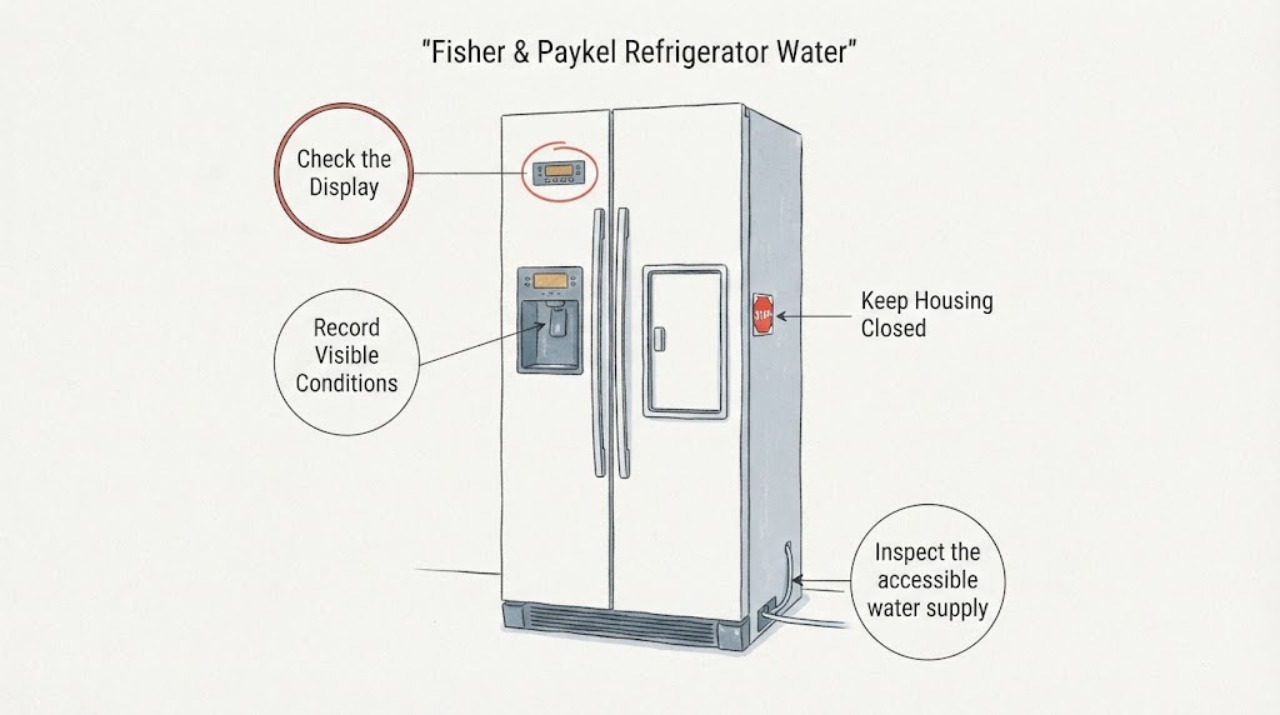
Work through in order
Diagnostic checks
Use only checks that match the exact appliance or system and its official guide.
-
Check 1
Confirm that the refrigerator has an Ice & Water dispenser and record the full model/serial information before changing settings or ordering a filter.
Expected result: The appliance is an Ice & Water model with a matching Fisher & Paykel guide, an Automatic Ice/non-dispenser model, or the model remains unknown.
Next step: Use the matching model guide for the remaining checks. If it is not an Ice & Water model or the identity cannot be confirmed, stop the dispenser diagnosis and arrange product-specific support.
Why this matters
Why: Only Ice & Water models have the external water-dispenser path described by these guides; an unidentified model cannot safely inherit another family's filter location or flush/control sequence.
-
Check 2
Check the external dispenser display for a dispenser-lock indicator and use the exact model guide's unlock control if the indicator shows the dispenser is locked.
Expected result: A lock LED/icon is illuminated and the pad gives the guide-described locked response, or no lock indication is present.
Next step: If the matching guide confirms the lock control, unlock it as documented and test with a glass. If no lock is shown, continue to the supply and filter checks rather than holding random buttons.
Why this matters
Why: On the opened Fisher & Paykel guides, an illuminated lock prevents dispensing; the lock control is model-specific even though the named guides use a press-and-hold operation.
-
Check 3
Inspect the accessible water supply connection and tubing for a closed valve, kink, crushed section or leak; do not pull the refrigerator far enough to strain the line or open a plumbing connection you cannot safely isolate.
Expected result: The supply is off or disconnected, the line is kinked/leaking, or the external supply path appears open and intact.
Next step: Restore only an obvious external supply condition in accordance with local plumbing and the installation guide. If the line leaks, isolate water safely and arrange service; if it is clear, continue to the filter/air branch.
Why this matters
Why: Fisher & Paykel's troubleshooting table lists supply-off/disconnected and kinked or blocked lines as causes of no dispensing. A clear external line does not prove an internal valve or board fault.
-
Check 4
Check the filter-change indicator and the filter's seating/age using the exact model guide; if the filter is confirmed restricted or due for replacement, use only the matching filter procedure and do not reset the indicator before the documented replacement.
Expected result: The indicator is on, flow is slow, the filter was recently changed, or the filter is not the suspected cause and flow is absent.
Next step: Replace or reseat the filter only when the model guide confirms the procedure, then follow that guide's flush. If the filter path is clear but flow remains absent, move to service rather than guessing a dispenser valve or control board.
Why this matters
Why: Fisher & Paykel identifies a restricted or blocked filter as a cause of slow or absent flow and provides model-specific filter and indicator instructions. The exact fit and location cannot be inferred from the brand alone.
-
Check 5
If the issue began after installation, filter replacement or a long period without dispensing, flush the water system exactly as the matching guide specifies and discard the water called for by that guide.
Expected result: The dispenser recovers after the documented flush, or it still has no/slow flow, persistent drips or poor taste/odor afterward.
Next step: Use only the volume and wait interval in the matching manual. If flow or water quality does not recover, stop repeated dispensing and arrange service or water/filter support; do not treat a generic flush as proof of an internal repair.
Why this matters
Why: Fisher & Paykel manuals describe trapped air and stale water as post-installation or extended-unused conditions, but the opened guides specify different volumes and timing for different model families.
Use your observations
Decision map
Find the observation that best matches what you see, then follow the next safe action.
-
PATH 01Next step
What you see
A confirmed Ice & Water model shows the dispenser-lock indicator and the guide-described locked response.
Do this next
Unlock it using the exact model guide's documented control, then test gently with a glass; if the lock will not clear, use product-specific service.
Why this path and its safety boundary
Why it matters: The dispenser is being intentionally prevented from dispensing, so supply and filter work is premature.
-
PATH 02Next step
What you see
There is no flow and the external valve is off/disconnected or the accessible line is kinked, crushed or leaking.
Do this next
Isolate water for a leak and correct only a clearly accessible installation condition; otherwise arrange a plumber or Fisher & Paykel service according to the installation boundary.
Why this path and its safety boundary
Why it matters: The result matches a supply-path problem identified in Fisher & Paykel's troubleshooting guidance, but it does not diagnose an internal dispenser valve.
-
PATH 03Next step
What you see
Flow is slow, the filter indicator is illuminated, or the issue started after a filter change/long period of non-use.
Do this next
Follow the exact model guide for filter replacement and flushing; do not reset an indicator before the documented filter change and do not order a part by appearance alone.
Why this path and its safety boundary
Why it matters: A restricted filter or trapped air is plausible within the named manual families, but the correct filter and flush amount remain model-specific.
-
PATH 04Next step
What you see
The line or dispenser leaks, tubing is damaged, the appliance has an electrical/refrigerant symptom, or dispensing remains unavailable after the matching external checks.
Do this next
Stop dispensing and isolate water/power only when safe, protect nearby surfaces and food, and provide the model/serial, symptom pattern, filter history and leak details to a Fisher & Paykel trained service technician.
Why this path and its safety boundary
Why it matters: The public guides do not support a safe generic internal component diagnosis or repair for this result.
Helpful context
Understand the symptom
“Water dispenser issue” can mean no water, weak flow, drips, warm or poor-tasting water, or a lock that prevents dispensing. Fisher & Paykel's troubleshooting tables separate these patterns: supply and line checks apply to no flow, filter or kink checks apply to reduced flow, and trapped air is relevant after installation, filter replacement or a long period without use. The refrigerator model and market still matter because filter location, lock controls and flushing instructions vary.
Identify the safe branch before changing a filter
Locate the model/serial label and check whether the refrigerator is an Ice & Water model. Use the matching Fisher & Paykel user guide before replacing a filter or repeating a flush. A manual for a named family can support that family, but it does not prove the same filter, volume, control sequence or dispenser arrangement for an unidentified refrigerator.
Keep the checks external and stop for leaks or unsafe symptoms
The useful user-level checks are the lock indicator, valve and line, filter indicator and model-approved flush. Do not insert a tool into the nozzle, open the sealed refrigeration system, perform live electrical tests or keep using a leaking water connection. Persistent no-flow or slow-flow after the applicable checks needs model-specific service rather than a guessed solenoid, board or valve diagnosis.
When checks do not resolve it
Need a professional?
Safety scope: Do not insert objects into the dispenser opening, open the sealed refrigeration system, perform live electrical tests or continue using a leaking/damaged water connection. Isolate water and power only when safe and use trained service for internal repairs.
Have this ready
- Full model and serial number, Ice & Water versus non-dispenser configuration, no-flow/slow-flow/drip/taste symptom, lock indicator state, supply-line condition, filter model and change history, flush result, and any water damage or electrical/refrigeration symptom.
Common questions
FAQ
Why is my Fisher & Paykel refrigerator water dispenser not working?
Check the exact model's dispenser lock, external water supply, line for kinks or leaks, filter indicator and filter seating. A new installation, filter change or long period without use can require the model-specific flush. These checks do not prove an internal valve or board failure.
Can I use the same filter or flush amount on every Fisher & Paykel refrigerator?
No. The opened manuals cover named model families and show different filter locations and flushing volumes/timing. Confirm the full model and use its guide before replacing or flushing the filter.
What does the lock light mean on a Fisher & Paykel dispenser?
On the opened Ice & Water guides, an illuminated dispenser-lock indicator means dispensing is disabled. Use the exact model guide's lock control; do not force the pad or insert a tool into the opening.
When should I stop troubleshooting the water dispenser?
Stop and arrange service for a leak, damaged tubing, electrical or refrigeration symptom, water damage, or continued no/slow flow after the matching external supply, lock, filter and flush checks.
Read the exact guide
Official sources
- ACTIVESMART™ Freestanding Refrigerator Contemporary Quad Door Refrigerator Freezer Ice & Water User GuideFisher & Paykel · Named US/CA RF203QDU/RF203QD3 guide; it supports conditional lock, gentle pad use, filter indicator, flush and water-line safety guidance for that family.
- INSTALLATION GUIDE / USER GUIDE — ACTIVESMART™ REFRIGERATOR ICE & WATER, AUTOMATIC ICE AND NON-ICE & WATER MODELSFisher & Paykel · Named NZ/AU/GB/IE/EU/AE/HK/SG model-family guide; it supports conditional dispenser lock, no-object, filter and flush guidance for listed models.
- Help & Support | Book A Service | Repair | Technician | Fisher and Paykel USAFisher & Paykel USA · Official support entry point for model-specific troubleshooting/manual lookup and trained service; it does not itself define a universal dispenser repair.
- ACTIVESMART™ Integrated Refrigerator / French Door Refrigerator Freezer User GuideFisher & Paykel · Named US/CA model-family manual; its troubleshooting table supports supply, blocked line, air, filter, frozen-tank and slow-flow branches only for the listed family scope.
Community feedback
Share a repair observation
Share a plain-text repair observation. Accepted observations are published automatically; this page may take a moment to update.